🧠 AI Quiz
Think you really understand Artificial Intelligence?
Test yourself and see how well you know the world of AI.
Answer AI-related questions, compete with other users, and prove that
you’re among the best when it comes to AI knowledge.
Reach the top of our leaderboard.

















Image to Sketch | Lovnib

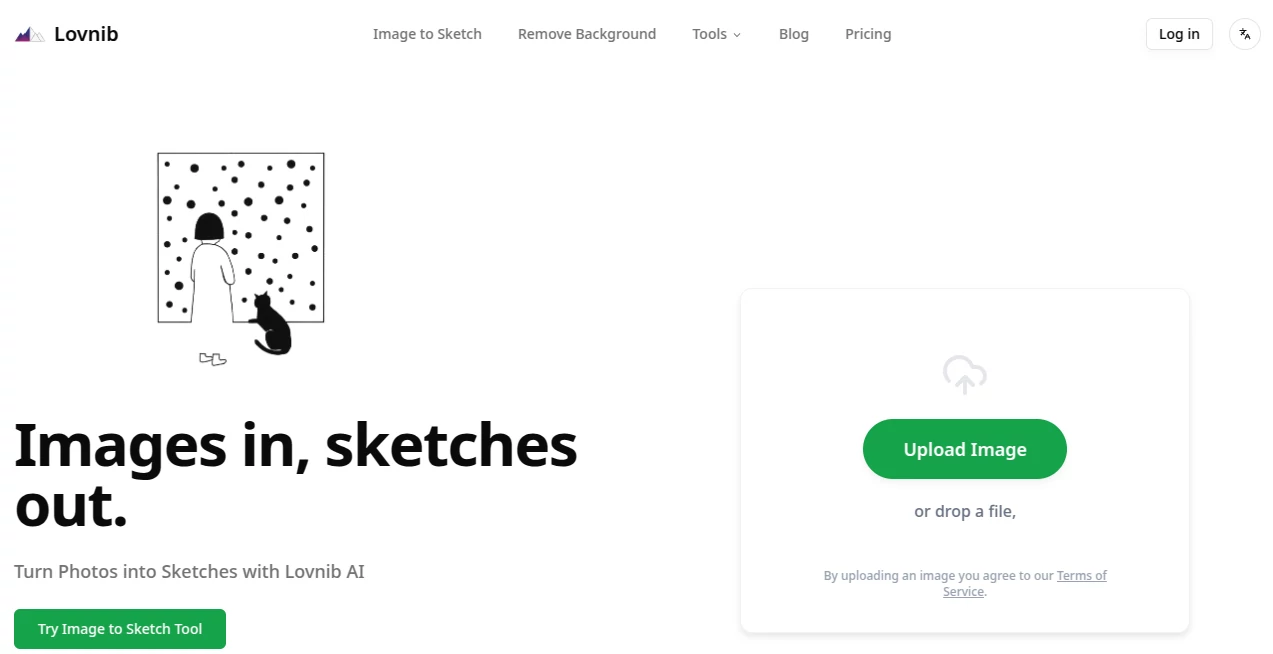
What is Image to Sketch | Lovnib?
There's something genuinely thrilling about watching a favorite photo morph into a hand-drawn sketch, complete with those subtle shadings and crisp lines that make it feel like an artist spent hours on it. This tool nails that transformation effortlessly, pulling out the essence of your images and reimagining them in styles that range from soft pencil strokes to bold ink outlines. I tried it with a snapshot of my dog lounging in the sun, and the result captured his goofy expression perfectly—suddenly, I had a piece ready for framing or sharing without lifting a pencil myself.
Introduction
Stepping away from basic filters that often flatten everything into noise, this platform uses smarter tech to interpret your photos thoughtfully, preserving structure and adding that authentic drawn feel. It's a haven for anyone who's ever wanted to turn everyday shots into artistic keepsakes or professional mocks, without wrestling complicated software. From portraits that hold onto personality to landscapes that evoke classic drawings, it handles the nuances—like hair textures or fabric folds—that make the output stand apart. Free to dip into with generous trials, it invites casual users and pros alike to experiment, often delivering results that spark "how did it do that?" moments on the first try.
Key Features
User Interface
It greets you with a straightforward upload spot—drag your file or click to browse—and once in, styles line up for quick switches with live previews that update instantly. No overwhelming options or hidden menus; just a clean flow that lets you compare side-by-side and tweak until it clicks. My go-to was trying sample images first, which loaded flawlessly and gave an immediate sense of the magic before committing my own pics.
Accuracy & Performance
The real standout is how it reads the subject intelligently, tracing contours and shading with a precision that avoids the messy edges or lost details you get elsewhere. Generations fly in seconds, even on detailed uploads, and the consistency across styles means you can explore without wasting time on duds. In practice, it turned a group vacation photo into clean line art that highlighted everyone's faces beautifully, no weird artifacts in sight.
Capabilities
Dive into pencil for that soft, shaded vibe, ink for sharp outlines perfect for coloring, or charcoal for dramatic depth—each preserving the original composition while adding flair. One-click background removal cleans things up nicely, and the range covers everything from pet portraits to product shots, always aiming for that intentional, artist-touched quality over generic effects.
Security & Privacy
Uploads get processed responsibly, with options for members to keep creations private rather than public by default on free runs. No commercial snooping on your photos, and data handling stays focused and minimal—it's the kind of thoughtful approach that lets you upload personal snaps without hesitation, knowing things are kept in check.
Use Cases
Tattoo enthusiasts mock up stencil ideas from reference shots, getting clean lines ready for the artist. Parents turn kid photos into coloring pages for rainy days, or frame pencil versions as gifts that feel handmade. Designers whip up concept boards with uniform sketch styles for mood pitches, while e-commerce folks add that artisanal touch to product listings. Even illustrators use it as a starting point, refining AI outputs into final pieces that save hours on initial tracing.
Pros and Cons
Pros:
- Multiple styles at your fingertips, switching seamlessly for the perfect match.
- Quick, reliable results that respect the original photo's spirit.
- Background removal built-in for cleaner compositions.
- Free starts generous enough to hook you properly.
Cons:
- Best with clear, well-lit shots—tricky lighting might need a pre-crop.
- Free credits eventually prompt an upgrade for heavier use.
Pricing Plans
Jump in free with included generations that cover plenty of play, no card required upfront. When you're ready for more stability or advanced perks, membership tiers scale nicely based on how often you create—affordable for casuals, robust for regulars, with privacy boosts that make the step worthwhile.
How to Use ImageToSketch
Grab a good photo—maybe that sunset silhouette or a close-up portrait—upload it via drag or browse. Pick your style from the lineup, watch it process in a flash, and preview the options. Toggle between them if one doesn't quite hit, then download the winner. For extras like background-free, toggle that first; it's as simple as three clicks from start to shareable art.
Comparison with Similar Tools
Unlike basic filters that often add noise or flatten depth, this one interprets intelligently for cleaner, more intentional lines and shading that need little cleanup. It edges out one-style wonders with variety and consistency, delivering that hand-drawn authenticity where others fall into generic territory. For anyone seeking reliable, artistic conversions over quick gimmicks, it's the thoughtful choice that consistently delivers the goods.
Conclusion
Turning photos into sketches has never felt this accessible or rewarding, with outputs that capture emotion and detail in ways that surprise and delight. It's a quiet powerhouse for breathing new life into old images or sparking fresh ideas, bridging the gap between snapshot and artwork effortlessly. Give it a spin with a cherished pic—you might just find yourself hooked on rediscovering your gallery through this artistic lens.
Frequently Asked Questions (FAQ)
What styles are available?
Pencil for soft shading, ink for bold lines, charcoal for depth, and more—switch freely to find your favorite.
Best tips for great results?
Clear subjects, even lighting, simple backgrounds—crop if needed, and higher res pulls out finer details.
Are creations private?
Free ones show publicly by default, but members unlock full privacy mode.
How fast is it?
Seconds per generation, quick enough to experiment without losing momentum.
Commercial use okay?
Your outputs are yours to use as you like, no strings on that front.
Photo & Image Editor , AI Art Generator , AI Design Generator , AI Image to Image .
These classifications represent its core capabilities and areas of application. For related tools, explore the linked categories above.
Image to Sketch | Lovnib details
This tool is no longer available on submitaitools.org; find alternatives on Alternative to Image to Sketch | Lovnib.
Pricing
- Free
Apps
- Web Tools
Categories

Image to Sketch | Lovnib Alternatives Product

UNi-1 AI
AnividAI
FitHairAI
AI Anime
Try FLux2

ModelsLab

Sketchready

NanoBanana P…

Nano Banana 2