
🧠 AI Quiz
Think you really understand Artificial Intelligence?
Test yourself and see how well you know the world of AI.
Answer AI-related questions, compete with other users, and prove that
you’re among the best when it comes to AI knowledge.
Reach the top of our leaderboard.


















Image to STL
What is Image to STL?
There's a special kind of excitement when you take an ordinary photo—a favorite toy, a piece of jewelry, or even a quick sketch—and turn it into something you can hold in your hands. This tool makes that possible in minutes. Upload a clear image, and it creates a ready-to-print STL file that captures the shape and details with impressive accuracy. I’ve seen hobbyists light up when their child’s drawing becomes a real 3D keychain, or makers turn product photos into prototypes without needing expensive scanning equipment. It feels almost magical how something flat becomes solid so quickly.
Introduction
3D printing has opened incredible creative doors, but getting good models to print has always been the tricky part. Traditional methods require modeling software, scanning hardware, or hours of manual work. This platform removes those barriers entirely. It intelligently converts regular 2D images into printable 3D models, making the entire process accessible to anyone with a smartphone or basic camera. Whether you're a teacher wanting to bring history to life, a designer prototyping ideas, or a parent making custom toys, it turns inspiration into something tangible without the usual technical headaches. The results are clean enough for real prints while staying simple enough for beginners.
Key Features
User Interface
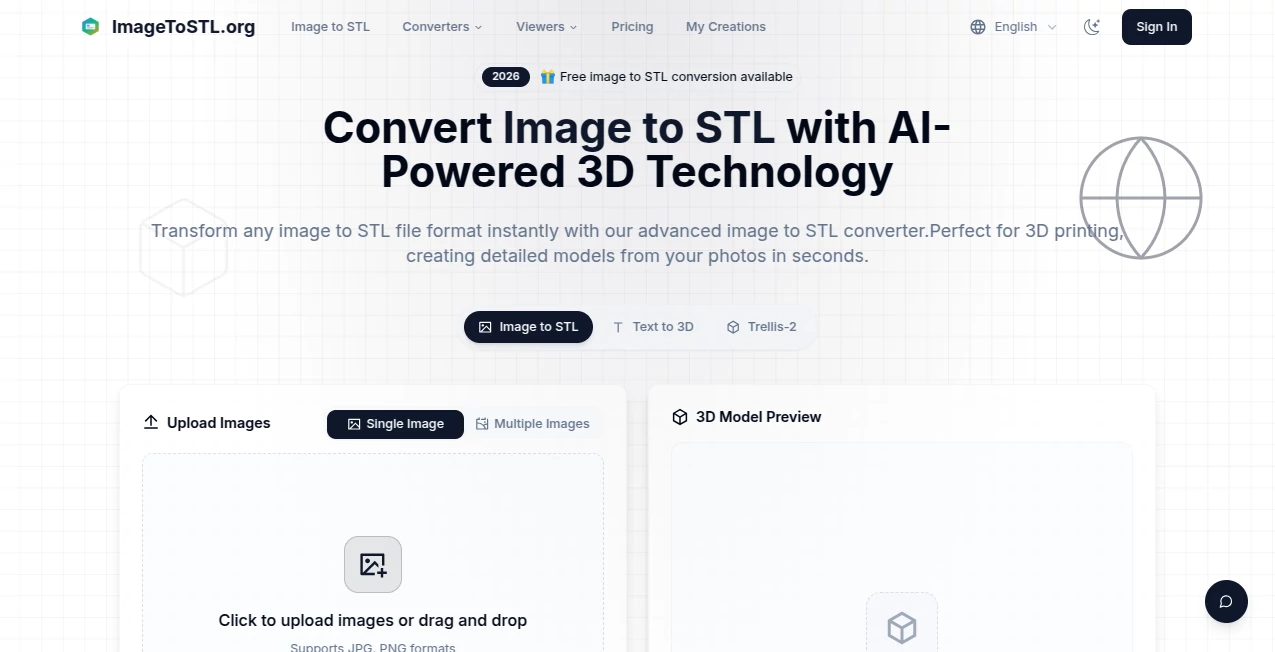
The whole experience is refreshingly straightforward. A large upload area welcomes your photo, followed by simple sliders for height, detail level, and base thickness. You see a live preview of the 3D model as you adjust settings, so you know exactly what you’re getting before hitting generate. No complicated menus or technical jargon—just clear controls that let you focus on your idea instead of fighting the software.
Accuracy & Performance
It handles edges, curves, and surface details surprisingly well for an image-based converter. Portraits keep recognizable facial features, objects maintain their proportions, and fine details like lettering or patterns come through clearly. Processing is fast—most models are ready in under a minute—and the output STL files slice cleanly in popular slicers without major repairs. The balance between speed and quality stands out; you get usable results without waiting around or doing heavy post-processing.
Capabilities
It works with photos of real objects, drawings, logos, portraits, and product shots. You can control model height, add a flat base for easy printing, adjust detail intensity, and choose between smooth or more pronounced relief styles. Generated files are true STL format, compatible with almost any 3D printer or slicer software. It’s particularly strong for turning 2D art into raised relief models, making custom keychains, decorations, or educational aids remarkably easy.
Security & Privacy
Your images are processed quickly and not stored long-term on the servers. There’s no forced account creation for basic use, so you can experiment privately. For people turning personal photos or client designs into 3D models, that respectful approach to data handling is genuinely appreciated.
Use Cases
A parent turns their child’s crayon drawing into a 3D fridge magnet that becomes a treasured keepsake. A small jewelry maker converts product photos into prototype models for customer approval before casting. Teachers create tactile 3D versions of historical artifacts or scientific diagrams for classroom use. Makers scan everyday objects with their phone and quickly produce replacement parts or decorative versions. The common thread is speed and simplicity—bringing ideas from screen to physical object without a steep learning curve.
Pros and Cons
Pros:
- Extremely fast conversion from photo to printable model.
- Simple controls that still give meaningful creative options.
- Good detail retention for portraits, logos, and objects.
- No software installation or complex setup required.
- Free tier is generous enough for regular personal use.
Cons:
- Works best with clear, well-lit photos with good contrast.
- Very complex or multi-subject images may need simplification first.
- Advanced editing features are limited compared to full 3D modeling software.
Pricing Plans
The free version offers several high-quality conversions per day, making it easy to try on your favorite photos or test ideas. Paid plans unlock unlimited generations, higher resolution exports, priority processing, and commercial usage rights. Pricing is reasonable and scales with how seriously you use it—many hobbyists stay happily on the free tier while serious makers upgrade for heavier workflows.
How to Use Image to STL
Take or choose a clear photo of the object or drawing you want to turn 3D. Upload it on the site. Adjust the height and detail sliders to get the look you want—preview updates live so you can experiment. Click generate and wait a short moment. Download the STL file and slice it in your favorite software. For best results, use well-lit photos with simple backgrounds. The entire process from photo to printable file usually takes under two minutes.
Comparison with Similar Tools
Many 3D conversion tools either require complex scanning setups or produce low-quality, noisy models that need heavy cleanup. This one stands out for its balance of simplicity and usable output quality. Where some services feel overly technical, the clean workflow here makes 3D printing feel approachable. It’s particularly strong for quick conversions of 2D art and everyday objects rather than ultra-precise engineering parts.
Conclusion
Turning ideas and memories into physical objects should feel exciting, not intimidating. This tool makes that possible by bridging the gap between 2D images and 3D prints with impressive ease and quality. Whether you’re creating gifts, prototypes, educational aids, or just having fun with creativity, it delivers reliable results without requiring expert skills. In a world where 3D printing is becoming more common, having a fast, friendly way to generate models opens up new possibilities for makers of all levels. Sometimes the best tools are the ones that simply get out of your way and let your ideas take shape.
Frequently Asked Questions (FAQ)
What kind of photos work best?
Clear, well-lit images with good contrast and simple backgrounds produce the strongest results.
Can I use it for commercial projects?
Yes—paid plans include commercial usage rights for your generated models.
How detailed will my 3D model be?
Detail level depends on your source photo and chosen settings; sharper input images give better output.
Do I need 3D modeling experience?
Not at all—the tool is designed for complete beginners while still being useful for experienced makers.
What file format do I get?
Standard STL files ready for any common 3D slicer and printer.
AI 3D Model Generator , Photo & Image Editor , AI Image to 3D Model , AI Design Generator .
These classifications represent its core capabilities and areas of application. For related tools, explore the linked categories above.
Image to STL details
Pricing
- Free
Apps
- Web Tools
Categories

Image to STL Alternatives Product

AI Raphael

Gemini AI Ph…

AIImageEdit

AI Clothes

NanoEditor

SAM 3D

Seedream 5.0

GTA AI

Nano Banana 2
