
🧠 AI Quiz
Think you really understand Artificial Intelligence?
Test yourself and see how well you know the world of AI.
Answer AI-related questions, compete with other users, and prove that
you’re among the best when it comes to AI knowledge.
Reach the top of our leaderboard.


















Image to Video AI

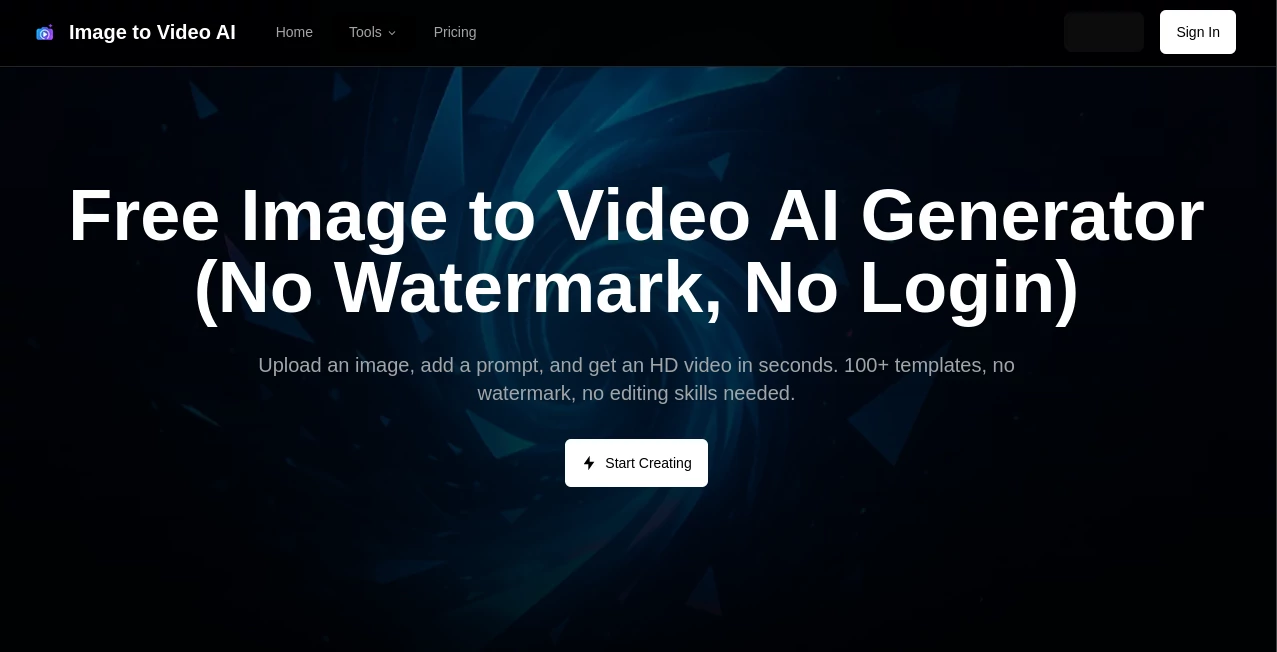
What is Image to Video AI?
Imagine uploading a single photo of your dog mid-leap and watching it come alive in a smooth, cinematic clip with natural motion, subtle camera pans, and even a hint of wind in the fur. That’s the kind of quiet magic this tool delivers—taking still images and breathing life into them without you having to touch a single keyframe. I’ve seen friends go from “I wish I could make this move” to sharing beautiful little stories on social media in under a minute, and the results genuinely feel like they were directed by someone who knows what they’re doing.
Introduction
This platform quietly changes the game for anyone who’s ever stared at a great photo and thought, “If only this could move.” It’s built for creators, marketers, and everyday storytellers who want to add motion to their stills without diving into complex editing suites. What started as a simple idea has turned into a favorite among people who need quick, high-quality animations for social posts, ads, or personal projects. A photographer I know used it to turn her portfolio shots into looping Instagram stories that got more engagement than her static posts ever did. It’s not just about making things move—it’s about making them move beautifully, with that subtle polish that draws people in.
Key Features
User Interface
The whole experience feels like it was designed by someone who actually uses these tools themselves. You drop your image, pick a motion style or let it suggest one, tweak a few sliders if you feel like it, and hit generate. No cluttered menus, no endless options—just a clean workspace that gets you from photo to video fast. Even on a smaller screen, it never feels cramped; everything stays intuitive, like sketching on a napkin that magically animates.
Accuracy & Performance
It doesn’t just slap on generic motion; the AI understands what should move naturally—hair in the breeze, water rippling, fabric flowing—and delivers results that look convincingly real. Generations are quick, often finishing in under a minute, and the quality holds up even when you push it with detailed scenes. I’ve thrown in some tricky shots—close-ups with lots of texture—and it still managed to keep the details intact while adding believable movement.
Capabilities
From subtle loops to cinematic pans, it handles a wide range of motion styles: slow zooms, gentle tilts, parallax effects, and more. You can upload a single image and get multiple variations, or refine the motion with simple prompts like “add a gentle wind” or “make the camera orbit slowly.” It’s especially strong with portraits and product shots, but it surprises you with landscapes and abstract art too. The output is smooth, high-resolution, and ready for social or professional use.
Security & Privacy
Your uploads are processed securely and deleted after generation—no lingering files, no unnecessary storage. It’s built with the understanding that creators often work with personal or client images, so privacy is handled thoughtfully. You never feel like your content is being quietly kept somewhere; everything stays under your control.
Use Cases
Social media creators turn static lifestyle shots into captivating Reels that stop scrolls in their tracks. E-commerce sellers animate product photos to show off textures and details, boosting click-through rates without expensive video shoots. Photographers create looping portfolio pieces that feel alive, while small brands craft quick promo clips from existing assets. Even personal users love it for turning family photos into gentle animations for holiday cards or memorials—simple, beautiful, and deeply meaningful.
Pros and Cons
Pros:
- Transforms single images into stunning motion in seconds, no editing skills required.
- Delivers natural, believable movement that feels cinematic rather than robotic.
- Super fast generations and clean, high-res outputs ready for any platform.
- Intuitive controls that make experimenting fun instead of frustrating.
Cons:
- Best results come from high-quality input images; very low-res shots can limit polish.
- Free tier has limits, though paid plans are reasonably priced for regular use.
Pricing Plans
You can start for free with a generous daily allowance—enough to play around and see the magic firsthand. Paid plans unlock higher resolutions, more generations, and watermark-free exports, starting at a very fair price that fits both casual users and pros. It’s the kind of pricing that feels thoughtful: accessible enough to try, valuable enough to stick with once you’re hooked.
How to Use ImageToVideoAI
Head to the main page, drag or upload your photo—JPG or PNG works great. Choose a motion style from the presets or describe what you want (“slow zoom in on the eyes” or “gentle wind through hair”). Hit generate and watch it come to life. Preview the result, tweak if needed (like adjusting speed or direction), then download in MP4 or GIF. I once turned a still portrait of my niece into a soft looping video for her mom—took maybe 45 seconds total, and the reaction was priceless.
Comparison with Similar Tools
While other image-to-video tools exist, few match the natural motion and cinematic feel this one delivers so consistently. Many produce stiff or overly exaggerated results, but this stands out for its subtlety and polish. It’s not the cheapest, but the quality-to-speed ratio makes it feel like a bargain compared to the time and effort saved.
Conclusion
This tool quietly bridges the gap between photography and video in a way that feels almost too good to be true. It gives creators a fast, beautiful way to add motion to stills without losing the soul of the original image. Whether you’re a content creator looking to stand out, a small business wanting to elevate your visuals, or just someone who loves playing with ideas, this is one of those tools you’ll wish you’d found sooner. Once you see your photos come alive, you’ll never look at them the same way again.
Frequently Asked Questions (FAQ)
How long are the videos?
Typically 4–8 seconds of smooth motion, perfect for social media loops or quick stories.
Can I control the motion?
Yes—choose from presets or add your own simple prompts for custom movement.
What file types work best?
High-quality JPG or PNG; clear subjects and good lighting give the best results.
Is there a watermark?
Only on free generations; paid plans remove it completely.
Can I use the videos commercially?
Absolutely—paid plans give you full commercial rights to your creations.
AI Animated Video , AI Image to Video , AI Video Generator , AI Text to Video .
These classifications represent its core capabilities and areas of application. For related tools, explore the linked categories above.
Image to Video AI details
This tool is no longer available on submitaitools.org; find alternatives on Alternative to Image to Video AI.
Pricing
- Free
Apps
- Web Tools
Categories

Image to Video AI Alternatives Product

gpt video

Wan 2.7

RunwayAI
VeoNano

LTX 2.3

S2LIfe AI
Kling 3 AI

Free Sora Ge…
Seedance 2.0…
