🧠 AI Quiz
Think you really understand Artificial Intelligence?
Test yourself and see how well you know the world of AI.
Answer AI-related questions, compete with other users, and prove that
you’re among the best when it comes to AI knowledge.
Reach the top of our leaderboard.


















ImagineToVideo
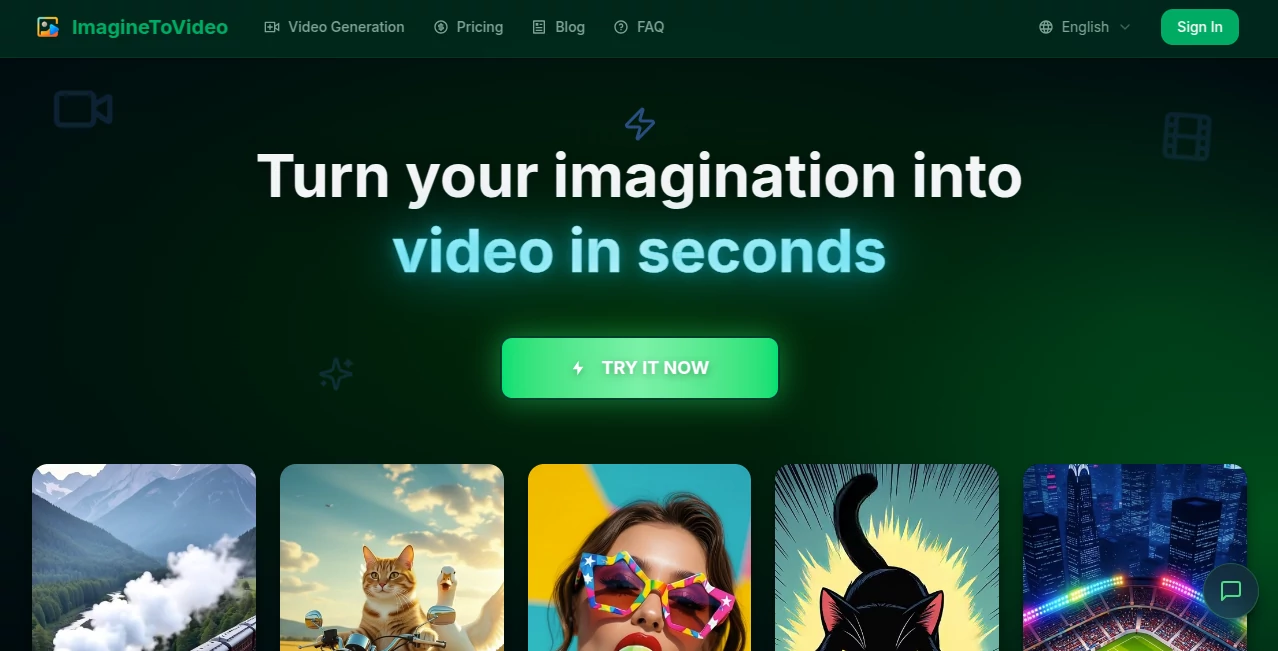
What is ImagineToVideo?
There's something downright thrilling about typing a wild idea or uploading a single snapshot and watching it burst into a full-motion clip before your eyes. This tool nails that magic, churning out vibrant videos that feel polished and purposeful, whether you're animating a quirky character sketch or staging a product in a dreamy scene. I've tinkered with it on lazy evenings, turning doodles into short animations that had friends asking how I pulled it off—it's that good at bridging the gap between "what if" and "wow, look at that."
Introduction
Gone are the days of wrestling timelines or hunting stock footage; this platform hands you a straightforward way to breathe life into static ideas, blending text prompts with images for clips that pop with style. From anime flair to claymation charm or Pixar vibes, it adapts to your vision, delivering up to 20 seconds of smooth action in crisp 1080p. Creators swear by the time savings—cutting production drags by 70% or more—and the commercial-friendly outputs that come watermark-free on paid tiers. It's a haven for busy folks who want cinematic touches without the crew or cost, empowering everything from quick social hooks to thoughtful ad mocks.
Key Features
User Interface
Everything unfolds on a welcoming page with big, bold examples that inspire right away, and a prominent try button that drops you into the action. Prompt boxes wait patiently for your words, image uploads slide in easy, and daily optimizations nudge better results without overwhelming choices. It's the sort of clean layout that invites experimentation, like sketching ideas over coffee rather than battling a dashboard.
Accuracy & Performance
The engine grasps nuances in prompts remarkably well, weaving consistent motion and details that hold up across styles, often nailing it on the first spin. Generations fly—seconds to minutes—and concurrent runs keep the momentum for batches. Users highlight how it elevates simple inputs into engaging flows, with transitions and animations that feel directed, not default.
Capabilities
Turn concepts or artwork into animated shorts with custom intros/outros on higher plans, tapping advanced models for anime, clay, or 3D renders. Prompt tweaks daily refine outputs, and API access opens doors for integrations. It's versatile for prototyping, ads, or pure fun, always aiming for that share-ready polish.
Security & Privacy
Commercial licenses come standard on subscriptions, giving you freedom to monetize without worries, while support handles queries swiftly. The setup respects your creations, focusing on delivery without unnecessary hangs on data.
Use Cases
Influencers craft eye-catching Reels that grow engagement fast, while marketers mock product spots that drive sales spikes. Designers prototype animations in minutes, educators turn lessons vivid, and e-commerce shops boost conversions with dynamic previews. Nonprofits rally support through heartfelt clips—it's the spark that turns static ideas into stories that stick.
Pros and Cons
Pros:
- Lightning turnaround that fits creative bursts perfectly.
- Style variety brings unique flavors to every project.
- Clean, commercial-ready outputs save post-production hassles.
- Scalable plans grow with your ambitions.
Cons:
- Shorter clips suit bursts, not feature-length tales.
- Free access limited, pushing upgrades for volume.
Pricing Plans
Dip in affordably with Basic around eight bucks monthly for solid starters, stepping to Pro at twenty-five for longer clips and extras like custom endings. Ultimate at forty-one unlocks heavy lifting with API and VIP perks. Annual jumps shave 17%, making commitment rewarding without pressure.
How to Use ImagineToVideo
Head to the generation spot, choose text or image start, fill the prompt with your vision, upload references if needed, and let it render. Tweak with daily optimizations for finer fits, then download clean. Batch ideas or refine one—it's forgiving and fast, turning trials into treasures quick.
Comparison with Similar Tools
Where some drag on length or lack style depth, this one prioritizes quick, flavored shorts that shine for social and ads. It balances accessibility with pro touches like prompt helps and concurrency, edging out basics while keeping costs grounded for everyday creators.
Conclusion
This platform captures the joy of instant visualization, handing you tools to make ideas move without the usual roadblocks. It's a quiet powerhouse for turning fleeting thoughts into tangible clips that connect. Give it a whirl; the seconds it takes might just spark your next big share.
Frequently Asked Questions (FAQ)
What lengths can I expect?
Up to 12 or 20 seconds, ideal for punchy, engaging bites.
Commercial use allowed?
Yes on subscriptions, full license for your creations.
Styles available?
Anime, claymation, Pixar-inspired, and more for varied vibes.
Refunds or cancellations?
Email support for cancels; payments final, but flexible plans.
How's support?
Quick responses, priority on higher tiers.
AI Animated Video , AI Image to Video , AI Video Generator , AI Text to Video .
These classifications represent its core capabilities and areas of application. For related tools, explore the linked categories above.
ImagineToVideo details
Pricing
- Free
Apps
- Web Tools
Categories

ImagineToVideo Alternatives Product

Veo 4 AI

KOOX AI

Wan AI Video…

UniVideo

Sora AI Vide…

See dance 2.…

ds video

Logo Animati…

Faceless vid…