🧠 AI Quiz
Think you really understand Artificial Intelligence?
Test yourself and see how well you know the world of AI.
Answer AI-related questions, compete with other users, and prove that
you’re among the best when it comes to AI knowledge.
Reach the top of our leaderboard.


















ImgEnhancer
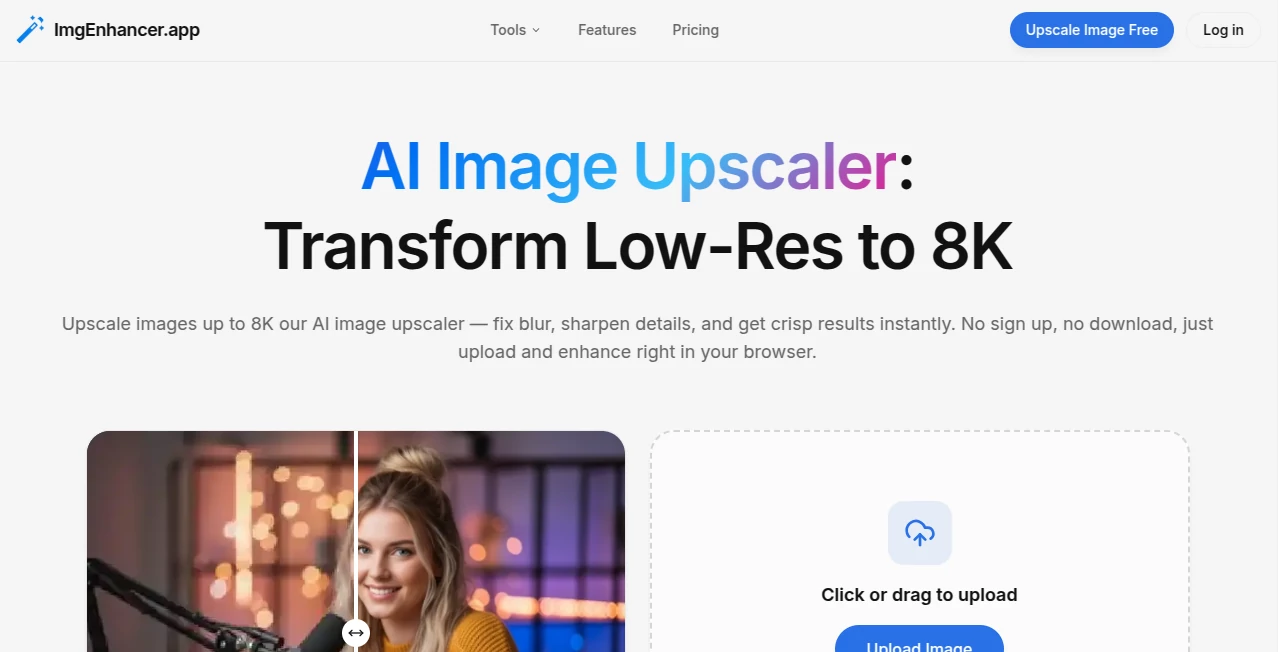
What is ImgEnhancer?
There's a quiet satisfaction in taking an old, faded photo—the kind you almost threw away—and watching it come back to life: colors deepen, details sharpen, noise vanishes, and suddenly it looks like it was taken yesterday. This tool does exactly that, and it does it with a level of care that feels almost personal. You drop in a blurry family snapshot or a low-res product shot, and within moments it returns something crisp, vibrant, and surprisingly true to the original moment. I've seen people rediscover childhood pictures they thought were lost forever, or turn grainy phone shots into print-worthy portraits. It's the kind of result that makes you smile because it brings back what time tried to take away.
Introduction
Photos carry memories, but time, compression, and bad lighting often steal their clarity. Most enhancement tools either over-sharpen into plastic territory or leave artifacts that ruin the mood. This one strikes a rare balance: it restores what was there without inventing what wasn't. The AI is trained to understand faces, textures, landscapes, and objects, so it knows when to smooth skin gently, recover lost detail in shadows, or upscale without introducing weird patterns. For anyone who has old family albums, low-res social media shots, or product photos that need to look professional, it's a quiet lifesaver—no editing skills required, just upload and watch the magic unfold.
Key Features
User Interface
The layout is intentionally minimal: a big central drop zone, a few clear buttons for the enhancement modes, and instant before/after sliders that appear as soon as processing finishes. No account needed to start, no aggressive upsell pop-ups. You can zoom in on details during preview to check skin texture or fine edges. It's one of those tools where you feel in control without ever feeling overwhelmed—exactly how photo enhancement should be.
Accuracy & Performance
It excels at preserving natural skin tones and textures while removing noise and blur—rarely overdoing the sharpening to that artificial look. Faces get gentle refinement rather than plastic surgery; landscapes recover lost detail without halo effects. Processing is fast—most images finish in under 10 seconds—and results hold up even on challenging inputs like very low-res or heavily compressed originals. The consistency across photo types (portraits, products, old scans) is impressive.
Capabilities
Upscaling up to 4× with clean, artifact-free results, noise reduction that keeps fine detail, color restoration for faded photos, face enhancement that smooths without erasing character, background removal/refinement, and smart sharpening tailored to content type. It handles old film scans, smartphone shots, product photography, and even slightly damaged images. Multiple enhancement levels let you choose subtle or dramatic results. Outputs are high-res and ready for print, social, or professional use.
Security & Privacy
Images are processed in memory and deleted from servers immediately after download—no permanent storage, no training on user uploads. No account is required for basic use, so there's no profile linking your photos unless you choose to sign up for saved projects. For family photos, client work, or personal memories, that low-commitment privacy feels essential.
Use Cases
A granddaughter scans her grandmother's 1970s wedding photo—faded, scratched—and gets back a restored version she frames for the family reunion; tears follow. An Etsy seller turns smartphone product shots into crisp, professional listings that boost conversions. A realtor enhances old property photos for a heritage listing, making the house look inviting again. A social media creator cleans up travel shots for posts that finally do the scenery justice. Wherever a photo matters but its quality doesn't, this tool quietly saves the day.
Pros and Cons
Pros:
- Restoration feels natural—never over-processed or fake-looking.
- Handles a wide range of damage: blur, noise, fading, low resolution.
- Lightning-fast processing keeps the experience enjoyable.
- Free tier is generous—no hard paywall to see real results.
- High-res outputs suitable for print or large displays.
Cons:
- Very heavily damaged photos (torn, severely faded) may need manual cleanup first.
- Batch processing and unlimited use require a paid plan.
- Some very artistic or abstract images can occasionally get over-smoothed.
Pricing Plans
Free tier gives several high-quality enhancements per day—more than enough to restore a few treasured photos or test on product shots. Paid plans remove limits, unlock batch processing, higher resolutions, and priority queue during peak times. Pricing feels fair for the time and quality it saves—many users say one month pays for itself after restoring a single family album or optimizing an entire product catalog.
How to Use Image Enhancer
Drag your photo into the upload area or click to browse. Choose the enhancement mode (upscale, denoise, restore, enhance faces, etc.) or let auto-detect decide. Wait a few seconds—watch the progress bar—and use the before/after slider to compare. Adjust intensity if needed, then download in high resolution. For multiple photos, paid users can batch upload. That’s it—under 30 seconds from upload to perfect photo in most cases.
Comparison with Similar Tools
Many free enhancers either leave noise behind or over-sharpen into unnatural territory. This one balances restoration and realism better than most, especially on portraits and old photos. Where some tools require accounts or watermarks, this keeps things private and clean. Speed, quality, and natural-looking results put it ahead of both basic free apps and some pricier competitors.
Conclusion
Photos hold memories, stories, and proof of moments we don’t want to lose to time or technology. This tool gives them back their clarity and life without asking for expertise or endless tweaks. Whether you’re saving family history, polishing product images, or just making everyday shots look their best, it delivers with care and consistency. Sometimes the most powerful tech is the kind that simply makes what matters look the way it should—sharp, vivid, and true.
Frequently Asked Questions (FAQ)
How many free enhancements do I get?
Several per day—enough to restore a handful of important photos or test on products.
Will it make my photo look fake?
No—it's designed to enhance naturally, not apply heavy filters or plastic effects.
Can I use it for professional work?
Yes—high-res outputs and clean results make it great for e-commerce, portraits, and marketing.
What if my photo is very old or damaged?
It excels at faded, scratched, or low-res images; very torn photos may need light manual prep first.
Are my photos stored anywhere?
No—processed in memory and deleted immediately after download.
Photo & Image Editor , AI Photo Enhancer , AI Image Recognition , AI Design Generator .
These classifications represent its core capabilities and areas of application. For related tools, explore the linked categories above.
ImgEnhancer details
Pricing
- Free
Apps
- Web Tools
Categories

ImgEnhancer Alternatives Product

claude image

ai banana

Free PNG to …

Kirkify

GEMPIX2

GTA AI

Nano Banana …

Art-Neurona

Face Shape D…