🧠 AI Quiz
Think you really understand Artificial Intelligence?
Test yourself and see how well you know the world of AI.
Answer AI-related questions, compete with other users, and prove that
you’re among the best when it comes to AI knowledge.
Reach the top of our leaderboard.


















ImgToVid AI

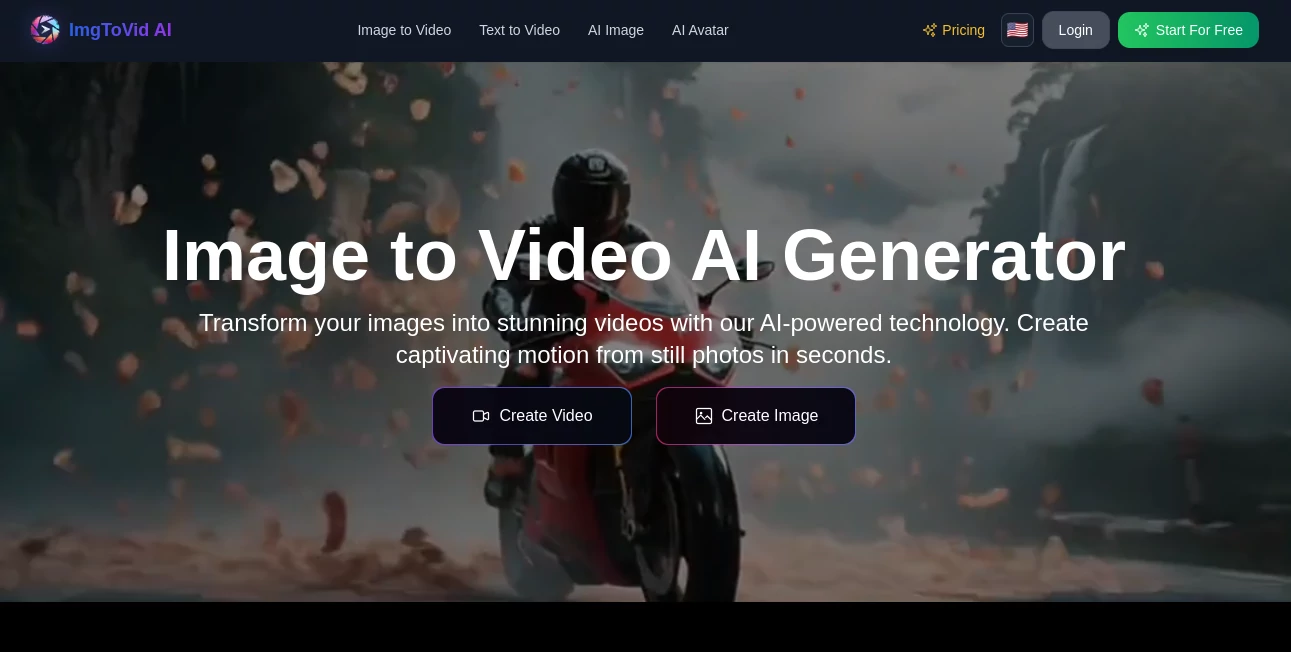
What is ImgToVid AI?
There's a quiet thrill in watching a favorite photo suddenly sway with life—trees rustling, water rippling, or a product gleaming under subtle lights—all from a single click. This platform delivers that thrill reliably, breathing realistic motion into still shots with an ease that feels almost effortless. I've turned a handful of vacation snapshots into short clips that captured the moment better than memory alone, and the smooth results had friends asking how I pulled it off without a camera crew.
Introduction
At a time when video rules the feed, getting stuck with static images can feel limiting—this tool flips that on its head by harnessing sharp AI to add natural movement where there was none. It dives into your photo's details, figures out depth and context, then crafts sequences that look authentically alive, whether subtle breezes or bolder pans. Creators and marketers especially appreciate the cost savings—no studios, no shoots—just upload, prompt, and go. With support for various models and full commercial rights, it's a practical ally for anyone wanting to elevate visuals without the usual fuss or expense.
Key Features
User Interface
The layout keeps things delightfully simple: a prominent upload spot for your image, a box for describing the desired motion or style, and clear choices for models or settings. Previews load straightforwardly, with options to regenerate on the spot if something's off. It's welcoming for newcomers—I guided a colleague through her first animation in under a minute, and she was beaming at the outcome.
Accuracy & Performance
It reads prompts thoughtfully, placing movements where they make sense and avoiding awkward artifacts, often nailing realistic flows on the first try. Processing wraps in 5-10 minutes typically, balancing quality with speed so you don't lose momentum. From experience, detailed descriptions yield the best fidelity, turning ordinary shots into clips that hold their own professionally.
Capabilities
Choose from engines like Kling or Runway for tailored styles, tweak intensity, camera paths, lighting, duration, and ratios—all guided by your words. It excels at animating landscapes, products, or stories, supporting commercial downloads with full ownership. The variety in models means you can match the vibe precisely, from gentle sways to dynamic scenes.
Security & Privacy
Bank-level encryption guards your uploads, with nothing shared or retained for training—content auto-clears after a month if unused. It's reassuring for business or personal work, keeping your originals and outputs firmly in your hands.
Use Cases
Marketers animate product shots for ads that draw eyes longer on scrolls. Travel buffs revive holiday photos with gentle waves or wind for shareable memories. Social posters craft quick stories from illustrations, boosting engagement without extra tools. Businesses showcase items in motion for sites or pitches, cutting production time dramatically.
Pros and Cons
Pros:
- Intuitive controls that welcome beginners yet satisfy pros.
- Multiple models for versatile, high-quality motion.
- Free access with commercial-friendly outputs.
- Strong privacy and quick regenerations for refinement.
Cons:
- Wait times around 5-10 minutes for complex jobs.
- Results shine brightest with clear, detailed prompts and images.
Pricing Plans
It's generously free, letting you generate and download without upfront costs, ideal for testing or regular use. Regenerations come at no extra charge, keeping experimentation open and accessible for all levels.
How to Use ImgToVid
Upload a clear photo—JPG or PNG works great—then describe the motion in the prompt, like "gentle pan over the landscape with swaying branches." Select a model if you have a preference, adjust settings, and generate. Preview arrives shortly; regenerate with tweaks if needed, then download for your project. It's that direct path from idea to moving image.
Comparison with Similar Tools
Against options that limit styles or add watermarks, this one stands out with model variety and clean, commercial-ready exports. It's more flexible for creative control via prompts, delivering realistic animations where others might feel scripted or basic.
Conclusion
This tool quietly empowers everyday images to tell moving stories, bridging the gap between still and cinematic with grace and reliability. It's a thoughtful companion for sparking visuals that connect deeper, whether for fun shares or serious campaigns. Give a favorite photo a whirl—you might just find your static moments have more life than you thought.
Frequently Asked Questions (FAQ)
What image formats work best?
JPG, PNG, WEBP—high-res and well-composed for optimal motion.
How long until the video's ready?
Usually 5-10 minutes, depending on the scene's complexity.
Can I use the videos commercially?
Yes, full ownership and rights for any purpose.
What if the first result isn't quite right?
Regenerate freely with adjusted prompts or models.
Is my data kept private?
Encrypted and auto-deleted after 30 days, never used for training.
AI Animated Video , AI Image to Video , AI Video Generator , AI Text to Video .
These classifications represent its core capabilities and areas of application. For related tools, explore the linked categories above.
ImgToVid AI details
This tool is no longer available on submitaitools.org; find alternatives on Alternative to ImgToVid AI.
Pricing
- Free
Apps
- Web Tools
Categories

ImgToVid AI Alternatives Product

Veo 3.2

Kling 3.0

Motion Contr…

Veo 4

Runway Gen-4…

Wan-Animate.…

Framepack AI

Seedance 2.0…
PDF to Video