
🧠 AI Quiz
Think you really understand Artificial Intelligence?
Test yourself and see how well you know the world of AI.
Answer AI-related questions, compete with other users, and prove that
you’re among the best when it comes to AI knowledge.
Reach the top of our leaderboard.


















InfiniteTalk

What is InfiniteTalk?
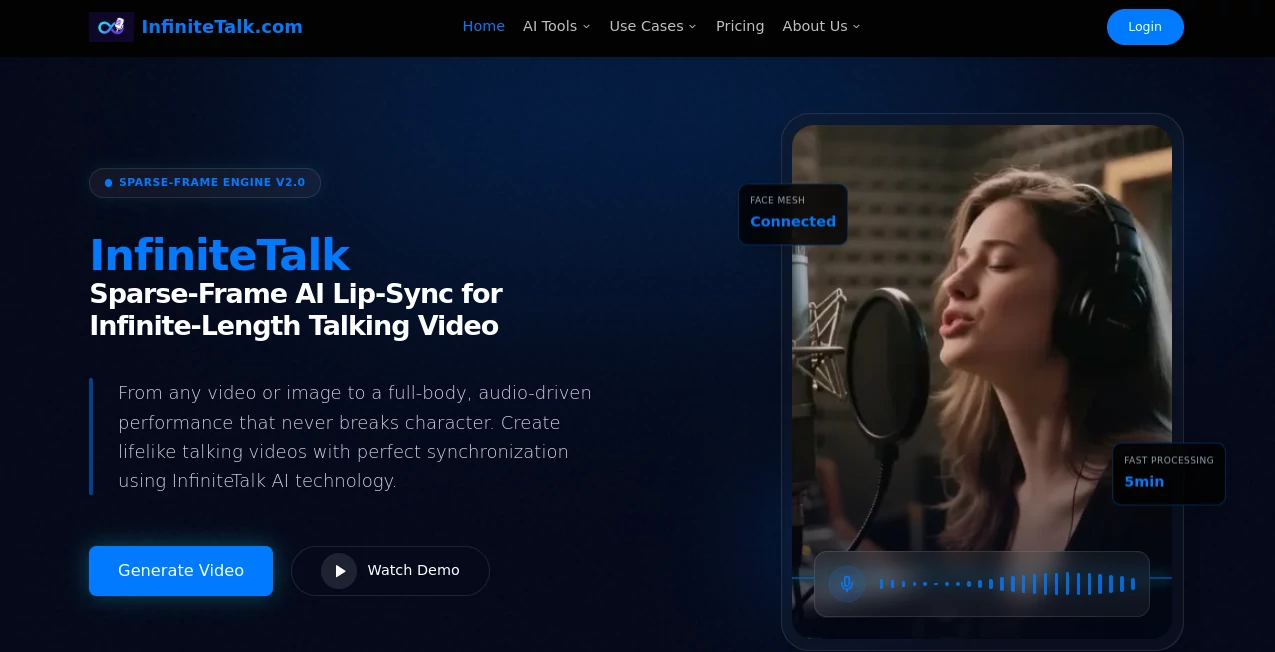
Picture this: you've got a long podcast episode or a heartfelt monologue, and instead of staring at a static image or dealing with clunky animation, the host comes alive on screen—lips moving naturally, head tilting thoughtfully, even subtle expressions that make every word feel real. That's the quiet revolution this tool brings to video creation. I've seen creators go from hours of manual editing to uploading a photo and audio, then watching a full-length talking avatar emerge that looks and feels astonishingly human. It's not just convenient; it's the kind of leap that makes you wonder how we ever managed without it.
Introduction
For anyone who's ever tried to turn audio into video, the old way was a slog—short clips that broke every few seconds, distorted movements, or endless tweaking. This platform flips all that on its head with a smart, sparse-frame approach that handles unlimited length without losing consistency or quality. It syncs not only lips but head turns, posture shifts, and micro-expressions, so even a 30-minute lecture or audiobook feels like a real person is speaking directly to you. Early adopters—podcasters, educators, marketers—keep sharing how it transformed their output: viewership doubled after switching to these lifelike avatars. It's built for the long haul, literally and figuratively, and once you see the difference, going back feels impossible.
Key Features
User Interface
The flow is refreshingly straightforward: drop in your portrait (a clear selfie works wonders), upload audio or type a script for text-to-speech, and hit go. Previews appear fast, with simple controls to adjust resolution or add prompts for extra expression. No overwhelming menus—just a clean workspace that lets you focus on the story rather than the tech. My first try took less than five minutes from upload to export, and the result looked like something a professional animator spent days on.
Accuracy & Performance
Where older tools often warp hands or drift off-sync after a minute, this one stays rock-solid even in hour-long generations. The lip movements match every syllable with eerie precision, and the full-body sync—head tilts, shoulder shifts—makes the avatar feel genuinely engaged. Processing speed is impressive too; even longer files render without hiccups, and the output stays crisp in 4K. It's the kind of reliability that turns skeptics into believers after one run.
Capabilities
Unlimited video length means you can create full podcasts, lectures, or audiobooks with the same avatar throughout—no clipping or restarting. It handles multi-character scenes for conversations, supports any language or dialect, and even animates singing with perfect audio alignment. Whether you're dubbing a foreign track or bringing a static photo to life, the results are coherent and natural, opening doors for everything from VTuber streams to educational series.
Security & Privacy
Your uploads are treated with care—processed quickly and not stored beyond what's needed for generation. It's designed with creators in mind who value discretion, especially for personal or branded content. No data leaks or unexpected sharing; just a straightforward tool that respects your work as much as you do.
Use Cases
Podcasters turn audio episodes into video versions that keep viewers hooked longer. Educators animate lessons with avatars that explain complex topics tirelessly. Marketers produce localized ads with consistent spokespeople across languages. Musicians create visualizers where album art sings along perfectly. Even support teams humanize chat responses with friendly faces—it's versatile enough to fit any voice-driven project you can dream up.
Pros and Cons
Pros:
- Truly unlimited length—perfect for long-form content without cuts.
- Full-body sync that feels incredibly natural and immersive.
- Fast processing even for extended files, no frustrating waits.
- Works with any audio or language, opening global possibilities.
Cons:
- Best results need clear input images and audio—blurry sources can soften the magic.
- Credit-based system means heavy users plan ahead for volume.
Pricing Plans
It starts with an accessible free tier for testing the waters, then offers straightforward one-time bundles or monthly subscriptions that scale with your needs. Lower plans cover casual use, while higher tiers unlock commercial licenses, priority processing, and bulk options—credits never expire, so you buy once and use as you go. It's fair and flexible, rewarding creators who stick around without punishing occasional users.
How to Use InfiniteTalk
Upload a high-quality portrait (front-facing works best), add your audio file or type a script for built-in TTS, then let it process. Preview the result, tweak if needed, and export in your chosen resolution. For multi-character talks, upload references for each speaker. I tried it with a short story narration—uploaded a photo of myself, dropped in the audio, and had a video that looked like I was speaking on camera in under ten minutes. Batch longer pieces the same way, and you've got a full series ready to share.
Comparison with Similar Tools
Many lip-sync tools cap at short clips or struggle with body movement, leading to awkward jumps or distortions. This one stands apart with its ability to handle endless duration and natural full-body sync, without the jitter or identity drift that plagues others. It's less about flashy effects and more about reliable, professional results that save hours of manual fixes—making it the clear choice for anyone serious about long-form talking content.
Conclusion
This platform quietly changes how we think about video from audio—turning what used to be a tedious, expensive process into something fast, beautiful, and endlessly scalable. It's the tool that lets your voice shine with a face that matches, whether for education, entertainment, or business. Once you see it in action, the possibilities feel endless, and the results are so convincing you'll wonder why you ever settled for less.
Frequently Asked Questions (FAQ)
How long can the videos be?
As long as you need—true unlimited duration without quality drop.
Does it only do lips, or full body?
Full sync: lips, head, posture, and expressions for a complete performance.
Can I use my own audio?
Yes—upload any track, or use built-in text-to-speech for instant scripts.
What about multiple speakers?
Supports multi-character conversations in one video for natural dialogue.
Is it good for non-English?
Works instantly with any language or dialect—no extra setup needed.
AI Animated Video , AI Image to Video , AI Video Generator , AI Text to Video .
These classifications represent its core capabilities and areas of application. For related tools, explore the linked categories above.
InfiniteTalk details
This tool is no longer available on submitaitools.org; find alternatives on Alternative to InfiniteTalk.
Pricing
- Free
Apps
- Web Tools
Categories

InfiniteTalk Alternatives Product

Whisper Thun…

CinemaDrop

Sora 2

seedance 2

Seedance 3.0

Seedance 3.0

ImagineToVid…

AI Motion Co…

seedream vid…
