
🧠 AI Quiz
Think you really understand Artificial Intelligence?
Test yourself and see how well you know the world of AI.
Answer AI-related questions, compete with other users, and prove that
you’re among the best when it comes to AI knowledge.
Reach the top of our leaderboard.


















Invitation Maker AI
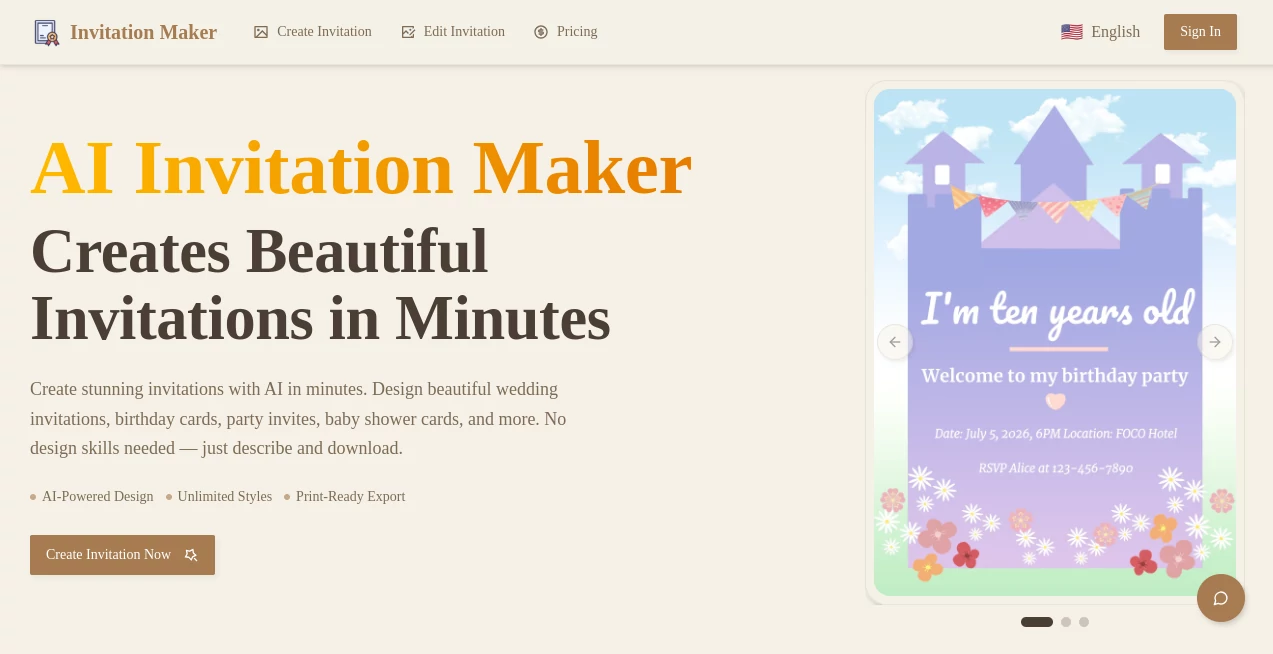
What is Invitation Maker AI?
Planning an event should be exciting, not exhausting. The moment you realize you still have to design, print, and chase RSVPs for invitations is when the stress kicks in. This tool takes that weight off your shoulders. You pick a beautiful template, customize it with your details and photos, and within minutes you have a polished digital invitation that looks professional and feels personal. I’ve seen friends use it for weddings, baby showers, and birthday parties, and the reactions are always the same: “This looks amazing—did you hire a designer?” It makes you look put-together without the usual hassle.
Introduction
Digital invitations have become the smart choice—they’re instant, trackable, and far more engaging than paper cards that often get lost. This platform makes creating them feel effortless and fun. Whether you’re planning an intimate dinner, a big wedding, or a casual get-together, it gives you gorgeous designs that reflect your style without requiring design skills. The best part? Your guests can RSVP directly, leave messages, and even see the full event details on their phones. It turns a tedious task into one of the enjoyable parts of planning, letting you focus on what really matters: celebrating with the people you love.
Key Features
User Interface
The editor is clean and intuitive. You start with hundreds of ready-made templates organized by occasion, then click to customize colors, fonts, photos, and text. Everything updates in real time so you can see exactly how it will look. No confusing layers or technical jargon—just simple drag-and-drop freedom with helpful previews. Even my tech-averse mom managed to create a lovely anniversary invitation in under ten minutes.
Accuracy & Performance
The designs render beautifully across phones, tablets, and desktops. Text stays crisp, photos look sharp, and animations (when you add them) feel smooth rather than gimmicky. Loading is fast, and the final invitations work reliably for guests—no broken links or formatting issues. The attention to detail shows in small touches like perfect alignment and balanced spacing that make your invitation feel premium.
Capabilities
You can add RSVP forms with custom questions, upload your own photos or use their library, include maps, schedules, gift registries, and even music. Digital envelopes, password protection, and beautiful animated effects are all available. It supports multiple languages and lets you send via email, WhatsApp, or shareable link. The result is a complete digital experience for your guests, not just a static card.
Security & Privacy
Your designs and guest data stay private. Invitations can be password-protected, and you control exactly who sees what. The platform doesn’t sell or share your information, giving you peace of mind when handling personal events and contact details.
Use Cases
A couple planning their wedding creates elegant digital save-the-dates that match their theme perfectly and collect RSVPs automatically. A new mom designs a beautiful virtual baby shower invitation that includes registry links and gets excited responses from family abroad. A company uses it for elegant corporate event invites that look professional yet warm. Friends organizing a surprise birthday party build a fun, photo-filled invitation in minutes. It works equally well for big milestone celebrations and small intimate gatherings.
Pros and Cons
Pros:
- Stunning, modern templates that look professionally designed.
- Real-time editing with instant previews.
- Built-in RSVP tracking saves hours of follow-ups.
- Mobile-friendly invitations that guests actually enjoy opening.
- Fast creation process from idea to sent invitation.
Cons:
- Some advanced animations require a paid plan.
- Free tier has a watermark on certain templates.
- Very custom designs may still benefit from basic design sense.
Pricing Plans
You can start completely free and create basic invitations right away. The premium plans unlock watermark-free designs, advanced animations, unlimited guests, custom domains, and analytics. Pricing is reasonable and clearly worth it for anyone planning a meaningful event—many users say the time and stress saved more than pays for itself.
How to Use Invitation Maker
Choose an occasion or browse templates. Pick one you like and start customizing—swap photos, change colors and fonts, add your event details and any extras like maps or registries. Preview how it looks on mobile and desktop. Once happy, enter your guest list (or import from contacts), write a personal message, and send via email or shareable link. Track RSVPs and messages in the dashboard. The entire process usually takes 10–20 minutes for a beautiful result.
Comparison with Similar Tools
Many invitation sites offer templates but feel dated or overly simple. Others are powerful but complicated and expensive. This one hits the sweet spot: beautiful modern designs, smart features like RSVP tracking, and an interface that anyone can use. It gives you more control and polish than basic free tools while staying far more approachable than professional design software.
Conclusion
Creating invitations should feel like the happy beginning of your celebration, not a stressful chore. This tool makes that possible by combining gorgeous design with practical features that actually help you plan. It turns “I need to send invites” into “Look how beautiful they turned out!” Whether you’re planning the wedding of your dreams or a simple dinner with friends, it helps you set the right tone from the very first message. In a world of quick digital everything, it reminds us that a little thoughtfulness still goes a long way.
Frequently Asked Questions (FAQ)
Do guests need to create an account to RSVP?
No—they can respond quickly with just a click.
Can I add my own photos?
Yes, easily. You can upload multiple photos and arrange them beautifully.
Is there a limit on guests?
Free tier has reasonable limits; premium plans support unlimited guests.
Can I send via WhatsApp or text?
Yes, you get shareable links perfect for messaging apps.
What if I need to make changes after sending?
You can edit the invitation and the updates will appear for everyone.
AI Website Designer , AI Banner Generator , AI Design Generator , AI Graphic Design .
These classifications represent its core capabilities and areas of application. For related tools, explore the linked categories above.
Invitation Maker AI details
Pricing
- Free
Apps
- Web Tools
Categories

Invitation Maker AI Alternatives Product

KOOX AI

Image Descri…

Best AI SVG …

Brave Pink H…

Banana Promp…

String Art

Nano banana …

Lensgo

string art g…
