
🧠 AI Quiz
Think you really understand Artificial Intelligence?
Test yourself and see how well you know the world of AI.
Answer AI-related questions, compete with other users, and prove that
you’re among the best when it comes to AI knowledge.
Reach the top of our leaderboard.


















ITKDocuments
Effortless Document Management for Teams

What is ITKDocuments?
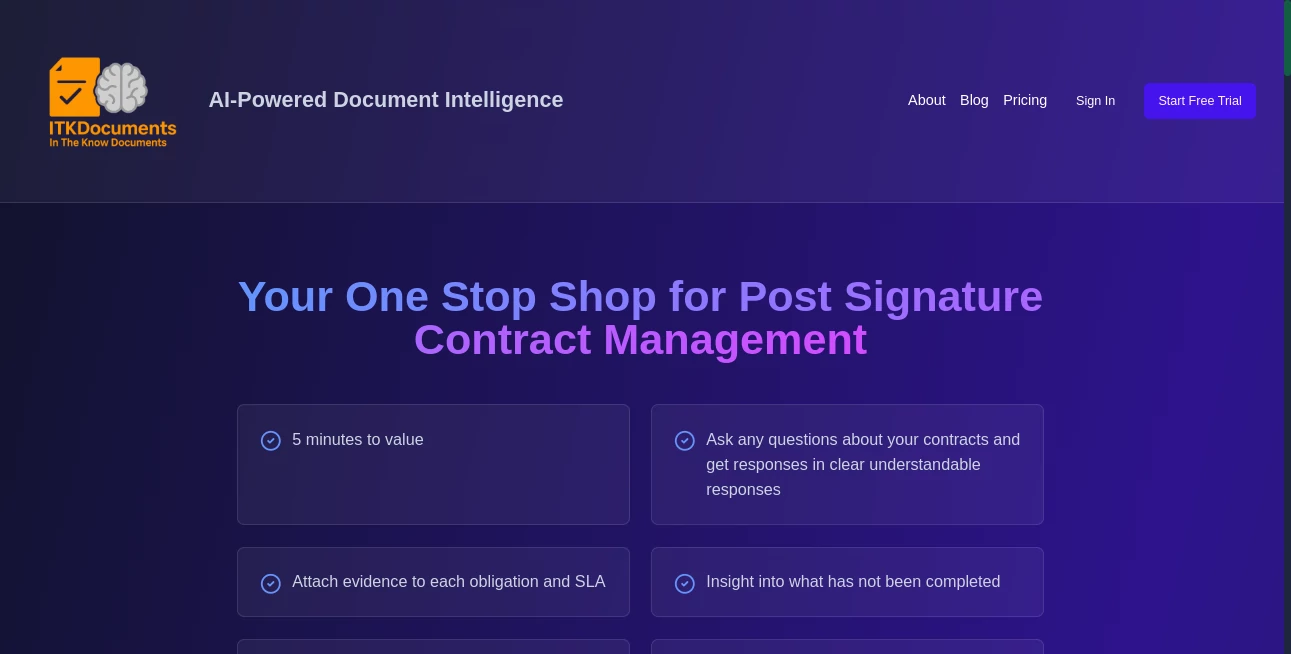
ITKDocuments steps in as a reliable hub for handling files that matter, blending smart organization with seamless sharing to keep projects humming without the usual clutter. This platform catches the eye of groups juggling reports and records, offering a space where everything lands in the right spot and stays easy to grab. Users often mention how it cuts down on those frantic searches, turning what used to be a headache into a quick click, all while keeping the focus on the work that counts.
Introduction
ITKDocuments took shape from the real-world gripes of teams drowning in digital piles, launched by folks who'd seen one too many folders go rogue. It started small, aimed at small outfits needing a tidy spot for their paperwork, but soon drew in larger crews praising its knack for scaling without the snags. Over the years, it's woven in tweaks from everyday users, like better ways to tag and track changes, making it a steady companion for everything from client briefs to internal memos. What stands out is how it feels less like a storage locker and more like a thoughtful assistant, quietly sorting the chaos so you can chase the next big thing.
Key Features
User Interface
The dashboard greets you with a clean sweep of your recent files, laid out in cards that stack neatly or spread wide depending on your screen. A search bar sits up top, smart enough to guess as you type, while side rails let you filter by type or team without digging deep. Adding a new piece is as simple as drag-and-drop, with previews popping up to confirm before it slots in, keeping the whole flow light and intuitive even for those who aren't tech natives.
Accuracy & Performance
It keeps tabs on versions with a precision that saves headaches, logging every edit down to the minute so rollbacks feel foolproof. Loads come quick, even with hefty batches, and the system holds steady under heavy pulls, rarely dropping a beat during peak hours. Teams note how it nails the details, like spotting duplicates before they pile up, ensuring your library stays sharp without constant cleanup.
Capabilities
From basic uploads to collaborative edits in real time, it covers the spread with tools for comments, approvals, and even basic templates to kick things off right. Link it to your email or drives for auto-pulls, and it handles the handoffs smoothly, while audit trails track who touched what for that extra layer of accountability. It's built to grow with you, folding in custom fields or workflows that fit your rhythm without forcing a full overhaul.
Security & Privacy
Files get wrapped in solid locks from the get-go, with options to set views by role or even time limits on access, keeping sensitive stuff under tight reins. It follows the usual safeguards for data at rest and in flight, and you can wipe or export on demand to stay in control. Groups rely on that peace of mind, knowing client details or draft notes won't slip through cracks unintended.
Use Cases
Legal teams stash case files with threaded notes for quick reviews, cutting consult time in half. Marketing squads centralize campaign assets, sharing proofs that update live for faster feedback loops. Remote workers drop in daily logs that sync across zones, bridging gaps without the email avalanche. Even educators bundle lesson plans with attachments, making handoffs to subs or parents a breeze.
Pros and Cons
Pros:
- Streamlines sharing without the version vertigo.
- Scales smooth from solo to squad sizes.
- Smart search saves hours of hunting.
- Custom touches fit without the fight.
Cons:
- Free tier caps storage for heavy haulers.
- Learning custom flows takes a few rounds.
- Offline access lags behind the online zip.
Pricing Plans
Start free with basics that cover light loads, like a handful of gigs and core shares, ideal for testing toes. Step to standard around ten bucks per head monthly for unlimited space and team tools, with premium at twenty-five tossing in audits and integrations. Yearly picks pare down the price, and trials give a full month to feel the fit without strings.
How to Use ITKDocuments
Sign up with your work email to get the lay of the land, then drag your first batch into the main bin. Tag them with quick labels, set who sees what in the shares, and watch edits roll in via notifications. Pull reports for overviews or export packs for backups, tweaking permissions as your crew grows to keep things tight.
Comparison with Similar Tools
Unlike sprawling suites that swamp you with extras, ITKDocuments keeps the core crisp, trading bells for basics that just work—though those might suit if you crave calendars too. Against free-for-alls, it adds that pro polish with better guards, but could bow to bare-bones for absolute newbies. It hits home for groups wanting reliable without the rumble.
Conclusion
ITKDocuments quietly clears the clutter from file flows, letting teams breathe easier amid the daily deluge. It turns scattered stacks into structured streams, proving that a smart setup can lift the load without stealing the show. As work keeps weaving wider nets, this one's primed to stay a steady thread, tying it all together with grace.
Frequently Asked Questions (FAQ)
Can I link it to my current setup?
Yes, hooks to drives and mails make the merge smooth.
How does it handle big files?
Swallows them whole with no sweat, up to your plan's limit.
What about mobile grabs?
Apps keep it handy on the go, syncing changes on the spot.
Team invites easy?
One link drops them in with roles ready to roll.
Export options wide?
From zips to sheets, it ships in your style.
AI Workflow Management , AI Contract Management , AI Documents Assistant , AI Files Assistant .
These classifications represent its core capabilities and areas of application. For related tools, explore the linked categories above.
ITKDocuments details
This tool is no longer available on submitaitools.org; find alternatives on Alternative to ITKDocuments.
Pricing
- Free
Apps
- Web Tools
Categories

ITKDocuments Alternatives Product

Flowmata AI

Rename files…

Read PDF Alo…

Somnio

JSON to Excel

Miro

Document Chat

markdown to …

Sourcetable
