
🧠 AI Quiz
Think you really understand Artificial Intelligence?
Test yourself and see how well you know the world of AI.
Answer AI-related questions, compete with other users, and prove that
you’re among the best when it comes to AI knowledge.
Reach the top of our leaderboard.


















Jotlin AI
Smart Coding Companion for Kotlin Developers

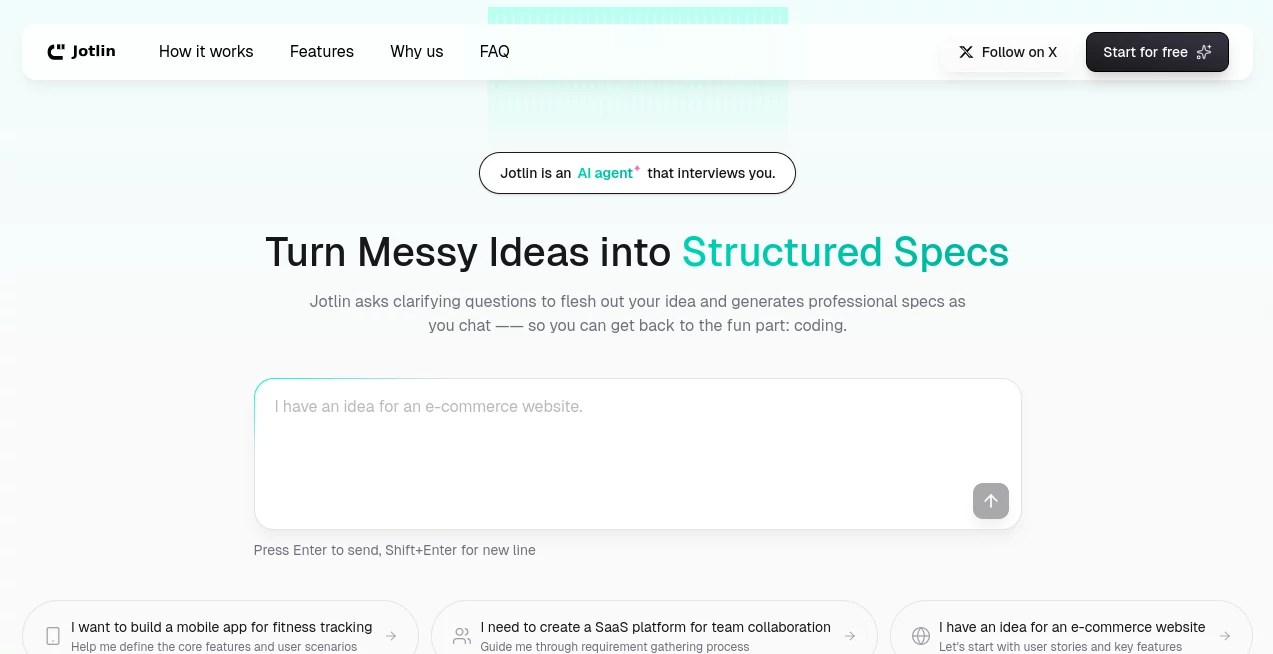
What is Jotlin AI?
Jotlin steps in as a trusty sidekick for folks knee-deep in Kotlin projects, offering quick wits to turn tangled thoughts into clean, running code. This tool catches the eye of developers who juggle deadlines and details, providing nudges that feel like a sharp colleague peeking over your shoulder. Many who've paired it with their workflows share how it smooths the rough edges, letting them focus on the big picture rather than chasing bugs through the night.
Introduction
Jotlin came together from the daily gripes of a few Kotlin fans who'd spent too long wrestling syntax or second-guessing structures, dreaming up a way to make the language sing smoother. It launched quietly but picked up steam fast among mobile makers and backend builders, with stories circulating about prototypes that went from sketch to solid in a fraction of the usual time. What sets it apart is that deep dive into Kotlin's quirks, from null safety to coroutines, ensuring suggestions land right without the generic fluff. Over the months, it's grown into a staple for teams that value velocity, proving a smart helper can turn good code into great code without stealing the spotlight.
Key Features
User Interface
The dashboard feels like an extension of your editor, with a chat-style pane that pops open in your IDE or browser, ready for plain-English asks or code snippets. As you type, hints bubble up in real time, with syntax colors and quick previews that let you test on the spot. Switching between modes—like generate or debug—happens with a tap, keeping the screen clear and the flow unbroken, even when juggling multiple files.
Accuracy & Performance
It nails the nuances of Kotlin's ecosystem, spitting out snippets that compile clean and run efficient, often catching edge cases you'd overlook in a rush. Responses hit fast, even for meaty requests, without the lag that kills concentration, and it learns from your tweaks to sharpen future fits. Developers point to fewer red underlines after a session, with code that holds up under reviews better than solo efforts.
Capabilities
From whipping up full classes to unraveling coroutine chains or optimizing data classes, it covers the Kotlin spectrum with room for custom patterns you feed it. It can explain why a sealed class fits your flow or refactor legacy bits for modern flair, all while integrating with tools like Gradle or Jetpack. The real strength lies in chaining ideas, like building an API endpoint from a vague spec, step by step without losing the thread.
Security & Privacy
Your code stays local where possible, with cloud calls encrypted end-to-end and no peeking at proprietary pieces unless you opt in for deeper learns. It wipes sessions clean after, giving you full say on what sticks around, so sensitive stacks remain your secret. Teams lean on it for that peace of mind, knowing client data or IP won't wander off during a debug dive.
Use Cases
Android devs sketch UI flows with Compose helpers, turning wireframes into interactive mocks before coffee cools. Backend crews optimize serverless functions, trimming boilerplate to focus on logic that scales. Startup solos prototype MVPs, layering auth and APIs without pulling in extra hands. Even educators use it to generate examples for classes, walking students through patterns that click faster with a live demo.
Pros and Cons
Pros:
- Tuned tight for Kotlin, skipping the broad-brush misses.
- Boosts speed without skimping on safety nets.
- Blends into your setup, no big shifts needed.
- Grows with your style, remembering what works for you.
Cons:
- Shines brightest on Kotlin; other langs get less love.
- Free layer limits heavy lifts to paid paths.
- Occasional over-eager suggestions need a quick trim.
Pricing Plans
Start free with core chats and a handful of deep dives monthly, enough for light tinkering or quick fixes. Pro kicks in at fifteen bucks a month for unlimited runs and team shares, with enterprise at custom rates for locked-down setups. Annual options shave a bit off, and a trial week lets you test the full kit without commitment, easing the jump.
How to Use Jotlin
Hook it into your IDE via plugin or fire up the web spot, then drop a prompt like "build a repo pattern for user auth." Watch it outline the pieces, copy the keepers, and paste into your project—test with a run to see it hum. For refactors, highlight a block and ask for a cleaner take, iterating till it fits your flow. Save patterns for reuse, building a personal library that speeds future sprints.
Comparison with Similar Tools
Where general coders cast wide but shallow, Jotlin digs deep into Kotlin's grain, trading breadth for that tailored touch—though those might suit multi-lang mixes better. Against IDE natives, it adds proactive pings without the bloat, but could lag in seamless swaps for heavy customizers. It hits home for Kotlin kin, blending smarts with specificity where others generalize.
Conclusion
Jotlin wraps the Kotlin craft in a clever cloak, making the language's power more accessible without dimming its edge. It turns the solo grind into a guided groove, yielding code that's not just correct but clever. As development dashes keep quickening, this companion stands ready, whispering ways to write better, one prompt at a time.
Frequently Asked Questions (FAQ)
Does it work outside Kotlin?
Primed for Kotlin, but it nods to Java interops and basics in others.
How private are my sessions?
Locked down tight, with options to keep everything offline.
Can it handle big projects?
Yes, break it into chunks for steady progress without overload.
What's the learning curve?
Gentle—start with simple asks and let it build your confidence.
Integrates with my tools?
Plugs into IntelliJ, Android Studio, and more for smooth sails.
AI Code Assistant , AI Code Generator , AI Code Refactoring , AI Developer Tools .
These classifications represent its core capabilities and areas of application. For related tools, explore the linked categories above.
Jotlin AI details
This tool is no longer available on submitaitools.org; find alternatives on Alternative to Jotlin AI.
Pricing
- Free
Apps
- Web Tools
Categories

Jotlin AI Alternatives Product

AutoChangelog

Interview Co…

CodeProt

JSON to TOON…

Project Genie

Kimi K2.5

Sourcetable

MyToolster W…

ChatFlowchart
