
🧠 AI Quiz
Think you really understand Artificial Intelligence?
Test yourself and see how well you know the world of AI.
Answer AI-related questions, compete with other users, and prove that
you’re among the best when it comes to AI knowledge.
Reach the top of our leaderboard.


















jpg to excel
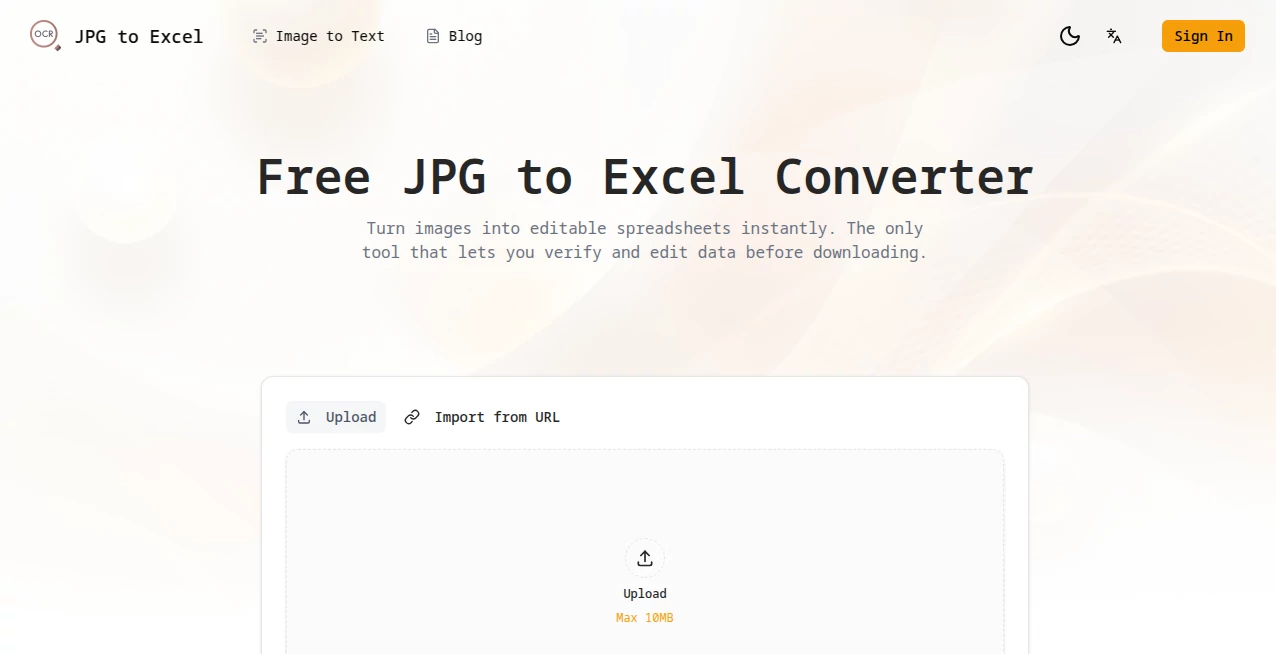
What is jpg to excel?
Few things are more frustrating than staring at a printed table or screenshot, knowing all that data is trapped and you have to retype it by hand. This little tool quietly solves exactly that problem in the most satisfying way: upload a JPG (or PNG screenshot), let it think for a moment, and suddenly you have a real, editable spreadsheet you can fix, sort, or export. What makes it feel special is the split-screen review step—you see the original image right next to the extracted table so you can spot and correct any tiny hiccup before downloading. I’ve used similar converters before and always ended up with messy results I had to clean up anyway; this one actually hands you something you can trust and tweak right away.
Introduction
Data entry from images is one of those quiet time thieves that adds up fast—receipts, invoices, printed reports, handwritten notes, even phone screenshots of tables. Most OCR tools spit out plain text and call it a day, but this one goes further: it understands table structure, handles merged cells, multiple tables on one page, and gives you an interactive editor so the output isn’t just “good enough”—it’s actually usable. No login, no watermarks, no nagging upsells. You finish the job and leave. It’s exactly the kind of straightforward help people wish existed years ago when they were manually copying numbers from PDFs at 2 a.m.
Key Features
User Interface
The layout is dead simple and surprisingly thoughtful. You drag your image or snap one with your phone camera, click “Extract Tables,” and almost immediately a side-by-side view appears: original on the left, editable table on the right. Click any cell to fix typos or numbers—no hunting through exported files later. It feels like the tool is sitting next to you saying “Here, let me hold this while you correct that one digit.” Clean, fast, mobile-friendly, and zero clutter.
Accuracy & Performance
It really tackles the biggest OCR headache: structure. Merged cells stay merged, columns line up, multiple tables on one page get separated properly. Numbers, dates, currencies—most of it comes through cleanly. When something is off (blurry scan, weird font), you fix it in seconds instead of retyping the whole sheet. Speed is impressive too—complex images process in under ten seconds on average. In real use, it saves far more time than the occasional correction costs.
Capabilities
Beyond basic table extraction, it deals gracefully with complex layouts: rotated text, handwritten notes (to a reasonable degree), screenshots with UI elements around the table. You can snap a photo of a printed report on your desk or upload a high-res scan—both work well. Output is proper XLSX or CSV, ready for Excel, Google Sheets, or any analysis tool. The in-browser editor is the standout: no need to download, fix, re-upload.
Security & Privacy
They’re very clear about this: images are processed and deleted permanently right after you’re done—no storage, no sharing, no funny business. Everything happens in the moment. For anyone working with invoices, client data, or internal reports, that matters a lot. It’s one of the few tools where you can use it confidently without second-guessing where your files end up.
Use Cases
A small business owner photographs supplier invoices and has clean expense tables in minutes instead of hours of typing. A student screenshots research tables from PDFs and pulls data for analysis without retyping. An analyst grabs printed reports from meetings, extracts figures on the spot, and builds charts during the discussion. Even casual users convert old family budget lists or recipe tables into spreadsheets they can actually sort and update. It turns painful chores into quick wins.
Pros and Cons
Pros:
- Instant editability in-browser—no “export and pray” workflow.
- Handles real-world mess (merged cells, multiple tables, photos) better than most.
- Completely free, no sign-up, no limits advertised.
- Strong privacy stance—images gone immediately after processing.
Cons:
- Very blurry or heavily stylized handwriting can still trip it up (like most OCR).
- No batch upload for many files at once (yet).
Pricing Plans
It’s genuinely free. No hidden premium tier, no credit system, no “upgrade for better accuracy” nudge. Everything you see is what you get—full table extraction, editing, export, done. In a world where almost every useful tool eventually asks for money, this one stays open and honest. Refreshing.
How to Use JPG to Excel Converter
Go to the homepage, drag your JPG/PNG/screenshot into the upload area (or use your phone camera directly). Click “Extract Tables.” Wait a few seconds. You’ll see the original image on one side and the recognized table on the other. Click any cell to correct mistakes. When it looks good, download as Excel or CSV. That’s literally it—under a minute from photo to usable spreadsheet in most cases.
Comparison with Similar Tools
A lot of image-to-table converters give you a raw dump and call it a day. This one gives you an editable preview that actually saves time instead of creating extra cleanup work. Many require sign-up or add watermarks or limit free use—this doesn’t. Privacy-focused users especially appreciate that images are deleted immediately. It’s not trying to be everything; it’s just really good at the one thing it does.
Conclusion
In the end, the best tools disappear into the background and just solve the problem. This one does exactly that. You stop thinking about the conversion and start working with the data. Whether you’re drowning in receipts, salvaging old reports, or just need numbers from a photo fast, it’s quietly one of the most useful free helpers out there. Give it a try the next time you catch yourself reaching for a keyboard to retype a table—you’ll probably wonder why you waited so long.
Frequently Asked Questions (FAQ)
What file types can I upload?
JPG and PNG work great, including screenshots and photos taken with your phone.
Can it handle multiple tables on one image?
Yes—it detects and separates them automatically.
Is there any sign-up or limit?
No login, no daily cap—just upload and go.
What happens to my image after conversion?
It’s deleted from the servers right after processing—privacy first.
Can I edit the table before downloading?
Yes—in the browser, click any cell and fix it instantly.
AI Document Extraction , AI Documents Assistant , AI Files Assistant .
These classifications represent its core capabilities and areas of application. For related tools, explore the linked categories above.
jpg to excel details
Pricing
- Free
Apps
- Web Tools
Categories

jpg to excel Alternatives Product

Sourcetable

UPDF AI

Ryne AI

photo to URL

JFIF to JPG …

Watermark in…

GLM-OCR Onli…

markdown to …

JSON to Excel
