
🧠 AI Quiz
Think you really understand Artificial Intelligence?
Test yourself and see how well you know the world of AI.
Answer AI-related questions, compete with other users, and prove that
you’re among the best when it comes to AI knowledge.
Reach the top of our leaderboard.


















JPG to Small
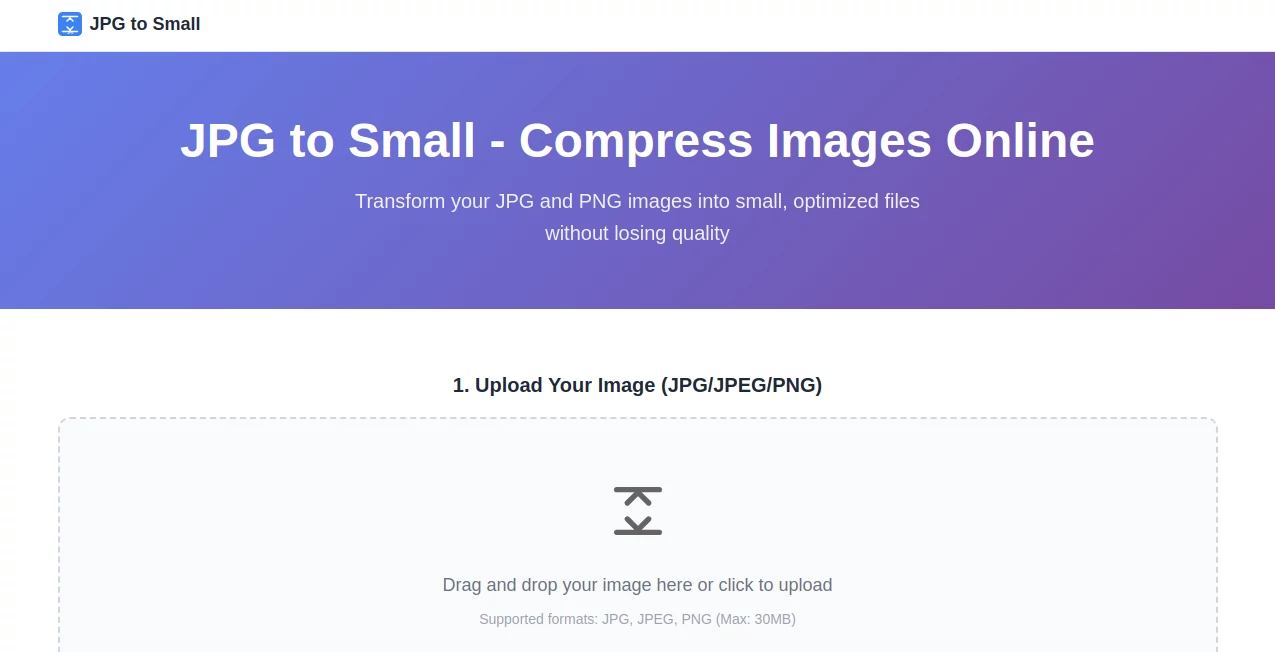
What is JPG to Small?
There's a quiet satisfaction in watching a bloated 5MB photo shrink down to under 500KB while still looking crisp on screen. This little online helper does exactly that—takes your everyday JPGs and PNGs and squeezes them smartly so websites load faster, emails send smoother, and storage stops screaming at you. I’ve used it on batches of product shots for a side project, and the difference was night and day: pages that used to crawl now snap open, and nobody notices any downgrade in sharpness. It's one of those tools you wish you'd found years ago.
Introduction
File sizes creep up on you—high-res phone pics, unoptimized scans, camera exports—and suddenly your site feels sluggish or your cloud drive is bursting. This service steps in with a focused, no-frills approach: compress images thoughtfully so visual quality holds steady while kilobytes vanish. No sign-up nonsense, no watermarks, no forced downloads of software; just drag, wait a moment, and grab the lighter version. What stands out is the real-time side-by-side preview that lets you dial in the sweet spot—most folks land on 70-80% quality and can't spot the difference even when zooming in. It's become my quick fix for client galleries, blog posts, and social shares, saving bandwidth without sacrificing that first-impression punch.
Key Features
User Interface
The page greets you with a big, friendly drop zone—no tiny buttons or hidden menus. Drag your file in (or click to browse), and it immediately shows the original next to the compressed preview, complete with file sizes and percentage saved. Adjust the quality slider if you want more control, then hit download. It's dead simple; even my non-tech-savvy aunt managed to slim down vacation photos on her first try without asking for help.
Accuracy & Performance
The compression strikes a smart balance—aggressive enough to cut 50-80% off most files, yet gentle on details so skin tones, edges, and fine textures stay believable. High-res photos see the biggest wins, while already-light images drop just enough to matter. Processing is snappy; a handful of shots finish before you finish your coffee, and the previews update live so you never guess what the final output will look like.
Capabilities
It handles JPG/JPEG and PNG up to 30MB, spitting out optimized JPEGs, transparent PNGs, or WebP (the real bandwidth saver). You get to choose the target quality level, preview side-by-side, and download instantly—no batch yet, but future updates promise it. The algorithm avoids the muddy look of cheap compressors, keeping colors vibrant and artifacts minimal even at lower settings.
Security & Privacy
Since everything runs right in your browser, your photos never touch a server unless you choose to upload. No accounts, no tracking cookies pushing ads, just the job done and gone. For anyone cautious about client work or personal snaps, that offline-first design feels like a small but genuine relief.
Use Cases
E-commerce sellers trim product photos so pages load in a blink, boosting conversions without fuzzy visuals. Bloggers keep galleries lean, letting readers scroll smoothly on mobile. Email marketers squeeze newsletter images to dodge spam filters while keeping everything sharp. Even casual users slim down family albums before backing up, freeing space without losing memories—it's the kind of practical win that adds up fast.
Pros and Cons
Pros:
- Side-by-side preview builds confidence—no blind compression surprises.
- Serious size drops (50-80% common) with almost invisible quality trade-offs.
- Completely free, no registration, no watermarks, no limits on use.
- WebP output option that future-proofs your files for speed.
Cons:
- Single-file uploads only for now—batch coming soon.
- Very heavy or already-optimized files see smaller gains.
Pricing Plans
It's refreshingly straightforward: completely free, no hidden tiers, no credit system, no upsell pop-ups. Use it as much as you want, whenever you want—ideal for freelancers, small shops, or anyone who just wants the job done without a subscription nagging in the background.
How to Use JPG to Small
Land on the page, drag your JPG or PNG into the box (up to 30MB), and wait a beat while it processes. You'll see the original on the left, compressed version on the right, with sizes and savings shown clearly. Slide the quality setting if you want finer control—70-80% is usually the sweet spot—then click download. Done. I run through a dozen product shots this way in under ten minutes, and the site stays snappy even on a coffee-shop Wi-Fi.
Comparison with Similar Tools
Lots of compressors exist, but many either butcher quality at aggressive settings or hide the real savings behind confusing sliders. This one keeps the preview honest and the results clean, often shaving more size than big-name alternatives while looking indistinguishable to the eye. It skips the bloat of software installs or account walls, making it the quick, trustworthy pick when you just need lighter files fast.
Conclusion
In a digital world that demands speed without sacrifice, this tool quietly delivers—slimming images so your content travels lighter and lands faster, all while keeping every detail you care about. It's not flashy, but it is reliable, and sometimes that's the most valuable thing of all. Next time a gallery drags or an email bounces, give it a quick try; you might find yourself wondering how you ever managed without it.
Frequently Asked Questions (FAQ)
What file types can I compress?
JPG/JPEG and PNG up to 30MB each—perfect for most photos and graphics.
Will the quality really stay good?
At recommended settings, most people can't tell the difference even when zooming in.
Do I need to sign up or install anything?
Nope—100% browser-based, no accounts, no downloads.
Can I get WebP output?
Yes, choose WebP for the smallest sizes with modern-browser support.
Is there batch processing?
Not yet, but it's on the roadmap—single files work great in the meantime.
AI Photo & Image Generator , Photo & Image Editor , AI Background Remover , AI Image Scanning .
These classifications represent its core capabilities and areas of application. For related tools, explore the linked categories above.
JPG to Small details
Pricing
- Free
Apps
- Web Tools
Categories

JPG to Small Alternatives Product

KissPixel

Luma AI

Reztune

ShinePhoto

MyPicNow

PDFgear

Quitar Fondo

TextSharp | …

ImageKontext…
