
🧠 AI Quiz
Think you really understand Artificial Intelligence?
Test yourself and see how well you know the world of AI.
Answer AI-related questions, compete with other users, and prove that
you’re among the best when it comes to AI knowledge.
Reach the top of our leaderboard.


















JSON to TOON Converter
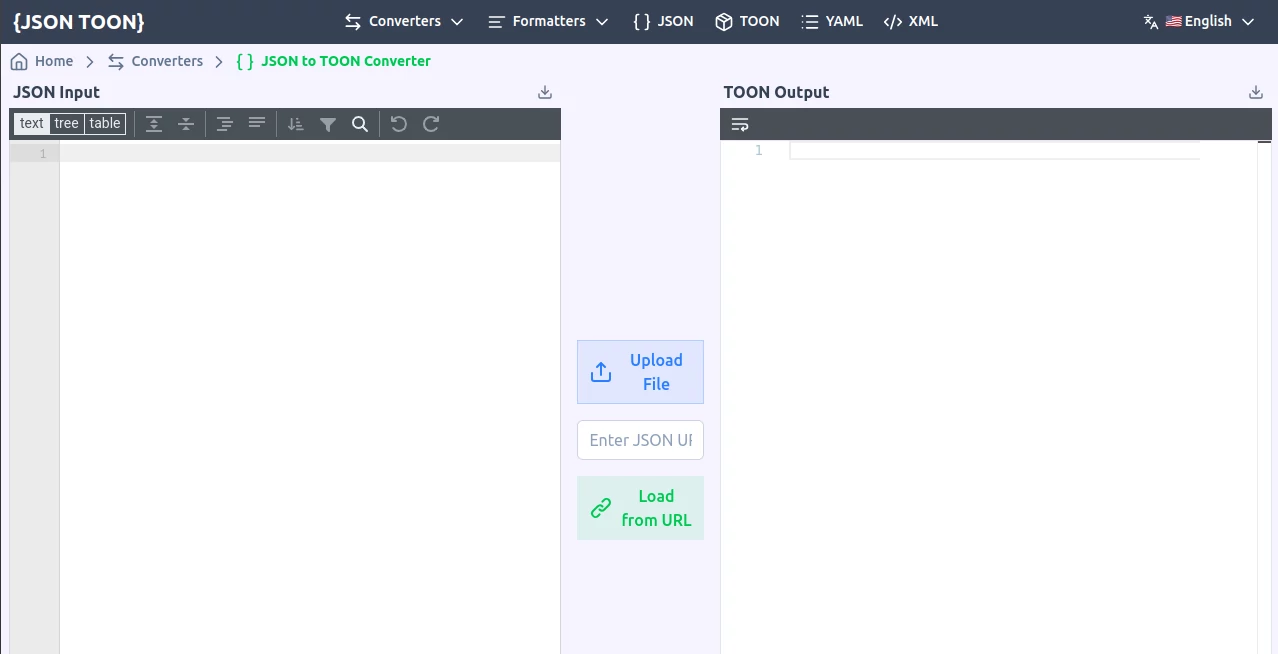
What is JSON to TOON Converter?
Feeding dense structured data into language models can burn through tokens faster than you'd like, especially when you're iterating on prompts or running batches of examples. This little web tool quietly changes the game by reshaping your JSON into a leaner format called TOON that keeps every bit of meaning while slashing the token count—often by a third to over half. I started using it for a side project where prompt length directly hit my monthly spend, and the difference was immediate: same information, noticeably lower costs, and the model actually parsed the compact version more reliably in several cases.
Introduction
Most of us have been there—carefully crafting a prompt with example JSON objects only to watch the token counter climb and the bill follow. TOON was created precisely to tackle that pain point: a deliberately sparse syntax that declares structure once and then lists data rows almost like a lightweight table. The result is data that remains human-readable (you can still glance at it and understand what's what) but tokenizes far more efficiently for today's large language models. What I appreciate most is how seamless the switch feels—no need to rewrite logic or retrain habits; you convert once, paste the TOON version into your prompt, and carry on. Early adopters on forums already report real savings when chaining long contexts or stuffing many few-shot examples, and the fact that everything happens right in the browser adds a layer of trust that's hard to beat.
Key Features
User Interface
The page is intentionally minimal: one big text area for your JSON on the left, another that instantly shows the TOON equivalent on the right, and a live token comparison right above so you see the savings in real time. Paste, drop a file, or even load from a URL—no account, no fuss. It's the sort of design that respects your time; you land, do the job, and leave without ever feeling like you've navigated a product.
Accuracy & Performance
Because the conversion is purely syntactic and happens client-side, it's instantaneous even on fairly large objects, and the output is deterministic—same input always yields the same compact result. The format itself is fault-tolerant in ways JSON isn't; missing quotes or extra commas in LLM-generated data tend to cause fewer parsing failures. In practice I've thrown messy, hand-edited JSON at it and watched the token count drop 40–50% while the structure stayed perfectly intact for the model.
Capabilities
It handles nested objects and arrays gracefully by declaring the shape once at the top (think header row) and then streaming the values in a concise, row-like fashion. Primitive values, strings with minimal quoting, numbers without unnecessary decimals—every choice is tuned to how tokenizers actually bite. You can also validate the TOON output on the spot, which is handy when you're experimenting with prompt engineering and want to be sure the data will parse cleanly downstream.
Security & Privacy
Nothing ever leaves your machine. The entire conversion runs in the browser, so sensitive payloads—API responses, user data, internal configs—never touch a server. That's a rare and welcome property in a world where many online tools quietly log inputs.
Use Cases
Prompt engineers stuff more few-shot examples into the same token budget, getting richer context without raising costs. RAG pipeline builders compress retrieved documents before feeding them to the model, improving relevance while trimming latency and spend. Teams that generate synthetic data in bulk convert JSONL datasets to TOON first, making experimentation far cheaper. Even solo tinkerers prototyping agents find they can iterate faster because each test run costs less—small wins that add up quickly.
Pros and Cons
Pros:
- Genuinely cuts token usage in half on average without losing a shred of information.
- Completely private—zero server round-trips, zero logging.
- Live token counter makes the savings visible and motivating.
- No sign-up, no limits, no catch—pure utility.
Cons:
- You have to remember to paste the TOON version into your prompt instead of plain JSON.
- Not every LLM has seen TOON during training, though most handle it fine once you show one or two examples.
Pricing Plans
There are no pricing plans. The tool is entirely free, runs locally in your browser, and has no usage caps or premium tiers. It's one of those rare utilities that exists purely to solve a problem without trying to monetize you along the way.
How to Use It
Open the page, paste your JSON into the left panel (or drag a .json file), and the TOON version appears instantly on the right with a side-by-side token count. Copy the TOON block, drop it into your prompt template, and optionally add a one-line instruction like "Parse this TOON data:" so the model knows what to expect. For validation, click the check button to confirm the output is well-formed. That's it—usually takes less than ten seconds end to end.
Comparison with Similar Tools
A handful of other JSON compressors exist, but most either mangle readability or require server uploads that raise privacy flags. This one strikes an unusual balance: aggressive token savings, full client-side execution, and a syntax that's still scannable by humans. Where alternatives sometimes force you to adopt entirely new tooling, this feels more like a lightweight filter you can apply and forget.
Conclusion
In the ongoing quest to make large language models more affordable and responsive, small format tweaks like this can deliver outsized returns. It's satisfying to discover a solution that's simultaneously clever, practical, and completely free. If you're regularly sending structured data to an API and watching the token meter climb, give this a quick try—the savings are real, the friction is negligible, and your wallet will thank you.
Frequently Asked Questions (FAQ)
Does every LLM understand TOON out of the box?
Most do fine with a tiny hint in the prompt ("This is TOON format—header first, then rows"). Newer models parse it almost as naturally as JSON.
What happens with deeply nested data?
It flattens intelligently by declaring nested shapes in the header, keeping the output compact yet unambiguous.
Can I use it offline?
Yes—once the page is loaded you can disconnect and keep converting.
Is there a bulk mode or CLI?
Not yet on the web tool, but the spec is public so anyone can build one.
Why not just gzip the JSON?
Gzip helps transmission, but tokens are counted after decompression. TOON reduces the actual tokenized length the model sees.
AI API Design , AI Developer Docs , AI Developer Tools , AI Research Tool .
These classifications represent its core capabilities and areas of application. For related tools, explore the linked categories above.
JSON to TOON Converter details
Pricing
- Free
Apps
- Web Tools
Categories

JSON to TOON Converter Alternatives Product

AI Podcast I…

Screenshot t…

Kimi K2.5

HostFinder

Sound Level …

Emergent

ChatFlowchart

Website Traf…

Workik
