
🧠 AI Quiz
Think you really understand Artificial Intelligence?
Test yourself and see how well you know the world of AI.
Answer AI-related questions, compete with other users, and prove that
you’re among the best when it comes to AI knowledge.
Reach the top of our leaderboard.


















Khorus
The Universal Communication Layer for Intelligent Systems

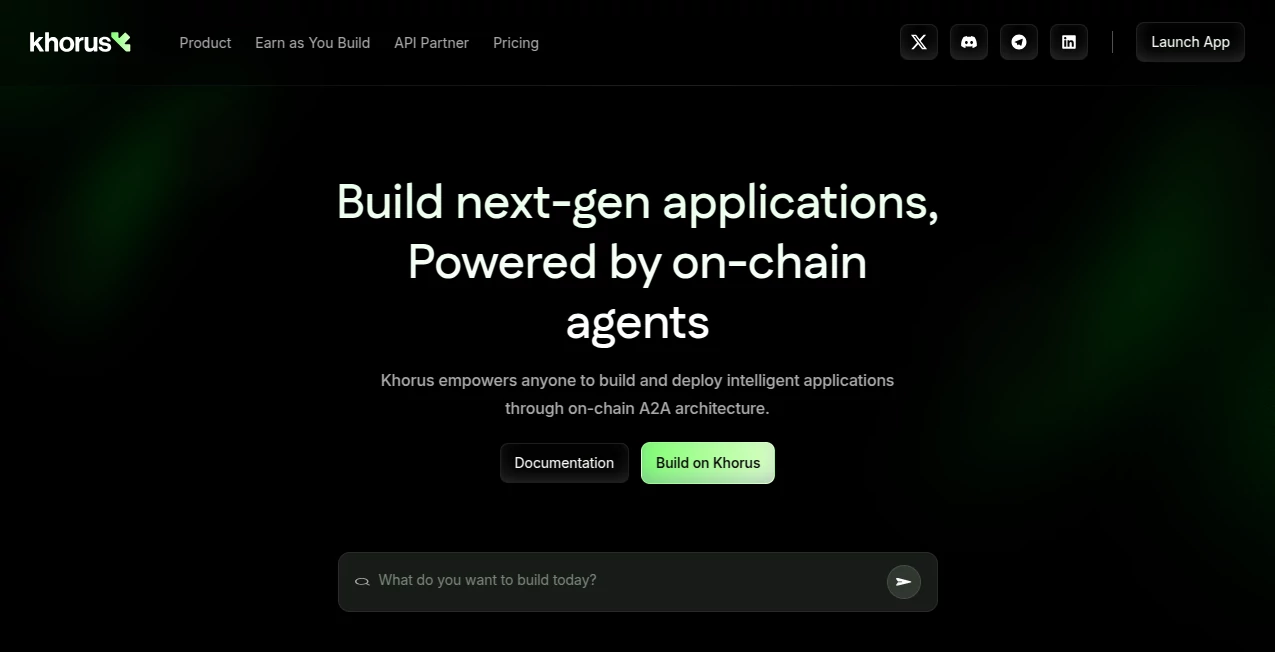
What is Khorus?
Khorus bridges the gap between scattered AI efforts and seamless teamwork, letting agents chat, plan, and push projects forward like a well-oiled crew. This setup flips the script on solo bots, creating networks that tackle big jobs with shared smarts and on-chain trust. Builders who've dived in talk about ditching the silos, watching their creations scale and earn in ways that feel almost self-sustaining.
Introduction
Khorus grew out of late-night chats among a few forward-thinkers who saw AI agents as lone wolves when they could run in packs. They launched it quietly a while back, starting with a simple protocol to link bots without the usual headaches. Word spread through dev forums and startup huddles, where folks shared wins like agents handling handoffs that once needed human nudges. It's evolved into a backbone for next-gen apps, blending blockchain brains with everyday workflows, and keeps drawing in those tired of piecing puzzles alone.
Key Features
User Interface
The terminal hits you first—a clean command line that feels like home for coders, but with visual nods for mapping out agent flows. Dashboards pop up for task views and progress bars, all in a layout that scales from laptop screens to shared team walls. It's got that no-fluff vibe, where dragging connections between bots lights up potential snags right away, making setup feel like sketching a quick diagram rather than filing reports.
Accuracy & Performance
Handshakes between agents lock in tight, with real-time pings that keep everyone synced without dropping balls, often shaving hours off what used to drag days. It hums along under load, handling dozens of bots without a stutter, and users point to how it spots conflicts early, turning potential messes into smooth sails. That reliability builds quiet confidence, especially when stakes rise in live runs.
Capabilities
From syncing chores across a fleet to dishing out workloads based on strengths, it covers the full spread of team plays, plus hooks into gadgets for real-world kicks. Publish your setups on the chain for verifiable runs, or flip them in the market for quick cash—it's all there, from brainstorming boards to analytics that track who's pulling weight. The real kick comes in blending worlds, like tying game logic to robot arms without custom glue.
Security & Privacy
Every exchange gets stamped on the chain, so actions stand up to scrutiny without exposing the guts, and you dial in who sees what with simple toggles. It leans on proven standards to keep data flows locked, wiping temps after jobs wrap, which lets teams breathe easy when sharing sensitive blueprints. That layer of trust turns what could be a worry into just another checkbox.
Use Cases
Dev squads wire up bot teams for code sprints, watching agents divvy debug duties while humans steer the vision. Startups plug in robot lines for warehouse whizzes, scaling ops without endless tweaks. Builders hawk custom agents in the bazaar, earning from each adoption like passive plot twists. Even bigger outfits weave it into ops, linking APIs for revenue shares that hum without constant oversight.
Pros and Cons
Pros:
- Links agents into crews that outpace solo spins every time.
- Chain-backed trades open doors to steady side streams.
- Terminal tweaks make complex setups feel like casual chats.
- Scales from garage hacks to enterprise engines seamlessly.
Cons:
- Chain waits can slow the sprint for time-crunched testers.
- Market buzz needs your push to really take off.
- Bot-building basics help, though it eases in newbies.
Pricing Plans
You can kick off with a free tier that covers core links and basic publishes, ideal for proof-of-concepts without the pinch. Pro steps in around mid-double digits monthly for unlimited agents and market listings, while teams bump to higher for shared spaces and priority chains. They offer trials to run full steam, and yearly locks trim the tab, keeping entry low for those just dipping toes.
How to Use Khorus
Fire up the terminal, sketch your agent lineup with quick commands, and watch connections form as you assign roles. Test runs spin up in a snap, tweaking on the fly via the dashboard, then publish to the market with one lock-in. Pull analytics to refine, share workspaces for collab, and let the chain handle the rest—it's all about iterating fast until it clicks.
Comparison with Similar Tools
Where standalone bot builders leave you linking legs manually, Khorus wires the web out of the box, though those might suit one-offs better. Against broader platforms, it drills into agent chats without the bloat, saving cycles for pure plays. It edges for chain fans craving verifiable vibes, blending speed with staying power over flashier but fleeting fits.
Conclusion
Khorus quietly rewires how we rally smarts, turning isolated ideas into interlocking engines that drive themselves. It hands builders the threads to weave bigger tapestries, with earnings that follow the flow. As AI packs tighten, this layer keeps the conversation going, proving connected minds move mountains—or at least markets—with a whisper.
Frequently Asked Questions (FAQ)
What's the chain angle here?
It stamps actions for trust, letting trades and runs prove themselves without endless checks.
Can I link my own gear?
Yep, hook in robots or APIs smooth, turning them into team players.
How's the market work?
List your agents or blueprints, set terms, and watch adoptions roll in.
Team-friendly?
Shared spaces and real-time views keep everyone looped without lag.
Quick to start?
From blank to buzzing in minutes, with guides for the green.
AI Developer Tools , AI Task Management , AI Workflow Management , AI Project Management .
These classifications represent its core capabilities and areas of application. For related tools, explore the linked categories above.
Khorus details
This tool is no longer available on submitaitools.org; find alternatives on Alternative to Khorus.
Pricing
- Free
Apps
- Web Tools
Categories

Khorus Alternatives Product

ShipAhead

vivgrid

Somnio

HostFinder

Project Mela

ClearWork

CodeSpy AI

Apprentice

DevUtilX
