🧠 AI Quiz
Think you really understand Artificial Intelligence?
Test yourself and see how well you know the world of AI.
Answer AI-related questions, compete with other users, and prove that
you’re among the best when it comes to AI knowledge.
Reach the top of our leaderboard.


















Kling 3.0 – AI Video Director
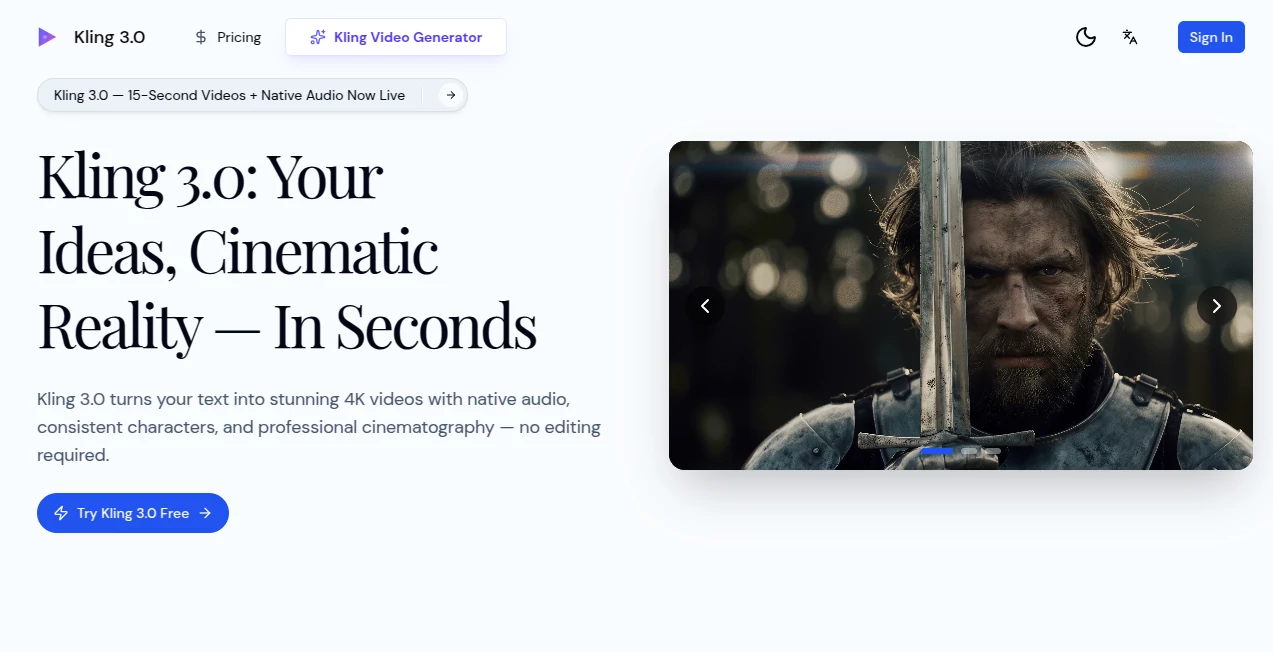
What is Kling 3.0 – AI Video Director?
You type a scene description, maybe attach a reference image, and within a minute a polished 15-second clip appears—complete with fluid camera moves, consistent characters, and audio that actually fits the moment. It feels less like pressing a button and more like having a director who instantly gets your vision and executes it with surprising grace. I’ve seen creators go from “I wish I could make this” to posting something genuinely cinematic the same afternoon, and the quality holds up in ways that still catch me off guard.
Introduction
Making video used to mean storyboards, shooting days, editing suites, and a long wait for anything watchable. This changes the equation completely. It takes your words—or a still image—and builds a seamless, multi-shot scene with native sound, realistic motion, and that hard-to-fake cinematic feel. No cuts, no post-production scramble; just a finished piece ready to share. Early users talk about cutting creative costs dramatically while posting more often and seeing engagement jump. It’s built for anyone who has stories to tell but not the time, budget, or crew to tell them the traditional way. The fact that it delivers 4K quality with believable physics and lip-synced dialogue makes it stand out even among the newest wave of video tools.
Key Features
User Interface
The process is stripped down in the best way. Write your prompt (or upload an image), choose length and resolution if you want, hit generate, and watch it plan and render. There’s a clean preview so you can check pacing or make small tweaks before final output. It never buries you in options; instead it focuses on getting from idea to watchable clip as smoothly as possible. First-timers can jump in without confusion, and experienced creators appreciate how little friction there is between thought and result.
Accuracy & Performance
Character consistency across shots is remarkably tight—same face, same outfit, same lighting intent from frame one to the end. Motion follows real-world physics instead of the floaty or jerky artifacts you sometimes see elsewhere. Audio syncs naturally, dialogue lands on the lips, ambient sounds fit the environment. Generations typically finish in under a minute, which means you can iterate fast instead of waiting hours. In practice, the first or second try often feels usable, which is a rare compliment in this space.
Capabilities
It handles up to 15 seconds of continuous video—long enough for a complete scene or social post—while maintaining narrative flow, shot variety, and emotional tone. Text prompts drive everything, image references lock in style or subject, and native audio generation adds dialogue, effects, and background sound without extra steps. 4K resolution, improved physics for believable movement, clear text rendering for titles or signs—it covers the bases for professional-looking output without forcing you into editing software afterward.
Security & Privacy
Your prompts and generated clips are handled with care; the system is designed so content stays private and isn’t used to train models unless you explicitly allow it. For creators working on client projects or personal ideas, that level of control is reassuring and lets you focus on the work rather than worrying about data leaks.
Use Cases
Social creators generate daily Reels or TikToks with consistent characters and synced music, keeping their feed active without burning out. E-commerce sellers turn static product shots into short lifestyle clips that boost click-through rates noticeably. Small filmmakers pre-visualize scenes to pitch investors, saving thousands on test shoots. Educators animate short explainers that students actually watch to the end. Musicians visualize lyrics with matching visuals, creating shareable content that amplifies their tracks. The range is wide because the tool meets you where your imagination is.
Pros and Cons
Pros:
- Seamless 15-second scenes feel like real cinematic storytelling, not stitched clips.
- Native audio with lip-sync and environmental sound saves enormous post-production time.
- Character and style consistency across shots is among the best available.
- Fast turnaround means you can experiment, refine, and publish in the same session.
Cons:
- 15 seconds is perfect for shorts but limits longer-form storytelling.
- Prompt engineering still rewards clear, detailed writing for optimal results.
Pricing Plans
You can start free with a first video at no cost, which lets you experience the quality firsthand. After that, plans scale sensibly: affordable entry tiers for casual use, mid-range options for regular creators, and higher-volume packages for teams or agencies. The structure rewards steady use without punishing experimentation, and many find the time saved quickly offsets the cost.
How to Use Kling 3.0
Describe the scene you see in your mind—be specific about mood, camera movement, and action if you want precision. Optionally upload a reference image to lock in style or character. Choose resolution (up to 4K) and let it generate. Preview the result; if something feels off, adjust the prompt and run again. Download the finished clip with audio baked in and share it directly. The loop is short enough that you can refine a concept several times in one sitting.
Comparison with Similar Tools
Where many generators produce single static shots or require heavy editing afterward, this one delivers complete, multi-shot scenes with sound and direction built in. Consistency across frames and native audio give it an edge over tools that force you back into post-production. It’s less about raw volume of output and more about quality you can use immediately, which makes it especially appealing for creators who value polish over sheer quantity.
Conclusion
This isn’t just another video tool; it’s a shortcut to cinematic storytelling that used to demand teams, budgets, and months. By handling the technical heavy lifting—motion, continuity, sound, direction—it frees you to focus on the idea itself. The results often feel surprisingly professional, and the speed means you can create more, test more, and share more. For anyone who has ever wanted to see their imagination move, this is the closest thing yet to making that happen in seconds.
Frequently Asked Questions (FAQ)
How long can the videos be?
Up to 15 seconds of continuous, seamless footage—long enough for a full scene or strong social post.
Does it generate audio automatically?
Yes, native dialogue, effects, and ambient sound synced to the action—no separate editing needed.
Can I use reference images?
Absolutely—upload photos to guide style, character, or composition for more control.
What resolution do I get?
Native 4K output with crisp detail and no forced upscaling.
Is it beginner-friendly?
Very. Clear prompts produce strong results, and the interface keeps things simple from the start.
AI Animated Video , AI Image to Video , AI Text to Video , AI Video Generator .
These classifications represent its core capabilities and areas of application. For related tools, explore the linked categories above.
Kling 3.0 – AI Video Director details
Pricing
- Free
Apps
- Web Tools
Categories

Kling 3.0 – AI Video Director Alternatives Product

ImagineToVid…

vei4 ai
videodance
Kling 3 AI

Seedance 2 V…

seedream vid…

Nano Banana …
Veo 3.2 AI V…

Motion Contr…