🧠 AI Quiz
Think you really understand Artificial Intelligence?
Test yourself and see how well you know the world of AI.
Answer AI-related questions, compete with other users, and prove that
you’re among the best when it comes to AI knowledge.
Reach the top of our leaderboard.


















kling 3 AI
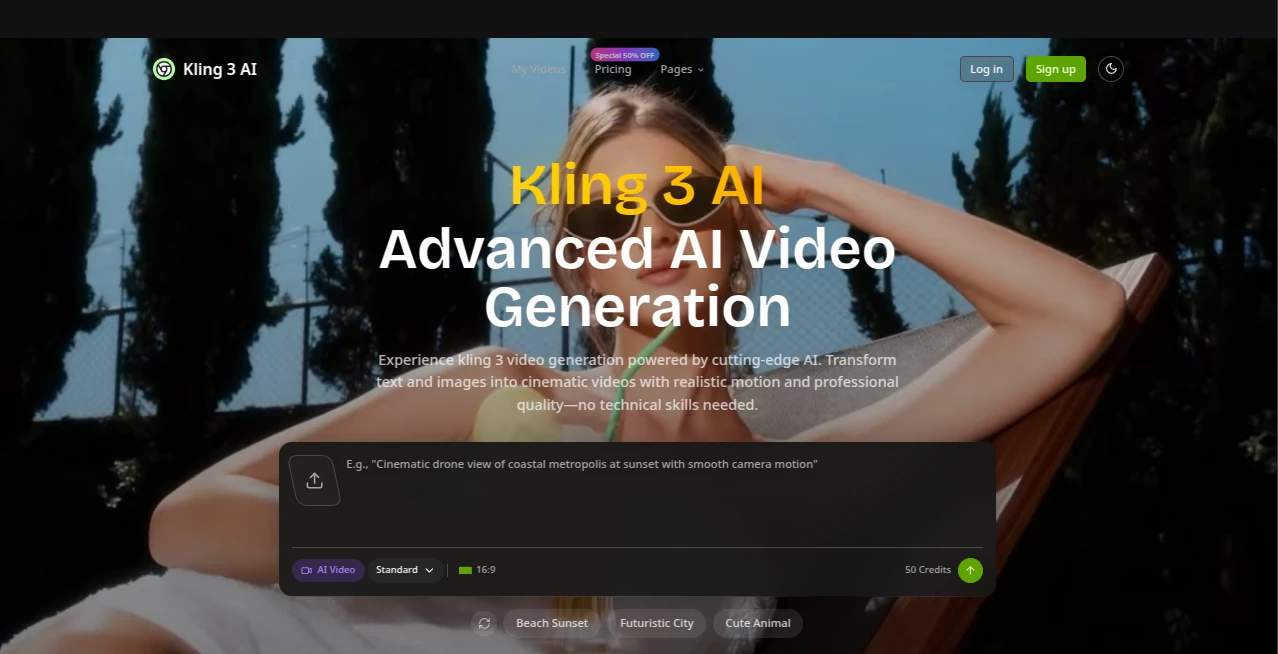
What is kling 3 AI?
There’s something genuinely thrilling about typing a few sentences and watching a full cinematic sequence unfold—smooth camera moves, lifelike motion, rich colors, all in crisp detail that looks like it came from a real shoot. This platform makes that feel almost routine. I’ve seen creators go from “I wish I could do this” to posting professional-grade clips in under an hour, and the quality holds up even when you push it with ambitious ideas. It’s the kind of leap that makes you rethink what’s possible without a crew or a big budget.
Introduction
Video content rules the day—ads, reels, explainer pieces, storytelling shorts—but actually producing it at scale has always been time-intensive and expensive. This tool quietly changes that reality. It takes your words (or images) and builds complete scenes with natural physics, consistent characters, thoughtful lighting, and cinematic framing that feels directed rather than generated. What started catching attention as a high-end AI engine has become a daily driver for marketers testing dozens of ad variations, creators building narrative series, and founders putting together investor decks that look far more polished than they cost. The excitement comes from how it compresses weeks of production into minutes while keeping a human sense of timing and emotion.
Key Features
User Interface
The workspace is clean and focused: drop your prompt, optionally attach an image or reference clip, choose resolution and aspect, and hit go. Batch mode sits right there when you need variations, and the progress view keeps you informed without clutter. It never feels like you’re wrestling with options; everything important is visible, and the rest stays out of the way until you want it.
Accuracy & Performance
Motion reads natural—characters walk with weight, objects react realistically, camera moves feel intentional rather than robotic. Details like fabric ripple, hair sway, and subtle facial expressions hold together even in longer takes. Generations are quick enough that you can iterate meaningfully, and the 4K output looks broadcast-ready with accurate color and sharpness that doesn’t soften under scrutiny.
Capabilities
Text-to-video, image-to-video, dynamic camera control, natural physics simulation, consistent character appearance across shots, seamless scene transitions, and commercial licensing on every plan. It handles everything from quick social ads to narrative sequences with multiple subjects and complex actions, all while maintaining high visual fidelity.
Security & Privacy
Private generations by default, copy protection options, and enterprise-grade handling mean your ideas stay yours. No unnecessary data retention, no quiet sharing behind the scenes—it's built so you can experiment freely without second-guessing who might see your rough concepts.
Use Cases
Marketing teams run dozens of localized ad variations overnight, each one looking like a fresh shoot. Content creators turn blog scripts into engaging video explainers that keep viewers watching. Startup founders build investor pitch visuals that feel premium without hiring a production house. Educators animate concepts that were previously stuck as static slides. The speed and consistency make it practical for high-volume needs while still delivering single pieces that stand out.
Pros and Cons
Pros:
- Motion and physics feel genuinely lifelike—rare at this quality level.
- 4K output looks sharp and professional straight out of generation.
- Batch creation and variations save massive time on testing ideas.
- Commercial rights included across plans—no hidden gotchas.
Cons:
- Longer or very intricate scenes can push generation time.
- Credit-based system means heavy users plan usage carefully.
Pricing Plans
It opens with a generous trial so you can experience the quality firsthand. Monthly and annual subscriptions scale cleanly: entry-level gives essential access, mid-tier unlocks batch and higher resolution, and the top plan offers massive credits plus extras like ongoing free tools. Annual billing cuts the effective cost significantly, and the structure rewards commitment without locking you in forever. It feels fair for both occasional creators and teams that rely on it daily.
How to Use Kling 3 AI
Start with a clear prompt describing the scene, action, and mood—add an image or short clip if you want to anchor style or character. Select aspect ratio and resolution, adjust any motion or camera preferences, and generate. Review the output, tweak the prompt for variations if needed, and download the final clip. Batch mode lets you queue multiple ideas at once. It’s intuitive enough that most people create usable footage on their first or second try.
Comparison with Similar Tools
Many generators produce short bursts with noticeable artifacts or stiff movement; this one prioritizes coherent storytelling, realistic dynamics, and higher resolution that holds up for professional use. Where others require heavy post-production fixes, the results here often need little more than minor trimming. It sits in a sweet spot: powerful enough for serious work, approachable enough that you don’t need a technical background to get strong output.
Conclusion
Video creation used to demand time, money, or both—this changes the math. It hands creators the ability to go from idea to polished clip faster than ever, while keeping the emotional and visual quality high enough to compete with traditional production. Whether you’re scaling content, testing concepts, or simply wanting to see your imagination move, it opens a door that feels exciting rather than overwhelming. The future of visual storytelling is here, and it’s surprisingly approachable.
Frequently Asked Questions (FAQ)
What kind of prompts work best?
Clear, descriptive sentences with scene setup, action, camera direction, and mood give the strongest starting points.
Can I use my own reference images or clips?
Yes—image-to-video and video reference features help lock style, character, or composition.
Is the output commercial-ready?
Yes, every plan includes a commercial use license.
How long are the generated videos?
Supports lengths suitable for ads, shorts, and narrative sequences (exact max varies by plan).
Do I need technical skills?
Not really—good prompts and a bit of iteration go a long way; the rest is handled intelligently.
AI Animated Video , AI Image to Video , AI Text to Video , AI Video Generator .
These classifications represent its core capabilities and areas of application. For related tools, explore the linked categories above.
kling 3 AI details
Pricing
- Free
Apps
- Web Tools
Categories

kling 3 AI Alternatives Product

Veo 3.1

UniVideo

Runway Gen-4…

DomoAI

ReelsBuilder…

HypeClip

Seedance Art

Kling 3.0 – …

Seedance 2.0…