
🧠 AI Quiz
Think you really understand Artificial Intelligence?
Test yourself and see how well you know the world of AI.
Answer AI-related questions, compete with other users, and prove that
you’re among the best when it comes to AI knowledge.
Reach the top of our leaderboard.


















Komos AI

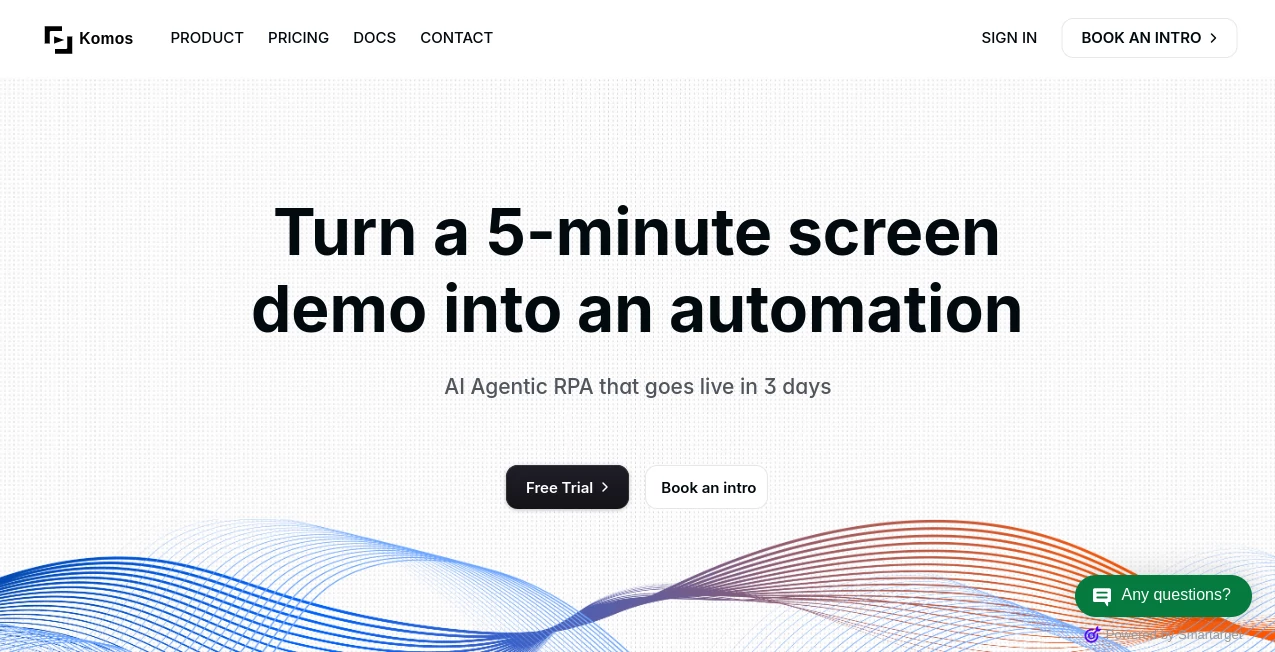
What is Komos AI?
Ever dread those repetitive browser tasks that eat up your day—logging into portals, scraping data, filling forms, or chasing down invoice details across scattered sites? This tool changes all that by watching you do it once, then turning your actions into reliable, automated flows that run flawlessly every time. I've seen teams cut hours of manual drudgery into minutes, with clean logs and safeguards that make you trust the process completely. It's the kind of smart automation that feels like a tireless assistant who never misses a step.
Introduction
Built on computer vision that actually understands what you're doing on screen, this platform bridges the gap between human intent and machine precision. You simply demonstrate a task—talk through it if you want—and it synthesizes a structured workflow you can tweak, version, and deploy with confidence. From pulling structured data out of messy PDFs or scans to handling complex browser interactions behind logins, it tackles the stuff traditional scripts struggle with. What stands out is how it keeps things deterministic—no flaky guesses—while supporting everything from cloud runs on public sites to secure local runners for internal apps. For anyone tired of brittle bots or expensive RPA setups, this feels like the practical evolution we've been waiting for.
Key Features
User Interface
The visual builder is a joy—drag steps around, reorder with a click, add branches or loops without coding headaches. Record your screen while narrating, and it proposes a clean flow ready for edits. Execution logs step through everything in real time, highlighting exactly where things stand. It's straightforward enough that a colleague of mine set up an invoice extraction routine in an afternoon, no prior automation experience needed.
Accuracy & Performance
Thanks to sharp AI field detection, it pulls tables, line items, addresses, and totals from documents with impressive reliability, feeding clean data straight into browser actions. Workflows run predictably with built-in guards, control flows, and early exits that prevent cascading errors. Whether processing batches of scans or navigating multi-step portals, it stays steady and fast, giving you that rare confidence in automation that just works.
Capabilities
Handle document ingestion from PDFs, images, or spreadsheets, extract structured output, then pipe it into form fills, validations, or uploads—all in one flow. Add if/else logic, loops, versioning with rollback, and trigger via API, webhooks, or schedules. It even manages MFA during runs and keeps secrets scoped tightly. The flexibility to run in cloud sandboxes or local Windows/Mac environments means it fits everywhere from public data grabs to sensitive internal systems.
Security & Privacy
Everything's locked down thoughtfully—KMS encryption at rest and in transit, an encrypted vault for credentials with granular scopes, and full MFA support. Your data and secrets stay exactly where they belong, with no unnecessary exposure. For teams handling compliance-heavy tasks, this level of care makes it a no-brainer, letting you automate boldly without the usual security trade-offs.
Use Cases
Finance folks extract invoice details from emailed PDFs, then update records across vendor portals automatically. Ops teams sync data between CRM and legacy systems that lack APIs. Support crews pull order info from scattered dashboards to resolve tickets faster. Even small businesses replace manual data entry for recurring reports, freeing people for higher-value work while keeping an audit trail that's gold for reviews.
Pros and Cons
Pros:
- Intuitive recording turns demos into production flows effortlessly.
- Rock-solid document extraction that handles real-world messiness.
- Flexible deployment options for both public and private environments.
- Strong security and versioning that scale with serious use.
Cons:
- Steep tasks might need a few recording tweaks for perfection.
- Local runners require setup on your machines for internal access.
Pricing Plans
The model keeps things straightforward with tiers that grow with your needs—starting light for testing workflows, scaling to robust plans for teams running multiple automations with API access and priority support. Flexible scheduling and webhook triggers come built-in, so you pay for the capacity you actually use without surprises.
How to Use Komos
Start by recording your task—share your screen, narrate what you're doing, and let it capture the steps. Review the proposed workflow in the visual editor, add logic or adjustments, then test a run with full logs. Once happy, schedule it, hook it to a webhook, or trigger via API. For documents, drop them in and watch fields populate automatically into your browser actions. Version as you refine, rollback if needed, and you're set for reliable daily runs.
Comparison with Similar Tools
Unlike script-heavy bots that break on UI changes or traditional RPA that's overkill for many teams, this one blends vision-based resilience with clean workflow editing that adapts gracefully. It skips the fragility of pure selectors while keeping costs and complexity reasonable, making it the sweet spot for practical, maintainable automation that grows with you.
Conclusion
This platform quietly solves the automation puzzle so many teams wrestle with, delivering flows that are robust, auditable, and surprisingly easy to build. It's the tool that turns "someone should automate this" into "it's done, and running perfectly." If repetitive browser work is stealing your time, give it a spin—you'll wonder how you managed without it.
Frequently Asked Questions (FAQ)
How does recording work?
Just share your screen and talk through the task—it captures both visuals and intent for a smart starting flow.
Can it handle internal apps?
Yes, with secure local runners on Windows or Mac for SSO and private systems.
What about document extraction?
It detects and structures tables, totals, addresses automatically with high accuracy.
Is versioning included?
Absolutely—save versions and rollback anytime for safe iterations.
How secure are credentials?
Stored in an encrypted vault with tight scopes and full MFA support during runs.
AI Developer Tools , AI Productivity Tools , AI Task Management , AI Workflow Management .
These classifications represent its core capabilities and areas of application. For related tools, explore the linked categories above.
Komos AI details
This tool is no longer available on submitaitools.org; find alternatives on Alternative to Komos AI.
Pricing
- Free
Apps
- Web Tools
Categories

Komos AI Alternatives Product

vivgrid

langextract.…

photo to URL

Alai

Liftburst

Lime Social

Zivy

Project Mela

Skywork Supe…
