
🧠 AI Quiz
Think you really understand Artificial Intelligence?
Test yourself and see how well you know the world of AI.
Answer AI-related questions, compete with other users, and prove that
you’re among the best when it comes to AI knowledge.
Reach the top of our leaderboard.

















KusaPics

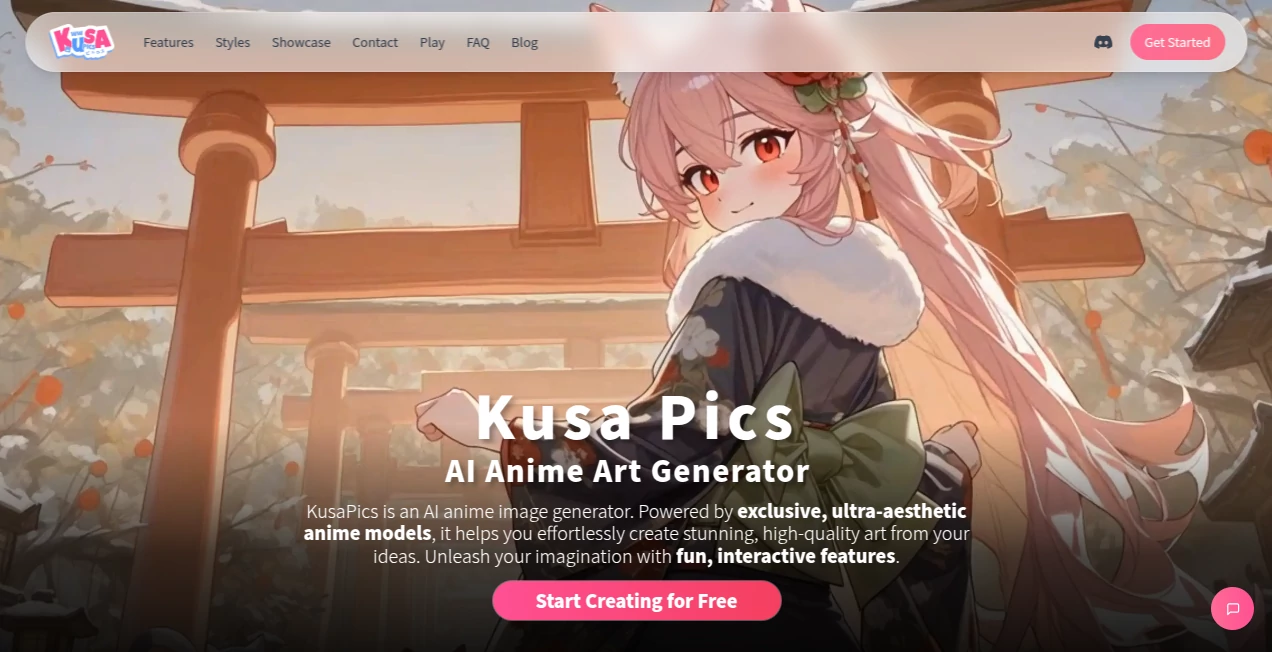
What is KusaPics?
There's something quietly magical about seeing your own face—or a friend's—reimagined in clean anime lines, soft shading, and that unmistakable big-eyed charm. This tool captures that transformation with surprising grace. Upload a selfie, a portrait, even a group shot, and seconds later you get a stylized anime version that feels thoughtful instead of cartoonishly generic. I've watched people share these as profile pictures or gifts and get the same reaction every time: a delighted "That's me... but cooler." It's the kind of result that makes you smile because it keeps the real personality while adding a layer of artful fantasy.
Introduction
Anime-style portraits have a special appeal—they're expressive, timeless, and instantly recognizable. But getting one that actually looks like you usually meant commissioning an artist or wrestling with complicated apps. This platform changes that completely. No drawing skills, no long waits, no weird distortions—just upload and let it work its quiet magic. The results land somewhere between professional illustration and heartfelt fan art: clean lines, balanced proportions, natural expressions, and lighting that feels intentional. For anyone who loves anime aesthetics or wants a fresh take on their photos, it's become a go-to that delivers consistent joy with almost no effort.
Key Features
User Interface
The page is refreshingly simple: a prominent upload area, a few style thumbnails to choose from (classic anime, modern chibi, semi-realistic, etc.), and a clear "Generate" button. No account forced on you, no endless options to confuse things. Previews appear quickly so you can compare styles side-by-side. It's designed to feel inviting even if you've never tried something like this before—everything is right there, nothing buried.
Accuracy & Performance
It reads faces with impressive care—eyes, smile, hair flow, even subtle expressions stay recognizable while being stylized just right. No melted features or random extra limbs. Processing is fast (usually 5–15 seconds), and outputs are consistent across lighting conditions and angles. The model seems trained to respect the source material, which means your grandma's gentle smile still looks like her, just drawn in a way she'd probably blush at seeing.
Capabilities
Converts portraits (solo or small groups) into multiple anime-inspired styles, adjustable detail levels, optional background removal or replacement, high-resolution downloads, and quick variations so you can pick the one that feels most "you." It handles selfies, professional headshots, couple photos, and even pet pics with charming results. The output is clean and ready for avatars, prints, stickers, or social profiles—no awkward cropping needed.
Security & Privacy
Your photo is processed momentarily and deleted right after generation—no permanent storage unless you choose to save the result yourself. No account required for basic use, so nothing ties back to you unless you want it to. For casual fun, profile pics, or gifts, that low-commitment privacy feels exactly right.
Use Cases
A college student turns her graduation photo into a cute anime version for her new Twitter header—friends flood the comments. A couple celebrates their anniversary with matching anime portraits they print as little cards. A streamer uses a stylized self-portrait as a consistent mascot across Twitch and Discord. A parent surprises their anime-obsessed teen with a cartoon version of the family dog. It's the perfect mix of personal, shareable, and just plain fun.
Pros and Cons
Pros:
- Results feel artistic and flattering, never cheap or over-the-top.
- Keeps the real person's essence—expressions and features stay true.
- Fast enough to use for last-minute gifts or profile updates.
- Multiple styles give you real choice without overwhelming.
- Free tier is generous—no paywall to try it and love it.
Cons:
- Group shots with many overlapping faces can occasionally lose detail.
- Very low-light or heavily filtered selfies sometimes need a brighter retry.
- Unlimited generations and extra styles live on paid plans.
Pricing Plans
Free tier gives several high-quality portraits per day—more than enough for fun experiments or a few special gifts. Paid plans remove limits, unlock every style variation, remove any small watermark, and offer priority processing during busy times. Pricing is light—many users say it's cheaper than buying a single coffee run, yet delivers smiles that last way longer.
How to Use the Generator
Drag your photo into the upload box or click to select it from your device. Choose a style from the thumbnails (classic, modern, chibi, etc.). Wait a short moment while it processes, then browse the variations. Adjust detail level if you want subtler or bolder exaggeration. Download the one you love in high resolution. Want more? Generate a few different styles and pick your favorite. The whole thing usually takes under a minute from start to shareable anime portrait.
Comparison with Similar Tools
Many anime filters lean too hard into exaggeration or lose the original face entirely. This one keeps more of the real person—eyes, smile, hair—while still delivering that classic anime charm. Where others produce only one rigid style, the variety here lets you match your personality or mood. Speed, quality, and natural-looking results put it ahead of most free apps and even some paid ones.
Conclusion
In a world of serious filters and heavy edits, this tool brings back the simple joy of seeing yourself (or someone you love) reimagined in a style that's full of life and charm. It's quick, it's kind to your features, and it turns ordinary photos into little pieces of art people actually want to share. Whether it's a gift, a profile refresh, or just a moment of fun, it delivers every time with warmth and care. Sometimes the best upgrades are the ones that make you smile at your own reflection.
Frequently Asked Questions (FAQ)
How many free portraits can I make?
Several per day—plenty to experiment and find your favorite style.
Does it work on group photos?
Yes, though best with 1–3 people. More faces can sometimes lose a bit of detail.
Can I use these commercially?
Personal use is free; commercial rights and watermark removal come with paid plans.
What if my photo has bad lighting?
It still tries hard, but brighter, clearer shots give the crispest anime results.
Is there a watermark on free versions?
Very small and unobtrusive; paid plan removes it completely.
Photo & Image Editor , AI Art Generator , AI Design Generator , AI Image to Image .
These classifications represent its core capabilities and areas of application. For related tools, explore the linked categories above.
KusaPics details
This tool is no longer available on submitaitools.org; find alternatives on Alternative to KusaPics.
Pricing
- Free
Apps
- Web Tools
Categories

KusaPics Alternatives Product

z-image.me

UNi-1 AI
imagen 5

XIMAGIN
Ai logo maker
GPT Image 1.5
Nano Banana 2

Remove text …

Touchpoint
