🧠 AI Quiz
Think you really understand Artificial Intelligence?
Test yourself and see how well you know the world of AI.
Answer AI-related questions, compete with other users, and prove that
you’re among the best when it comes to AI knowledge.
Reach the top of our leaderboard.


















LALAL.AI

What is LALAL.AI?
I still remember the first time I dragged in a messy live recording and watched the vocals lift cleanly away from the drums and guitars—it felt like magic. What used to take hours of painstaking EQ battles in a DAW suddenly happened in seconds, and the result sounded surprisingly natural, almost like the original multitrack session. This tool has quietly become my go-to whenever I need to salvage a track, remix a classic, or just isolate a vocal for a cover. It’s not just convenient; the quality is genuinely impressive enough to make you rethink what’s possible with AI audio tools.
Introduction
Anyone who’s ever tried to extract a vocal or drum loop from a finished mix knows the frustration: muddy separation, artifacts, and hours spent cleaning up the mess. This platform changes that game entirely by delivering stem separation that feels almost surgical—clean, natural-sounding stems with minimal bleed. From casual hobbyists pulling apart old favorites to professionals prepping samples for new productions, it’s earned a reputation for being the one tool that actually delivers on its promise. The free tier alone is generous enough to get you hooked, and once you hear the difference, there’s really no going back.
Key Features
User Interface
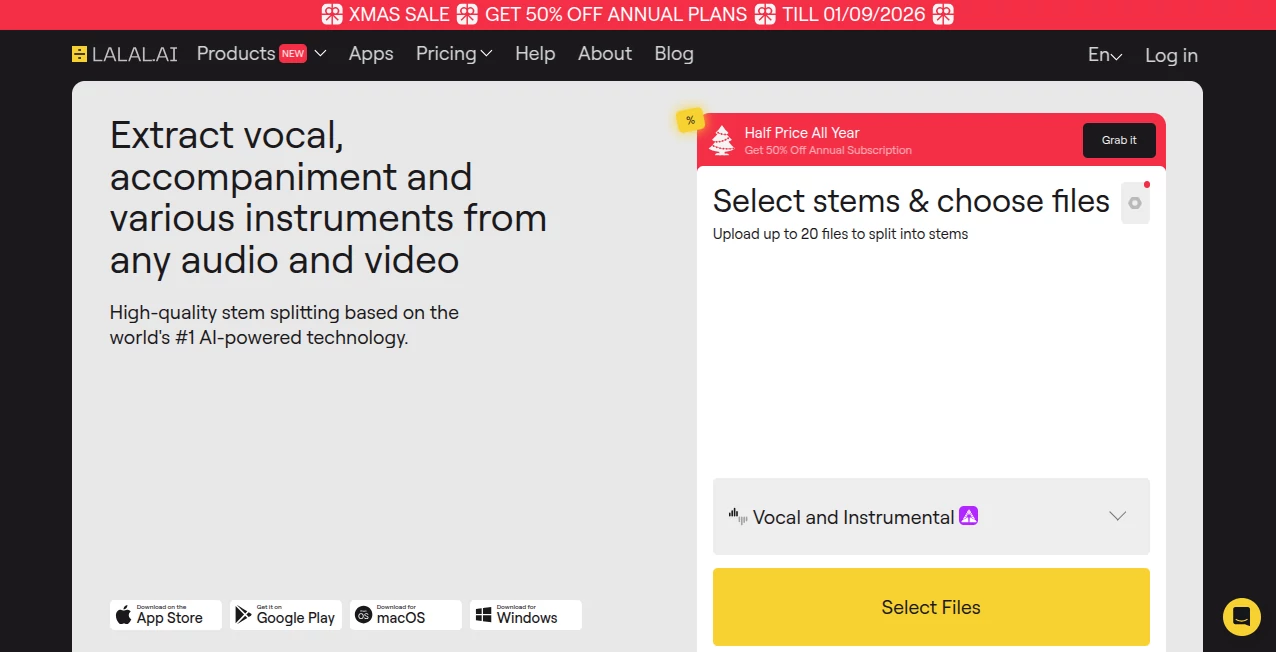
The layout is refreshingly straightforward: upload your track, choose your stem pack, and watch the progress bar move. No cluttered menus, no confusing settings—just a clean, focused experience that gets you results fast. I love how it shows real-time previews of each stem as it processes, so you can hear what you’re getting before downloading. It’s the kind of thoughtful design that makes you feel like the tool is working with you, not against you.
Accuracy & Performance
Where most stem splitters leave artifacts or ghostly bleed, this one consistently pulls out clean, usable tracks. The vocal isolation is especially strong—vocals come out clear and natural, even on dense mixes. Processing is quick too; a full-length song usually takes just a couple of minutes. I’ve thrown everything at it—old rock recordings, dense electronic tracks, live bootlegs—and it handles them all with surprising grace.
Capabilities
You can split into 2, 4, 5, or 8 stems depending on your needs, with options for instrumental, drums, bass, piano, electric guitar, acoustic guitar, and more. The enhanced processing mode takes a bit longer but delivers noticeably cleaner results, especially on tricky material. It also supports a wide range of file formats and lengths, so whether you’re working with a 30-second loop or a full album cut, it handles it effortlessly.
Security & Privacy
Files are processed quickly and deleted from their servers after 10 days (or immediately on request), giving you peace of mind when working with unreleased tracks or sensitive material. The privacy policy is clear and reassuring—no funny business, just straightforward respect for your data.
Use Cases
Musicians use it to create karaoke versions or isolate parts for remixing. Producers grab clean drum loops or vocal takes from reference tracks. DJs separate stems for live mashups. Even podcasters pull apart interviews to remove background music or recover dialogue. I once used it to salvage a vocal from a live recording that had terrible bleed—ended up with a usable take that saved the project.
Pros and Cons
Pros:
- Best-in-class separation quality—vocals especially sound natural.
- Generous free tier lets you test the full power.
- Fast processing with real-time previews.
- Wide stem options and format support.
Cons:
- Free tier has limits on file size and processing time.
- Advanced features require paid plans.
- Occasionally needs a second pass on very dense mixes.
Pricing Plans
The free plan gives you 10 minutes of processing time with basic stem packs—enough to try it properly. Paid plans start at a very reasonable price for 90 minutes, scaling up to unlimited processing for heavy users. The value is excellent, especially compared to subscription models from competitors. You can pay per use or go monthly, depending on how often you need it.
How to Use LALAL.AI
Head to the upload page, drag in your track (MP3, WAV, FLAC, etc.), and choose your stem pack—2-stem for vocal/instrumental, 4-stem for drums/bass/vocal/other, or go all-in with 8-stem. Pick enhanced processing if the track is complex, then hit go. While it processes, you’ll see previews of each stem. Once done, download the ones you need or export the whole pack. It’s that simple, and the quality speaks for itself.
Comparison with Similar Tools
Compared to other stem splitters, this one stands out for its cleaner vocals and better handling of complex mixes. Some competitors are faster on simple tracks, but they often leave artifacts or bleed that require extra cleanup. The interface is also more polished, and the free tier is more generous. For anyone who cares about quality over speed, this is usually the clear winner.
Conclusion
This tool has quietly become the gold standard for stem separation because it simply works better than the rest. Whether you’re a producer hunting samples, a musician making covers, or just someone who wants to hear a favorite song without the instruments, it delivers results that sound surprisingly natural. Once you try it, you’ll wonder how you ever managed without it.
Frequently Asked Questions (FAQ)
How long does processing take?
Usually 1–5 minutes depending on track length and selected mode.
What file formats are supported?
MP3, WAV, FLAC, OGG, AIFF, AAC, and more.
Is the free tier limited?
Yes—10 minutes total processing time, basic stem packs, and lower quality.
Can I use it for commercial purposes?
Absolutely, especially on paid plans where you get full rights to the stems.
Does it work well on live recordings?
Yes, often better than competitors—great at handling room noise and bleed.
AI Audio Enhancer , AI Music Generator , AI Voice & Audio Editing .
These classifications represent its core capabilities and areas of application. For related tools, explore the linked categories above.
LALAL.AI details
This tool is no longer available on submitaitools.org; find alternatives on Alternative to LALAL.AI.
Pricing
- Free
Apps
- Web Tools
- iOS Apps
- Android Apps
- Windows Tools
- Mac Apps
Categories

LALAL.AI Alternatives Product

Lyrics to So…

Solmi AI

FluentDictat…

AI Makes Song

MemoTune

Custom Gift …

HypeClip

AI ASMR Gene…

Lyria.run