🧠 AI Quiz
Think you really understand Artificial Intelligence?
Test yourself and see how well you know the world of AI.
Answer AI-related questions, compete with other users, and prove that
you’re among the best when it comes to AI knowledge.
Reach the top of our leaderboard.


















Linkflare
What is Linkflare?
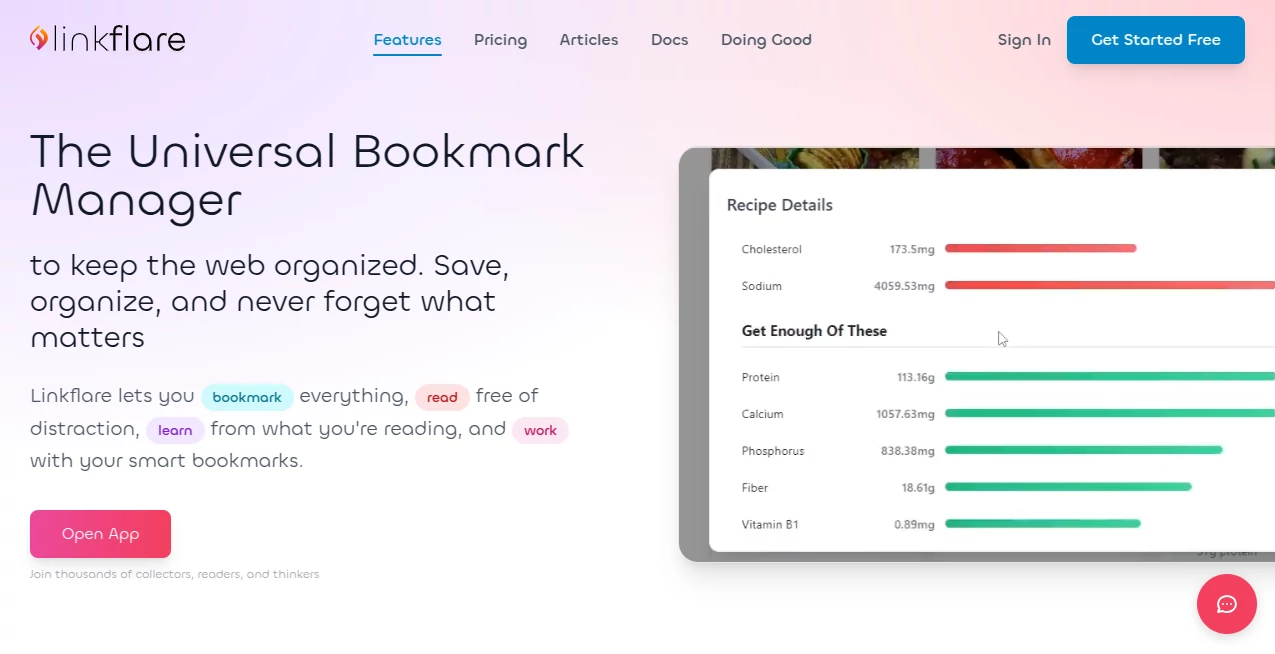
I’ve lost count of how many times I’ve saved a recipe, a travel spot, a movie recommendation, and an article all in different places, only to hunt for them later like I’m on an archaeological dig. This changes that completely. It’s the one spot that actually understands everything you throw at it—recipes come with cooking times and calories, places show up on a map, movies remember runtime and ratings. Suddenly your scattered interests feel connected instead of chaotic, and honestly, it’s been a quiet game-changer for keeping life organized without feeling like work.
Introduction
Most bookmark managers treat every link the same—flat, forgettable, and basically a long list you never revisit. This one flips the script by actually paying attention to what you’re saving. A restaurant pin knows its coordinates and reviews; a book link pulls author and page count; a recipe grabs ingredients and prep time. It’s built for people who collect things across the web—readers, planners, food lovers, movie buffs—and turns passive saving into something active and useful. I started using it just for articles and ended up with a full meal planner, trip wishlist, and shared movie queue with friends, all without extra effort. That kind of seamless usefulness is rare.
Key Features
User Interface
The moment you open it, there’s no clutter—just a clean inbox for new saves and smart sections that group things the way your brain already does. Drag-and-drop feels natural, tags and collections are one click away, and the search is sharp enough that even months-old saves surface instantly. I especially like the distraction-free reader view; it strips away ads and nonsense so you can actually finish what you saved instead of getting sidetracked.
Accuracy & Performance
The metadata pulling is impressively reliable—drop a recipe URL and it grabs cook time, servings, even nutritional info without you lifting a finger. Place links show up with accurate pins on a map, movie saves include ratings and runtime, and article saves keep the full text for offline reading. It runs smoothly even with hundreds of bookmarks; no lag, no crashes, just quick access whenever you need it.
Capabilities
It goes way beyond basic saving. Build shared collections with voting for group decisions, track reading or watching progress, set up automation rules so new saves land in the right spot automatically. Offline access keeps everything available without internet, and the Vault feature preserves pages even if the original site disappears. Whether you’re meal planning, trip planning, curating recommendations, or building a personal knowledge archive, it adapts to how you actually use the web.
Security & Privacy
Data lives in the EU under strict privacy laws, hosted without relying on big cloud providers. You can export everything anytime—no lock-in. Private bookmarks stay hidden, public ones are shareable only when you choose. It’s reassuring to know your collections, notes, and saved pages aren’t quietly being mined or sold.
Use Cases
A home cook saves new recipes weekly and watches them automatically organize by cuisine and difficulty, with progress tracking for what’s been tried. A traveler pins destinations, sees everything plotted on a map, and shares the list with travel buddies for collaborative planning. Friends create a joint movie watchlist with ratings and voting, turning group decisions into fun instead of endless debates. Someone researching a topic builds a deep archive of articles and resources, all searchable and readable offline—quietly powerful for students, writers, or lifelong learners.
Pros and Cons
Pros:
- Smart metadata makes every save useful instead of just a dead link.
- Distraction-free reading and offline storage actually get things consumed.
- Sharing collections with voting turns solo saving into group collaboration.
- EU-hosted with export freedom means real control over your data.
Cons:
- Still young, so occasional edge-case metadata misses can happen.
- Full power shines brightest when you lean into collections and automation.
Pricing Plans
It keeps the core experience completely free—no paywall on saving, organizing, or reading. Paid upgrades unlock unlimited storage, advanced automation, priority support, and extra sharing features for those who live in it daily. The jump feels fair; you can stay free forever if it fits, or scale up naturally as your digital life grows without feeling forced.
How to Use Linkflare
Sign up, install the browser extension, and start saving—click the icon on any page and it pulls everything automatically. Create collections for different topics (recipes, trips, movies), drag items between them, or let automation rules sort new saves. Open the reader view to consume distraction-free, mark progress, or share a collection link with friends for collaborative lists. Search or browse by type, tag, or map view whenever you need inspiration or reference. It becomes second nature fast.
Comparison with Similar Tools
Basic bookmark managers leave you with a flat list; this one gives context, organization, and actionability that feels alive. Where others focus on hoarding links, the emphasis here is on actually using and enjoying what you save—reading offline, planning meals, sharing recommendations. It stands apart by treating content as something to engage with, not just store, and does it without overwhelming you with features you’ll never touch.
Conclusion
This isn’t just another bookmark tool—it’s the external brain for the modern web that finally makes saving feel useful instead of overwhelming. It turns scattered interests into connected collections, helps you actually finish what you start, and does it with privacy and simplicity that feel rare these days. If your browser tabs are a mess or you’re tired of losing track of great finds, give this a try. It quietly makes life a little more organized and a lot more enjoyable.
Frequently Asked Questions (FAQ)
Is it really free?
Yes—the core saving, organizing, reading, and sharing are completely free forever.
Can I use it offline?
Absolutely—articles, recipes, and more are stored for offline reading.
How does metadata get added?
Automatically pulled from the page (ratings, times, ingredients, locations), with manual editing available.
Can I share collections?
Yes—public or private, with optional voting for group decisions.
Where is my data stored?
In the EU under strict privacy laws, with full export available anytime.
AI Knowledge Management , AI Productivity Tools , AI Notes Assistant .
These classifications represent its core capabilities and areas of application. For related tools, explore the linked categories above.
Linkflare details
Pricing
- Free
Apps
- Web Tools
Categories

Linkflare Alternatives Product

photo to URL

SlideStorm AI

Presenti AI

Clay Read

Overlap

Black Screen

YouMind

KwaKwa Cours…

Meet Submind