🧠 AI Quiz
Think you really understand Artificial Intelligence?
Test yourself and see how well you know the world of AI.
Answer AI-related questions, compete with other users, and prove that
you’re among the best when it comes to AI knowledge.
Reach the top of our leaderboard.


















Live Photo Online

What is Live Photo Online?
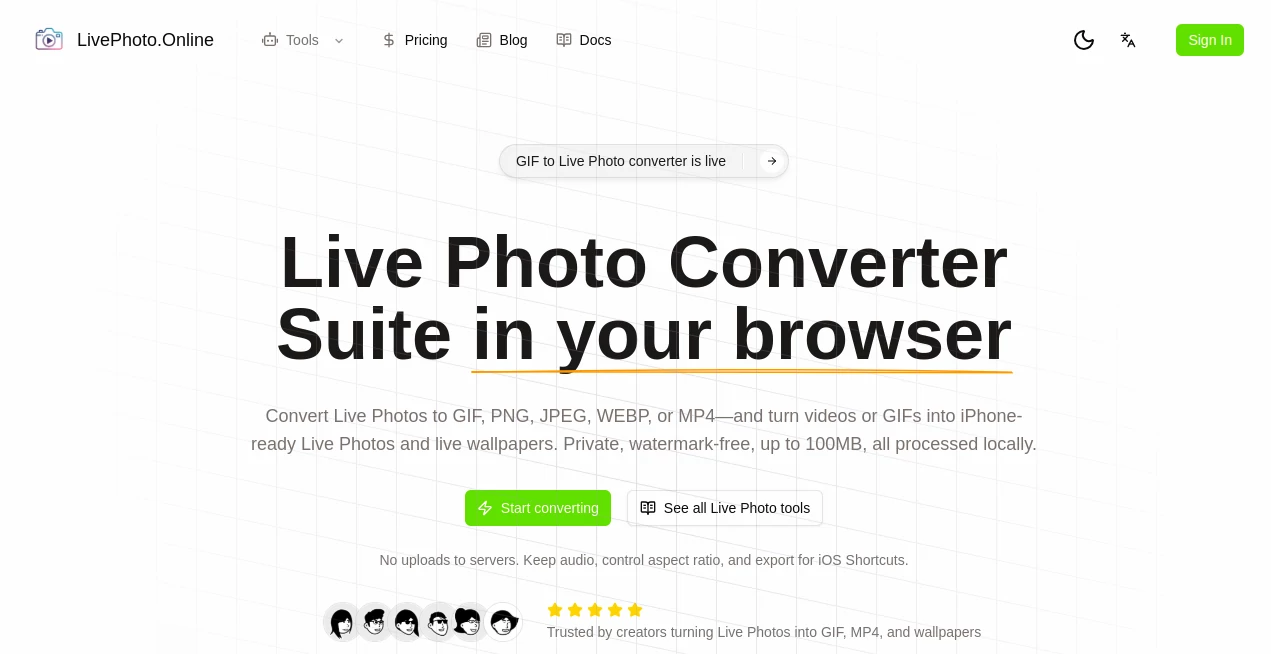
LivePhoto serves as a handy online spot for folks wanting to add a touch of life to their pictures or clips, turning quiet shots into lively loops without any fuss. This browser-based helper makes it simple to swap formats or craft moving wallpapers, all while keeping things right on your device. Users often share how it rescues those half-forgotten photos, giving them a fresh spin that's perfect for sharing or savoring on a phone screen.
Introduction
LivePhoto came about as a straightforward fix for the everyday hassle of dealing with short clips that don't quite fit across devices, dreamed up by creators who knew the drill of mismatched files all too well. It hit the web a while back and soon found its crowd among phone enthusiasts and casual sharers, with stories popping up about turning vacation snaps into endless loops that bring back the breeze. What draws people in is the no-nonsense vibe—everything happens where you are, no handoffs to distant servers, letting you tweak and take away in moments. Over time, it's become a quiet staple for those little digital makeovers that make memories pop a bit more.
Key Features
User Interface
The setup greets you with an open drag spot that's hard to miss, pulling in your files smooth as silk without a bunch of buttons to hunt. Once loaded, a timeline unfurls below, letting you slide along to pick the perfect slice, with dials for speed and shape right nearby. It's all laid out like a simple workbench, where previews play out clear and controls stay out of the way, making even quick visits feel productive.
Accuracy & Performance
It slices scenes with a steady hand, locking onto the frames you choose without blurring the edges or skipping beats, often nailing that sweet spot where motion feels natural. Things move along briskly, even with fuller files, wrapping up jobs in a flash so you can loop back for another pass if the first doesn't quite hum. Those who've run it through its paces talk about how it holds true to the original feel, keeping the warmth or whimsy intact from start to finish.
Capabilities
From pulling a still from a wiggle to flipping a short reel into a phone-friendly loop, it covers the basics with room to play—tweak the length, stretch the sides, or pad with a splash of color to fit just right. You can hold onto the sound if it's there, or strip it down for silent shares, and it spits out pieces ready for walls or webs in a handful of shapes. It's geared for those in-between bits, like crafting a breathing backdrop from a beach wave or a family laugh, all without losing the little details that matter.
Security & Privacy
Everything stays put on your end, with no trips across the wire or spots for accounts to snag your info, just clean work that wraps up and waves goodbye. It skips the usual tags or trails, leaving your originals untouched and outputs unmarked, so personal slices remain yours alone. That hands-off approach puts minds at ease, especially for those tender clips you wouldn't dream of sending off.
Use Cases
Phone owners grab a quick video from a hike and shape it into a lock screen that sways with the trees, pulling them back to the trail each glance. Social sharers trim a pet's playful pounce into a bouncy bit for posts, watching grins spread across feeds. Gift givers craft custom loops from wedding walks for screensavers that surprise and warm. Even quick-fix folks use it to salvage shaky shots, smoothing them into shares that skip the stumbles.
Pros and Cons
Pros:
- Keeps it all local, dodging the usual data dance worries.
- Outputs come clean, no sneaky stamps to scrub.
- Handles tweaks like length and layout with easy turns.
- Works fast for files that fit, no long waits in line.
Cons:
- Capped at lighter loads, so big batches might balk.
- Tied to the screen you're on, no grab-and-go offline.
- Stays simple, skipping fancier fills for basic bends.
Pricing Plans
LivePhoto runs open and free, with no tiers or tabs to track—just dive in and do, as much as your files allow. That flat path makes it a no-brainer for casual calls, though heavier hands might wish for wider windows down the line.
How to Use LivePhoto
Drop your clip or capture into the open slot, watching the line light up as it loads. Slide to the start you savor, mark the end that echoes, and fiddle with frames or fit to fine-tune. Pick your wrap—still or spin—and let it land on your drive, ready to slip onto a screen or send along. Repeat the rhythm for a run of remakes, each one a notch brighter than the last.
Comparison with Similar Tools
Where some setups ship your stuff off for a spin, LivePhoto keeps the keys close, trading cloud comforts for that sure-footed stay-home feel, though those might muster more muscle for massive merges. Against app-locked rivals, it floats free on any browser, skipping the download drag but perhaps pinching on pocket pulls. It suits the swift and simple seeker, edging out the elaborate with ease and elbow room.
Conclusion
LivePhoto slips a subtle lift to the snapshots we hold dear, turning flat frames into fleeting films that flicker with feeling. It honors the hurry of handheld moments, proving that a light touch can bring back the life in a look. As screens keep calling for more motion, this quiet corner stays ready, weaving whimsy into the everyday one loop at a time.
Frequently Asked Questions (FAQ)
Does it send my files anywhere?
Not a bit—everything brews right where you are, safe and sound.
How do I fit it to my phone's frame?
Tweak the shape and shade to pad it perfect, no dark edges in sight.
Can I keep the voices in the mix?
Yes, for those moving pieces, the sound stays stitched in.
What's the sweet spot for loops?
A quick breath, one to six ticks, keeps it lively without the linger.
Big files a bother?
Stick under the hundred-meg mark for smooth sails all around.
Photo & Image Editor , AI Animated Video , AI Image to Video , AI Video Generator .
These classifications represent its core capabilities and areas of application. For related tools, explore the linked categories above.
Live Photo Online details
This tool is no longer available on submitaitools.org; find alternatives on Alternative to Live Photo Online.
Pricing
- Free
Apps
- Web Tools
Categories

Live Photo Online Alternatives Product

GTA AI

Sora by Open…

Seedance 2 P…

Picture to L…

AI Motion Co…

Seedance 2.0

ColorChanger

Sketchready

See dance 2.…