🧠 AI Quiz
Think you really understand Artificial Intelligence?
Test yourself and see how well you know the world of AI.
Answer AI-related questions, compete with other users, and prove that
you’re among the best when it comes to AI knowledge.
Reach the top of our leaderboard.


















ltx 2.3
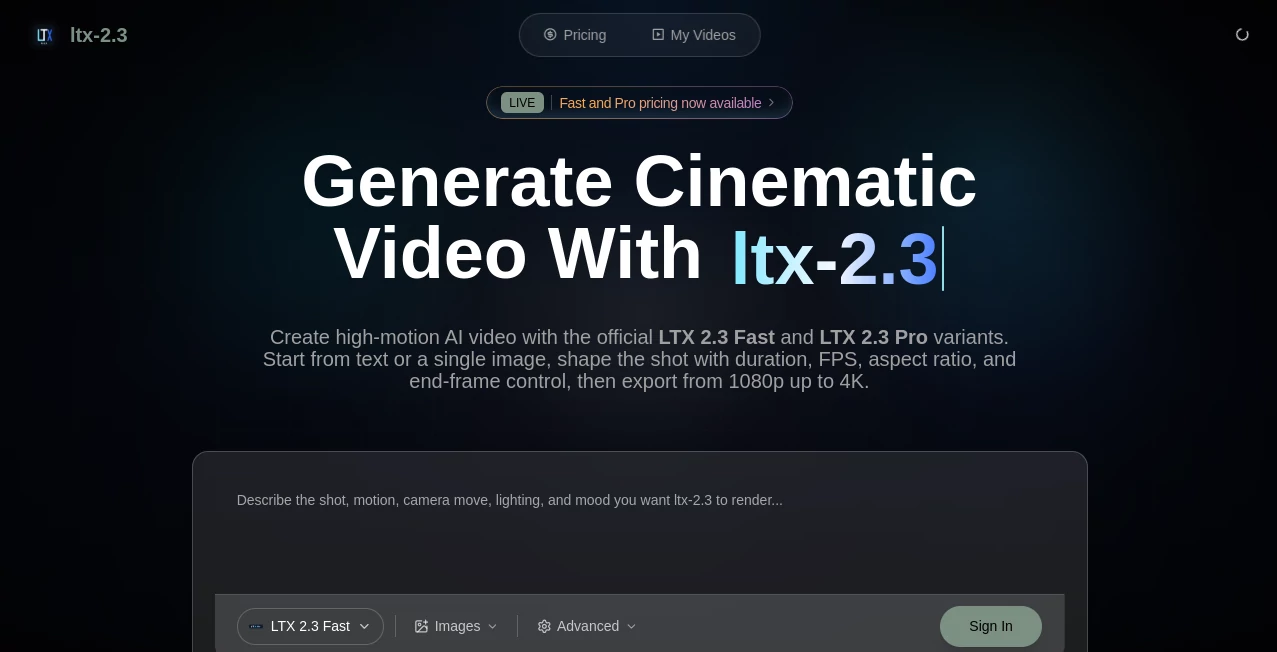
What is ltx 2.3?
There’s something exciting about typing a short description or uploading a single image and watching a complete video scene come to life with natural motion, consistent characters, and even synchronized audio. This tool makes that happen without the usual headaches of heavy setups or disappointing results. I’ve tried several AI video generators, and this one stands out because the clips feel directed rather than randomly assembled. The movement has weight, lighting looks intentional, and faces stay recognizable across frames. For creators who want cinematic quality without a full studio, it’s become a go-to shortcut that actually delivers usable footage.
Introduction
AI video has come a long way, but many tools still struggle with consistency, motion quality, or realistic audio. LTX-23 addresses those pain points head-on. It generates high-fidelity videos from text prompts, images, or even audio inputs, all while running efficiently. The latest version brings sharper details, better motion, improved audio synchronization, and native support for different aspect ratios including portrait mode. Whether you’re a solo creator making social content, a marketer building quick ads, or a filmmaker prototyping ideas, it gives you production-ready results faster than traditional methods. The best part? It feels approachable rather than intimidating, letting you focus on the story instead of fighting the technology.
Key Features
User Interface
The interface keeps things clean and intuitive. You enter your prompt, optionally upload a reference image or audio, select your preferred resolution and duration, and hit generate. Previews load reasonably fast, and the controls are straightforward without overwhelming you with too many options. It’s designed so both beginners and experienced users can jump in quickly and get satisfying results on the first or second try.
Accuracy & Performance
The model excels at maintaining character consistency, following complex prompts, and producing smooth motion without the common jitter or artifacts. Audio synchronization feels natural when provided, and the overall quality holds up well even at higher resolutions. Generation times are practical for creative workflows, allowing you to iterate without long waits. In real use, it reliably delivers clips that look polished and intentional rather than experimental.
Capabilities
It supports text-to-video, image-to-video, and audio-influenced generation. You can create short cinematic scenes, product reveals, character animations, or narrative sequences with good temporal coherence. Native portrait support makes it great for social media and mobile content. The output quality is high enough for professional previews, marketing assets, or even final short-form videos. It handles a variety of styles and subjects while keeping visual and motion fidelity strong across frames.
Security & Privacy
The platform emphasizes responsible use with clear guidelines and secure processing. Your prompts and generated content are handled with care, giving creators confidence when working on personal or client projects. The focus on quality and reliability extends to how user data and generations are managed.
Use Cases
Marketers create eye-catching product videos from a single hero image and a short description. Social media creators generate consistent character-driven Reels without daily filming. Filmmakers prototype key scenes to test pacing and tone before full production. Educators turn lesson concepts into engaging animated explanations. Musicians visualize tracks with synced visuals that match the song’s energy. It fits anywhere you need high-quality video quickly without a full team or expensive equipment.
Pros and Cons
Pros:
- Strong character and motion consistency that feels professional.
- Good prompt adherence and natural-looking results.
- Support for multiple input types (text, image, audio).
- Practical generation speeds for creative iteration.
- High output quality suitable for real projects.
Cons:
- Clip lengths are best suited for short-form content.
- Very complex or highly specific scenes may need prompt refinement.
- Advanced features and higher volumes benefit from paid access.
Pricing Plans
It offers accessible entry points with options to scale as your needs grow. Free or trial access lets you test the quality on your own ideas, while paid plans unlock faster processing, higher resolutions, longer clips, and more frequent generations. The structure rewards regular creators without making casual users feel left out.
How to Use LTX-23
Start by entering a clear, descriptive prompt for your scene. Add a reference image if you want stronger visual consistency or upload audio for synchronization. Choose your aspect ratio and desired length, then generate. Review the preview, make small prompt adjustments if needed, and download the result. For best outcomes, be specific about camera movement, mood, and key actions. The process is quick enough that you can create multiple variations in one session and pick the strongest one.
Comparison with Similar Tools
Many AI video tools still produce noticeable inconsistencies or require heavy post-work. This one stands out for its balance of quality, speed, and ease of use. It delivers more reliable character consistency and cinematic motion than many alternatives, while keeping the workflow simple. It’s particularly strong for users who want practical, usable clips rather than experimental effects.
Conclusion
Creating compelling video no longer requires a big budget or technical expertise. This tool brings high-quality AI video generation within reach for creators of all levels, turning ideas into watchable scenes with impressive speed and consistency. It’s not about replacing human creativity—it’s about removing barriers so your ideas can come to life faster and look better than expected. If you’ve been waiting for AI video that feels ready for real projects, this is worth trying. The results often exceed expectations and might just spark your next favorite piece of content.
Frequently Asked Questions (FAQ)
How long are the generated videos?
Best suited for short to medium clips; ideal for social media, ads, and scene prototypes.
Do I need advanced prompting skills?
No—clear, descriptive prompts work well. Adding reference images helps even more.
Can I use it for commercial projects?
Yes, especially on paid plans that provide the necessary usage rights.
What input types does it support?
Text prompts, reference images, and audio for synchronized generation.
Is the output always consistent?
It maintains strong consistency in characters and style, though complex scenes benefit from refined prompts.
AI Animated Video , AI Image to Video , AI Text to Video , AI Video Generator .
These classifications represent its core capabilities and areas of application. For related tools, explore the linked categories above.
ltx 2.3 details
Pricing
- Free
Apps
- Web Tools
Categories

ltx 2.3 Alternatives Product

gpt video

RenderFlow AI

AI Animate I…

Seedance 2 V…

Kling-4 Vide…

kling 3 AI

Seedance2 Vi…

Seedance 2.0

Seedance 2.0