
🧠 AI Quiz
Think you really understand Artificial Intelligence?
Test yourself and see how well you know the world of AI.
Answer AI-related questions, compete with other users, and prove that
you’re among the best when it comes to AI knowledge.
Reach the top of our leaderboard.


















Lynote.ai

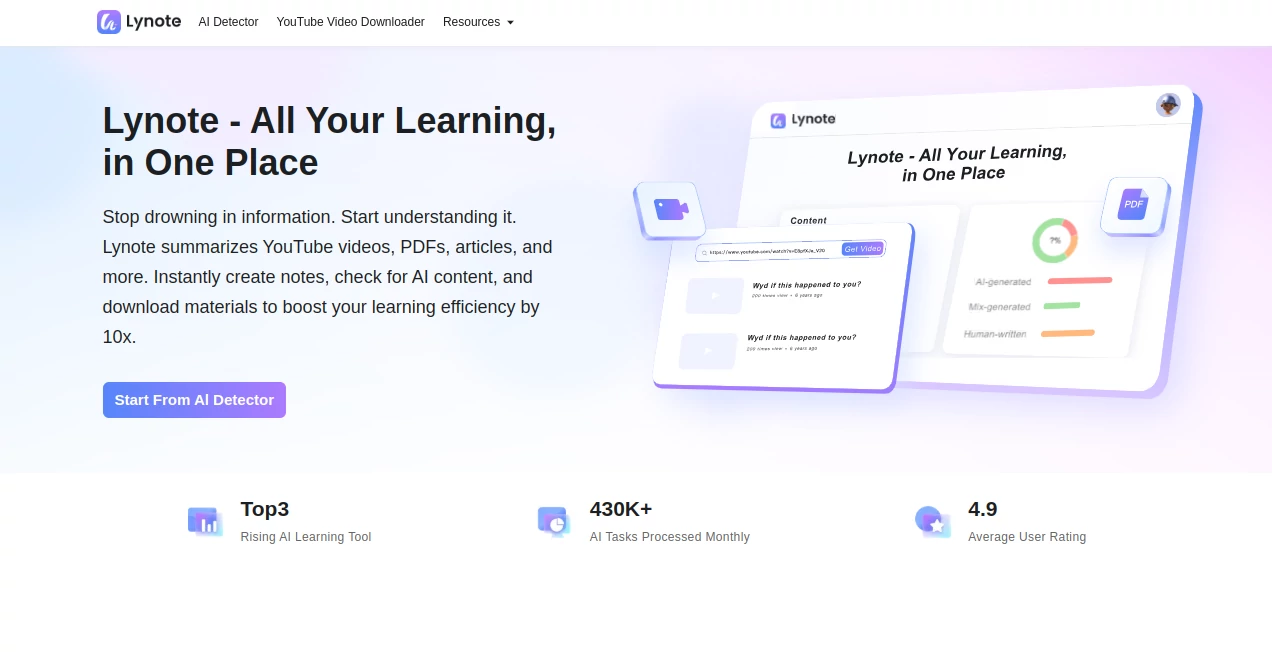
What is Lynote.ai?
Picture this: you're knee-deep in a stack of research papers, or maybe replaying that endless YouTube lecture for the third time, and suddenly it hits you—there's got to be a better way. Enter this gem of a tool that's quietly revolutionizing how we wrestle with information overload. It's like having a sharp-minded study buddy who doesn't just take notes but actually makes sense of the chaos, pulling out the gold nuggets so you can focus on what really matters. I've seen friends swear by it for turning marathon study sessions into brisk walks through key insights, and honestly, once you try it, you'll wonder how you ever managed without that 10x boost in getting stuff done.
Introduction
Let's face it, in today's flood of videos, articles, and PDFs, keeping up feels like drinking from a firehose. This platform steps in as your all-in-one savior, designed from the ground up to summarize, detect, and organize so you stop skimming and start absorbing. Born out of real frustrations—think educators buried in grading or students cramming for finals—it's already clocked over 430,000 tasks a month and snagged a glowing 4.9 user rating. What I love most is how it evolves right alongside you, with fresh tricks like AI-powered Q&A on docs rolling out soon. It's not just a gadget; it's that reliable partner turning "I wish I had time" into "I've got this nailed."
Key Features
User Interface
The dashboard hits you like a breath of fresh air—clean lines, color-coded results that pop without overwhelming, and buttons that just make sense. Upload a PDF or paste a video link, and it unfolds your content with intuitive previews, no hunting through menus. One user I chatted with, a busy prof, said it felt like flipping through a well-organized notebook, where everything from summaries to downloads lands right where you'd expect. That simplicity? It's the secret sauce keeping you in flow, not fighting the screen.
Accuracy & Performance
Here's where it shines brightest: that AI detector clocks in at a jaw-dropping 99% accuracy, sniffing out generated content like a pro without false alarms. And speed? We're talking summaries that wrap up before your coffee cools, handling hefty reports in under an hour flat. Folks rave about digesting full lectures without the drag, and from my own quick tests on sample articles, it nails the nuances—pulling quotes that actually stick. It's that rare blend of power and precision that makes heavy lifting feel featherlight.
Capabilities
From crunching YouTube vids into bite-sized recaps to scanning PDFs for key takeaways, it covers the bases with flair. Spot AI in essays? Done. Download clips for offline marathons? Seamless in MP4 or MP3. Looking ahead, the lineup's even juicier—an AI research whiz for quizzing docs, a content studio for drafting outlines, flashcards that quiz you smartly, and a hub for sharing notes in real time. Imagine prepping a presentation by chatting with your materials—it's that kind of forward-thinking muscle that keeps you steps ahead, whether you're a lone wolf learner or teaming up on a project.
Security & Privacy
In an age where data feels like fair game, this tool draws a hard line: your uploads get processed on the spot and wiped clean, never fed into training loops without a clear thumbs-up from you. No selling, no sharing—it's all about that trust factor, letting you toss in sensitive student work or confidential reports without a second thought. Users echo this peace of mind, one consultant told me it finally let her dive deep into client files without the nagging "what if" hanging over her shoulder. Solid, straightforward protection that lets creativity run free.
Use Cases
For the student staring down finals, it condenses hours of lectures into flashcards that actually help you retain—picture acing that bio exam after a 20-minute review. Educators? Grade smarter by flagging AI in submissions, freeing up evenings for what counts: mentoring. Content folks absorb competitor analyses or trend vids on the fly, sparking ideas that land real gigs. And researchers? Sift through stacks of papers to spotlight breakthroughs, like that one team who shaved weeks off a lit review. It's these everyday wins that make it feel indispensable, turning grind into genuine progress.
Pros and Cons
Pros:
- That 10x efficiency isn't hype—real users clock massive time saves on everything from note-taking to verification.
- Spot-on accuracy, especially the detector, outpacing rivals and building rock-solid confidence.
- Free starters like scans and downloads hook you without commitment, easing the leap.
- Upcoming bells like collaborative hubs promise even more ways to level up your workflow.
Cons:
- Some powerhouse features, like the full summarizer suite, are still warming up—patience pays off here.
- Subscription kicks in for unlimited access, though the value stacks up quick for heavy hitters.
Pricing Plans
Jump in free with essentials like unlimited AI checks and video grabs—no strings, just straight value to test the waters. For the full ride, monthly subs start friendly, unlocking endless summaries and premium perks with easy upgrades or pauses from your dashboard. No sneaky fees, and that cancel-anytime vibe means it's built for real life, not lock-ins. One power user I know switched after a week and never looked back, calling it the best bang for her study buck.
How to Use Lynote
Getting rolling is a breeze: head to the dashboard, snag a free scan for that suspicious essay or drop a video link for a quick download. Paste in your PDF next, let it chew through for highlights, then export notes or fire off questions in the chat. As new tools drop, weave in flashcards for review or share a hub link with study pals—it's all drag-and-drop simple. Pro tip: start small with a lecture recap; before you know it, you're chaining insights like a pro, workflow humming smoother than ever.
Comparison with Similar Tools
Stack it against the pack, and it pulls ahead with that all-in-one punch—where others niche down to just detection or downloads, this weaves them into a learning lifeline with unmatched accuracy. Sure, some rivals flash fancier free tiers, but they often skim on depth; here, the 99% detector and upcoming Q&A edge out the competition, like how one writer ditched her old setup after it caught nuances her previous tool missed entirely. It's the thoughtful all-rounder that grows with you, not just a one-note wonder.
Conclusion
At the end of the day, this isn't about flashy gimmicks—it's the quiet revolution in how we tame the info beast, handing back hours and headspace for the pursuits that light us up. Whether you're cramming for a test or climbing the career ladder, it delivers that rare mix of smarts and heart, turning overwhelm into opportunity. Dive in, and you'll join the chorus of fans who've reclaimed their curiosity; in a noisy world, it's the clear voice whispering, "You've got this—and I've got your back."
Frequently Asked Questions (FAQ)
Can I really trust the AI detector for schoolwork?
Absolutely—with 99% accuracy, it's a game-changer for keeping things honest, and users love how it flags without fuss, saving educators endless headaches.
What's coming next that I should get excited about?
The AI study partner for smart quizzes and the knowledge hub for team shares—early peeks suggest they'll make group learning feel effortless and fun.
Is it worth the sub after the free stuff?
For anyone dipping into content daily, hands down— that unlimited access turns occasional wins into daily superpowers, as one researcher put it.
How does it handle big files like long videos?
Smooth as silk, pulling key moments without the lag, so you get the essence fast and offline-ready for those commute crams.
Any tips for getting the most out of summaries?
Toss in specific angles, like "focus on key stats"—it tailors right back, making recaps that feel personally brewed just for you.
AI Knowledge Management , AI Productivity Tools , AI Notes Assistant , AI Documents Assistant .
These classifications represent its core capabilities and areas of application. For related tools, explore the linked categories above.
Lynote.ai details
This tool is no longer available on submitaitools.org; find alternatives on Alternative to Lynote.ai.
Pricing
- Free
Apps
- Web Tools
Categories

Lynote.ai Alternatives Product

Ryne AI

Flowmata AI

JFIF to JPG …

Keepmind

Alai

Rabbitholes …

Sourcetable

Unix Timesta…

GameClick.io
