🧠 AI Quiz
Think you really understand Artificial Intelligence?
Test yourself and see how well you know the world of AI.
Answer AI-related questions, compete with other users, and prove that
you’re among the best when it comes to AI knowledge.
Reach the top of our leaderboard.


















Magiclight.AI

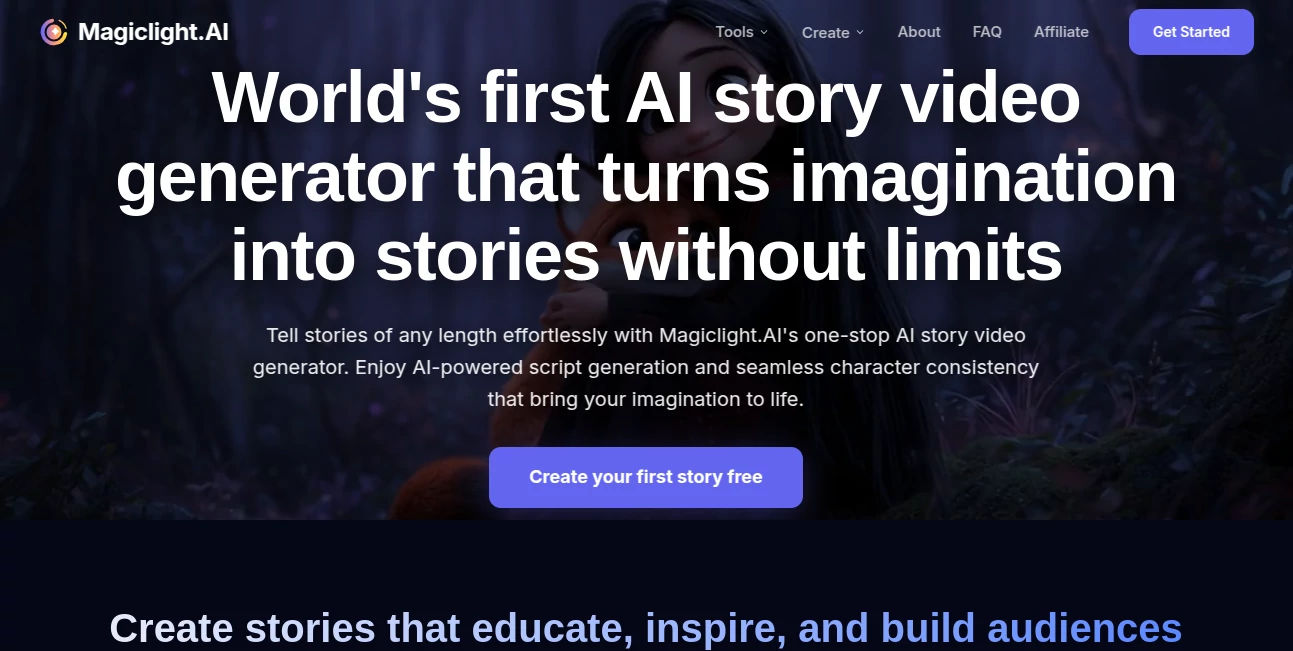
What is Magiclight.AI?
There's something truly special about watching a simple script or idea blossom into a full animated video, complete with expressive characters and smooth scenes that pull you in. This platform makes that happen with surprising ease, handling everything from narrative structure to voice sync so you can focus on the story itself. A friend of mine, who's no tech wizard, turned a bedtime tale into a charming short for her kids in one evening—and the consistency of the little fox protagonist across scenes had us all smiling. It's the kind of tool that feels like a creative boost rather than a complicated chore.
Introduction
Born from a desire to make storytelling accessible, this service specializes in turning text, images, or concepts into engaging animated videos, with a strong emphasis on long-form content that keeps characters looking the same from start to finish. It stands out for creators who need more than quick clips—think full children's stories, educational series, or brand narratives that unfold over minutes without losing steam. What draws people in is the proprietary tech tuned for coherent plots and emotional depth, plus features like lip sync and customizable styles that add that professional polish. Whether you're an educator bringing lessons to life or a marketer crafting ads, it bridges the gap between imagination and ready-to-share visuals in a way that's refreshingly straightforward.
Key Features
User Interface
The dashboard welcomes you with clear sections for prompts, templates, and uploads, making it simple to jump in whether you're starting from a blank script or refining a reference image. Previews update as you tweak, and the editor lets you adjust elements like camera angles or emotions without overwhelming options. It's designed for flow—one user mentioned piecing together a 10-minute explainer during a lunch break, praising how the intuitive layout kept interruptions at bay.
Accuracy & Performance
It excels at maintaining character details across extended timelines, ensuring faces, outfits, and mannerisms stay true even in 50-minute runs, while physics-based motions add realism to actions. Generations are swift for the complexity involved, often delivering cohesive results on the first try, with high success rates that save endless reruns. The attention to narrative logic means scenes connect logically, avoiding those awkward jumps that can break immersion.
Capabilities
Handle text-to-video for structured stories, image-to-video for bringing static art to motion, or long-form builds with consistent protagonists and multi-language voiceovers. Add captions, custom audio sync, or evolve characters emotionally throughout. Styles range from cartoon whimsy to more realistic renders, supporting everything from kids' adventures to faith-based messages or marketing explainers.
Security & Privacy
Compliant with major standards like GDPR and SOC 2, it processes creations securely, offering private modes on premium tiers so your originals stay yours. Commercial rights come with paid outputs, giving peace of mind for professional use without hidden catches.
Use Cases
Educators craft animated lessons that hold attention longer than static slides, turning dry topics into memorable journeys. Parents or authors visualize bedtime stories with personalized touches that delight little ones. Marketers produce ad series with recurring characters for brand familiarity. Content creators on platforms like YouTube build longer narratives or vlogs that feel directed, boosting engagement without production crews.
Pros and Cons
Pros:
- Exceptional character consistency that shines in longer videos.
- Built-in lip sync and emotional voiceovers for natural feel.
- Supports extended lengths rare in similar offerings.
- Templates and customization speed up the creative process.
Cons:
- Free tier limits length and adds watermarks.
- Highly detailed custom styles may require a few iterations.
Pricing Plans
A free start lets you experiment with shorter clips and basic features, ideal for trying the waters. Paid tiers unlock longer videos, HD exports, no watermarks, and more credits—monthly options around mid-range for standard use, higher for unlimited or team access. Yearly subscriptions offer savings, and the structure scales nicely as your projects grow.
How to Use MagicLight
Begin with a script or prompt in the main editor, select a template if it fits—like kids' story or explainer—and upload any reference images for characters. Adjust styles, voices, or add your audio, then generate to see the scenes assemble. Preview, refine specific parts by text edits, and export when it feels right. For longer pieces, chain sections or use the dedicated long-video mode to build cohesive tales step by step.
Comparison with Similar Tools
Many competitors cap at short bursts or struggle with continuity in extended content, but this one pushes boundaries with reliable long-form support and stronger narrative smarts. It balances automation with control better for story-focused creators, delivering more coherent results where others fragment or require heavy manual fixes.
Conclusion
This platform opens up storytelling in ways that feel genuinely exciting, letting ideas flow into visuals that captivate without the usual barriers. It's a thoughtful companion for anyone with tales to tell, blending tech prowess with creative freedom to produce work that resonates. Give it a spin with a favorite story—you might just find your next project coming alive in ways you hadn't imagined.
Frequently Asked Questions (FAQ)
How long can videos be?
Up to 50 minutes on higher plans, great for complete stories or series.
Does it keep characters consistent?
Yes, proprietary models ensure looks and personalities hold steady throughout.
Can I add my own voice or music?
Absolutely, with automatic lip sync for seamless integration.
Is there a free option?
Start free for shorter tests, upgrading for full lengths and no marks.
What styles are available?
From playful cartoons to more realistic, with templates for various genres.
AI Animated Video , AI Image to Video , AI Video Generator , AI Text to Video .
These classifications represent its core capabilities and areas of application. For related tools, explore the linked categories above.
Magiclight.AI details
This tool is no longer available on submitaitools.org; find alternatives on Alternative to Magiclight.AI.
Pricing
- Free
Apps
- Web Tools
Categories

Magiclight.AI Alternatives Product

Paper Animat…

AI Baby Dance

Sora-2.co

Seedance 2.0
Seedance 2.0…

Seedance 2.0
hailuo03

seedance 2
VideoFlux