
🧠 AI Quiz
Think you really understand Artificial Intelligence?
Test yourself and see how well you know the world of AI.
Answer AI-related questions, compete with other users, and prove that
you’re among the best when it comes to AI knowledge.
Reach the top of our leaderboard.


















MakeShot AI

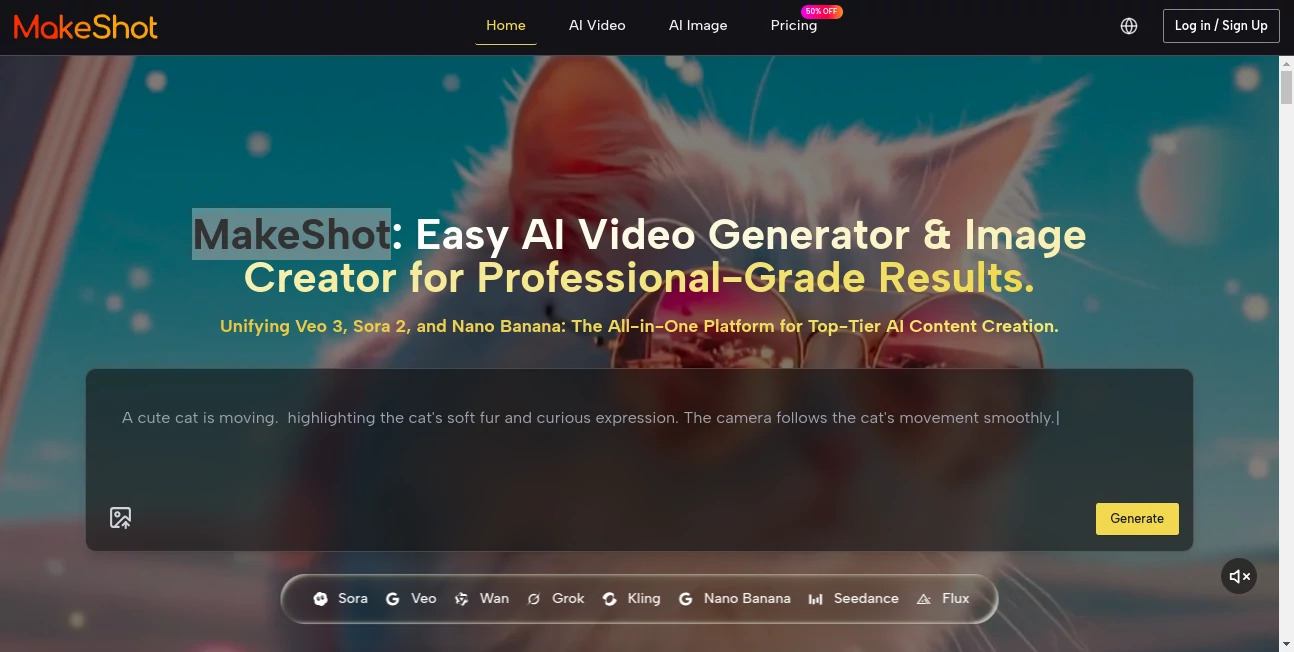
What is MakeShot AI?
MakeShot pulls together the best of cutting-edge creation tools into one spot, letting you spin words into moving scenes or striking stills without juggling a bunch of logins. This setup feels like having a full studio crew at your fingertips, ready to craft polished clips or eye-catching visuals that land just right. Folks who've dived in often talk about how it cuts the chaos, turning a hazy idea into something shareable that draws eyes and sparks shares.
Introduction
MakeShot came along a little while back, cooked up by a team that knew the pain of hopping between apps just to get a decent output. They wanted a place where you could test different engines side by side, keeping everything in one tidy spot from brainstorm to broadcast. It caught on quick with creators who were burned out on mismatched results or surprise fees, and now it's a go-to for those chasing pro-level pieces without the pro-level hassle. What keeps users coming back is that sense of flow—everything from the first prompt to the final tweak lives under one roof, making the whole process feel less like herding cats and more like directing a well-oiled show.
Key Features
User Interface
The dashboard hits you with a clean sweep, where picking your path—be it a quick clip or a detailed frame—feels as easy as flipping a switch. Drop in your thoughts, snag a reference snap if you want that personal touch, and watch options line up for a side-by-side peek, no digging through folders. It's got that welcoming vibe, with previews that load smooth and controls that nudge without nagging, keeping your head in the game instead of lost in menus.
Accuracy & Performance
When you lay out a scene with twists and turns, it grabs the reins tight, nailing the flow from start to fade without those awkward jumps that pull you out. Outputs roll out steady, blending sharp details with real-feel motion that holds up on any screen, big or small. Those who've run it through the paces say it shines on the finer points, like syncing every beat just so, turning what could be rough cuts into seamless stories that stick.
Capabilities
It stretches across the board, whipping up short bursts of action packed with their own soundscapes or crafting layered looks that tell a tale in a single glance. You can guide it with your own shots for that consistent thread, or let it riff on wild ideas like dreamlike drifts or gritty close-ups. The real draw is how it scales—pump out a batch for your next push, or fine-tune one gem till it gleams, all while keeping the core clean for whatever comes next.
Security & Privacy
Your rough ideas and finished files stay tucked away in a spot that's all yours, with no uninvited guests crashing the party. It handles the behind-the-scenes with a light touch, clearing out the temps once you're done and giving you the final say on what sticks around. Creators lean on that peace of mind, knowing their sparks of genius brew safe, ready to share only when the moment's ripe.
Use Cases
Content makers dash off daily drops that keep feeds buzzing, blending quick hits with that polished edge to pull in the scrollers. Ad teams test out hooks on the fly, seeing what lands before the big spend. Filmmakers snag filler footage that fits seamless, saving days on set. Shop owners stage their wares in dream settings, turning flat stock into lifestyle lures that nudge the buy button.
Pros and Cons
Pros:
- One-stop shop that skips the subscription shuffle, saving time and tabs.
- Side-by-side tests let you pick winners without second guesses.
- Built-in sounds and styles make full pieces pop without extra edits.
- Scales smooth for solos or squads, with room to grow as ideas do.
Cons:
- Busier builds might queue up longer on lighter plans.
- Credit counts can cap the fun if you're firing on all cylinders.
- Best bites need sharp starters—fuzzy prompts might wander.
Pricing Plans
You can ease in with a starter setup around twenty-five bucks a month, packing plenty of plays for occasional spins, or bump to seventy for more room to roam. The top tier lands at seventy-five for all-you-can-eat action, with yearly deals that trim the edge. Trials let you taste the full spread risk-free, and extras like faster lines or team shares tag along as you level up.
How to Use MakeShot
Pick your plan to unlock the gates, then head to the maker and spill your vision—add a guide pic if you want that steady hand. Choose your flavor, hit brew, and soon enough, variants queue up for a browse. Tweak the keepers, snag them from the shared stash, and drop into your next step. Swing back to remix or batch the next round, building a rhythm that fits your flow.
Comparison with Similar Tools
Unlike spots that lock you into one style, MakeShot lets you mix and match engines in the same breath, though those might dive deeper on a single note. Against scattered suites, it tightens the ties with one bill and one bin, saving the scramble but perhaps missing the wild extras. It hits that sweet middle for folks wanting breadth without the baggage.
Conclusion
MakeShot wraps the wild world of visual crafting into a neat package, handing creators the keys to dream big without the drag. It turns the 'what if' into 'watch this,' blending smarts with simplicity to fuel stories that stick. As more eyes chase the next big clip, this hub keeps the door cracked, inviting all to craft with confidence.
Frequently Asked Questions (FAQ)
What flavors can I try?
A mix of top picks for motion and stills, each with its own twist on the tale.
Does sound come baked in?
Yep, certain paths layer it seamless, no extra steps needed.
Can I use the outputs for pay?
Full go-ahead, no strings or stamps holding you back.
How's the wait on busy days?
Snappier on higher steps, but always tuned for the rush.
Got a guide for new hands?
Trials and tips walk you through, no steep climbs.
AI Content Generator , AI Photo & Image Generator , AI Video Generator , AI Design Generator .
These classifications represent its core capabilities and areas of application. For related tools, explore the linked categories above.
MakeShot AI details
This tool is no longer available on submitaitools.org; find alternatives on Alternative to MakeShot AI.
Pricing
- Free
Apps
- Web Tools
Categories

MakeShot AI Alternatives Product

Husslix1.1

Normal Map G…

Chibi Art

Nano Banana …

Pixelied

Sora 2 AI

Geoleaper

ImagineToVid…

Humanize AI …
