🧠 AI Quiz
Think you really understand Artificial Intelligence?
Test yourself and see how well you know the world of AI.
Answer AI-related questions, compete with other users, and prove that
you’re among the best when it comes to AI knowledge.
Reach the top of our leaderboard.


















Marble3D AI

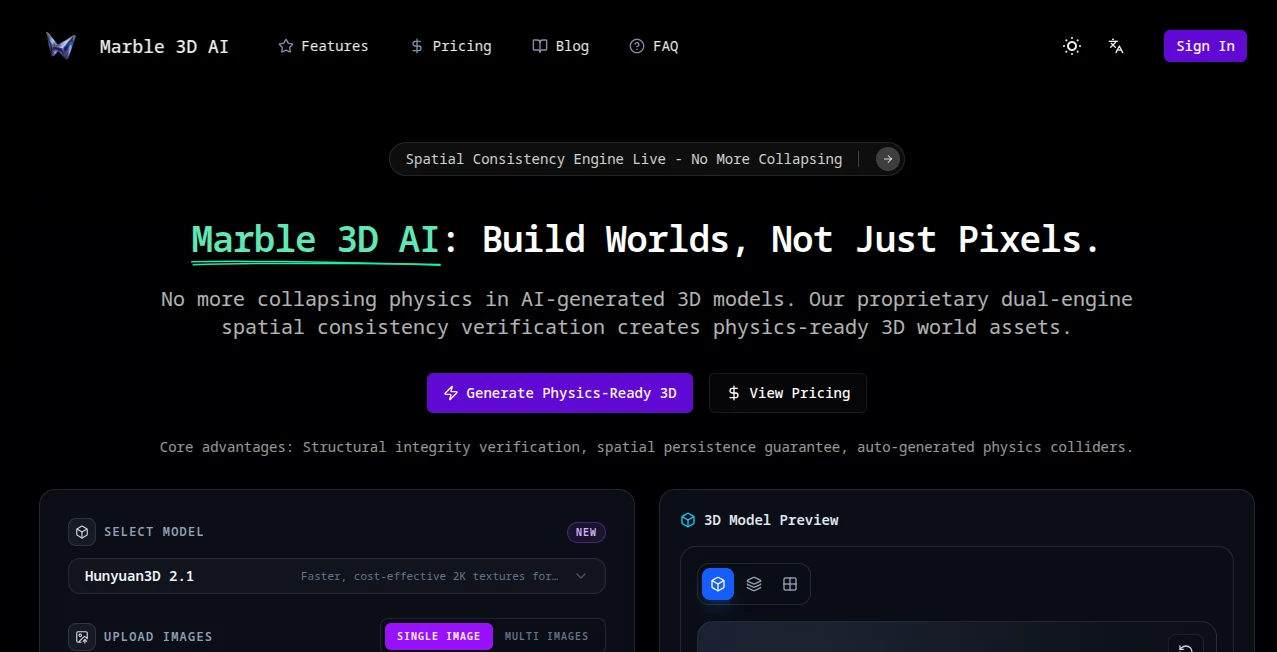
What is Marble3D AI?
Picture typing “a weathered pirate shipwreck half-buried in golden sand at sunset” and seconds later holding a clean, game-ready 3D model you can rotate, light, and drop straight into your scene. That’s the quiet thrill this tool delivers every time. No sculpting, no topology nightmares, no waiting days for renders—just your words turning into detailed, usable assets faster than you can brew coffee. I’ve seen solo game devs go from “I need a cool prop but can’t model” to “this actually looks pro” in one sitting. The speed is addictive, but the quality is what keeps people coming back.
Introduction
3D asset creation has always been one of the biggest bottlenecks in game dev, film, AR/VR, and product viz. You either spend weeks learning Blender or pay someone to do it. This platform quietly removes that gate. Describe what you want in plain English, hit generate, and get a high-quality, textured, quad-based mesh that’s actually clean enough for production. It’s become a daily habit for indie creators, concept artists, and small studios who need fast iteration without sacrificing detail. The results often feel like they came from a senior modeler on a good day—sharp edges, sensible topology, coherent texturing, and lighting that just works. That kind of reliability changes how you prototype and iterate.
Key Features
User Interface
The workspace is calm and distraction-free. Big prompt box at the top, optional style/reference toggles below, a simple resolution and detail slider, then one prominent generate button. Previews load quickly so you can tweak wording or strength mid-flow. No overwhelming panels, no mandatory login to test. It feels like the creators actually use it themselves—everything is placed where your eyes naturally go.
Accuracy & Performance
Topology is shockingly clean for text-to-3D—mostly quads, good edge flow, minimal ngons. Proportions and silhouette stay faithful to the prompt even on complex subjects. Generation usually finishes in 10–45 seconds depending on detail level. Models come UV-unwrapped and pre-textured with PBR materials that look coherent under different lighting. The consistency across prompts is one of the strongest in the current wave of text-to-3D tools.
Capabilities
Text-to-3D generation, optional image reference for stronger visual grounding, multiple style presets (realistic, stylized, low-poly, concept art, etc.), adjustable detail levels, quad-based mesh output, automatic UV unwrapping, PBR texturing, export in GLB/GLTF/OBJ/FBX, and basic rigging on humanoid figures. It handles hard-surface assets, organic characters, environments, props, and architectural elements with surprising coherence. Outputs integrate smoothly into Unity, Unreal, Blender, Godot, and most major pipelines.
Security & Privacy
Uploads and generated models are processed ephemerally—nothing stored long-term unless you explicitly save or download. No forced account for basic generations, no sneaky data harvesting. For creators working on client concepts or proprietary designs, that clean, no-retention approach feels essential.
Use Cases
An indie dev needs a quick sci-fi weapon prop for a prototype—describes it, generates three variations, picks the best, drops it in-engine same afternoon. A concept artist blocks out an alien creature design in 3D instead of spending days modeling from scratch. A small AR startup creates dozens of furniture pieces for a virtual showroom in a weekend. A YouTuber generates custom 3D assets for video thumbnails and animations without hiring a modeler. Wherever fast, high-quality 3D is the bottleneck, this tool quietly removes it.
Pros and Cons
Pros:
- Exceptionally clean topology and UVs for a text-to-3D tool—ready for production with minimal cleanup.
- Fast generation times that support real creative iteration.
- Strong style control and reference image guidance for precise results.
- Multiple export formats that fit every major engine and workflow.
- Generous free tier lets you test real assets before committing.
Cons:
- Complex multi-object scenes can still require splitting into separate generations.
- Very abstract or contradictory prompts occasionally produce unexpected results (same as most generative tools).
- Advanced rigging and animation controls live in higher tiers or require external tools.
Pricing Plans
Free daily credits give meaningful access—enough to prototype several assets or test styles without paying. Paid plans unlock higher detail levels, faster queues, unlimited generations, priority processing, and commercial-use rights without attribution. Pricing stays accessible for indie creators and small teams; many say one month covers what they used to spend hiring freelance modelers for a single project.
How to Use Marble 3D AI
Start with a clear, descriptive prompt (“futuristic cyberpunk motorcycle, neon accents, rainy street reflection, high detail”). Optionally upload a reference image or sketch for stronger visual grounding. Choose style preset and detail level, then hit generate. Preview the result—tweak prompt wording or reference strength if needed—and download in your preferred format (GLB for engines, OBJ/FBX for modeling). Iterate quickly by regenerating with small changes. The loop is fast enough to explore several directions in one session.
Comparison with Similar Tools
Many text-to-3D models still produce messy topology, poor UVs, or inconsistent texturing that requires hours of cleanup. This one delivers cleaner meshes, better UV unwrapping, and more coherent materials right out of the gate. Speed, quality, and usability put it ahead of most current alternatives—especially for creators who need assets that can ship with minimal retouching.
Conclusion
3D content creation shouldn’t be locked behind years of skill or expensive pipelines. This tool quietly unlocks it for anyone with an idea and a keyboard. It turns “what if” into “here it is” faster than most people can model a basic prop the traditional way. For indie devs, concept artists, AR/VR creators, educators, marketers—anyone who needs 3D fast and good—it’s become one of those rare tools that genuinely changes how you work. Once you experience the speed-to-quality ratio, it’s hard to go back.
Frequently Asked Questions (FAQ)
How detailed can the models get?
High-detail mode produces 50–100k poly models with good edge flow—plenty for games, viz, and most AR/VR use cases.
Do I need a reference image?
No—text-only works very well—but adding one significantly improves accuracy and style match.
What file formats are supported?
GLB/GLTF (most popular), OBJ, FBX—ready for Unity, Unreal, Blender, Godot, etc.
Can I use generated models commercially?
Yes—paid plans include full commercial rights without attribution.
Is there a watermark on free generations?
Small watermark on free tier; paid removes it completely.
AI 3D Model Generator , AI Text to 3D , AI Image to 3D Model , AI Design Generator .
These classifications represent its core capabilities and areas of application. For related tools, explore the linked categories above.
Marble3D AI details
This tool is no longer available on submitaitools.org; find alternatives on Alternative to Marble3D AI.
Pricing
- Free
Apps
- Web Tools
Categories

Marble3D AI Alternatives Product

Seedream Ima…

AI Clothes

Image to STL

Paper Animat…

bratgenerator

whisk ai

Z-Image

NanoAI

Nano Banana …