🧠 AI Quiz
Think you really understand Artificial Intelligence?
Test yourself and see how well you know the world of AI.
Answer AI-related questions, compete with other users, and prove that
you’re among the best when it comes to AI knowledge.
Reach the top of our leaderboard.


















Medeo

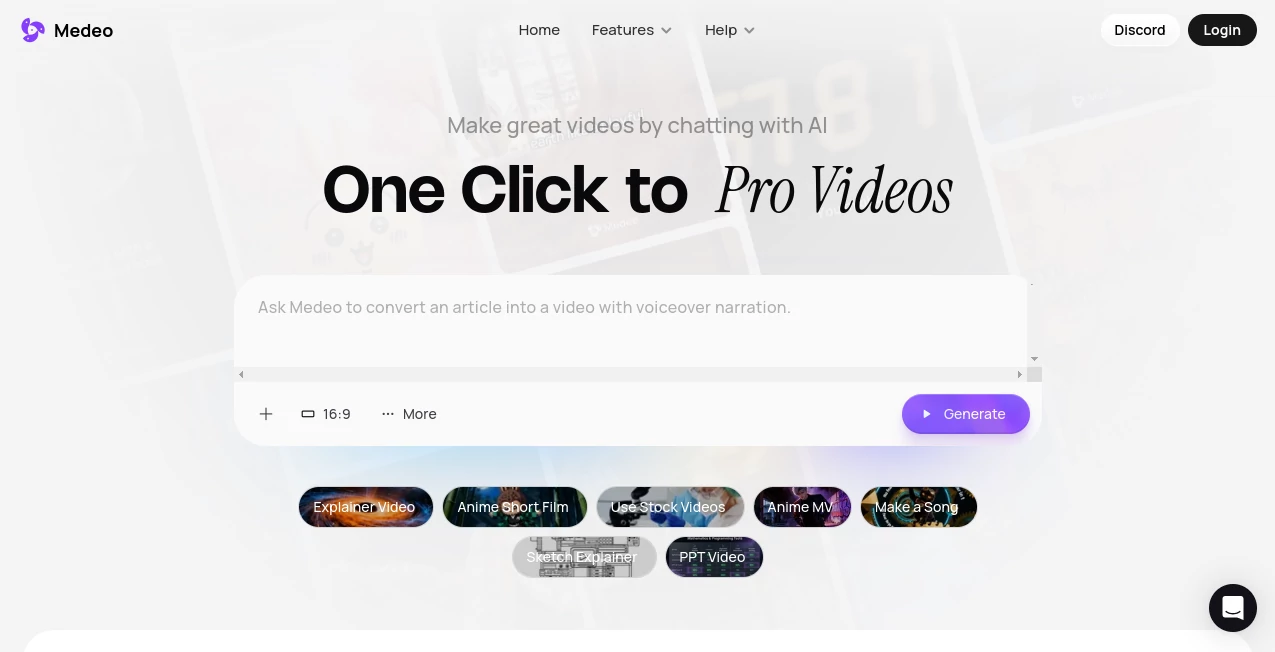
What is Medeo?
There's something downright liberating about describing a video idea in plain words—like chatting with a friend over coffee—and watching it materialize into a slick, ready-to-share clip. This tool nails that feeling, letting you skip the timelines, layers, and endless tweaks that usually bog down video making. I've messed around with it on a lazy Sunday, turning a half-baked product pitch into a punchy ad that looked agency-polished, and the ease of it all left me grinning. It's the kind of helper that makes you wonder why video creation ever felt so daunting.
Introduction
Picture a video studio that listens to you, really listens, and builds exactly what you describe without forcing you into pro software mazes. That's the charm here—chat your concept, toss in references or assets, and let the AI handle the heavy lifting, from scripting visuals to syncing audio. It shines for everything from quick marketing spots to thoughtful explainers or fun shorts, pulling from a massive stock library or your own uploads. Folks who've jumped in often talk about slashing production time from days to hours, freeing up space for the ideas that matter. In a rush of content demands, this one's a quiet standout, blending conversation with creation in a way that feels almost too good to be true—but it works.
Key Features
User Interface
The whole thing unfolds like a casual conversation, with a chat window front and center where you spill your vision, and a visual track below that lets you drag sounds, captions, or clips without losing sync. It's refreshingly uncluttered—no overwhelming panels or hidden menus—just intuitive nudges that update instantly as you type commands like "speed up this section" or "swap the background." My first session felt like texting a collaborator who gets it right away, making tweaks a breeze even on a phone during a commute.
Accuracy & Performance
It grasps nuances in your prompts with impressive fidelity, keeping characters consistent across scenes—same face, outfit, vibe—no matter the new setting or emotion. Updates happen in real time, with generations that rarely miss the mark, pulling relevant stock or matching your uploads seamlessly. From tests with tricky requests, like shifting moods mid-clip, it delivers smooth transitions and synced elements that hold up, often nailing it on the first or second try without dragging on.
Capabilities
Chat to build from scratch or refine existing clips, locking in character looks for flawless continuity, while tapping millions of stock assets or your own files. The visual track gives fine control over every layer, staying perfectly aligned, and exports flip between landscape or vertical for any platform. It's versatile enough for ads that convert, lessons that engage, or stories that captivate, all with that chat-driven flow that keeps things moving.
Security & Privacy
Your projects stay tucked away, with storage that scales and controls that let you manage access without fuss. It's built with the basics covered solidly, giving that reassurance for personal or client work where ideas need to stay safe until ready. Creators appreciate the straightforward handling, focusing on the make without worrying about the backend.
Use Cases
Marketers whip up ad variations that test ideas fast, seeing conversions tick up from fresher visuals. Teachers turn dry notes into lively explainers that keep students hooked longer. Content makers on social churn reaction clips or trend rides that feel timely and on-brand. Even small teams prototype animated shorts, iterating stories without outsourcing the edits.
Pros and Cons
Pros:
- Chat flow makes pro videos feel within anyone's reach, no steep skills needed.
- Spot-on character matching keeps stories cohesive and believable.
- Huge asset pool plus easy uploads cut down on hunting time.
- Instant edits via words speed up revisions dramatically.
Cons:
- Relies on clear prompts—vague ones might need a redo or two.
- Credit-based for heavier use, though generous to start.
Pricing Plans
Dive in free to get a real feel, with credits that let you build and see the quality upfront. Plans scale nicely—starter around $10 monthly for basics without watermarks, mid-tier at $35 for more credits and storage, up to $95 for pro volume. Yearly knocks off a chunk, and it's all flexible, growing with your output without locking you down.
How to Use Medeo
Sign up quick, jump to the chat, and describe your video—keep it detailed for best results, like outlining scenes or moods. Upload assets if you have them, or let it pull stock, then watch it build. Tweak by chatting commands, drag on the visual track for fine adjustments, and export in your needed ratio. A buddy of mine turned a blog post into a teaser clip this way, refining as he went, all in under an hour.
Comparison with Similar Tools
While some demand dragging timelines or manual asset hunts, this one's chat-first vibe cuts straight to creation, with better consistency and sync that save post-production headaches. It's more approachable for non-editors yet powerful enough for pros, edging out bulkier options with its conversational ease and all-in-one assets.
Conclusion
This platform redefines video making as something joyful and straightforward, where your words carry real weight and ideas flow freely into finished pieces. It's a genuine booster for anyone drowning in content needs, delivering that pro touch without the usual grind. Give it a spin with a simple idea—you might just find your new favorite way to bring stories to screen.
Frequently Asked Questions (FAQ)
Can I keep characters the same across clips?
Yes, lock in looks and generate them in fresh scenarios with perfect matches.
What assets are available?
Millions of stock plus your uploads, all in one spot.
How do edits work?
Just chat commands like "change the music" for instant updates.
Exports for different platforms?
Switch between horizontal and vertical with one click.
Free to try?
Absolutely, start building right away to feel the difference.
AI Animated Video , AI Video Editor , AI Text to Video , AI Video Generator .
These classifications represent its core capabilities and areas of application. For related tools, explore the linked categories above.
Medeo details
This tool is no longer available on submitaitools.org; find alternatives on Alternative to Medeo.
Pricing
- Free
Apps
- Web Tools
Categories

Medeo Alternatives Product

seedance 2

Artifox

Kling 3.0 – …

Free Sora Ge…

Sora AI Vide…

RenderFlow AI

Seedance 2.0…

hailuo03

AI Motion Co…