
🧠 AI Quiz
Think you really understand Artificial Intelligence?
Test yourself and see how well you know the world of AI.
Answer AI-related questions, compete with other users, and prove that
you’re among the best when it comes to AI knowledge.
Reach the top of our leaderboard.


















MeetYu

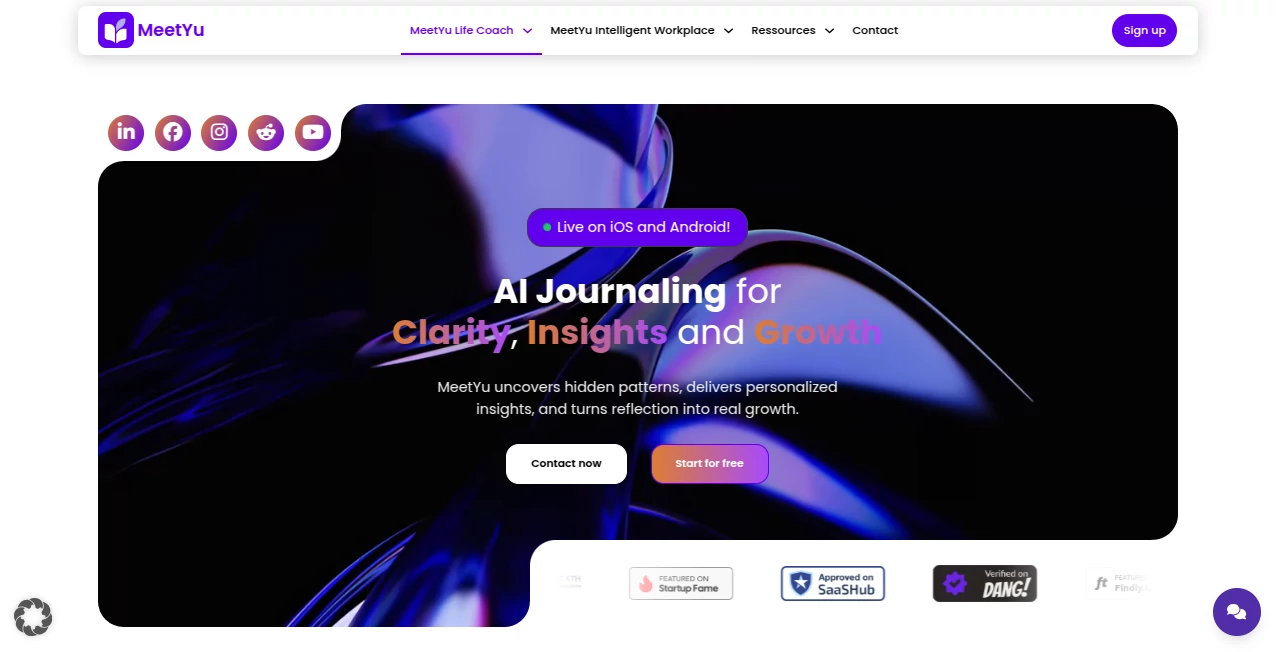
What is MeetYu?
Picture walking out of a long client call and already having a crisp summary, action items, and follow-up emails drafted for you—without lifting a finger. That’s the kind of quiet magic this tool brings to the table. It sits in the background during your meetings, listens carefully, and hands you everything you need to stay on top of things afterward. I’ve seen colleagues go from scrambling to take notes to actually participating in discussions, and it’s one of those changes that feels small until you realize how much time and mental energy it saves.
Introduction
Meetings can be exhausting when you’re juggling listening, contributing, and scribbling notes all at once. This platform steps in as a thoughtful assistant that records, transcribes, and distills every conversation into something useful—summaries, key decisions, and tasks that actually matter. It’s designed for teams who want to stop drowning in post-meeting chaos and start moving forward faster. What really stands out is how natural it feels: no robotic voice, no awkward bot interruptions—just reliable, human-like notes that make you look more organized than you ever were. I’ve heard from managers who say it’s like having an extra brain in the room, one that never forgets a detail.
Key Features
User Interface
The dashboard greets you with a clean, no-nonsense layout: your recent meetings lined up neatly, each one with a quick preview of the highlights. Click into one, and you get a timeline synced with the transcript, so jumping to a specific moment is effortless. It’s the little things—like color-coded speakers or searchable keywords—that make it feel polished and intuitive. Even on a busy day, finding what you need takes seconds, not minutes.
Accuracy & Performance
It handles accents, overlapping voices, and technical jargon with impressive accuracy—transcriptions are sharp enough that you rarely have to correct anything. Processing happens quickly too; most meetings are ready to review within a few minutes of ending. I’ve tested it in noisy coffee shops and quiet boardrooms, and it rarely misses a beat. The summaries are concise yet capture the essence of the conversation, saving you from re-reading the whole transcript.
Capabilities
Beyond basic notes, it pulls out action items automatically, tags them with owners, and even drafts follow-up emails you can send with one click. You can ask it questions about the meeting afterward—like “What did we decide about the budget?”—and it gives you the answer with context. It integrates smoothly with calendars and Slack, so updates flow where your team already lives. Whether it’s a 1:1, a sprint review, or a sales call, it adapts and delivers exactly what you need to keep momentum going.
Security & Privacy
Everything is encrypted end-to-end, and recordings are stored securely with strict access controls. You control who sees what, and nothing is used to train models unless you explicitly allow it. For teams handling sensitive info, that level of care is reassuring—it’s built with compliance in mind, so you can focus on the conversation, not the risks.
Use Cases
Sales teams use it to capture every client detail and follow up with personalized emails the same day, boosting close rates. Product managers run sprint retros and get clear action lists without chasing people down. Leadership meetings turn into searchable knowledge bases, so no decision gets lost in someone’s notebook. Even freelancers love it for client calls—notes are professional, and follow-ups feel effortless. It’s the kind of tool that quietly makes everyone look more competent.
Pros and Cons
Pros:
- Transcriptions and summaries are shockingly accurate, even in tough audio conditions.
- Auto-generated action items and email drafts save hours every week.
- Super clean interface that’s easy for non-techy team members to use.
- Strong privacy controls that give peace of mind for sensitive discussions.
Cons:
- Free tier has limits on meeting length and storage.
- Occasional minor speaker confusion in very noisy or overlapping conversations.
Pricing Plans
Start free with enough minutes for a few meetings per month—perfect to test the waters. Paid plans kick in at a reasonable monthly rate for unlimited meetings, longer storage, and advanced features like custom templates and integrations. Annual billing drops the price nicely, and there’s a generous trial period so you can really feel the difference before committing. It’s priced fairly for the time it saves.
How to Use MeetYu
Sign up, connect your calendar, and join your next meeting as usual. The app joins silently, records, and transcribes in real time. When it’s over, open the dashboard to see your summary, action items, and full transcript. Edit anything if needed, then click to send follow-up emails or share notes with your team. Set up recurring meetings once, and it remembers your preferences. It’s that simple—and that powerful.
Comparison with Similar Tools
While other note-takers focus heavily on transcription, this one stands out with smarter summaries and action items that actually get used. Competitors can feel clunky or require too much manual cleanup, but this delivers clean, ready-to-use outputs with minimal effort. The email drafting and calendar integration push it ahead for teams who live in real-world workflows, not just note-taking apps.
Conclusion
This tool quietly transforms how teams handle meetings—from stressful note-taking sessions to productive, forward-moving discussions. It doesn’t just record conversations; it helps you act on them faster and smarter. If you’ve ever left a meeting feeling like you missed something important, give this a try. It might just become the one thing you never want to run without.
Frequently Asked Questions (FAQ)
Does it work with Zoom, Teams, Google Meet?
Yes—works seamlessly with all major platforms, including in-person via your laptop mic.
How accurate is the transcription?
Very high, even with multiple speakers or mild accents; minor edits are rare.
Can I share notes with non-users?
Absolutely—export as PDF or share a secure link that doesn’t require an account.
Is my data safe?
End-to-end encryption and strict privacy policies—your meetings are yours alone.
What if I need more than the free tier?
Paid plans unlock unlimited meetings and advanced features—worth it for heavy users.
AI Productivity Tools , AI Team Collaboration , AI Meeting Assistant , AI Notes Assistant .
These classifications represent its core capabilities and areas of application. For related tools, explore the linked categories above.
MeetYu details
This tool is no longer available on submitaitools.org; find alternatives on Alternative to MeetYu.
Pricing
- Free
Apps
- Web Tools
Categories

MeetYu Alternatives Product
MeetAssist

GameClick.io

AiZolo

UPDF AI

Linkflare

Productivity…

Lexikon AI

Futurwise

Miro
