
🧠 AI Quiz
Think you really understand Artificial Intelligence?
Test yourself and see how well you know the world of AI.
Answer AI-related questions, compete with other users, and prove that
you’re among the best when it comes to AI knowledge.
Reach the top of our leaderboard.


















Meta Summon

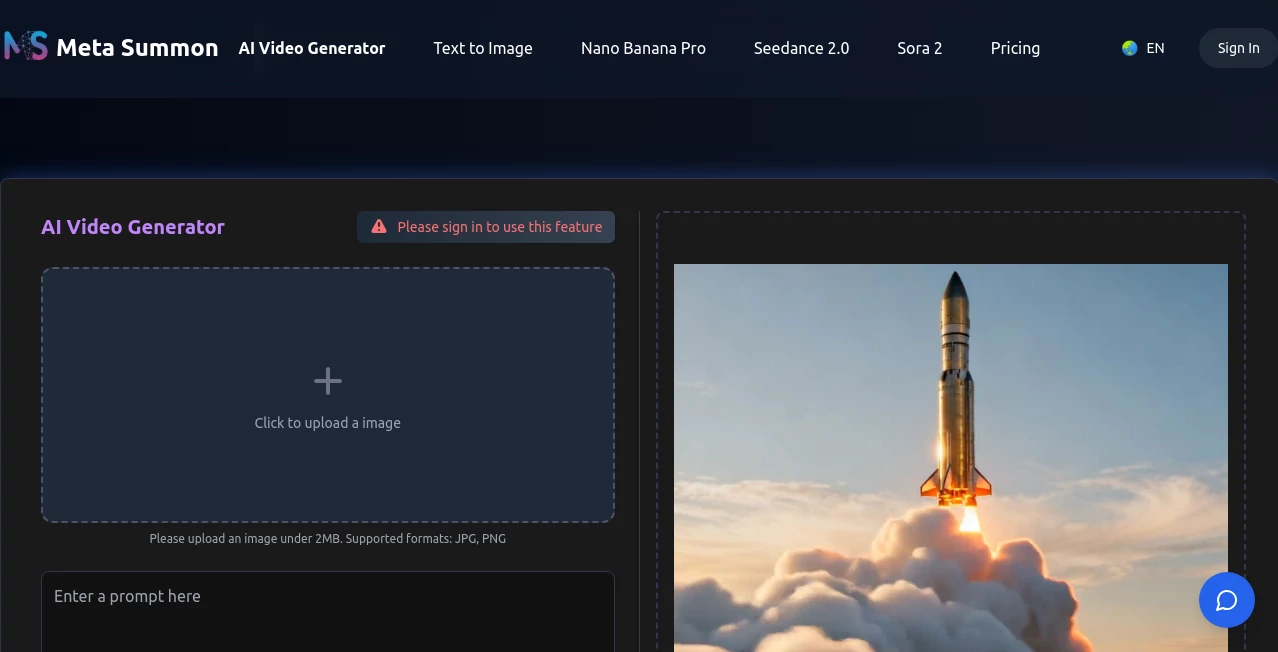
What is Meta Summon?
Picture this: you describe a small tool you wish existed—maybe a daily habit tracker with streak notifications, or a simple dashboard that pulls your sales numbers and tweets a summary—and minutes later a working version appears, complete with UI, backend logic, and even deployment links. That’s the quiet thrill this platform delivers. It’s not just another prompt-to-code toy; it feels like having a team of tireless developers who actually understand what you mean. I’ve watched friends go from “I wish I could build that” to sharing a live link the same evening, grinning because something they imagined now exists in the real world.
Introduction
Most AI coding assistants still require you to hold their hand: write the prompt, fix the bugs, wire up the frontend, deploy manually. This one takes a bolder step. You speak your idea in plain language, attach screenshots or references if needed, and it assembles a full, production-ready mini-app—frontend, backend, database hooks, authentication, the works. Built for makers who want results over tutorials, it turns vague “wouldn’t it be cool if…” thoughts into live, shareable products faster than most people can set up a new project folder. The speed is addictive, but the real draw is how reliably it delivers something usable, not just a skeleton.
Key Features
User Interface
The workspace is intentionally distraction-free: a large chat-like prompt area where you describe what you want, a preview pane that updates live as the agent works, and a clean sidebar showing generated files, deployment status, and one-click share links. No overwhelming file trees or terminal commands—just conversation and results. You can iterate by replying “make the button bigger” or “add dark mode,” and it updates in place. It feels less like coding and more like directing a very capable assistant.
Accuracy & Performance
The agents are remarkably good at understanding intent—even when your description is casual or incomplete. They choose sensible tech stacks (Next.js + Tailwind + Supabase is a frequent combo), write clean code, and avoid common pitfalls like broken routing or missing env vars. Builds usually complete in 2–8 minutes depending on complexity, and the first version is almost always runnable. Debugging rounds are short because the initial output is thoughtful rather than slapdash.
Capabilities
Full-stack apps from scratch (frontend + backend + database), iterative refinement via chat, one-click deployment to Vercel/Netlify, built-in auth (Clerk, Supabase, etc.), file uploads, API integrations, cron jobs, basic payment flows, and export to GitHub for further work. It handles SaaS starters, internal tools, personal dashboards, landing pages with forms, habit trackers, AI wrappers—anything small-to-medium that can be reasonably scoped in natural language.
Security & Privacy
Your prompts and generated code stay private—no training on user data, no public sharing unless you choose to publish the app. Deployments use secure hosting providers with HTTPS by default. For sensitive projects (internal tools, client prototypes), you can keep everything local or export without ever going public. That level of control matters when you're brainstorming business ideas or client work.
Use Cases
A freelancer builds a custom client invoice tracker with Stripe webhooks in an afternoon instead of a weekend. A side-hustler launches a simple waitlist landing page with email capture and deploys it live the same day. A product manager mocks up an internal KPI dashboard for the team to test before committing engineering time. A teacher creates a personalized student progress tracker with login and data persistence for their classroom. Wherever speed-to-prototype matters more than perfection out of the gate, this shines.
Pros and Cons
Pros:
- From idea to live app faster than any other tool I’ve tried.
- Code quality is surprisingly production-ready—clean, commented, sensible structure.
- Iteration via chat feels natural; no need to rewrite entire prompts.
- One-click deploy removes the biggest deployment headache.
- Free tier lets you test real ideas without paying upfront.
Cons:
- Best for small-to-medium scoped apps; very complex systems still need human hands.
- Occasional need for 1–2 refinement rounds on edge cases.
- Advanced custom styling or niche integrations may require manual tweaks post-export.
Pricing Plans
Free plan gives you enough credits for several small-to-medium builds per month—perfect for testing ideas or personal projects. Paid tiers unlock unlimited generations, priority queue, higher-complexity support, private deployments, and more export options. Pricing feels fair for the time saved; many users say one month covers what they used to spend on no-code platforms or freelance devs for a single prototype.
How to Use MetaSummon
Sign up (quick, no credit card), start a new project, and describe what you want in plain language: “A habit tracker with login, streak counter, daily reminders via email, and a simple dashboard.” Attach screenshots or references if helpful. The agent thinks step-by-step, generates code, and shows a live preview. Say “add dark mode” or “make the UI more minimal” to refine. When happy, click deploy—get a live URL in seconds. Export to GitHub for further work or keep iterating in the chat. It’s conversational creation at its best.
Comparison with Similar Tools
Many AI coding assistants stop at snippets or require heavy manual assembly. This one delivers full, deployable apps with backend, auth, and hosting handled. Where no-code platforms limit customization or charge per feature, this gives real code you own and can extend. It sits between prompt-to-code toys and full dev teams—closer to the latter in output quality, closer to the former in speed and accessibility.
Conclusion
The gap between “I wish this existed” and “it exists and it’s live” has never been smaller. This platform turns idle ideas into working products before the inspiration fades. It’s not about replacing developers; it’s about empowering makers to move faster, test more, and ship sooner. When your next side project goes from napkin sketch to shareable link in an evening, you’ll wonder how you ever built anything the old way.
Frequently Asked Questions (FAQ)
How complex can the apps be?
Best for small-to-medium tools: landing pages, dashboards, trackers, simple SaaS MVPs. Very large systems still benefit from human oversight.
Do I own the code?
Yes—100%. Export to GitHub anytime; no lock-in.
What tech stack is used?
Commonly Next.js + Tailwind + Supabase/Prisma, but adapts based on the prompt (can do React, Svelte, Vue, etc.).
Can I deploy privately?
Yes—paid plans support private repos and non-public deployments.
Is there a free way to try it?
Generous free tier with enough credits for several real projects per month.
AI Workflow Management , AI App Builder , AI No-Code & Low-Code , AI Developer Tools .
These classifications represent its core capabilities and areas of application. For related tools, explore the linked categories above.
Meta Summon details
This tool is no longer available on submitaitools.org; find alternatives on Alternative to Meta Summon.
Pricing
- Free
Apps
- Web Tools
Categories

Meta Summon Alternatives Product

Emergent

ModelsLab

ShipAhead

Miro

vivgrid

Workik

Tate-A-Tate

DeepSeek

AutoChangelog
