
🧠 AI Quiz
Think you really understand Artificial Intelligence?
Test yourself and see how well you know the world of AI.
Answer AI-related questions, compete with other users, and prove that
you’re among the best when it comes to AI knowledge.
Reach the top of our leaderboard.

















MindHalo

What is MindHalo?
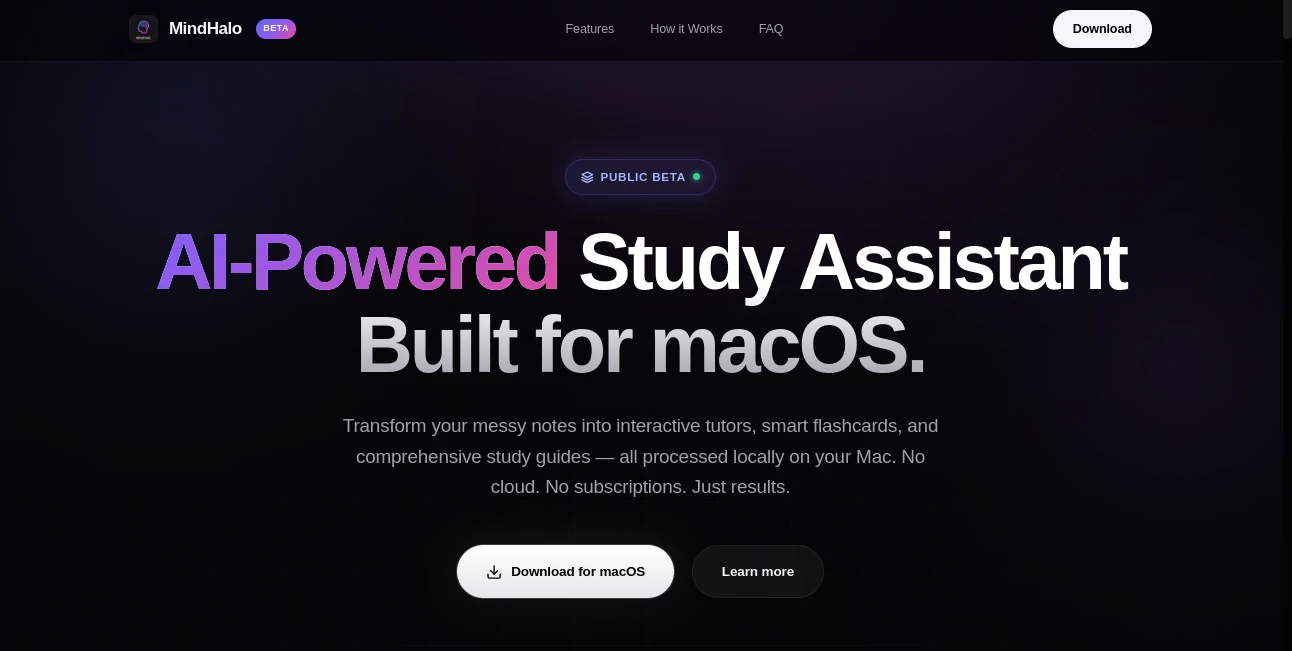
Imagine dumping a pile of scribbled lecture notes into an app and watching it magically sort them into neat guides, clever flashcards, and even a patient tutor ready to quiz you on the tough bits—all running smoothly on your Mac without sending a single byte to the cloud. That's the quiet brilliance this tool brings to the table, making study sessions feel less like a chore and more like a conversation with someone who really gets your material. A friend of mine, cramming for finals last semester, swore it turned her chaotic biology notes into something she actually enjoyed reviewing, and the privacy angle? Pure gold in a world full of data-hungry apps.
Introduction
Built from the ground up for Mac users who value speed and secrecy, this native app taps straight into Apple's on-device smarts to handle everything locally—no internet dips, no sneaky uploads. It shines at taking raw, messy input like PDFs or pasted text and reshaping it into tools that stick: structured summaries, spaced-repetition cards, and a chatty tutor that references your exact stuff. Free while in beta, with no sign-up hassles beyond a quick license key, it's drawn in students who want real help without the subscription trap or privacy trade-offs. I've tried similar setups, but this one's native feel and offline reliability make late-night cramming sessions way less stressful.
Key Features
User Interface
Clean and unmistakably Mac-like, with smooth drags for files, dark mode that hugs those evening grinds, and animations that flow without the bloat of cross-platform hacks. Drop in notes, and options unfold naturally—generate guides, flip to flashcards, or summon the tutor—all in a window that feels right at home on your desktop. It's the kind of thoughtful design that lets you focus on learning instead of fiddling with menus.
Accuracy & Performance
Running on Apple's Neural Engine, it chews through dense notes quickly, pulling out key concepts and relationships with a sharpness that surprises for local processing. Responses come fast, explanations stay grounded in your content, and it even breaks down problems step by step without wandering off track. On an M-series Mac, everything hums—no lags, no heat spikes—just reliable help that keeps pace with your thoughts.
Capabilities
Core magic lies in turning chaos into clarity: auto-build study guides with summaries and takeaways, craft flashcards optimized for spaced repetition with progress tracking, and chat with a tutor that draws solely from your materials for tailored breakdowns or Socratic nudges. Export to PDF or Markdown for printing, work fully offline, and lean on hardware-bound security that ties your license to the machine. It's geared for serious study without the fluff.
Security & Privacy
Everything stays on your device—processing, storage, the works—with no data ever leaving for distant servers or feeding distant models. Hardware locking keeps things tied to your Mac, and the privacy-first ethos means your homework stays yours alone. In an era of constant tracking, this local-only commitment feels like a rare, reassuring win.
Use Cases
Med students paste dense lecture slides and emerge with bite-sized guides plus a tutor that quizzes on specifics, cutting review time in half. High schoolers battling history dates get flashcards that adapt to weak spots, building confidence before tests. Lifelong learners tackling online courses import transcripts for instant summaries, chatting through confusing sections without spoilers. Even profs prep materials by organizing readings into shareable packs, all without worrying about student data leaks.
Pros and Cons
Pros:
- True offline power that works anywhere, even on flights or spotty connections.
- Uncompromising privacy that puts your mind at ease with sensitive notes.
- Native speed and polish that outfeels web-wrapped alternatives.
- Smart, context-aware help tailored exactly to what you're studying.
Cons:
- Tied to newer Macs with Apple Silicon for the full experience.
- Beta stage means occasional rough edges as features roll out.
Pricing Plans
Right now, it's wide open and free during the public beta—no cards, no catches, just download and dive in with a simple license key. That means unlimited use of the core toolkit while the team refines things based on feedback. Future shifts will give early adopters a heads-up, keeping the door welcoming for students on tight budgets.
How to Use MindHalo
Grab the download, pop in a quick email for your free key, paste it once, and you're set. Drag notes or files in, let it scan and suggest—pick guides for structure, cards for memorization, or jump to the tutor chat for clarifications. Review progress as you go, export what helps, and build sessions around your materials. One user I know starts every new topic by feeding in readings, then quizzes herself through the tutor till it clicks—simple routine, big payoff.
Comparison with Similar Tools
Cloud-heavy helpers often lag on privacy and need constant connections, while this one's local edge delivers faster, safer sessions without the data risks. Web-based options feel clunky next to the native glide here, and many charge monthly for what you get free in beta. It stands out for purists who want control and context without compromises.
Conclusion
This app redefines what a study companion can be—smart enough to guide without overreaching, private enough to trust with your hardest subjects, and smooth enough to make grinding feel almost enjoyable. For Mac users wrestling with notes and deadlines, it's the kind of tool that quietly changes the game, turning overwhelming piles into manageable wins. Give it a spin; your future self prepping for exams will thank you.
Frequently Asked Questions (FAQ)
Does it really work offline?
Completely—once activated, everything runs locally, no net needed.
What Macs does it support?
M1 and newer for full power, on the latest macOS releases.
Any subscriptions lurking?
None right now—pure free access in beta, with fair warning if that shifts.
How private is my stuff?
100% on-device; nothing leaves your Mac, ever.
Can I export my guides?
Easy—to PDF, Markdown, or straight to print for old-school flips.
AI Tutorial , AI Education Assistant , AI Homework Helper , AI Knowledge Base .
These classifications represent its core capabilities and areas of application. For related tools, explore the linked categories above.
MindHalo details
This tool is no longer available on submitaitools.org; find alternatives on Alternative to MindHalo.
Pricing
- Free
Apps
- Web Tools
- Mac Apps
Categories

MindHalo Alternatives Product

GradeProAI

Clay Read

SlideStorm AI

GameClick.io

Sourcetable

Rabbitholes …

Mexty AI

优秀PTE

Your Own AI
