
🧠 AI Quiz
Think you really understand Artificial Intelligence?
Test yourself and see how well you know the world of AI.
Answer AI-related questions, compete with other users, and prove that
you’re among the best when it comes to AI knowledge.
Reach the top of our leaderboard.


















MirrorFly Video Call SDK

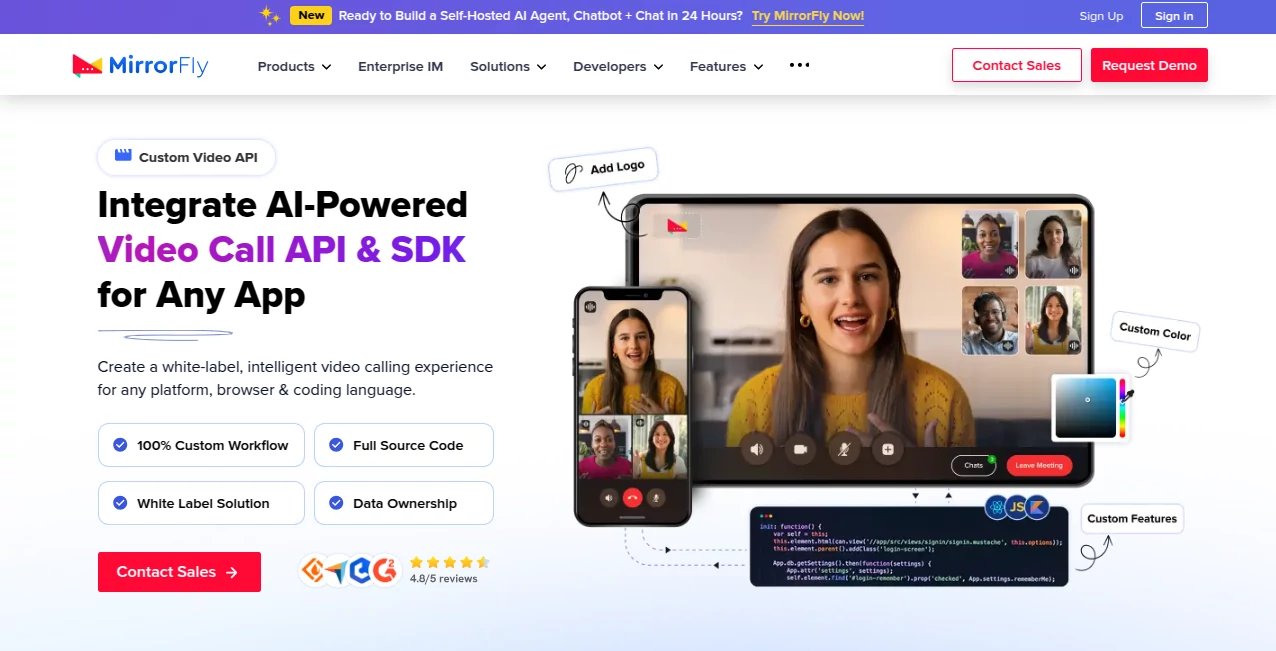
What is MirrorFly Video Call SDK?
Imagine launching a sleek video consulting feature in your app overnight, complete with lifelike AI agents that handle gestures and lip-sync like real people, all branded exactly as yours. That's the kind of seamless power this solution delivers, making high-end video experiences feel almost effortless to build and deploy. I've chatted with devs who've slashed months off their timelines, going from concept to live calls in days, and the feedback from end-users? They can't tell it's not a fully custom build—it's that polished.
Introduction
In today's connected world, apps without rich video just feel flat, but building it from scratch can drain resources fast. This platform changes the game with a robust API and SDK suite that's white-label from the ground up, letting you embed everything from one-on-one chats to full conferences with AI twists like virtual avatars or smart assistants. Backed by years of expertise and a global client base, it hands over full source code and data control, so you're not locked in or leaking ownership. What stands out is the blend of enterprise muscle with developer-friendly ease—think adding adaptive streaming or profanity filters without reinventing the wheel. It's the backbone many teams wish they'd found sooner, turning ambitious ideas into reliable realities.
Key Features
User Interface
Integration feels straightforward, with clean docs and sample code that get you up and running quick, whether on web, Android, or iOS. The UI kits provide ready components that blend into your design, customizable down to colors and flows. One team I know tweaked the call screen to match their brand perfectly in an afternoon, no deep dives needed.
Accuracy & Performance
Calls connect smooth with adaptive bitrate that adjusts on the fly, keeping video crisp even on spotty networks, and features like auto-reconnect mean dropped sessions are rare. The AI elements, from gesture controls to meeting summaries, process reliably without lag, handling thousands of concurrent users without breaking a sweat.
Capabilities
Dive into 1:1 or group conferencing, screen sharing, recording, large file uploads during calls, and standout AI perks like video agents with custom avatars, lip-sync, and background effects. Add emojis, stickers, realtime logs, or even profanity moderation—over a thousand options to mix and match for social, healthcare, or finance apps.
Security & Privacy
Everything's fortified with AES 256 encryption, DTLS for media, and compliance like HIPAA and GDPR baked in, plus options for custom auth or on-premises hosting that keeps data firmly in your hands. It's the reassurance busy teams need, especially in sensitive fields, where one breach could sink trust.
Use Cases
Telehealth platforms roll out virtual consults with AI booking and summaries that streamline doctor-patient flows. Finance apps enable secure advisory sessions with screen shares for docs. Social networks boost engagement with moderated group hangs or dating matches that feel natural. Teams collaborate with recording and metadata for follow-ups, while streamers reach global audiences with high-quality broadcasts.
Pros and Cons
Pros:
- Total white-label freedom and source code access for true ownership.
- AI-driven extras like agents and avatars that elevate experiences.
- Scalable for millions with self-hosted options.
- Quick integration across any stack, often in hours.
Cons:
- Advanced customizations might need dev time upfront.
- Pricing scales with usage, so high-volume needs a plan check.
Pricing Plans
It starts flexible with pay-as-you-go models, kicking off low per user monthly, and scales through tiers for more features or volume. Self-hosted gives one-time options for unlimited, while SaaS keeps it subscription-based with trials to test drive. Contact their sales for tailored quotes—many find it fits budgets better than building in-house.
How to Use MirrorFly
Grab your license key after a quick chat with sales, dive into the docs for your platform, and initialize the SDK—samples cover web to mobile. Customize UI and features, test calls, then deploy to your servers or cloud. Migration support handles switching from old systems, often seamless.
Comparison with Similar Tools
Unlike off-the-shelf services that lock you into their branding or limits, this one offers full customization and hosting choices, with AI depth that edges out basics. It's more ownership-focused than pure cloud plays, yet easier than raw WebRTC builds, striking a sweet spot for teams wanting control without chaos.
Conclusion
This solution packs the punch of big-league video tech into a package that's remarkably adaptable, empowering apps to connect people in ways that feel genuine and innovative. It's the kind of foundation that lets ideas flourish, from everyday chats to AI-assisted consultations, all while keeping things secure and yours. If you're building something that needs real human connection, this is the smart backbone worth betting on.
Frequently Asked Questions (FAQ)
How fast can I get a prototype running?
Many launch basic calls in under 48 hours, full apps in weeks with support.
Is it really white-label?
Completely—your branding everywhere, no traces left.
What about compliance for healthcare?
HIPAA-ready with encryption and controls tailored for sensitive data.
Can I host it myself?
Yes, on-premises for total control and ownership.
AI features included?
From agents to moderation, they're built-in and customizable.
AI Video Generator , AI API Design , AI Developer Tools , AI Voice Assistants .
These classifications represent its core capabilities and areas of application. For related tools, explore the linked categories above.
MirrorFly Video Call SDK details
This tool is no longer available on submitaitools.org; find alternatives on Alternative to MirrorFly Video Call SDK.
Pricing
- Free
Apps
- Web Tools
- iOS Apps
- Android Apps
Categories

MirrorFly Video Call SDK Alternatives Product

GoViralTrend

JSON to TOON…

Seedance 2.0

ChatFlowchart

Seedance AI …

Voe4 AI Video

Seedance 2.0

Sora 2 AI

CodeProt
