
🧠 AI Quiz
Think you really understand Artificial Intelligence?
Test yourself and see how well you know the world of AI.
Answer AI-related questions, compete with other users, and prove that
you’re among the best when it comes to AI knowledge.
Reach the top of our leaderboard.


















Mom Clock

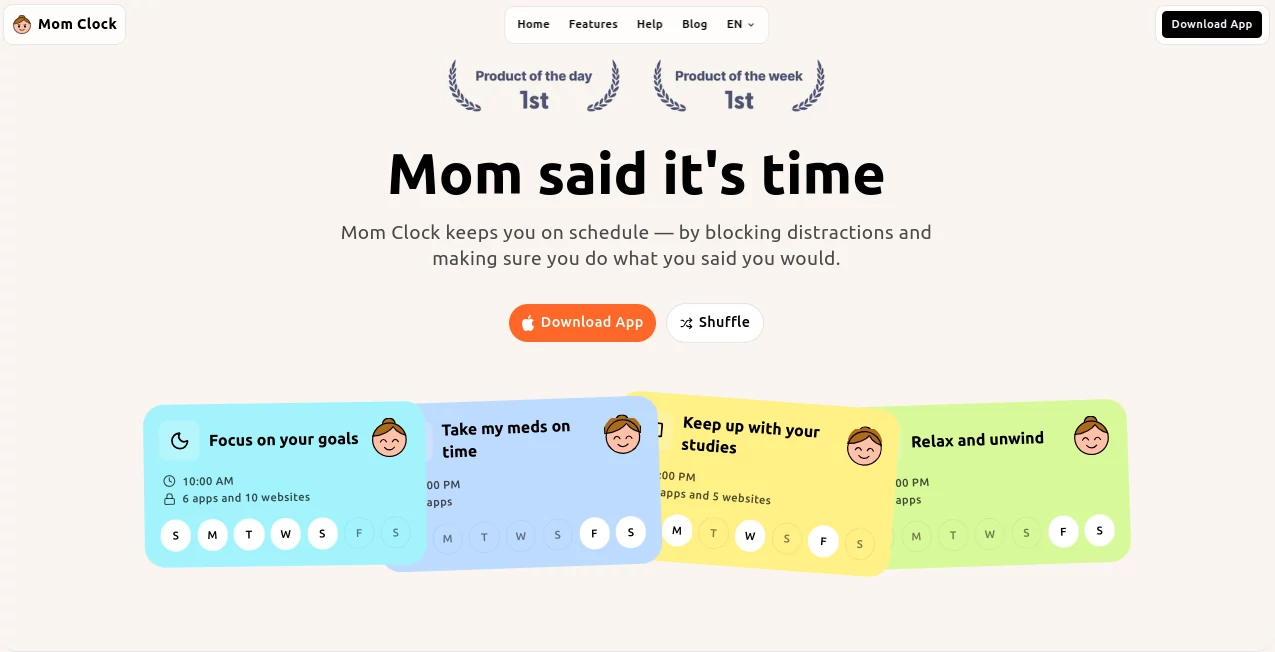
What is Mom Clock?
Ever wish someone would just take the phone away and make you stick to the plan, no excuses? This app does exactly that, stepping in like that no-nonsense voice we all need sometimes, blocking the escapes and nudging you toward what matters. It's been a game-changer for folks battling the scroll, turning "I'll do it later" into "it's happening now," and the relief of actually getting things done feels downright liberating.
Introduction
Procrastination hits hard when distractions are just a tap away, but this clever app flips the script by enforcing routines with a firm hand—no soft reminders or snooze buttons to bargain with. It personifies that parental push we remember from childhood, deciding when it's time for workouts, study sessions, or bedtime, then locking down apps and sites to clear the path. I've heard from friends who finally nailed consistent gym habits or early nights because it simply wouldn't let them wiggle out. Built for real life, it tailors to your calendar, blocking what tempts you most during key slots, making focus feel less like a battle and more like an inevitability.
Key Features
User Interface
The layout keeps it real and relatable, with calendar views that let you map out daily must-dos, tagging blocks for specific distractions like social feeds or games. Setting a slot is as simple as picking a time and choosing what to shut down—apps, sites, even categories for broader sweeps. It's straightforward, with that cheeky "mom" vibe woven in through prompts and visuals, making the whole thing feel supportive rather than stern, even when it's being tough.
Accuracy & Performance
When the clock hits your set time, it kicks in without fail, sealing off the chosen distractions reliably across devices, no lags or loopholes that let you slip through. It sticks to the schedule you define, adapting to recurring patterns like weekday studies or weekend rests, performing steady even during long sessions. Users appreciate how it doesn't second-guess or soften up, delivering that consistent push which builds habits over time without dramatic failures.
Capabilities
Core strength lies in targeted blocking during defined windows, whether shutting down a handful of apps for morning runs or broader categories for late-night wind-downs. It supports varied routines—fitness kicks, study blocks, work focus, sleep cues—all customized to your life, enforcing action by removing the easy outs. The beauty is in its simplicity: no complex tracking, just clear rules that make execution the default.
Security & Privacy
As a device-level enforcer, it handles permissions thoughtfully, accessing only what's needed to block and schedule without digging deeper. Your routines stay local or securely synced if you choose, giving control over data without unnecessary shares. It's reassuring for daily use, especially when trusting it with your phone's reins.
Use Cases
Busy parents set evening blocks to ensure family reading time over endless reels, emerging refreshed for bedtime stories. Students lock in afternoon sessions, banning games and feeds to power through assignments without the usual drift. Fitness enthusiasts schedule dawn workouts, with the app hiding social apps till it's done, building streaks that stick. Even night owls program early shut-offs, curbing late scrolls for better mornings that actually feel rested.
Pros and Cons
Pros:
- Firm enforcement builds real habits, no room for negotiation.
- Custom blocks target your personal temptations precisely.
- Fun, relatable "mom" theme makes toughness feel caring.
- Simple setup gets you protected fast, without overwhelm.
Cons:
- Strictness can feel intense at first for heavy procrastinators.
- Limited to scheduled slots, not always-on for some needs.
Pricing Plans
Details stay flexible on the site, likely offering a free start or trial to feel the enforcement firsthand, scaling to premium for fuller features or cross-device sync. It's positioned as an accessible helper, focusing on value through results rather than tiers, inviting you to try before committing deeper.
How to Use Mom Clock
Download and open to your calendar view, tap to add a routine—like a 6 AM fitness slot—and select apps or sites to block during it. Set recurring if it's daily, preview the schedule, and let it run. When time hits, distractions vanish, pushing you toward the task; adjust blocks as habits form, refining what works best for your rhythm.
Comparison with Similar Tools
Unlike gentle nudgers that rely on reminders you can ignore, this one enforces with blocks that don't budge, trading softness for actual follow-through. Where others track or gamify, it prioritizes execution, cutting distractions at the root for those who need toughness over tricks—standing out for its no-compromise stance that delivers where willpower wanes.
Conclusion
In the end, it's that rare app that doesn't just suggest better habits—it insists on them, with a warmth wrapped in resolve that makes change stick. For anyone tired of self-sabotage, it's a steadfast ally turning intentions into actions, one blocked distraction at a time. Give it a shot; sometimes the best progress comes from a little tough love.
Frequently Asked Questions (FAQ)
Can I customize what gets blocked?
Yes, pick specific apps, sites, or categories for each routine slot.
Does it work for sleep schedules?
Absolutely, set evening blocks to wind down distractions for better rest.
Is there a way to override in emergencies?
The strictness is the point, but adjustments come through planning ahead.
Supports multiple routines?
Plenty—layer fitness, study, work, and sleep as needed.
Available on all devices?
Focused on mobile where distractions hit hardest.
AI Productivity Tools , AI Task Management , AI Scheduling .
These classifications represent its core capabilities and areas of application. For related tools, explore the linked categories above.
Mom Clock details
This tool is no longer available on submitaitools.org; find alternatives on Alternative to Mom Clock.
Pricing
- Free
Apps
- Web Tools
Categories

Mom Clock Alternatives Product

Manus

Liftburst

Coresite

Presenti AI

Notion

MindSnapz

Skywork Supe…

Motion

AiZolo
