
🧠 AI Quiz
Think you really understand Artificial Intelligence?
Test yourself and see how well you know the world of AI.
Answer AI-related questions, compete with other users, and prove that
you’re among the best when it comes to AI knowledge.
Reach the top of our leaderboard.


















Monologue Analyzer Pro

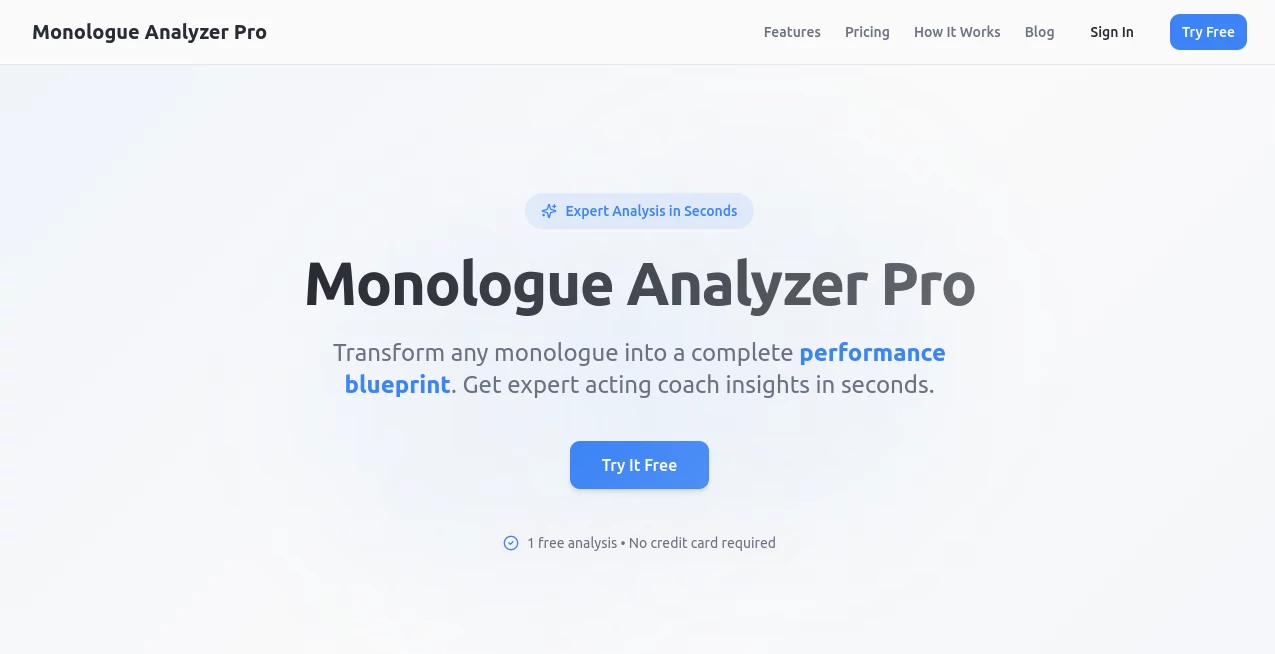
What is Monologue Analyzer Pro?
Have you ever listened to a monologue and wished you could peel back the layers—understand the emotions, spot the subtext, and see exactly what the character is really feeling? This tool does exactly that, and it does it beautifully. It takes any spoken monologue (or written script) and breaks it down into something meaningful: emotional beats, character motivations, tone shifts, even suggestions for performance. When I first tried it on a scene from a play I was rehearsing, it revealed things I hadn’t noticed after weeks of working on it. Suddenly the character’s quiet anger made perfect sense, and my delivery changed overnight. It’s like having a brilliant director sitting next to you, quietly pointing out what you’ve missed.
Introduction
For actors, directors, writers, and anyone who works with spoken text, this tool feels like a quiet revolution. It doesn’t just transcribe or summarize—it digs into the emotional and dramatic core of every line. You upload an audio file or paste a script, and within moments you get a detailed breakdown: emotional arcs, key moments of tension, subtext, and even practical performance notes. It’s especially powerful for monologues because it treats every word as important, helping you uncover hidden intentions or contradictions. I’ve seen actors use it to find new depth in familiar pieces, and writers use it to refine dialogue that wasn’t landing quite right. It’s thoughtful, precise, and surprisingly human in how it reads between the lines.
Key Features
User Interface
The interface is clean and focused—no clutter, no distractions. You drop in your audio or text, and everything unfolds in a clear, readable format. The timeline view shows emotional shifts moment by moment, and you can click any section to hear the original audio synced perfectly. It’s intuitive enough that my friend who hates tech picked it up in under two minutes. The design respects your time and your focus, which is rare.
Accuracy & Performance
The emotional analysis is impressively accurate. It picks up subtle shifts in tone, hesitation, or intensity that most people miss on first listen. Even with challenging accents or overlapping sounds, it rarely misreads the intent. Processing is fast—most monologues are analyzed in under a minute—and the results are consistent across different uploads. I’ve run the same scene multiple times and gotten nearly identical breakdowns every time, which builds real trust.
Capabilities
Beyond basic emotion tracking, it highlights character motivations, power dynamics, subtext, and even suggests how to play certain moments for maximum impact. You can compare different recordings of the same monologue side by side, see how interpretations differ, or use it to workshop a script by spotting emotional inconsistencies. It also offers performance notes tailored to the piece—things like “slow this down for tension” or “let the silence breathe here.” It’s not just analysis; it’s practical guidance you can take straight to rehearsal.
Security & Privacy
Your uploads are handled with care. Files are processed securely and deleted after analysis unless you choose to save the report. No long-term storage, no sharing with third parties. For actors and writers working with unpublished material, that level of discretion is essential—and it’s handled responsibly.
Use Cases
Audition prep becomes faster and smarter: actors upload their take, get immediate feedback on emotional authenticity, and adjust before the big day. Directors use it to compare actor interpretations or to give targeted notes without endless rehearsal loops. Playwrights run new monologues through it to check if the subtext matches what they intended. Even voice-over artists use it to fine-tune deliveries for commercials or narration. It’s versatile enough to help at every stage—from writing to performance.
Pros and Cons
Pros:
- Uncovers emotional depth most people miss on first listen.
- Practical, actionable performance notes that actually help.
- Clean, fast, and intuitive—no learning curve.
- Privacy-focused—perfect for unpublished or sensitive work.
Cons:
- Currently strongest with English-language monologues (though it handles accents well).
- Longer pieces can take a little more time to process.
Pricing Plans
The free tier gives you several analyses per day—plenty for occasional use. Paid plans unlock unlimited uploads, longer audio support, and advanced features like side-by-side comparisons. It’s reasonably priced for the value, especially for working actors or directors who use it daily. The investment pays off quickly in saved rehearsal time and stronger performances.
How to Use Monologue Analyzer Pro
Upload an audio file (or paste text if you prefer), wait a few seconds, and the breakdown appears. Scroll through the timeline to see emotional beats marked clearly. Click any moment to hear the audio again and read the notes. Save the report if you want to revisit later or share with a director. I usually listen once without notes, then run the analysis and compare—it’s eye-opening every time.
Comparison with Similar Tools
Most transcription tools stop at words. This one goes deeper—emotional, dramatic, and performance-focused. Compared to generic sentiment analyzers, it’s far more nuanced and tailored to spoken performance. It’s not trying to be everything; it’s laser-focused on monologues and does that one thing exceptionally well. For actors and directors, it’s in a league of its own.
Conclusion
This tool quietly elevates every monologue it touches. It helps you hear what’s really being said beneath the words, and that understanding changes everything—on stage, in auditions, or in the writing room. If you work with spoken text, it’s one of those rare tools that makes you better at what you do. Give it a monologue you think you know well. You’ll be surprised what it shows you.
Frequently Asked Questions (FAQ)
How long does analysis take?
Most monologues are done in under a minute. Longer pieces take a bit more, but never long.
Can I use it for scenes with multiple characters?
It’s optimized for monologues, but it works surprisingly well on short two-person scenes too.
Does it support accents?
Yes—British, Australian, Southern, and more. It handles variety better than most tools I’ve tried.
Can I export the report?
Yes—PDF or text export, perfect for sharing with directors or saving for later.
Is my audio stored?
No. Files are processed and deleted after analysis unless you choose to keep the report.
AI Creative Writing , AI Content Generator , AI Script Writing , AI Writing Assistants .
These classifications represent its core capabilities and areas of application. For related tools, explore the linked categories above.
Monologue Analyzer Pro details
This tool is no longer available on submitaitools.org; find alternatives on Alternative to Monologue Analyzer Pro.
Pricing
- Free
Apps
- Web Tools
Categories

Monologue Analyzer Pro Alternatives Product

RichlyAI

PromptFix

onstyle

KwaKwa Cours…
Slogan Gener…

PostingCat

Simplified

Dewy Chat

Song Lyrics …
