
MuseSpark
What is MuseSpark?
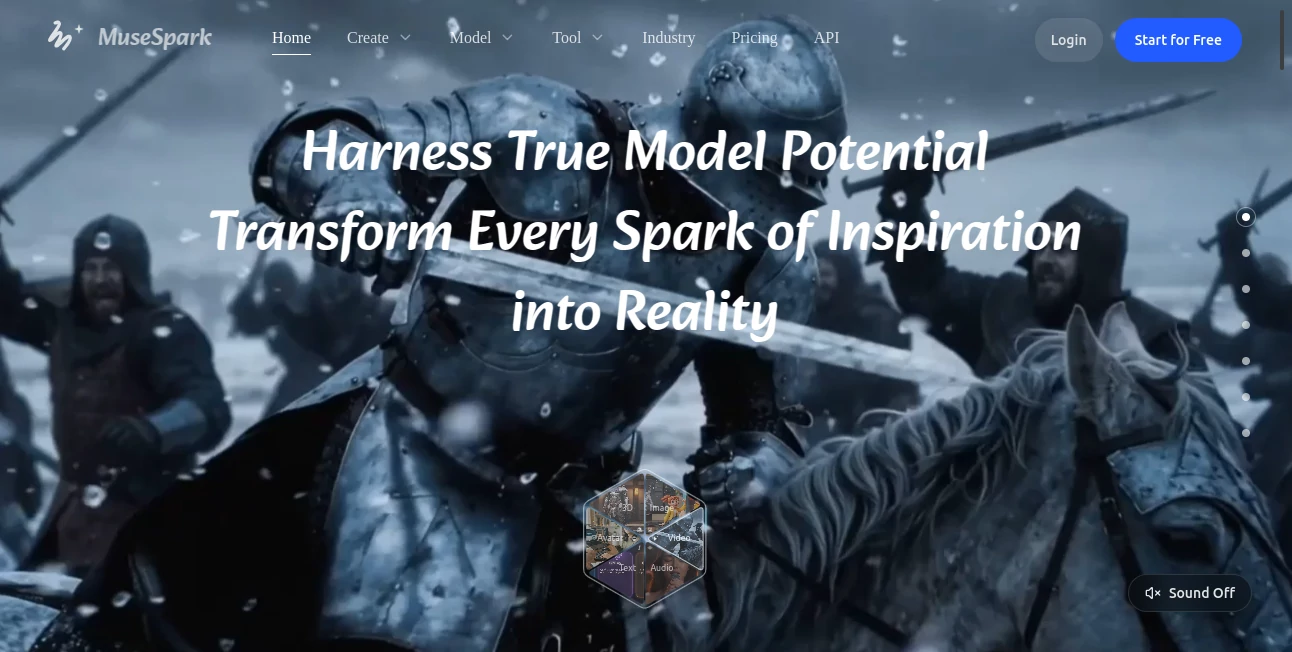
MuseSpark is an all-in-one AI creation platform built for people who want access to a broad selection of modern generative models without constantly jumping between different services. Instead of focusing on a single generation method, it brings image, video, audio, music, 3D, avatar, and text capabilities together in one workspace.
The platform is particularly interesting for creators who like to compare different models before committing to a workflow. Its Model Space provides a way to explore a large catalog of models, while the AI Tools section offers ready-made workflows for common creative tasks. This makes the experience feel closer to a creative workstation than a basic prompt-and-generate website.
For example, someone working on a marketing campaign could create an image, turn it into a video, improve the resolution, remove a background, and experiment with voice or avatar generation without building the entire workflow from separate applications.
Key Features
- Access to a large catalog of image, video, audio, 3D, and language models.
- Model Space for discovering and comparing different AI models.
- Ready-to-use AI workflows for image generation, video creation, enhancement, translation, voice cloning, avatars, and other tasks.
- Model Arena for comparing generated results before selecting a model.
- API access for supported generation workflows.
- Industry-focused discovery for areas such as e-commerce, marketing, and interior design.
- Community content and tutorials that can help users explore creative workflows.
User Interface
The interface is organized around several practical areas, including Create, Tools, Models, Chat, Assets, Pricing, API, and personal tools. This structure makes it relatively easy to move between experimentation and production.
Model Space is especially useful when you are not sure which model is the right fit. Rather than guessing from model names, users can browse models according to their capabilities and output types. The separate AI Tools area is more convenient when the goal is simply to complete a specific task.
The overall layout is clean and creator-focused. A useful detail is that beginners do not need advanced prompting knowledge to get started. More controls can be introduced when a project requires greater precision.
Accuracy & Performance
Performance depends heavily on the model selected, the requested output, resolution, generation length, and current processing queue. Image generations are generally quicker than more demanding video or audio jobs, particularly when higher-quality settings are involved.
One of the platform's strongest points is model choice. Instead of being locked into one generation engine, users can compare different approaches and select the model that produces the most convincing result for a particular task.
For professional work, it is still sensible to test several outputs before choosing a model for a repeatable workflow. Generative quality can vary considerably between models, even when the same prompt is used.
Capabilities
The platform covers an unusually broad range of creative workflows. Image creators can work with text-to-image and image-to-image models, while video creators can explore text-to-video, image-to-video, video editing, motion control, lip synchronization, and related workflows.
Audio capabilities include speech generation, voice cloning, music-related models, and audio enhancement. The platform also includes 3D generation models and tools, making it useful for creators who need to experiment with assets beyond conventional images and videos.
There is also an API layer for supported capabilities. This is valuable for developers who want to move beyond manual experimentation and connect AI generation to an internal application, automated workflow, or customer-facing product.
Security & Privacy
The service's privacy policy explains that it may process account information, usage data, prompts, uploaded files, and generated outputs. Payment information is handled through third-party payment providers, and the service may use third-party providers for hosting, analytics, and related infrastructure.
The privacy policy also states that submitted content is processed to provide and improve AI features and that content is not used to train models in a way that personally identifies the user. Users working with confidential commercial material should still review the current privacy terms and the conditions of the specific models they use before uploading sensitive assets.
Use Cases
Content creation: Creators can experiment with different image and video models for social posts, campaign visuals, thumbnails, illustrations, and promotional material.
E-commerce: Product teams can generate visual variations, clean up product images, remove backgrounds, and create marketing assets without relying on a long chain of separate applications.
Marketing: Marketing teams can explore image generation, video production, avatars, voice workflows, and other creative assets from one environment.
Video production: Video creators can test image-to-video, text-to-video, editing, lip-sync, motion-control, and related models depending on the project.
Developers: Developers can use supported API endpoints to incorporate AI generation into their own applications and automated workflows.
AI model research: Users who want to compare emerging models can use the model catalog and comparison-oriented features instead of maintaining accounts across numerous individual platforms.
Pros and Cons
Pros
- Wide selection of AI models in one platform.
- Supports multiple creative modalities rather than just one type of generation.
- Useful model discovery and comparison features.
- Ready-made tools simplify common creative tasks.
- API access is available for supported capabilities.
- Suitable for both experimentation and production-oriented workflows.
Cons
- The large number of models can feel overwhelming for first-time users.
- Generation speed varies depending on the selected model and workload.
- Costs can differ substantially between models and generation settings.
- Commercial usage rights may depend on the particular model or tool being used.
- Users looking for only one simple AI function may find the broader platform unnecessary.
Pricing Plans
The platform uses a usage-based credit approach rather than presenting every generation as having the same cost. Credits are consumed according to the model or tool selected and the settings used for the generation.
This approach can be useful for users who need different types of AI generation because an inexpensive image generation request does not have to cost the same as a more demanding video or audio task.
Individual model pages can also display specific usage prices. For example, different image, video, and speech models have their own rates, so checking the selected model before running a large batch is a sensible habit.
The available plans and account-specific pricing should be checked directly in the current pricing area, as pricing and model availability can change over time.
How to Use This Platform
Start by creating an account and opening the main workspace. From there, decide whether you want to explore individual models or use a ready-made AI tool.
If you already know the type of output you need, the AI Tools section is usually the quickest starting point. Choose the appropriate workflow, provide the required prompt or input files, adjust the available settings, and submit the task.
If you are unsure which model will perform best, open Model Space and compare the available options. Look at the input and output types, capabilities, pricing, and examples before selecting a model.
For more demanding projects, test a few variations rather than relying on the first generation. Once you find a workflow that consistently produces the quality you need, it can be reused for future projects or connected to an application through the available API functionality.
Comparison with Similar Tools
Compared with single-purpose AI generators, the biggest difference is breadth. A conventional image generator may be excellent at creating images but offers little help when the project moves into video, speech, 3D, or model comparison.
Dedicated video platforms can provide a more specialized editing environment, while dedicated image generators may offer deeper controls for a particular generation model. The advantage here is convenience: multiple models and workflows can be explored from the same account and interface.
This makes the platform particularly attractive to creators and developers who value flexibility. If your work regularly changes from image generation to video production, voice, 3D assets, or experimentation with new models, having those options together can save considerable time.
Conclusion
For creators who work across several types of generative media, this platform offers a compelling way to bring experimentation and production into one place. Its broad model catalog is arguably its most important advantage, while ready-made tools make the service more approachable for people who do not want to study every underlying model.
The platform is also well suited to users who enjoy testing new AI technology. Instead of committing to one generation engine, you can compare different models, evaluate their outputs, and choose the option that makes the most sense for a particular project.
It is not necessarily the perfect choice for someone who only needs one narrowly focused AI function. For creators, marketers, developers, and teams working with multiple media formats, however, the combination of model discovery, creative tools, API access, and broad modality support makes it a platform worth exploring.
Frequently Asked Questions (FAQ)
What can I create with this platform?
You can work with a wide range of AI-generated content, including images, videos, audio, music, 3D assets, avatars, and text-based outputs. The exact capabilities depend on the model or workflow selected.
Do I need advanced prompting skills?
No. You can begin with relatively simple prompts and use ready-made workflows. More detailed prompts and additional controls become useful when you need greater control over style, references, aspect ratio, duration, or other output characteristics.
Can I compare different AI models?
Yes. Model Space is designed for discovering models, while comparison-oriented features help users evaluate different outputs before deciding which model fits a project.
Does the platform offer an API?
Yes. API access is available for supported capabilities, allowing developers to integrate selected AI generation workflows into their own applications or automated systems.
Can generated content be used commercially?
Commercial use may be possible, but it depends on the particular model or tool and the rights associated with any source assets you upload. Businesses should check the applicable model terms before using generated material in commercial projects.
How does pricing work?
Usage is based on the selected model or tool and its generation settings. Different models can therefore have different costs, making it important to check the current rate before running larger workloads.
Is this platform suitable for professional creators?
Yes. Its combination of multiple models, ready-made creative workflows, model comparison, asset handling, and API access makes it suitable for creators who need to move between experimentation and repeatable production workflows.
AI Photo & Image Generator , AI 3D Model Generator , AI Video Generator , AI Music Generator .
These classifications represent its core capabilities and areas of application. For related tools, explore the linked categories above.

MuseSpark Alternatives Product

Photo Retouch

GPT Image 2

Artifox

Free Sora Ge…

happyhorse

Denoisr

GPT Image Pr…

Spark Robin …

Luma AI