
🧠 AI Quiz
Think you really understand Artificial Intelligence?
Test yourself and see how well you know the world of AI.
Answer AI-related questions, compete with other users, and prove that
you’re among the best when it comes to AI knowledge.
Reach the top of our leaderboard.


















AI Music

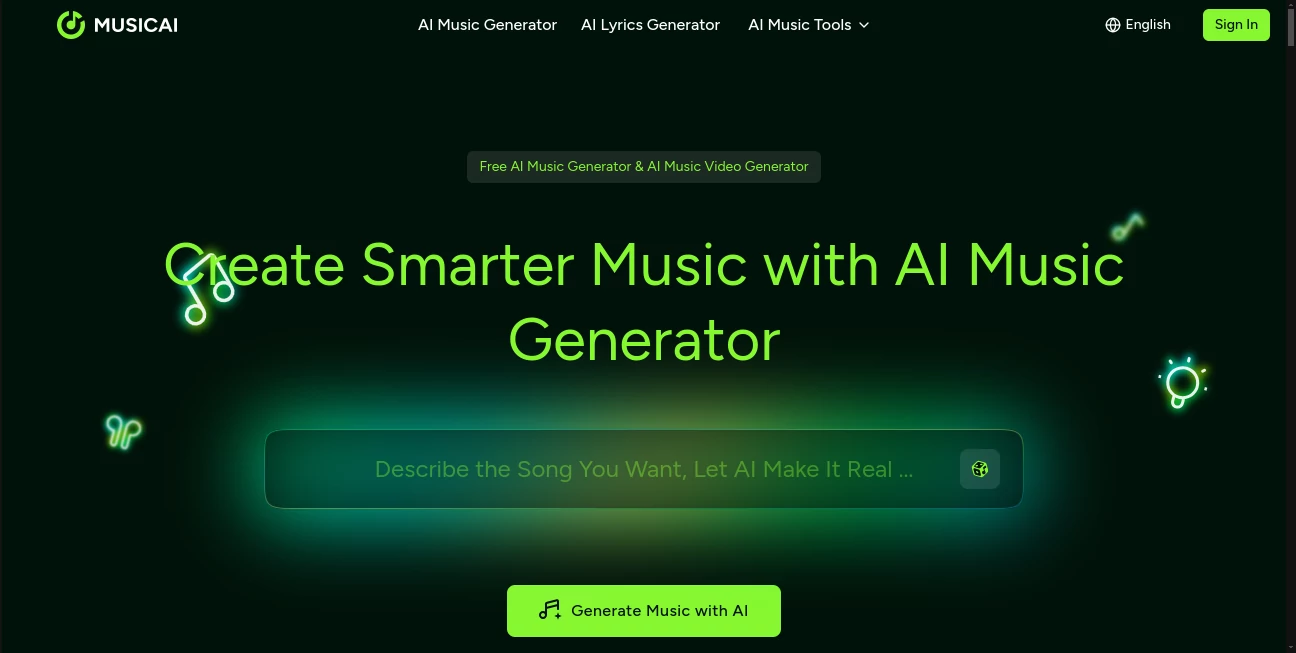
What is AI Music?
MusicAI opens the door to a world where anyone can craft full songs or video clips from a simple spark of an idea, blending smart tech with creative freedom in a way that feels almost too easy. This platform takes your words, moods, or even a quick sketch and turns them into polished tracks complete with vocals and beats, ready to share or sell without a single worry about rights. It's the kind of tool that has folks from bedroom producers to busy filmmakers buzzing about how it cuts through the usual creative fog, delivering results that sound like they came straight from a pro session.
Introduction
MusicAI showed up a few years back, cooked up by a team of sound lovers who were fed up with the endless hours spent fiddling with software that demanded a music degree just to get started. They wanted something that could grab the essence of a half-formed tune and flesh it out, and boy, did they deliver. Word spread like wildfire through online forums and creator groups, with stories of people whipping up custom scores for videos or personal anthems that hit just right. What keeps it fresh is how it evolves with user tweaks, staying true to that original promise of making high-quality sounds accessible, turning what used to be a solo grind into a collaborative chat with a clever partner that always has your back.
Key Features
User Interface
The setup greets you like an old friend at a coffee shop—nothing flashy, just a clean space where you jot down your vibe or drop in a picture, and everything unfolds from there. Sliders and buttons pop up only when you need them, guiding you through layering sounds or syncing visuals without overwhelming the screen. It's that seamless shift from rough idea to preview that hooks you, feeling more like sketching on a napkin than staring down a control board, and it works just as well on your phone during a walk as it does at a desk.
Accuracy & Performance
When you describe a mellow folk tune with a touch of heartache, it doesn't just slap together notes—it weaves in the right swells and pauses that tug at the strings, coming out sounding lived-in and true. Things move along briskly too, with full pieces building in under a minute even on beefier requests, so you can tweak and try again without losing steam. Users often mention how it nails those subtle shifts, like blending a whispery vocal over a building beat, making outputs that hold up under headphones or speakers alike.
Capabilities
From spinning lyrics into layered harmonies to matching a snapshot's energy with a pulsing rhythm, it covers the full spread, even tossing in video clips that sync perfectly for that all-in-one punch. You can dive in to remix stems, master the mix for a radio-ready sheen, or pull apart tracks to rebuild them your way, all while jumping between styles like upbeat pop or brooding electronic without missing a beat. It's that versatility that turns it into a one-stop shop, handling everything from quick jingles to epic scores that carry a whole story.
Security & Privacy
Your half-baked hooks and private demos stay locked down tight, processed on the spot and wiped clean once you're done, with no sneaky storage unless you choose to save. It gives you full say over sharing or selling, complete with clear licenses that keep things straightforward. That peace of mind lets creators pour out raw ideas without the nagging doubt, knowing their next big hook remains theirs alone until they're ready to let it loose.
Use Cases
Video makers grab a moody image and let it birth a backdrop track that amps up the drama, saving hours on stock hunts. Podcasters stitch in custom openers that match their voice, drawing listeners in deeper without the usual royalty runaround. Ad folks craft earworm spots tailored to a brand's beat, testing variations fast to see what clicks with crowds. Even hobby singers play around with vocal twists on old favorites, turning shower showers into shareable clips that surprise friends.
Pros and Cons
Pros:
- Jumps from blank page to finished track in moments, killing creative stalls.
- Hands you full rights to use or flip without fine-print fears.
- Blends sounds and sights for complete content kits.
- Welcomes everyone, no fancy skills or gear required.
Cons:
- Relies on solid connections, so spotty signals slow the spin.
- Advanced polishes might need a bit of back-and-forth.
- Free runs cap quick, nudging toward paid for heavy hitters.
Pricing Plans
You can dive in for free to test the waters with basic builds, perfect for casual spins or first flings. From there, it steps up to monthly passes that unlock endless generations and pro perks like longer tracks, likely around the mid-teens for starters and higher for teams chasing commercial gold. The beauty is in the flexibility, with trials that let you roam full tilt before picking a path, keeping the door wide for whatever your rhythm calls for.
How to Use MusicAI
Kick off by spilling your spark—lyrics, a feeling, or a pic—into the input spot, then sit back as it brews a base track with all the trimmings. Poke at the pieces to swap vocals or tweak tempos, preview the flow, and when it sings right, snag the file or link it to a video build. Export with your license in hand, ready to drop on streams or shelves, and circle back anytime to remix the magic.
Comparison with Similar Tools
Where some setups stick to bare-bones beats or demand you know your scales, MusicAI layers in vocals and visuals from the get-go, though those might edge out for die-hard tweakers who love the nitty-gritty. Against pricier pro suites, it keeps things light and open, skipping the steep fees but perhaps missing some niche knobs. It shines for folks wanting quick, complete creations over endless edits, hitting that sweet spot where ease meets enough depth to dream big.
Conclusion
MusicAI wraps up the chase for sound that sticks, handing creators a shortcut that feels more like a spark than a shortcut. It turns the quiet hum in your head into something shareable and sellable, proving that great grooves don't always need years in a studio. As more ears tune into AI-assisted anthems, this platform keeps the beat going strong, inviting everyone to join the jam without missing a note.
Frequently Asked Questions (FAQ)
Do I need any music know-how to get going?
Not at all—it handles the heavy lifting so you can focus on the fun.
Can I sell what I make?
Absolutely, with full licenses baked in for commercial plays.
What styles does it cover?
A wide ride from acoustic whispers to electronic thumps, all yours to shape.
How about pairing with videos?
Seamless syncs turn tracks into full clips ready for the spotlight.
Is the output top-notch quality?
Pro-level polish that streams smooth on any platform you pick.
AI Lyrics Generator , AI Video Generator , AI Music Generator , AI Text to Music .
These classifications represent its core capabilities and areas of application. For related tools, explore the linked categories above.
AI Music details
This tool is no longer available on submitaitools.org; find alternatives on Alternative to AI Music.
Pricing
- Free
Apps
- Web Tools
Categories

AI Music Alternatives Product

Klyra AI
Seedance 2.0
Lyria 3 AI M…

Seedance 2.0

Seedance Art

seedream vid…

Custom Song

Nano Banana …

PostPlus AI
