🧠 AI Quiz
Think you really understand Artificial Intelligence?
Test yourself and see how well you know the world of AI.
Answer AI-related questions, compete with other users, and prove that
you’re among the best when it comes to AI knowledge.
Reach the top of our leaderboard.


















MyEdit

What is MyEdit?
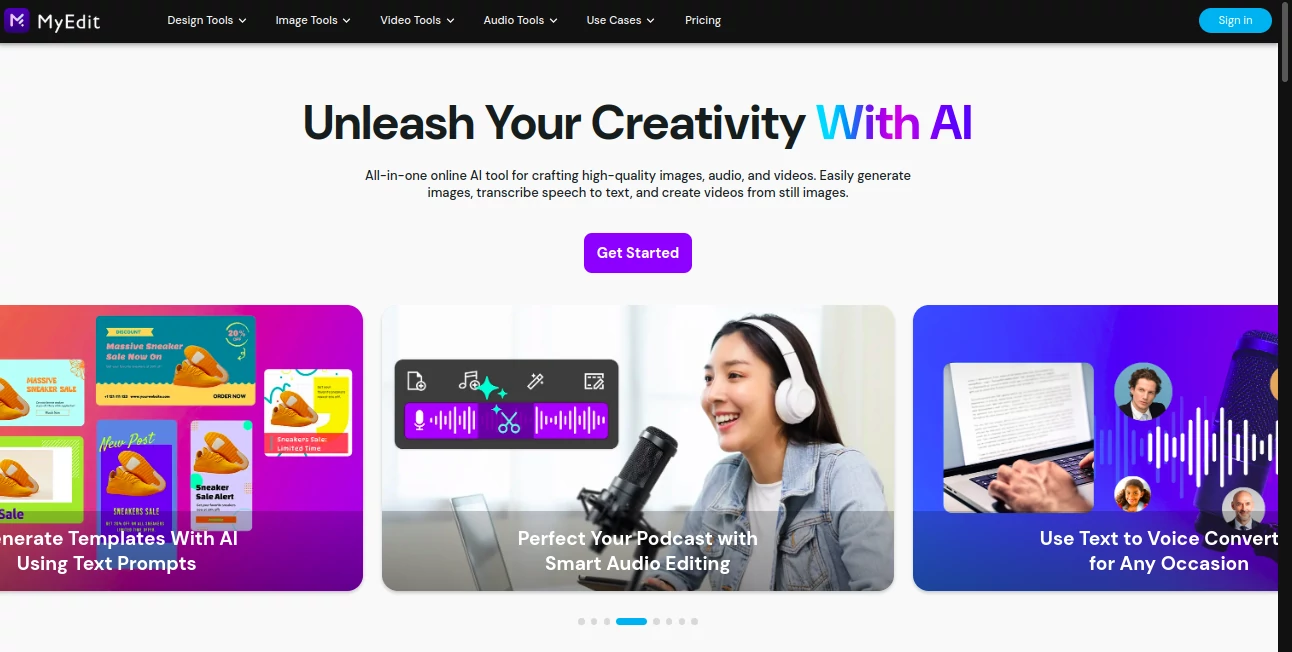
MyEdit opens up a simple path for anyone wanting to tweak pictures or audio clips right in the browser, without downloading heavy programs or paying a dime. This no-fuss spot lets users jump in and adjust their files on the fly, turning rough drafts into something shareable in minutes. It's picked up steam among casual creators who appreciate the quick access and lack of strings attached, making everyday edits feel less like a chore and more like a casual sketch session.
Introduction
MyEdit came along a few years ago as a straightforward answer to the hassle of juggling multiple apps for basic fixes on photos or recordings. The folks behind it wanted a one-stop web hub that loaded fast and worked everywhere, and it shows in the clean setup that greets you right away. Users started chatting about it in online spots for hobbyists, sharing how it saved them from bloated software installs during travel or tight deadlines. Over time, it's stayed true to its roots—free, easy, and effective—drawing in a steady crowd who value reliability over flashy extras, proving that sometimes the simplest tools cut through the noise best.
Key Features
User Interface
The page loads to a bare essentials dashboard where you drag your file in or hit a browse button, and tools pop up around the edges without overwhelming the center view. Sliders and buttons for common changes sit right there, labeled plainly so you know what's what at a glance. It adapts well to different screens, keeping buttons thumb-friendly on phones while spreading out on desktops, like a sketchpad that reshapes to fit your hand.
Accuracy & Performance
Changes apply crisp and true to what you drag, whether fading a voice track or sharpening a snapshot edge, holding steady without pixel mush or echo ghosts. It handles files up to a reasonable size without choking, wrapping jobs in seconds that keep your pace from stumbling. Those who've run it through loops often mention how it stays snappy even after a few rounds, dodging the slowdowns that plague older web tricks.
Capabilities
On the picture side, it covers cropping, color shifts, and layer stacks for blending elements, while audio gets trims, volume bumps, and basic effects like reverb washes. You can layer sounds over visuals for quick clips or export in common formats that play nice with social shares. It's geared for everyday tweaks rather than pro overhauls, but that focus lets it nail the basics with room for creative combos like adding a hum to a family photo montage.
Security & Privacy
Files get processed on the spot and don't stick around after you grab your finished version, with no sneaky saves or scans unless you choose to keep them. It runs under standard web guards, keeping your uploads from wandering into shared folders, so personal snaps or voice notes stay just yours. Users like that light touch, letting them fiddle freely without the nagging doubt of data drifts.
Use Cases
Social sharers spruce up vacation pics with quick filters before posting, adding a personal audio tag to make them pop. Podcasters trim rough takes, layering in subtle backgrounds to smooth out the flow without studio gear. Teachers whip up visual aids with overlaid notes for lessons, keeping things lively without extra apps. Even family folks blend old recordings with scanned heirlooms, crafting digital keepsakes that bridge generations in a snap.
Pros and Cons
Pros:
- Totally free with no hidden catches, open to all comers.
- Loads and runs in any browser, no installs or updates nagging.
- Covers image and sound basics in one tidy package.
- Exports clean files that fit right into other workflows.
Cons:
- Sticks to simple edits, skipping deep pro tools for the masses.
- File sizes cap out quick for bigger projects.
- Needs a solid connection to avoid mid-job hiccups.
Pricing Plans
Everything rolls free, with no tiers or upsells pushing you to pay—unlimited use as long as you stick within the file limits. That open-door approach keeps it welcoming for light users or one-offs, though heavy hitters might eye add-ons down the line. For now, it's all access without the ask, making it a smart pick for budget watchers or quick fixes.
How to Use MyEdit
Head over and enable the basics if prompted, then drop your picture or sound file into the slot. Pick your tweak from the side menu—say, brighten the hues or cut the static—and watch it update live. Fine-tune with the sliders till it clicks, then hit save to grab your file in the format you need. Rinse for the next layer, building up from raw to ready in easy steps.
Comparison with Similar Tools
Against desktop giants that load your machine with extras, MyEdit keeps it web-light and free, trading bells for bare-bones reliability, though those might win for offline deep dives. Next to app-only rivals, it spans browsers without downloads, but could bow to mobile-first polish in pocket use. It shines for cross-device dabblers who want quick hits over heavy hauls.
Conclusion
MyEdit stands as a trusty side table for those everyday touch-ups, blending image and audio tweaks into a seamless web flow that punches above its free weight. It reminds us that solid basics can spark plenty, turning passing fancies into polished pieces without the fanfare. As more folks chase creative outlets on the go, this one's poised to keep drawing them in, one simple edit at a time.
Frequently Asked Questions (FAQ)
What file types does it take?
Common ones like JPEG for pics and MP3 for sounds work smooth.
Is it safe for personal files?
Yes, uploads clear out after, keeping things private.
Works on my phone?
Sure, tunes to mobile screens for on-the-move mends.
Any limits on edits?
File size caps keep it snappy, but basics run unlimited.
Can I layer audio on images?
Yep, blend them for short clips that share easy.
Photo & Image Editor , AI Voice & Audio Editing , AI Documents Assistant , AI Files Assistant .
These classifications represent its core capabilities and areas of application. For related tools, explore the linked categories above.
MyEdit details
This tool is no longer available on submitaitools.org; find alternatives on Alternative to MyEdit.
Pricing
- Free
Apps
- Web Tools
Categories

MyEdit Alternatives Product

Remove Text

Brat Generat…

Beard Remover

PDF to MD

KOOX AI

square face …

ImgEnhancer

Brave Pink H…

TO MD