
🧠 AI Quiz
Think you really understand Artificial Intelligence?
Test yourself and see how well you know the world of AI.
Answer AI-related questions, compete with other users, and prove that
you’re among the best when it comes to AI knowledge.
Reach the top of our leaderboard.


















Myjourney
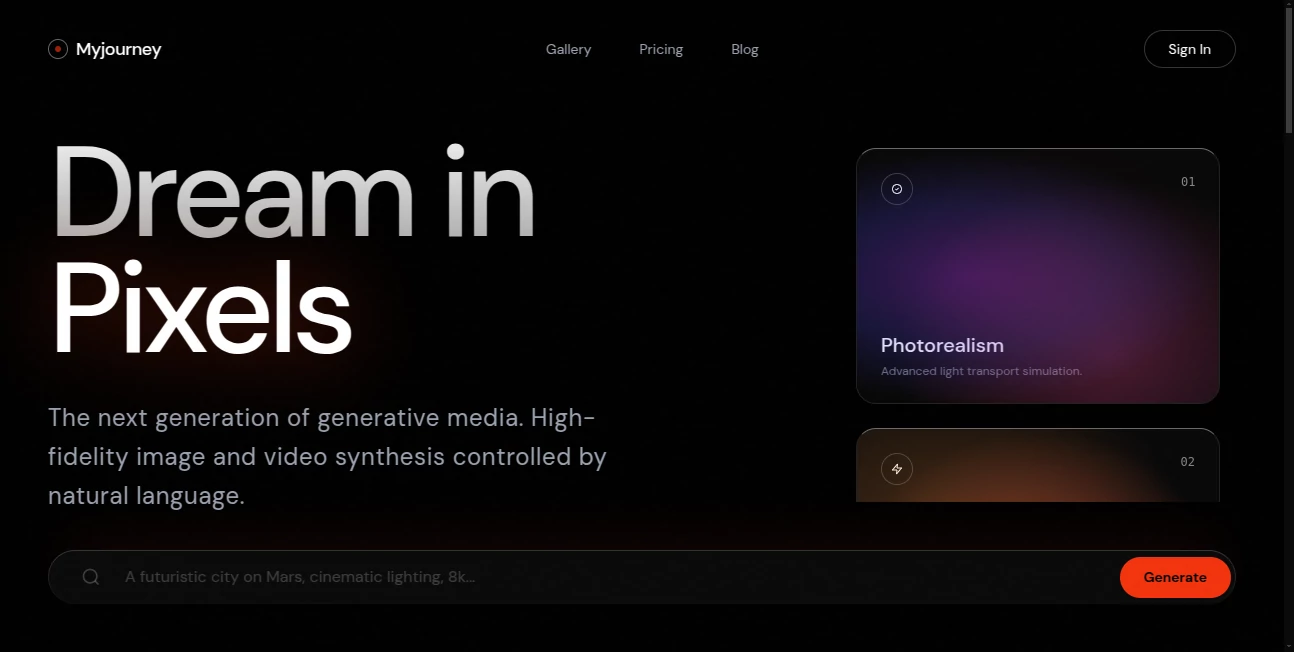
What is Myjourney?
There’s something quietly powerful about seeing your life laid out like a story instead of scattered memories in a camera roll. This tool takes the chaos of photos, notes, tickets, voice memos and little daily wins and weaves them into a private, gorgeous timeline that actually feels like *your* story. I started using it casually—just dropping in a concert ticket stub and a quick note about the night—and within a week I was going back just to scroll through my own past like it was someone else’s beautiful documentary. It’s not another photo app; it’s a gentle way to remember who you’ve been and notice how far you’ve come.
Introduction
Most of us live through incredible moments and then lose them in the noise of daily life. Photos get buried, journal entries stay half-written, voice notes are forgotten. This platform quietly solves that by giving every memory a permanent, meaningful home. You add whatever feels important—pictures, text, audio, location pins, even Spotify tracks—and it arranges everything chronologically with thoughtful design that makes revisiting feel warm instead of overwhelming. People use it for personal reflection, family history, travel recaps, mental health tracking, or just because they want their life to look as rich as it actually is. The magic isn’t in fancy filters; it’s in how naturally it turns fragments into something that feels whole.
Key Features
User Interface
The timeline is clean and elegant—each entry appears as a card with just the right amount of breathing room. Adding a memory is as simple as tapping +, choosing what type (photo, note, voice, location), and dropping it in. The app auto-sorts by date but lets you nudge things around if the order feels emotionally truer. Dark/light mode, smooth scrolling, subtle animations when you open an entry—it never feels busy, even when your timeline stretches back years.
Accuracy & Performance
Dates pull automatically from photo metadata or your input, so chronology stays honest. Voice notes transcribe cleanly in most languages. Search is fast and smart—type “Paris 2023” and every related moment surfaces instantly. The app handles thousands of entries without slowing down, and offline mode means you can add memories in the mountains or on a plane and sync later. Reliability is one of its quiet superpowers.
Capabilities
Unlimited photo & video uploads, rich text notes, voice recordings with transcription, location tagging with maps, Spotify/Apple Music link embeds, mood tracking, custom categories/tags, private sharing links (view-only or collaborative), export to PDF or printable book, end-to-end encryption, and beautiful themes (minimal, vintage, colorful, etc.). You can mark entries as private, favorite moments, or group them into chapters (“College Years,” “First Job,” “Parenthood”). It grows with you—solo journal or shared family archive, it adapts.
Security & Privacy
Everything is end-to-end encrypted by default. No one (not even the team) can read your entries or see your photos without your explicit permission. Private sharing uses time-limited, password-protected links that expire if you want. No ads, no data selling, no creepy analytics. For something as personal as your life story, that level of care matters deeply.
Use Cases
A new mom documents every milestone—first smile, first steps, late-night feeds—and years later her child scrolls through their own origin story. A solo traveler builds a visual diary of every city, meal, sunset; friends follow along in real time via shared link. Someone grieving a parent adds old photos, voice notes, letters, creating a living memorial they revisit on tough days. Couples track their relationship—first date ticket, anniversary trips, silly arguments turned jokes. Therapists recommend it for clients building positive memory banks. Wherever life feels worth remembering, this becomes the container.
Pros and Cons
Pros:
- Feels deeply personal—every timeline looks and feels uniquely yours.
- Unlimited storage on paid plans means you never have to delete memories.
- Voice transcription and location tagging make journaling effortless.
- Privacy-first approach lets you be completely honest without worry.
- Export to beautiful printed books turns digital memories into heirlooms.
Cons:
- Free plan limits storage and advanced sharing features.
- Collaborative editing is still evolving (view-only sharing is flawless).
- Mobile-first design means desktop experience is solid but secondary.
Pricing Plans
Free tier gives generous storage, basic themes, and private timeline—enough to start meaningfully. Premium unlocks unlimited storage, full voice transcription, collaborative sharing, custom themes, book exports, and priority support. Family plan lets multiple people contribute to one shared timeline (great for couples or parents). Pricing feels fair for something that becomes a lifelong digital home—many say it’s cheaper than a single therapy session but lasts forever.
How to Use MyJourney
Sign up (email or Apple/Google), create your first timeline (personal, relationship, family, travel, etc.). Tap + to add a memory: snap a photo, record voice, write a note, drop a pin, link a song. The app auto-places it on the date it happened (or you choose). Scroll back through time, add tags or mark favorites. Share a read-only link with loved ones or export a chapter as PDF. That’s it—your life, preserved beautifully, one moment at a time.
Comparison with Similar Tools
Photo apps store images but don’t tell stories. Journaling apps capture words but ignore visuals and audio. Social media buries moments in noise. This one combines the best parts—rich media, chronological beauty, privacy, and emotional context—without any of the downsides. It’s not trying to be everything; it’s trying to be the one place your memories actually feel safe, organized, and meaningful.
Conclusion
Life moves fast and memories fade faster. This tool gives them a permanent, beautiful place to live—private, searchable, shareable on your terms. It’s not about perfection; it’s about presence. Every time you add a small moment—a coffee date, a rainy walk, your kid’s first lost tooth—you’re quietly building something irreplaceable. In ten years you’ll thank yourself for starting today. Some things are worth preserving, and this makes it feel effortless.
Frequently Asked Questions (FAQ)
Is my data really private?
Yes—end-to-end encryption, no ads, no selling data. Only you (and anyone you explicitly share with) can see your timeline.
Can multiple people add to one timeline?
Yes—collaborative mode (paid) lets invited people contribute; free sharing is view-only.
What happens if I lose my phone?
Everything syncs to the cloud. Log in on any device and your entire journey is there.
Can I print my timeline?
Yes—export any section or the full journey as a beautifully formatted PDF book (paid feature).
How much storage do I get?
Free tier is generous for most people; unlimited storage available on premium plans.
AI Life Assistant , AI Notes Assistant , AI Documents Assistant .
These classifications represent its core capabilities and areas of application. For related tools, explore the linked categories above.
Myjourney details
Pricing
- Free
Apps
- Web Tools
Categories

Myjourney Alternatives Product

Presenti AI

MatchMyType

lovetype16

UPDF AI

tarotguide

Meet-Ting

Read PDF Alo…

Flowmata AI

Watermark in…
