
🧠 AI Quiz
Think you really understand Artificial Intelligence?
Test yourself and see how well you know the world of AI.
Answer AI-related questions, compete with other users, and prove that
you’re among the best when it comes to AI knowledge.
Reach the top of our leaderboard.


















MyNextBrowser

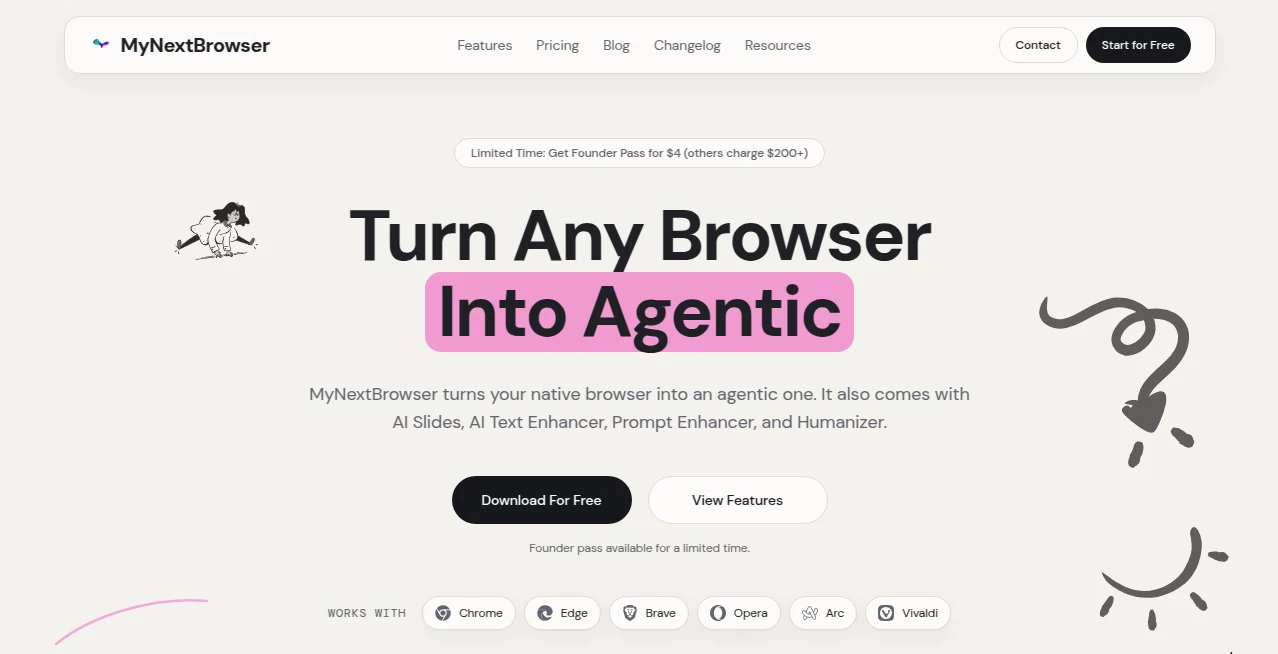
What is MyNextBrowser?
Picture opening a browser that doesn’t just load pages—it thinks with you. You highlight a sentence, and it instantly offers to explain, translate, summarize, or turn it into a tweet. You start typing a search, and it already knows where you’re going before you finish. Tabs feel alive, suggestions appear exactly when you need them, and the whole experience is shockingly fast and quiet. I’ve switched browsers more times than I care to admit, but this one stuck because it finally made browsing feel like an extension of my brain instead of a separate chore.
Introduction
Most browsers are still stuck in 2010: tabs, bookmarks, a search bar, and a lot of waiting. This one quietly reinvents the experience by embedding AI deeply into every interaction without turning it into a gimmick. It’s not about flashy animations or voice commands—it’s about speed, context, and intelligence that actually helps you get things done. Early users talk about how they stopped copying text to ChatGPT because the browser already understands what they want. For anyone who lives online—researchers, writers, shoppers, students, devs—this feels like the upgrade we’ve been waiting for without realizing it.
Key Features
User Interface
The design is minimalist but alive. No bloat, no unnecessary icons—just a clean address bar that doubles as a smart input field, a sidebar that appears only when needed, and inline actions that show up exactly where your cursor is. Highlight text and a small floating menu offers instant options: explain, translate, rewrite, search deeper, summarize. It never fights for attention; it waits until you need it. That restraint is what makes it feel premium and calm instead of overwhelming.
Accuracy & Performance
Responses are fast—near-instant on most actions—and contextually sharp. It reads the entire page, understands what you’re looking at, and gives answers that feel tailored rather than generic. No more “let me Google that” tab spam; it pulls relevant info right there. Page loads are snappy, AI features don’t slow the browser down, and memory usage stays reasonable even with dozens of tabs. In daily use, it rarely misreads intent—when it does, a quick rephrase fixes it instantly.
Capabilities
Inline AI actions on any selected text (explain, translate, summarize, rewrite, fact-check, generate tweet/thread), smart search suggestions that anticipate your query, tab grouping by topic with AI-generated names, page summaries on demand, link previews with quick insights, and built-in reader mode that cleans pages while preserving meaning. It integrates multiple top models under the hood, so you get the best answer for the task without switching tools. It’s a browser that finally feels like it’s working for you.
Security & Privacy
Privacy is baked in from the ground up. No tracking of browsing history for ads, no selling data, no mandatory account for core features. AI processing is done with strong encryption, and you can choose local models for sensitive work. For anyone wary of Big Tech browsers, this feels like a rare breath of fresh air—powerful without being creepy.
Use Cases
A researcher highlights a dense paragraph in a paper and gets an instant plain-English breakdown plus related sources. A marketer skims competitor sites, instantly summarizes offerings, and drafts tweets in their brand voice. A student cleans up long articles into bullet-point notes without losing key facts. A developer reads docs, selects code snippets, and asks for explanations or refactors right in the tab. Wherever deep reading, quick synthesis, or fast creation happens, this browser becomes the quiet center of the workflow.
Pros and Cons
Pros:
- Inline AI actions that save dozens of copy-paste trips every day.
- Feels genuinely faster and smarter than traditional browsers.
- Privacy-first approach—no creepy tracking or forced logins.
- Beautiful minimal design that stays out of your way.
- Constantly improving model integration without user intervention.
Cons:
- Still new, so occasional edge-case bugs or missing niche extensions.
- Heavy AI usage can increase data consumption on mobile.
- Some advanced power users miss certain legacy extension ecosystems.
Pricing Plans
Core features are free forever—smart search, inline actions, summaries, everything that makes it feel next-gen. Premium unlocks unlimited high-priority AI queries, local model support, advanced tab intelligence (auto-grouping, auto-naming), ad-free experience, and priority feature access. Pricing is modest—many users say it’s cheaper than their previous VPN + AI subscription combo, with far more daily value.
How to Use My Next Browser
Download and install like any browser. Open it, and the first thing you notice is the clean address bar. Start typing a question—it suggests answers before you finish. Browse normally, then highlight any text: a small menu appears offering explain, translate, summarize, rewrite, etc. Click one and watch the answer appear inline. Long page? Click the summarize icon in the toolbar for instant bullet points. New tab? Type your intent—it knows whether you want search, AI chat, or navigation. After a day, it feels like the browser finally understands you.
Comparison with Similar Tools
Traditional browsers are fast but dumb. AI chatbots are smart but disconnected—you copy, paste, switch tabs. This one marries the two: the browser becomes the AI interface. Where others bolt on extensions that slow things down, the intelligence is native, fast, and contextual. It’s not trying to be everything; it’s trying to be the best possible browser for how people actually work in 2025—and it succeeds remarkably well.
Conclusion
Browsing shouldn’t be passive scrolling—it should be active thinking. This browser finally makes that possible. It removes friction, anticipates needs, respects privacy, and stays beautifully out of the way until you need it. When every tab feels like a conversation instead of a chore, you start wondering how you ever used anything else. For anyone who spends real time online, this isn’t just an upgrade; it’s the browser we should have had years ago.
Frequently Asked Questions (FAQ)
Is it really faster than Chrome/Firefox?
Yes—in daily use most people notice pages load quicker and actions (search, summarize, explain) happen inline without tab-switching.
Does it collect my browsing data?
No—zero ad tracking, no history selling. Privacy is core to the design.
Can I import bookmarks/passwords?
Yes—easy import from Chrome, Firefox, Edge, Safari on first launch.
What happens if I need a specific extension?
Core productivity extensions are built-in via AI; classic extension support is growing rapidly.
Is there a mobile version?
Yes—iOS and Android apps with the same inline AI features, synced seamlessly.
AI Browsers Builder , AI Productivity Tools , AI Developer Tools , AI Search Engine .
These classifications represent its core capabilities and areas of application. For related tools, explore the linked categories above.
MyNextBrowser details
This tool is no longer available on submitaitools.org; find alternatives on Alternative to MyNextBrowser.
Pricing
- Free
Apps
- Web Tools
Categories

MyNextBrowser Alternatives Product

Sourcetable

Jamy.ai | Au…

Linkflare

Zivy

Website Clon…

GameClick.io

Kaamfu

Defapi

Alai
