🧠 AI Quiz
Think you really understand Artificial Intelligence?
Test yourself and see how well you know the world of AI.
Answer AI-related questions, compete with other users, and prove that
you’re among the best when it comes to AI knowledge.
Reach the top of our leaderboard.

















Nano Banana 2
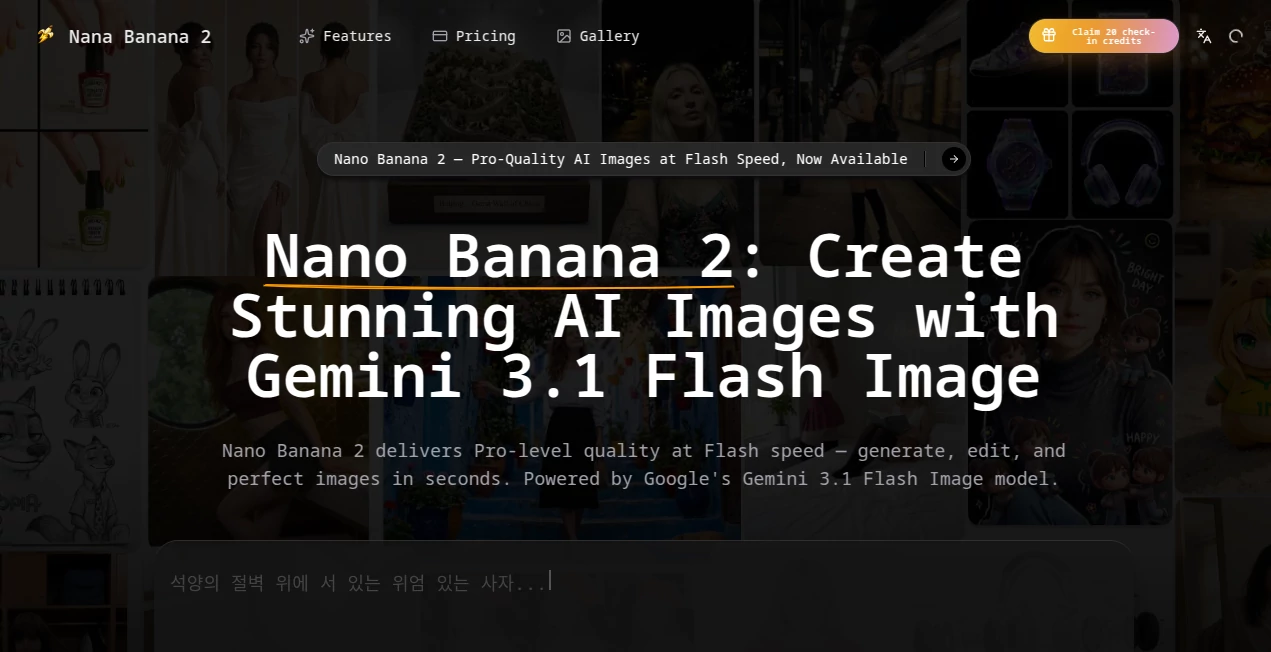
What is Nano Banana 2?
There's something satisfying about typing a description and watching a clear, detailed image appear almost instantly—without the long wait or strange artifacts you sometimes get with other tools. This one moves at a speed that feels refreshing while still delivering results that look polished and intentional. Whether you're mocking up a social post, visualizing a product idea, or just exploring a wild creative concept, it gets you there quickly without sacrificing too much on quality. I've seen designers use it to iterate through concepts in minutes instead of hours, and the speed keeps the creative energy flowing instead of killing it with loading screens.
Introduction
AI image generation has come a long way, but many tools still force you to choose between speed and quality. This platform leans into the "fast" side without completely giving up on the good stuff. Built on advanced flash-level technology, it generates and edits images with impressive responsiveness, making it ideal for people who need to move quickly—marketers testing ad variations, creators building daily content, or anyone who hates waiting for renders. The interface stays simple, the outputs feel clean, and the overall experience encourages experimentation rather than frustration. It's the kind of tool that makes you think "why didn't this exist sooner?"
Key Features
User Interface
The workspace is clean and focused. A prominent prompt box sits front and center, with easy options to upload a reference image if you want guided edits. Sliders and toggles for style, aspect ratio, and quality are straightforward without feeling overwhelming. Previews load quickly, so you can tweak and regenerate without losing your train of thought. It never feels like you're fighting the tool—just typing ideas and watching them take shape.
Accuracy & Performance
It shines at following complex prompts while keeping generation times short. Details like lighting, composition, and subject consistency hold up well, and the model avoids many of the common weird artifacts that plague slower or cheaper alternatives. Speed is consistent even during busy times, and the quality-to-time ratio is one of its strongest points—fast enough for rapid iteration, good enough that the first or second result is often usable.
Capabilities
Strong text-to-image generation, image-to-image editing with natural language instructions, subject consistency across variations, support for different styles and aspect ratios, and the ability to handle both creative concepts and more practical marketing visuals. It performs especially well on prompts that need precise control over composition or mood, making it versatile for both fun experiments and professional work.
Security & Privacy
Your prompts and uploaded images are handled responsibly, with no unnecessary long-term storage. The system focuses on delivering the result without holding onto your creative work beyond what's needed for the generation. That clean approach gives peace of mind, especially when working on client projects or personal ideas you want to keep private.
Use Cases
A social media manager generates multiple ad variations in one sitting, testing different headlines and visuals until the engagement sweet spot appears. An indie game developer quickly mocks up character concepts and environment ideas to share with the team for feedback. A small business owner creates product mockups and social graphics without hiring a designer for every post. A hobbyist explores wild "what if" scenarios late at night, turning random thoughts into shareable art. The speed makes it practical for daily creative work rather than just occasional big projects.
Pros and Cons
Pros:
- Impressive balance of speed and quality—fast generations that still look good.
- Clean, intuitive interface that keeps the focus on creating.
- Strong prompt understanding for both simple and detailed requests.
- Versatile enough for marketing assets, concept art, and casual fun.
- Responsive performance even when generating multiple variations.
Cons:
- Very complex or highly specific artistic styles may need a few tries to nail perfectly.
- Free or lower tiers have usage limits that heavier users will outgrow quickly.
- Some advanced editing features still benefit from reference images for best results.
Pricing Plans
It offers a generous starting point so you can test the quality without upfront commitment. Paid plans scale up with more generations, higher priority during busy times, and access to advanced features. The structure feels fair—pay more only when your workflow demands more volume or speed. Many users find the jump from free to paid worthwhile once they start relying on it daily.
How to Use NanoBanana 2 Flash
Head to the generator page, type your description in the prompt box (be as detailed or loose as you like), and optionally upload a reference image for guided edits. Choose your preferred aspect ratio and quality level, then hit generate. Review the result—use the before/after or variation tools if needed—and download the one you like best. For faster iteration, generate several options at once and pick the winner. The whole process stays quick and repeatable, encouraging you to experiment without fear of wasting time.
Comparison with Similar Tools
Some image generators prioritize maximum quality at the cost of speed, leaving you waiting minutes per image. Others go for raw speed but deliver inconsistent or low-detail results. This one sits in a sweet middle ground—fast enough for real workflows, detailed enough that the outputs feel professional rather than rushed. The combination of responsive performance and solid prompt adherence makes it stand out for everyday creative and marketing needs.
Conclusion
When creativity meets tight deadlines, tools that waste your time quickly lose appeal. This one respects both your ideas and your schedule, delivering fast, usable images that actually move projects forward. It’s not trying to be everything to everyone—it simply does one thing well: turning words and references into visuals you can use right away. For marketers, designers, creators, and anyone who needs visuals without the wait, it’s the kind of practical magic that makes the creative process feel lighter and more enjoyable.
Frequently Asked Questions (FAQ)
How fast are the generations?
Most images appear in seconds rather than minutes, keeping your flow uninterrupted.
Do I need to upload a reference image?
Not required—text prompts work well on their own—but adding one gives more precise control over style and composition.
Are the images suitable for commercial use?
Yes, especially on paid plans that include appropriate licensing for business and marketing work.
What if the first result isn't quite right?
Regenerate with small prompt tweaks or generate variations—iteration is quick and painless.
Is there a limit on free use?
Free tier offers a good starting amount; paid plans remove limits for heavier daily or professional use.
AI Photo & Image Generator , AI Art Generator , AI Design Generator , AI Image to Image .
These classifications represent its core capabilities and areas of application. For related tools, explore the linked categories above.
Nano Banana 2 details
Pricing
- Free
Apps
- Web Tools
Categories

Nano Banana 2 Alternatives Product
AI 3D World

qwen image 2…
QR Menu Gene…

Reztune

square face …

Retro Image …

Nano Banana 2
Seedream Ima…

Nano Banana …