🧠 AI Quiz
Think you really understand Artificial Intelligence?
Test yourself and see how well you know the world of AI.
Answer AI-related questions, compete with other users, and prove that
you’re among the best when it comes to AI knowledge.
Reach the top of our leaderboard.

















Nano Banana 2
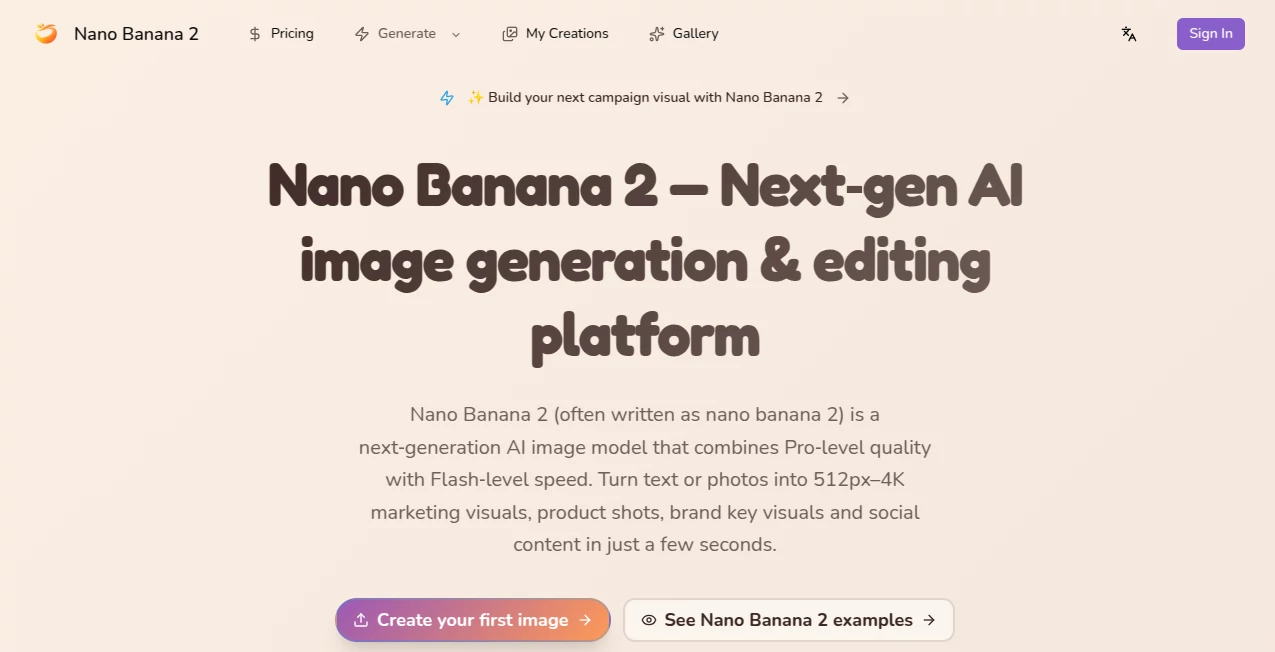
What is Nano Banana 2?
There's a special kind of rush when you type a wild idea—“cyberpunk fox spirit standing on a neon-drenched rooftop at 3 a.m., rain-slicked surfaces, volumetric god-rays cutting through fog”—and less than ten seconds later a crisp, detailed 4K image stares back at you. Not blurry, not noisy, not missing fingers or melting architecture—just a coherent, atmospheric scene that feels like it could hang in a gallery or headline an album cover. This tool has quietly become the go-to for creators who refuse to wait minutes for a single decent render. You hit generate, grab a coffee, come back—and there it is, ready to refine or ship.
Introduction
Most image generators still force you to choose between speed and quality. This one refuses the compromise. It’s built on a lean, optimized architecture that delivers surprisingly high-fidelity results at resolutions most models choke on, and it does so at speeds that feel almost unfair. Early adopters started posting side-by-side comparisons—same prompt, same settings, this vs others—and the clarity, color depth, and detail held up even under close inspection. For digital artists, concept designers, social creators, and anyone who needs visuals yesterday, it’s become less a tool and more a creative accelerator. The name might sound playful, but the output is dead serious.
Key Features
User Interface
The interface is stripped down to essentials in the best way: wide prompt box, style and aspect-ratio presets, a single prominent generate button, and live status indicators so you always know how many seconds remain. Negative prompt field sits right below the main one—no digging through tabs. Preview thumbnails appear as soon as the first pixels resolve, letting you stop early if the direction is wrong. It respects your time and attention—everything you need is visible, nothing you don’t is hidden.
Accuracy & Performance
It nails prompt adherence better than most—complex compositions with multiple subjects, specific lighting, intricate clothing details, and atmospheric effects rarely break into the usual AI artifacts. Generation times hover between 4–12 seconds for 1024×1024 (often faster at lower res), and upscaling to 4K or 8K keeps quality surprisingly clean. Hands, text in scene, symmetrical architecture, coherent reflections—the usual pain points are handled with care. When it does misinterpret, the error is usually logical (ambiguous wording) rather than random nonsense.
Capabilities
Text-to-image at native high resolutions (up to 2048×2048 base, 8K upscaled), strong understanding of artistic styles (cyberpunk, baroque, studio ghibli, hyperrealism, ink wash, etc.), precise control via negative prompts, aspect-ratio presets (portrait, landscape, square, cinematic), batch generation, seed locking for reproducibility, and optional reference-image guidance for style or character consistency. It handles dense, detailed prompts without collapsing into mush, making it ideal for concept art, album covers, social media visuals, book illustrations, and marketing assets.
Security & Privacy
Images are generated ephemerally—processed in memory and deleted from servers immediately after download unless you explicitly save them to your account. No mandatory login for basic use, no training on user prompts or outputs. For creators working on client briefs, personal projects, or brand-sensitive concepts, that clean, no-retention approach is a real comfort.
Use Cases
A freelance illustrator generates five strong concepts in under a minute to present to a client the same day. A musician creates striking album artwork that perfectly matches the track’s mood without hiring a designer. A social media manager produces daily eye-catching posts that stop scrolls and drive engagement. An indie game dev mocks up environment concepts and character portraits to test art direction before modeling. The common thread: people who need high-quality visuals fast and can’t (or don’t want to) wait days for traditional workflows.
Pros and Cons
Pros:
- Blazing generation speed that keeps creative momentum alive.
- Impressive coherence and detail at high resolutions.
- Strong prompt understanding—handles dense, specific descriptions well.
- Multiple artistic styles without losing quality or coherence.
- Free tier is generous—real usable images without paying upfront.
Cons:
- Occasional prompt misinterpretation on very abstract or contradictory ideas.
- Highest resolutions and unlimited generations require paid plan.
- Batch size and concurrent jobs are limited on free tier.
Pricing Plans
Free daily credits give meaningful access—enough for experimentation and small projects without a credit card. Paid plans unlock higher resolutions, unlimited generations, faster queue priority, batch processing, and commercial-use rights. Pricing stays reasonable for the quality and speed; many creators say one month covers what they used to spend on stock art or freelance illustrators for a single campaign.
How to Use Normal Map Generator
Write a clear, detailed prompt describing your scene, mood, lighting, and style. Optionally upload a reference image for stronger visual grounding. Choose aspect ratio and any style preset if desired. Hit generate—watch the preview build in real time. Tweak wording, strength, or reference if needed, then download in your chosen resolution. For variations, lock the seed and adjust parameters. The loop is fast enough to explore several directions in one session.
Comparison with Similar Tools
Many generators still trade speed for quality or produce visible artifacts at higher resolutions. This one delivers unusually clean, coherent results at speed, often outperforming larger models in prompt adherence and artifact control. The balance of fast iteration, high fidelity, and accessible pricing makes it a standout for creators who need visuals now, not next week.
Conclusion
Visual creation should feel exciting, not punishing. This tool takes the friction out of the early ideation phase so you can spend time refining and shipping instead of waiting. When a single prompt turns into a striking, ready-to-use image in seconds, something fundamental shifts in how freely you can explore. For illustrators, designers, marketers, musicians, and anyone who needs strong visuals fast, it’s less a tool and more a creative turbocharger. Once you’ve felt that speed + quality combo, it’s hard to go back.
Frequently Asked Questions (FAQ)
How fast are generations really?
4–12 seconds for 1024×1024 in most cases; higher res takes a bit longer but still under 30 seconds.
Do I need a reference image?
No—text-only works very well—but references dramatically improve consistency for characters or specific styles.
What resolutions can I generate?
Up to 2048×2048 native, 8K upscaled on paid plans; free tier offers solid 1024×1024.
Can I use images commercially?
Yes—paid plans include full commercial rights; free tier allows personal & non-commercial use.
Is there a watermark on free images?
Small watermark on free generations; paid removes it completely.
AI Photo & Image Generator , AI Art Generator , AI Design Generator , AI Text to Image .
These classifications represent its core capabilities and areas of application. For related tools, explore the linked categories above.
Nano Banana 2 details
Pricing
- Free
Apps
- Web Tools
Categories

Nano Banana 2 Alternatives Product

Nano Banana …
Nano Banana …

grok bikini

String Art G…
chibi art

Mage
UNi-1 AI
grok imagine…

string art g…