🧠 AI Quiz
Think you really understand Artificial Intelligence?
Test yourself and see how well you know the world of AI.
Answer AI-related questions, compete with other users, and prove that
you’re among the best when it comes to AI knowledge.
Reach the top of our leaderboard.


















Nano Banana Pro
High-Fidelity Visuals Powered by Gemini 3 Pro

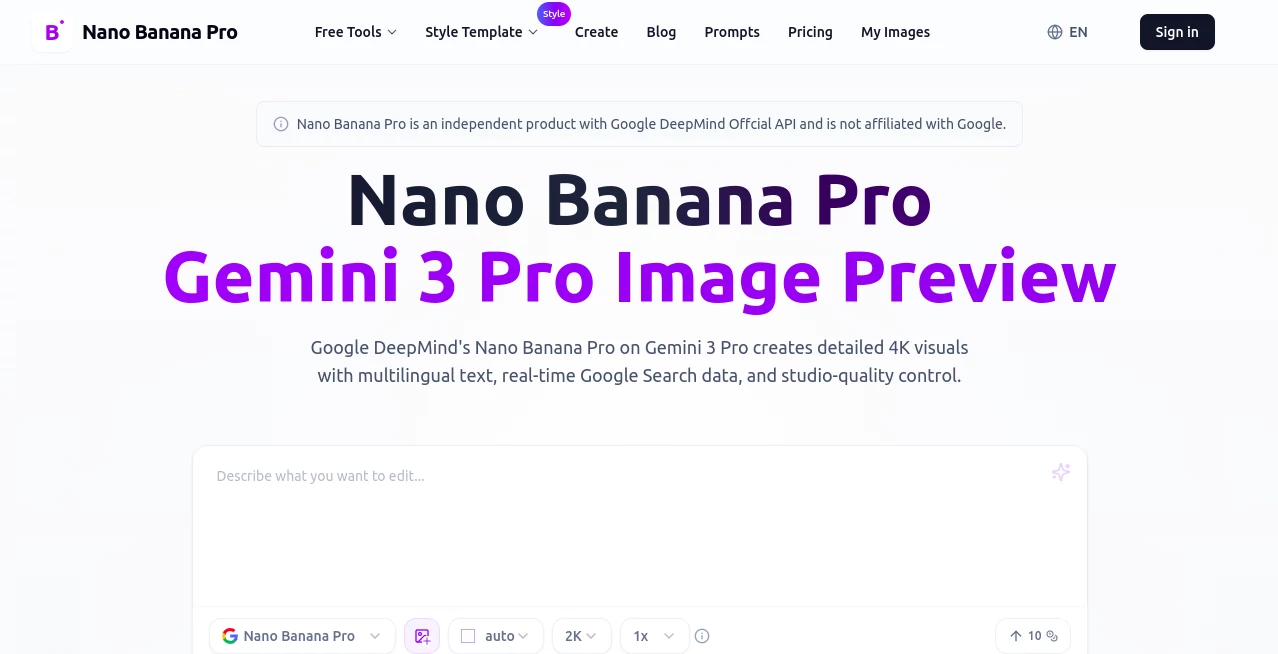
What is Nano Banana Pro?
Nano Banana Pro steps up as a powerhouse for turning everyday ideas into stunning visuals, drawing on cutting-edge tech to craft images that feel both precise and alive. This platform lets creators describe scenes or tweak existing shots, pulling in real-world details to make every output pop with clarity and depth. Those who've dived in often come back raving about how it cuts through the noise, delivering results that save time while hitting that sweet spot of professional polish without the usual headaches.
Introduction
Nano Banana Pro arrived on the scene as a fresh alternative for folks frustrated with image tools that fumbled the fine points, like muddy text or mismatched elements. Crafted around a robust model from Google DeepMind, it quickly drew a crowd of designers and marketers who needed something reliable for quick campaigns or concept mocks. Over the past months, it's built a quiet following through shares of jaw-dropping before-and-afters, where a rough sketch blooms into a full poster overnight. What stands out is how it weaves in live info and smart reasoning, turning vague hunches into grounded gems that feel tailor-made, proving that a well-tuned system can spark creativity without stealing the show.
Key Features
User Interface
The dashboard hits you with a welcoming prompt area that's easy to fill, whether you're typing a scene or dragging in photos for a mix. Sliders for things like light tweaks or angle shifts sit right there, updating previews on the fly so you see changes without a reload. It's the kind of setup that feels intuitive after a single session, like sketching on a digital pad that anticipates your next stroke, keeping distractions low and the flow high even when juggling multiple drafts.
Accuracy & Performance
When you throw in a detailed description packed with specifics, it holds the line beautifully, rendering elements in their right places with edges that stay crisp no matter the scale. Outputs land fast—drafts in seconds, full high-res in moments—making it a breeze for tight deadlines without skimping on quality. Users point to how it nails those tricky balances, like keeping faces consistent across shots, turning what could be a redo fest into a one-and-done win.
Capabilities
From blending a handful of reference pics into a seamless scene to layering in fresh data for charts that tell a story, it covers a wide ground with finesse. Adjust the mood from sunny to shadowy or mask off spots for targeted changes, all while handling text in various tongues that reads sharp and true. The real magic shows in pulling live facts for visuals, like weather maps or stat breakdowns, opening doors for everything from ad flyers to lesson aids without extra legwork.
Security & Privacy
Your uploads and ideas get processed in a secure loop, with automatic cleanups after each run to keep things tidy and private. It gives you full say on what sticks around or gets shared, steering clear of any sneaky data grabs. That straightforward approach builds confidence, especially for teams handling sensitive mocks, letting you focus on the craft without the nagging doubt about where your work might end up.
Use Cases
Marketers whip up localized banners that swap languages but keep the vibe intact, testing variants for different markets in a single afternoon. Teachers turn dry notes into eye-catching explainers, pulling in current events to make concepts click for the class. Designers fuse rough product sketches with lifestyle shots, creating renders that wow clients before the prototype even arrives. Even small shops craft seasonal displays from stock images, blending elements to match their brand without calling in a photog.
Pros and Cons
Pros:
- Blends speed with sharpness, churning out pro-level work in record time.
- Keeps characters and details locked in across multiple versions.
- Pulls in real-time bits for visuals that feel fresh and factual.
- Handles text across tongues without the usual legibility woes.
Cons:
- Complex mixes can occasionally throw small visual hiccups.
- Fact-check needed for data pulls to avoid rare slips.
- Free credits run dry quick for heavy daily use.
Pricing Plans
Newcomers get a batch of free credits to kick things off, perfect for sampling the waters without a splash. From there, subscriptions step in for steady access, with options that scale from casual to campaign-level volumes, and a yearly deal that halves the hit during special windows. Refunds roll smooth for any duds, keeping the trust high and the wallet watch low.
How to Use Nano Banana Pro
Start by jotting your vision in the prompt spot or uploading pics to blend, then dial in details like the light play or view angle. Give it a nudge to generate, scan the quick preview for tweaks, and lock in the full version once it sings. Download in your needed size, loop back for edits if the mood shifts, and watch your idea stack into a series that builds on itself.
Comparison with Similar Tools
Where some platforms lean heavy on raw speed but skim on smarts, Nano Banana Pro layers in that reasoning edge for outputs that think ahead, though those quicker ones might suit super-simple asks better. Against full-suite editors that demand more clicks, it streamlines the path for prompt-driven pros, trading some manual might for effortless flow. It finds its stride for creators who want grounded, glitch-free results without the extra baggage.
Conclusion
Nano Banana Pro quietly elevates the art of visual storytelling, handing creators a tool that understands intent as much as it executes it. It turns the grind of guesswork into a glide of precision, fostering outputs that resonate with real-world roots and refined touches. As more ideas demand that high-def spark, this platform stands ready to ignite them, one thoughtful frame at a time.
Frequently Asked Questions (FAQ)
What makes the text handling stand out?
It keeps fonts and layouts consistent across languages, making everything read clear and on-brand.
How quick is a full high-res output?
Drafts hit in seconds, with upscale to sharp detail following right after.
Can I blend my own photos?
Yes, up to a dozen or so, keeping key subjects aligned without the fuss.
Does it pull from current events?
It taps into fresh search data for visuals that stay timely and true.
What if a job doesn't land right?
Credits bounce back automatically, so you can retry without the sting.
AI Text to Image , Photo & Image Editor , AI Art Generator , AI Design Generator .
These classifications represent its core capabilities and areas of application. For related tools, explore the linked categories above.
Nano Banana Pro details
This tool is no longer available on submitaitools.org; find alternatives on Alternative to Nano Banana Pro.
Pricing
- Free
Apps
- Web Tools
Categories

Nano Banana Pro Alternatives Product

Mage
Consistent C…

AI Polaroid …

ImgEnhancer

Seedream 5.0
Nano Banana …

X Grok Imagi…

SeeDream 4.5

Flux2 Klein