
🧠 AI Quiz
Think you really understand Artificial Intelligence?
Test yourself and see how well you know the world of AI.
Answer AI-related questions, compete with other users, and prove that
you’re among the best when it comes to AI knowledge.
Reach the top of our leaderboard.

















Nano Banana 2 Pro
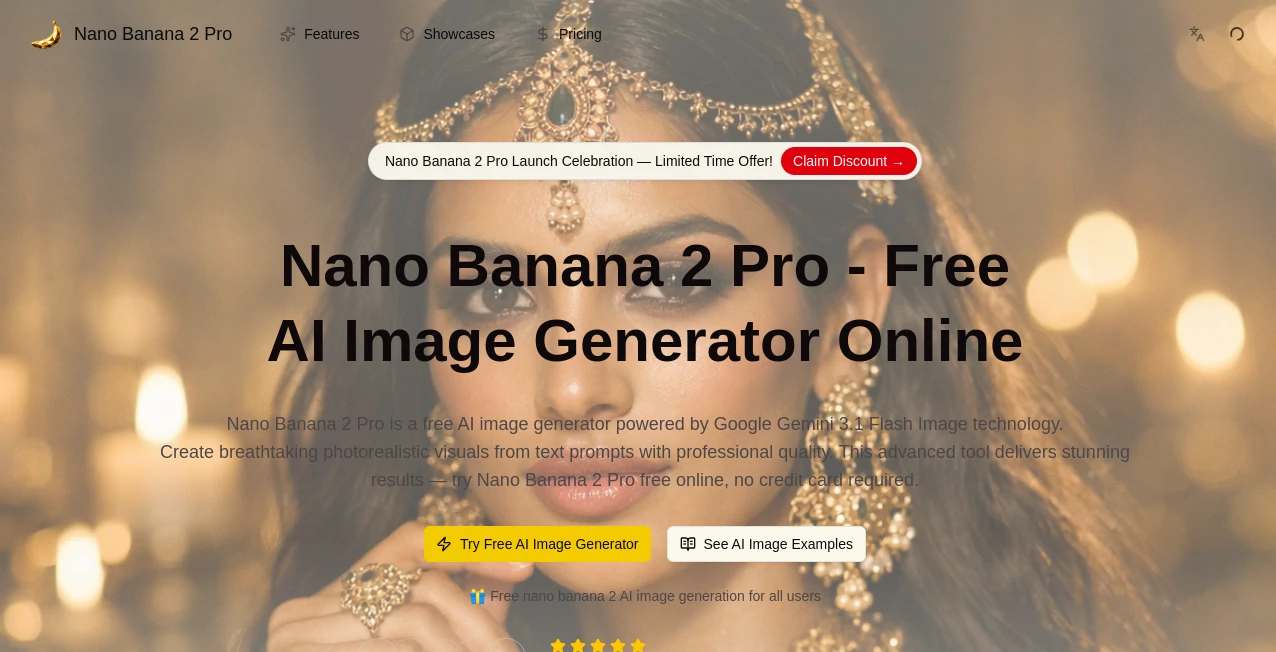
What is Nano Banana 2 Pro?
There's something satisfying about typing a quick description and watching a detailed, polished image appear that actually matches what you had in mind. This tool delivers that experience reliably. Whether you're visualizing a product concept, creating social media visuals, or turning a rough idea into something shareable, it consistently produces clean, high-resolution results with good prompt understanding and natural-looking details. I've seen creators use it to mock up packaging designs or generate variations of characters in minutes instead of hours, and the output often needs very little tweaking. It's the kind of practical creative boost that feels like having an extra pair of skilled hands without the overhead.
Introduction
AI image generation has come a long way, but many tools still struggle with text in images, consistent characters, or delivering production-ready quality without heavy post-work. Nano Banana 2 Pro stands out by focusing on usable, high-fidelity results with strong reasoning behind the scenes. It handles complex prompts well, maintains style and subject consistency across variations, and renders text more accurately than many competitors. For freelancers, small teams, or anyone who needs visuals fast without sacrificing quality, it removes a lot of the usual frustration. The speed is noticeable too—ideas move from thought to image quickly enough that you stay in flow rather than waiting around.
Key Features
User Interface
The interface keeps things straightforward and focused. A clean prompt area, options for style or aspect ratio, and an upload button for image editing or reference. Previews load reasonably fast, and you can generate multiple variations side by side to compare. It doesn't overwhelm with too many sliders or hidden menus; instead, it puts the essentials front and center so you can experiment without getting lost. Even on mobile it remains usable, which is handy when inspiration strikes away from your desk.
Accuracy & Performance
It excels at following detailed prompts while keeping outputs coherent and natural. Text rendering is noticeably improved, character consistency holds across different angles or scenes, and details like lighting and composition feel thoughtful rather than random. Generation speed is solid—fast enough for iterative work without long waits. In practice, it reduces the number of "almost but not quite" attempts, so you spend less time regenerating and more time refining or using the results.
Capabilities
Strong text-to-image generation, image editing and enhancement through natural language, character consistency for multiple variations, support for different artistic styles, and good handling of complex scenes with multiple elements. It produces high-resolution outputs suitable for social media, presentations, mockups, or further editing. The combination of creative freedom and practical reliability makes it useful for both quick concepts and more polished deliverables.
Security & Privacy
Your prompts and uploaded images are processed securely, with no unnecessary long-term storage or sharing. The platform respects user data, which is especially important when working with client concepts or personal projects. You can create without worrying about your ideas being used elsewhere or exposed.
Use Cases
A product designer generates multiple packaging mockups from a single description, quickly comparing variations before presenting to the team. A social media manager creates eye-catching visuals for posts in minutes instead of commissioning custom illustrations. An indie game developer prototypes character concepts and environment ideas to test visual direction early. A teacher turns lesson notes into engaging diagrams and illustrations that keep students interested. Wherever visuals need to communicate clearly and look good fast, it fits naturally into the workflow.
Pros and Cons
Pros:
- High-quality outputs with good prompt adherence and natural details.
- Improved text rendering compared to many other generators.
- Fast enough for real creative iteration rather than long waits.
- Versatile for both creative exploration and practical deliverables.
- Accessible interface that doesn't intimidate new users.
Cons:
- Complex or highly specific artistic styles may still need prompt refinement.
- Free or limited tiers may restrict heavy daily use.
- Some advanced control features require paid access for full flexibility.
Pricing Plans
It offers a free tier with daily generations so you can test the quality and see if it fits your needs. Paid plans unlock higher limits, faster processing, priority features, and more advanced options for heavier users. The structure is straightforward—start free, upgrade when your workflow demands more volume or speed. Many users find the paid tiers pay for themselves quickly through time saved on manual creation or outsourcing.
How to Use Nano Banana 2 Pro
Start by typing a clear description of what you want to create. Add any reference images if you need style or character consistency. Adjust any available settings for aspect ratio or intensity, then generate. Review the results—generate a few variations if needed—and download the ones you like best. For editing, upload an existing image and describe the changes in natural language. The process stays simple from first prompt to final download, letting you focus on ideas rather than technical hurdles.
Comparison with Similar Tools
Many image generators produce impressive single shots but struggle with consistency or text. This one balances quality, speed, and usability in a way that feels more production-oriented. Where some tools require heavy prompt engineering or post-editing, the results here often need less cleanup. It sits comfortably between creative exploration tools and more technical professional suites—powerful enough for real work, approachable enough for everyday use.
Conclusion
Good visuals shouldn't require a steep learning curve or endless waiting. This tool makes creating and refining images feel approachable and efficient, giving you results you can actually use without frustration. Whether you're building a brand, prototyping ideas, or just having fun with visuals, it delivers quality that respects your time and vision. For anyone who needs images that look good and work well, it's a welcome addition to the toolbox—practical, capable, and surprisingly satisfying to use.
Frequently Asked Questions (FAQ)
How detailed should my prompt be?
Clear and descriptive works best. Adding style references or specific details helps, but you don't need to write a novel.
Can I edit existing images?
Yes—upload a photo and describe the changes you want in natural language.
Are the images high resolution?
Yes, outputs are suitable for most professional and social uses, with good detail retention.
Is there a limit on free generations?
Free tier provides daily credits; paid plans remove limits for heavier use.
Do I need an account to start?
Basic generation is often available without login, though signing up unlocks saving and more features.
AI Photo & Image Generator , AI Art Generator , AI Design Generator , AI Text to Image .
These classifications represent its core capabilities and areas of application. For related tools, explore the linked categories above.
Nano Banana 2 Pro details
Pricing
- Free
Apps
- Web Tools
Categories

Nano Banana 2 Pro Alternatives Product

SlideStorm AI

Nano Banana …
Nano Banana …
Gemini AI vi…

gempix2
BeYourCover

Reztune

Nano Banana …
Nano AI
