
🧠 AI Quiz
Think you really understand Artificial Intelligence?
Test yourself and see how well you know the world of AI.
Answer AI-related questions, compete with other users, and prove that
you’re among the best when it comes to AI knowledge.
Reach the top of our leaderboard.


















Nano Banana 2
Seamless Visual Creation Studio

What is Nano Banana 2?
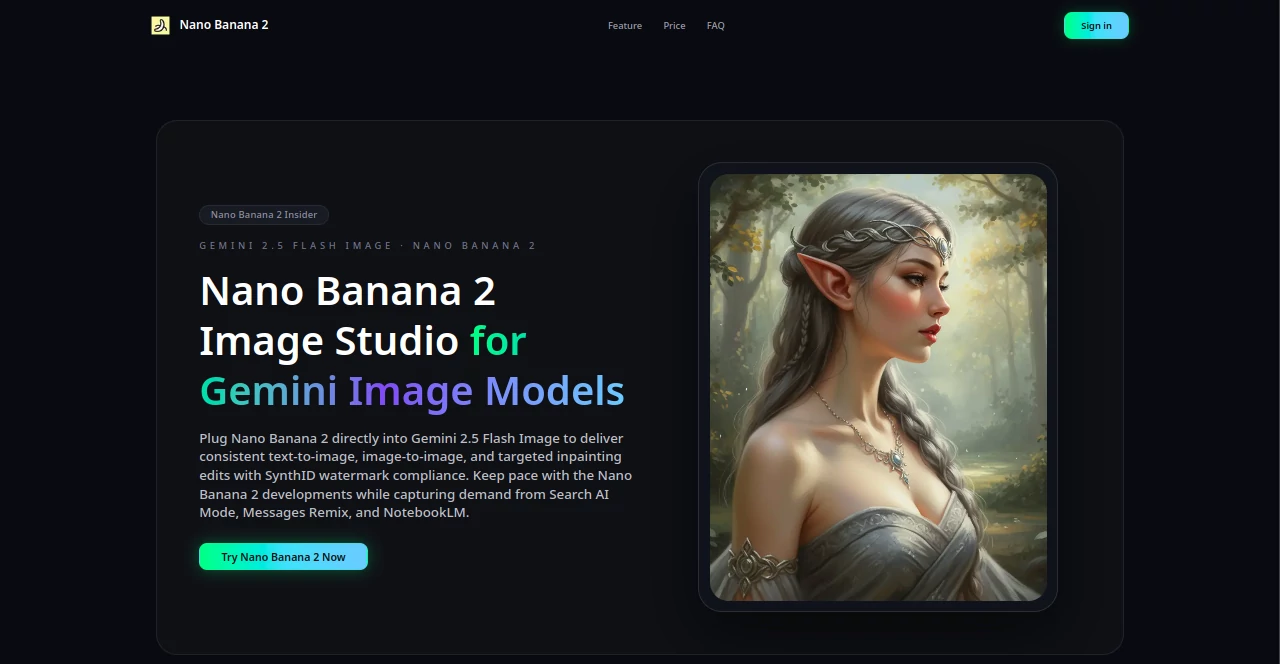
Nano Banana 2 serves as a dynamic hub for crafting striking visuals from simple descriptions or existing snapshots, blending fresh ideas with precise tweaks to fit any project. This platform empowers creators to produce polished images that capture the essence of their vision, whether for quick campaigns or detailed merchandising. Users from small shops to large teams have found it transforms scattered concepts into cohesive assets that drive real engagement and sales.
Introduction
Nano Banana 2 emerged a short while ago, born from the need to streamline the often cumbersome process of generating and refining visual content for modern marketing demands. What began as an internal tool for a handful of innovators quickly expanded, drawing in professionals who craved faster ways to align images with brand stories. Today, it's celebrated for bridging the gap between raw inspiration and production-ready files, with stories from growth leads and creative directors highlighting how it slashed turnaround times from days to minutes. Its evolution mirrors the shifting landscape of content needs, incorporating fresh integrations that keep outputs relevant and compliant, making it a reliable partner for those pushing creative boundaries.
Key Features
User Interface
The dashboard opens with a straightforward upload area for images or text inputs, complete with a generous prompt field that accommodates detailed descriptions up to several thousand characters. Mode selectors for starting from scratch or building on references sit prominently, while generated previews appear in a clean gallery format, each with easy zoom and adjustment tools. Aspect ratio choices and progress indicators keep things intuitive, allowing even those new to the process to navigate without frustration, much like sketching ideas on a shared digital canvas.
Accuracy & Performance
Outputs consistently reflect the nuances of user inputs, capturing styles from neon-lit scenes to minimalist setups with remarkable fidelity, often matching the intent on the first try. Processing wraps up in under ten seconds per image, scaling effortlessly for batches without dips in quality, ensuring workflows stay fluid even under tight deadlines. Feedback from users underscores its reliability in delivering variations that enhance rather than deviate, turning potential revisions into minor refinements.
Capabilities
It excels at creating everything from promotional posters to product mockups, supporting seamless shifts between describing new concepts, restyling uploads, and selectively editing portions with guided masks. Batch handling allows for producing dozens of assets overnight, while built-in templates and glossaries ensure consistency across campaigns. Analytics track usage and performance, providing insights that inform future projects, from credit management to spotting trends in asset effectiveness.
Security & Privacy
Every generation includes embedded markers for traceability, logged securely alongside access records to maintain oversight without compromising speed. Role-based permissions let teams control who sees what, with audit trails offering clear visibility into changes and approvals. Temporary files clear automatically post-use, and verification steps ensure outputs meet internal standards before going live, giving users confidence in handling sensitive brand materials.
Use Cases
Marketing teams harness it for rapid campaign visuals, like turning a single description into a series of posters that boosted conversions by notable margins for e-commerce brands. Merchandisers refresh product lines by batch-generating consistent shots, saving hours that once went into photoshoots. Content creators in education or tech use it to illustrate complex ideas, enriching articles with diagrams that increased reader interest significantly. Even agencies rely on it for client pitches, producing tailored mood boards that streamline approvals and spark collaborations.
Pros and Cons
Pros:
- Lightning-fast renders keep projects moving without bottlenecks.
- Built-in consistency tools ensure brand alignment across outputs.
- Scalable for solos or squads, with analytics to guide decisions.
- Flexible edits from broad concepts to fine details in one flow.
Cons:
- Credit system may limit heavy experimentation on entry plans.
- Best results come from clear prompts, rewarding practice over plug-and-play.
- Batch features shine for volume but might overwhelm light users.
Pricing Plans
The entry Basic plan runs about eighty-four dollars yearly, offering two hundred monthly credits for up to a hundred images, plus add-ons at a few bucks per batch, all with high-res exports and support. Pro steps up to around one forty-four annually for double the credits and slight savings on extras, suiting expanding workflows. Premium at roughly two fifty-two per year unlocks a thousand credits, team sharing, and deeper planning tools, with credits rolling over indefinitely and easy cancellations across the board.
How to Use Nano Banana 2
Begin by selecting your approach—describe a fresh idea or upload a base image to evolve. Craft your description with specifics on subjects, moods, and references, then apply any targeted adjustments if needed. Submit and watch the quick generation, reviewing the array of options before picking favorites for download, complete with details for tracking. Integrate into routines by saving templates for recurring needs, and monitor usage reports to optimize future sessions.
Comparison with Similar Tools
Unlike broader editing suites that demand manual layering, Nano Banana 2 prioritizes prompt-driven speed for concept-to-final leaps, though those might offer more granular controls for pixel-level work. Against free sketch tools, it delivers production polish with compliance baked in, but could feel overkill for casual doodles. It stands out for teams needing scalable, traceable outputs over solo tinkering, blending ease with enterprise readiness where others tip toward one end or the other.
Conclusion
Nano Banana 2 reimagines the path from fleeting ideas to captivating visuals, offering a blend of speed, smarts, and safeguards that elevates everyday creation. It empowers users to meet rising demands without the usual trade-offs, turning potential hurdles into highlights that fuel growth and innovation. As visual storytelling keeps evolving, this studio remains a steadfast ally, ready to illuminate the next big spark.
Frequently Asked Questions (FAQ)
How many images can I make per credit?
Each credit covers one full generation, with options to buy more as needed.
Do outputs include any visible marks?
No, files come clean for use, with behind-the-scenes tracking for records.
Can I share access with my team?
Higher plans allow pooled credits and controlled invites for collaborative flows.
What if I run out mid-project?
Top up instantly with flexible packs, or roll over unused from prior months.
Is it suitable for commercial projects?
Yes, all plans grant full rights for business applications, from ads to products.
AI Photo & Image Generator , Photo & Image Editor , AI Photo Enhancer , AI Image to Image .
These classifications represent its core capabilities and areas of application. For related tools, explore the linked categories above.
Nano Banana 2 details
This tool is no longer available on submitaitools.org; find alternatives on Alternative to Nano Banana 2.
Pricing
- Free
Apps
- Web Tools
Categories

Nano Banana 2 Alternatives Product

SAM 3D

4o Image Gen

Image to Ima…

Mage

Use Nano Ban…

ImageKontext…

Nano Banana …

free ai face…

Image to URL…
