🧠 AI Quiz
Think you really understand Artificial Intelligence?
Test yourself and see how well you know the world of AI.
Answer AI-related questions, compete with other users, and prove that
you’re among the best when it comes to AI knowledge.
Reach the top of our leaderboard.

















Nano Banana

What is Nano Banana?
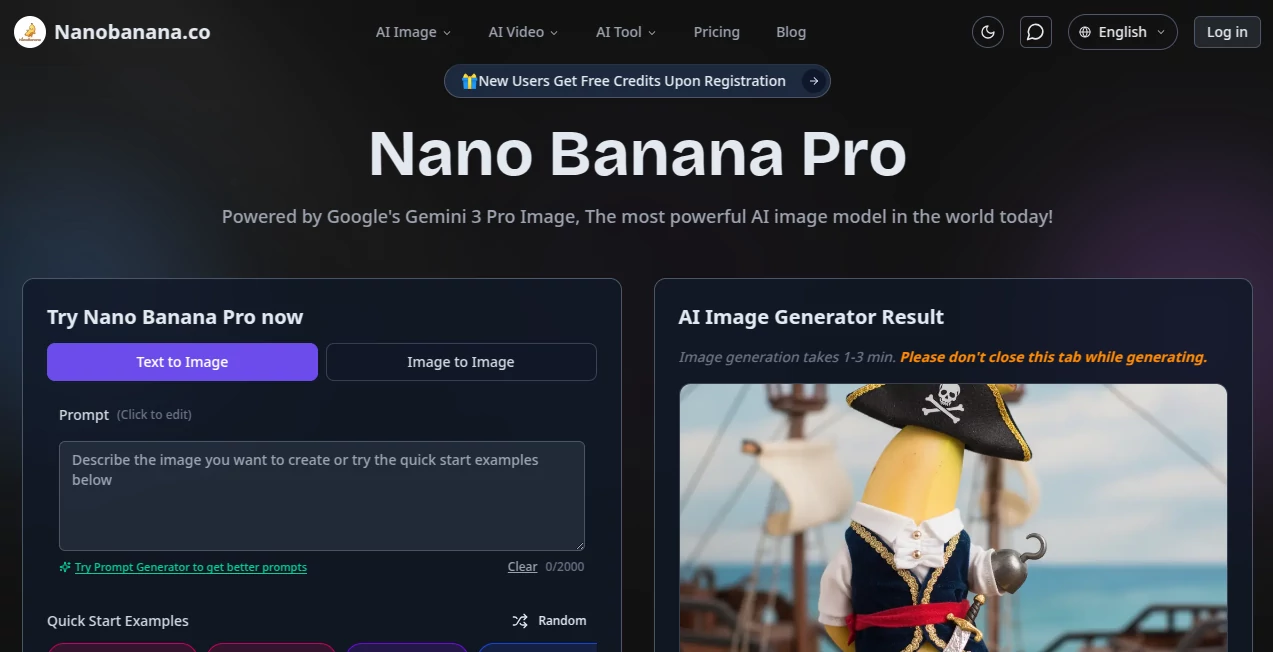
There's a certain thrill in uploading a snapshot and describing a wild change—like swapping a drab sky for a glowing sunset or slipping in a custom sign—and seeing it happen flawlessly, with every detail blending just right. This platform captures that thrill perfectly, powered by cutting-edge tech that understands your words deeply and delivers edits that feel like a skilled artist took the reins. I've spent evenings playing with it, turning ordinary family photos into whimsical scenes, and the way it handles text or multiple elements without a hitch never fails to impress.
Introduction
What sets this apart is its roots in one of the sharpest multimodal models out there, letting you chat your way through edits that preserve the original vibe while adding layers of creativity. It's not about basic swaps; it's thoughtful planning behind the scenes that ensures compositions make sense, characters stay true across tweaks, and text reads crisp in any language. A friend used it to mock up campaign visuals for a client, blending several references into one cohesive shot, and the feedback was all about how professional it looked—no one guessed it took under a minute. For anyone juggling design needs without the time for layers and masks, it's a straightforward ally that elevates ideas quickly and reliably.
Key Features
User Interface
It keeps things delightfully simple: drop your image or paste a link, type out your vision in everyday words, and watch options appear with room to refine through follow-ups. The conversational flow makes iterating feel natural, like bouncing ideas off a collaborator who gets it right away. No overwhelming panels—just focused space for your prompt and quick downloads when you're happy.
Accuracy & Performance
Edits land with impressive fidelity, holding onto lighting, depth, and structure while nailing specifics like legible text or fused elements from several sources. Turnarounds are swift, often seconds for simpler tweaks, scaling up smoothly for intricate blends without losing steam. In blind tests folks mention, it frequently comes out on top for realism and adherence to the brief, making those "just one more try" moments rare.
Capabilities
Handle up to ten references for fusion, maintain distinct characters through poses or styles, render sharp text across languages, and plan layouts with reasoning that avoids common pitfalls. From virtual try-ons to restorations or surreal merges, it tackles commercial-grade tasks like posters, UI mocks, or story sequences, all with high-res outputs that stand up to scrutiny.
Security & Privacy
Built-in safeguards like content filters and invisible markers ensure responsible use, while keeping your sessions contained and compliant with standards. It's comforting for professional work, knowing the focus stays on creation without unnecessary risks.
Use Cases
Marketers blend product shots into lifestyle scenes for ads that convert better. Designers prototype logos with perfect typography or multilingual variants on the fly. Photographers restore old family treasures, removing wear while enhancing colors naturally. Content creators build consistent influencers for campaigns or turn concepts into thumbnails that grab attention instantly.
Pros and Cons
Pros:
- Excels at crisp text and multilingual rendering where others stumble.
- Seamless multi-image blends that save hours of manual work.
- Thoughtful composition planning for results that just feel right.
- High-res natives perfect for print or detailed screens.
Cons:
- Shines most with clear starting images—messy ones might need prep.
- Complex fusions can take a touch longer, though still quick overall.
Pricing Plans
It offers flexible access that grows with you, starting free for initial explorations and scaling to plans that unlock unlimited runs, priority speed, and advanced options for heavier users. The structure feels fair, letting you dip in casually or commit for consistent workflows without surprises.
How to Use Nano Banana Pro
Upload your base image or link, describe the desired shift in plain terms—like "add a vintage frame and warm lighting"—and generate. Review the output, then chat further for adjustments, building on what works until it clicks. Download the final in high quality, ready for your project.
Comparison with Similar Tools
Against alternatives that struggle with text or consistency, this one pulls ahead with smarter reasoning and fusion that keeps scenes intact. It's tailored for precision in professional scenarios, often preferred for tasks needing reliable typography or multi-element harmony over sheer volume of basic tries.
Conclusion
This platform reimagines image work as a conversation rather than a chore, delivering outcomes that blend creativity with control in ways that stick with you. It's empowering for anyone with visuals in mind, turning "what if" into "here it is" with grace. Worth exploring if you're ready to see your photos evolve in exciting directions.
Frequently Asked Questions (FAQ)
How many images can I blend?
Up to ten for intricate compositions that hold together beautifully.
Does it handle text well?
Exceptionally—clean and accurate across languages for signs, logos, or overlays.
Output resolution?
Native 2K or 4K, sharp enough for professional demands.
Any safety features?
Content checks and markers built in for responsible creation.
Iterative edits supported?
Yes, refine through ongoing prompts for layered improvements.
Photo & Image Editor , AI Art Generator , AI Design Generator , AI Image to Image .
These classifications represent its core capabilities and areas of application. For related tools, explore the linked categories above.
Nano Banana details
This tool is no longer available on submitaitools.org; find alternatives on Alternative to Nano Banana.
Pricing
- Free
Apps
- Web Tools
Categories

Nano Banana Alternatives Product

Z Image

Use Nano Ban…

AnividAI

City Boy Meme

AI Raphael

X Grok Imagi…

Flux.2 AI
NanoBananaPro
gpt image