
🧠 AI Quiz
Think you really understand Artificial Intelligence?
Test yourself and see how well you know the world of AI.
Answer AI-related questions, compete with other users, and prove that
you’re among the best when it comes to AI knowledge.
Reach the top of our leaderboard.

















Nano Banana 2 Pro
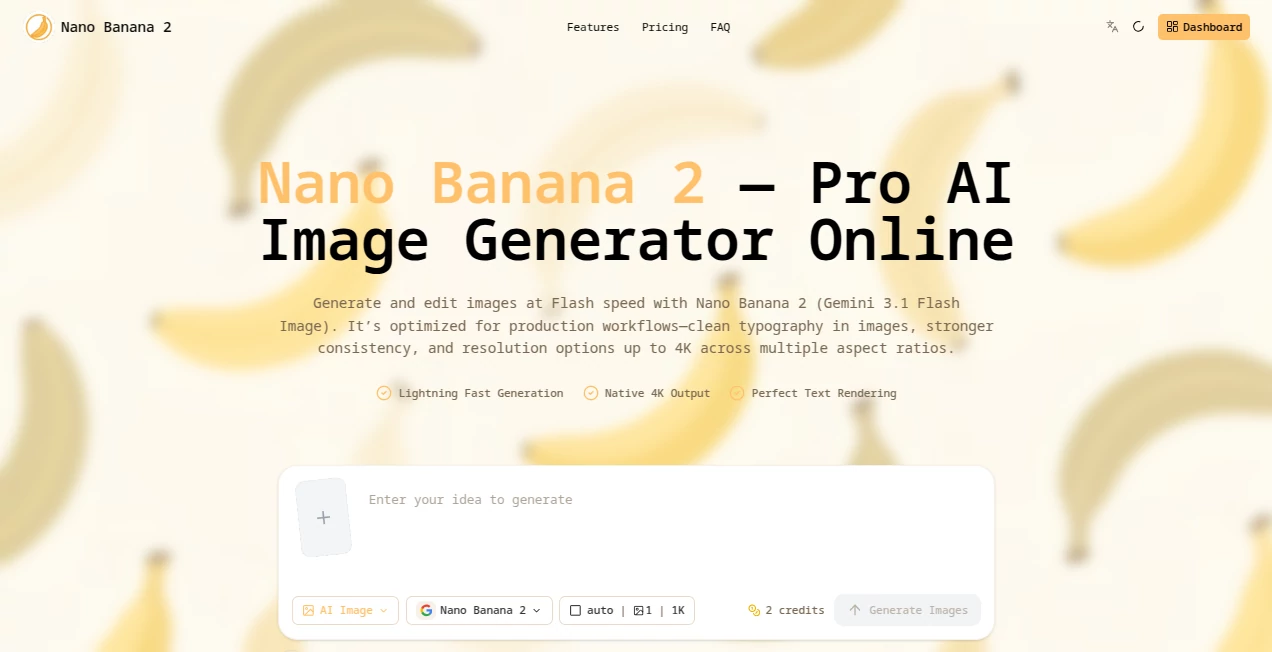
What is Nano Banana 2 Pro?
There’s something satisfying about typing a description and watching an image appear that actually matches what you had in mind—sharp details, good composition, and colors that feel right. NanoBanana Pro delivers that experience consistently. It’s fast, reliable, and produces results that look polished enough for real projects, whether you’re creating social media visuals, concept art, or product mockups. Many users say it’s the first AI image tool that feels like a helpful collaborator rather than a lottery.
Introduction
Most AI image generators either overwhelm you with too many options or disappoint with inconsistent quality. NanoBanana Pro strikes a nice balance. It focuses on delivering clean, high-resolution images quickly while keeping the interface straightforward. People who create content daily appreciate how it handles complex prompts without turning them into a mess, and beginners like that they can get good results on their very first try. It’s become a go-to for those who want quality without spending hours tweaking settings or fixing weird artifacts.
Key Features
User Interface
The design is refreshingly simple. You type your prompt in a clean box, choose resolution and style if you want, and hit generate. Previews load quickly, and you can generate multiple variations side-by-side to pick the best one. No cluttered menus or hidden settings—just a calm workspace that lets you focus on your idea instead of fighting the tool.
Accuracy & Performance
It does a strong job of understanding what you actually mean. Details like hands, faces, and complex scenes come out more reliably than many other tools. Generation speed is impressive—most images appear in under 10 seconds—and the quality holds up even at higher resolutions. The results feel thoughtful rather than random, which makes iteration much more enjoyable.
Capabilities
You can create everything from realistic portraits and landscapes to stylized illustrations and product visuals. It supports detailed prompts, artistic styles, aspect ratio control, and high-resolution outputs. Whether you need quick social media graphics or more refined concept pieces, it adapts well. The balance between creativity and control makes it useful for both casual experiments and serious work.
Security & Privacy
Your prompts and generated images are handled responsibly. The platform doesn’t store everything forever or use your creations for training without permission. For creators who work with client ideas or personal projects, that respectful approach to privacy is genuinely appreciated.
Use Cases
A small business owner generates consistent product visuals for their online store in minutes instead of hiring a photographer every time. A concept artist quickly explores different character designs and environments before committing to final artwork. Content creators make eye-catching thumbnails and social posts that stand out without spending hours in Photoshop. Students and hobbyists turn their written ideas into visuals for presentations or personal projects. It’s versatile enough for both professional and personal use.
Pros and Cons
Pros:
- Fast generation with consistently good quality
- Clean, easy-to-use interface that doesn’t overwhelm
- Reliable handling of detailed and complex prompts
- Good balance between creative freedom and control
- Respectful approach to user privacy
Cons:
- Free tier has generation limits (paid plans remove them)
- Extremely niche or highly abstract prompts can still be challenging
Pricing Plans
It offers a generous free tier so you can test the quality without any pressure. Paid plans provide more generations, higher resolution options, faster processing, and priority access during busy times. The pricing is reasonable for the time and quality it saves—many users find the paid version pays for itself after just a few projects.
How to Use NanoBanana Pro
Go to the main generator page, type a clear description of what you want to see, and optionally choose resolution or style. Click generate and wait a few seconds. Review the results, generate more variations if needed, and download your favorite. For best results, be specific in your prompt but let the tool handle the artistic interpretation. It’s simple enough for quick ideas and powerful enough for refined work.
Comparison with Similar Tools
Compared to many other generators, NanoBanana Pro stands out for its balance of speed, quality, and ease of use. It avoids the overly chaotic results some tools produce while still offering enough creative freedom. The interface is noticeably cleaner, and the output quality is more consistent, especially for everyday creative needs. It’s not trying to be the most feature-heavy tool—it’s trying to be the most reliable one, and it succeeds at that.
Conclusion
NanoBanana Pro makes AI image generation feel approachable and genuinely useful. It removes the usual frustration and delivers results you can actually use, whether for work or play. If you’re tired of fighting with inconsistent tools or spending too much time fixing outputs, this one offers a smoother, more enjoyable experience. For creators who just want their ideas to look good without the hassle, it’s a tool worth keeping close at hand.
Frequently Asked Questions (FAQ)
How fast are the generations?
Most images appear in under 10 seconds, sometimes even faster.
Do I need to sign up to use it?
You can start generating right away without an account. Signing up unlocks more features and history.
Is the free version usable?
Yes, the free tier is generous and lets you create high-quality images daily.
Can I use the images commercially?
Yes, images generated on paid plans can be used for commercial purposes.
What kind of prompts work best?
Clear, descriptive prompts with style references usually give the best results, but the tool handles a wide range surprisingly well.
AI Text to Image , AI Photo & Image Generator , AI Art Generator , AI Design Generator .
These classifications represent its core capabilities and areas of application. For related tools, explore the linked categories above.
Nano Banana 2 Pro details
Pricing
- Free
Apps
- Web Tools
Categories

Nano Banana 2 Pro Alternatives Product
Nano Banana …

Just Christm…

Nano Banana 2

Nano Banana …

Mage

AI Picture G…

ImageKontext…

Nano Image AI

Image Text E…
