🧠 AI Quiz
Think you really understand Artificial Intelligence?
Test yourself and see how well you know the world of AI.
Answer AI-related questions, compete with other users, and prove that
you’re among the best when it comes to AI knowledge.
Reach the top of our leaderboard.


















NanoBanana2Flash
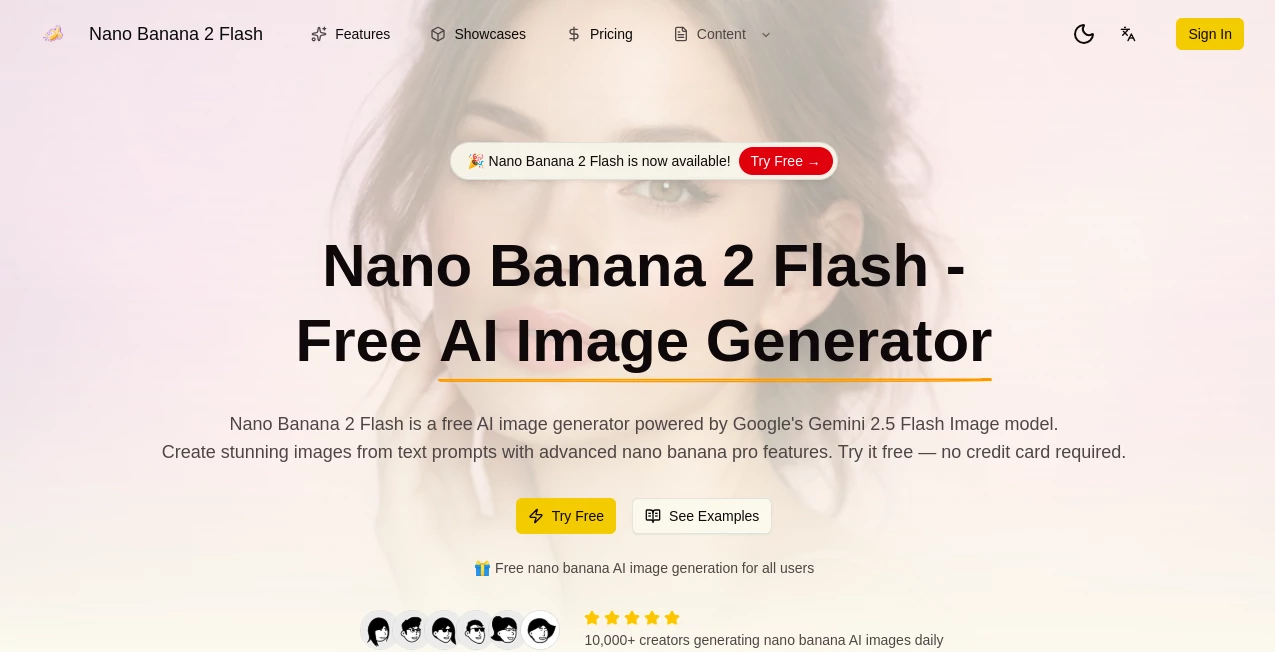
What is NanoBanana2Flash?
There's something quietly thrilling about typing a half-formed idea into a box and watching it bloom into a sharp, detailed image seconds later—no waiting around, no paywall nagging you mid-flow. This little gem runs on Google's Gemini 2.5 Flash Image engine and somehow delivers the kind of clarity and mood that used to take careful tweaking in heavier tools. I threw in a quick prompt about a cozy fantasy kitchen at dusk and got back something that felt like it belonged in a storybook, complete with warm lighting and believable textures. It's the sort of thing that makes you want to keep experimenting just because it's fun and the results look surprisingly good right out of the gate.
Introduction
Most people don't have hours to spend refining prompts or dealing with slow queues when they just want a solid visual to go with a post, a presentation, or a random brainstorm. This platform solves that by keeping everything free to start, fast, and powered by one of Google's nimble new image models. You don't need an account for the first try, the quality punches above what you'd expect from a no-cost tool, and the outputs come out clean and usable. Creators who rely on visuals for social media, marketing mockups, or even personal projects have been quietly switching over because it removes so many of the usual friction points. It's not trying to be everything to everyone; it focuses on getting you from idea to image quickly and reliably, and that simplicity is exactly why it feels refreshing.
Key Features
User Interface
The screen greets you with a big open prompt box and just enough controls to feel helpful without overwhelming. Type your description, pick a style if you want (realistic, anime, artistic, fantasy), tweak aspect ratio or resolution, and hit generate—the whole flow happens in one place. Previews load fast enough that you can adjust and retry without losing your train of thought. It's the kind of layout that lets the idea stay front and center instead of making you hunt through menus.
Accuracy & Performance
Prompts come back sharp and coherent more often than not, even when you describe something layered or atmospheric. The Gemini 2.5 Flash backbone keeps generations snappy—usually under ten seconds—and the detail holds up at higher resolutions without turning muddy. I've seen it nail tricky things like specific lighting moods or multi-subject compositions where older free tools usually fumble. It's reliable enough that the first or second try often works, which saves a lot of back-and-forth.
Capabilities
It handles straight text-to-image, image-to-image for tweaking uploads, and style transfer so you can apply artistic filters or moods to existing pictures. You get HD outputs, multiple styles to choose from, and the ability to push toward professional-looking results without extra steps. Whether you're mocking up social posts, brainstorming book covers, or just playing with concepts, it gives you versatile, high-quality starting points that feel ready to use or easy to refine.
Security & Privacy
You can jump in anonymously for quick tests—no sign-up forced on you at the door. When you do create an account for more usage, your prompts and images aren't stored or shared beyond what's needed to generate the result. It's reassuring in a space where people sometimes hesitate to input personal or client ideas; here it feels low-risk and straightforward.
Use Cases
Content creators knock out eye-catching thumbnails or Instagram visuals in minutes instead of hunting stock photos. Small business owners mock up product shots in different settings without booking a photographer. Writers visualize book scenes or character concepts to help pin down the atmosphere before drafting. Even casual users have fun generating fantasy art or meme ideas on a whim. It's especially handy when you need something specific fast and polished enough to post or share right away.
Pros and Cons
Pros:
- Completely free entry point with no card required—jump in and start creating immediately.
- Surprisingly strong quality and speed for a no-cost tool, especially at HD resolutions.
- Multiple styles and image-to-image options add real flexibility without complexity.
- No forced sign-up for basic use keeps the experience light and welcoming.
Cons:
- Daily limits on free generations mean heavy users will eventually need to upgrade or wait.
- Occasional need to rephrase tricky prompts, though that's common across most generators.
Pricing Plans
Everything starts free—no subscription or card needed to generate your first images or play with styles. Daily quotas are generous enough for regular light use, and when you want more volume, higher resolutions, or commercial rights without restrictions, the Pro tier steps in at a reasonable monthly rate. It's structured so you can stay casual forever or scale up naturally as your projects grow, without feeling locked into anything upfront.
How to Use Nano Banana 2 Flash
Open the generator page and type your idea into the prompt box—describe the scene, mood, or style as clearly as you like. Choose from realistic, anime, artistic, or fantasy presets, set your preferred aspect ratio or resolution, and if you have a reference image, upload it for image-to-image mode. Hit generate; the preview appears quickly. Tweak the prompt or settings and try again if needed, then download in PNG or JPG when you're happy. It's that simple—idea to image in under a minute most times.
Comparison with Similar Tools
Plenty of free generators exist, but many sacrifice detail or speed to keep costs down, leaving you with muddy results or long waits. This one leverages a newer, nimble model that punches much higher in clarity and responsiveness without charging upfront. Where others force endless iterations or cap quality hard, the outputs here often feel ready-to-use sooner, especially for stylized or atmospheric work. It's a noticeable step up for anyone tired of trading quality for zero price.
Conclusion
Good visuals shouldn't feel like a luxury or a chore. This tool quietly proves that powerful image creation can be fast, free to start, and genuinely enjoyable. It hands you high-quality results without the usual friction, so you spend more time building on ideas and less time fighting the interface. If you've ever wanted to see your concepts come to life quickly and beautifully, this is one of those rare finds that actually delivers.
Frequently Asked Questions (FAQ)
Do I need to sign up to try it?
No—jump straight in for your first generation without any account.
What kind of images work best?
Detailed prompts with clear style, mood, and composition details tend to give the strongest results.
Can I use the images commercially?
Free outputs come with rights for personal use; Pro unlocks full commercial licensing.
How high can the resolution go?
HD options are available, with Pro opening even higher quality tiers.
Is there a daily limit?
Yes on the free tier, but it's set high enough for regular casual or testing use.
AI Text to Image , AI Photo & Image Generator , AI Image to Image , AI Design Generator .
These classifications represent its core capabilities and areas of application. For related tools, explore the linked categories above.
NanoBanana2Flash details
Pricing
- Free
Apps
- Web Tools
Categories

NanoBanana2Flash Alternatives Product

AI Clothes

Brat Generat…

AIImageEdit

Seedream 5.0

Nano Banana 2

flux 3
String Art

MixHub AI
whisk ai