🧠 AI Quiz
Think you really understand Artificial Intelligence?
Test yourself and see how well you know the world of AI.
Answer AI-related questions, compete with other users, and prove that
you’re among the best when it comes to AI knowledge.
Reach the top of our leaderboard.

















Nano Banana Flash
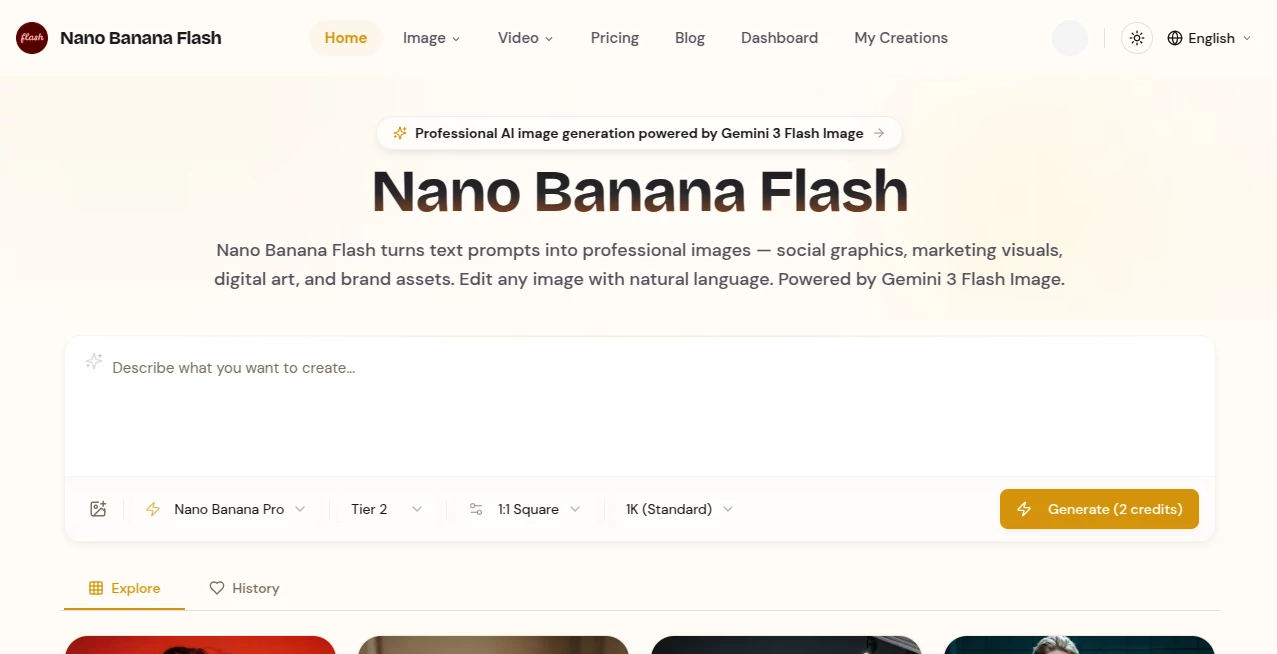
What is Nano Banana Flash?
Some tools make you wait. This one doesn't. You type a prompt, hit enter, and in roughly the time it takes to blink twice, a sharp, coherent image appears. No loading bars that last forever, no "queue position 47" nonsense—just results. I once challenged it with a ridiculous prompt at 2 a.m. ("cyberpunk fox wearing sunglasses riding a unicycle through rainy Tokyo neon") and had something frame-worthy in under four seconds. That kind of speed changes how you create: you stop overthinking and start iterating like crazy. It's addictive in the best way.
Introduction
Most people still think AI image generation means long waits and lottery results. This platform quietly proves otherwise. Built for speed without sacrificing quality, it turns vague ideas into detailed visuals almost instantly. The model is optimized to understand complex prompts quickly—multiple subjects, specific lighting, style references, mood—and deliver usable art on the first or second try more often than not. For creators who work fast (social media artists, concept sketchers, marketers, meme makers), that instant feedback loop feels like a superpower. You think, you type, you see. Repeat. Ideas live or die in seconds instead of minutes.
Key Features
User Interface
The screen is blissfully simple: wide prompt box, optional style/negative prompt fields, a handful of sliders (aspect ratio, quality level, seed control), and one prominent generate button. No dashboard overload, no account nagging for basic use. Previews pop up immediately after generation so you can up-res, vary, or remix with one click. It respects your time—everything is front and center, nothing buried in menus. You stay in the creative zone instead of hunting settings.
Accuracy & Performance
Prompt adherence is unusually strong for something this fast. Ask for "steampunk librarian reading by candlelight, dramatic chiaroscuro, ultra-detailed" and it doesn't just slap generic elements together—it gets the mood, lighting direction, and material feel right on the first pass more often than competitors twice as slow. Generations clock in at 2–6 seconds for standard resolutions, scaling smoothly to higher quality modes without ballooning wait times. Consistency across runs is solid; same seed + prompt = same result, which is gold for iterative workflows.
Capabilities
Text-to-image with excellent prompt understanding, image-to-image for guided variations, upscaling to 4K+, inpainting/outpainting for extending or fixing compositions, multiple aspect ratios (portrait, landscape, square, custom), negative prompts, style references, seed locking, batch generation, and real-time preview during longer renders. It handles complex scenes (multi-character, specific lighting, intricate backgrounds) without falling apart as quickly as many faster models do. Outputs are crisp, artifact-light, and ready for social, print, or further editing.
Security & Privacy
No mandatory sign-up for core use—generate anonymously if you want. Images are processed ephemerally; nothing is stored server-side after download unless you explicitly save to an account. No sneaky model training on user prompts. For creators working with client concepts, personal art, or brand-sensitive visuals, that clean, no-retention approach is a real comfort.
Use Cases
A social media manager needs three variations of a product ad visual at 10 p.m.—they get them before the coffee finishes brewing and post the winner the same night. An indie game dev sketches a quick character concept, generates reference poses in seconds, and iterates design direction in real time. A YouTuber creates custom thumbnails that match video tone without waiting for a designer. A hobby artist experiments with 20 wildly different styles during lunch and finds three keepers. Wherever speed + quality matters, it quietly becomes indispensable.
Pros and Cons
Pros:
- Generation speed that actually supports creative flow—no staring at loading bars.
- Strong prompt understanding and detail even on first tries.
- Multiple output options (upscale, vary, inpaint) without leaving the flow.
- Privacy-first approach—no forced accounts, no lingering data.
- Free tier generous enough for real experimentation and small projects.
Cons:
- Very long or extremely complex prompts can occasionally drop small details (trade-off for speed).
- Highest resolutions and unlimited generations live behind paid plans.
- No built-in video or 3D yet—purely focused on still images (for now).
Pricing Plans
Free daily credits give you plenty of room to play and see the quality—often enough for daily social posts or light concept work. Paid plans unlock higher daily limits, faster queue priority, 4K upscaling, batch processing, and commercial-use rights without attribution. Pricing stays reasonable; many creators find that even the entry paid tier pays for itself after one good project where speed was critical.
How to Use Normal Map Generator
Type your prompt (be descriptive but concise—lighting, mood, composition all help). Optionally upload a reference image for stronger style/character guidance. Choose aspect ratio and quality preset. Hit generate. Watch the preview appear in seconds. Love it? Download. Want variations? Click "Vary" or tweak prompt and go again. For fixes, use inpaint/outpaint tools. The loop is fast enough to run 10–20 ideas in the time most tools finish one.
Comparison with Similar Tools
Slower models often produce slightly higher detail on ultra-complex prompts, but you wait minutes instead of seconds. This one trades a tiny bit of edge-case perfection for speed that actually changes workflow. Where others feel like waiting rooms, this feels like a live sketch partner. For rapid iteration, social content, concept art, or tight-deadline work, the time savings and creative momentum make it the clear winner.
Conclusion
Speed in creative work isn’t just convenience—it’s freedom. Freedom to try wild ideas, fail fast, iterate often, and ship sooner. This tool hands you that freedom without asking you to sacrifice quality or coherence. When you can go from vague thought to polished visual in under ten seconds, something fundamental shifts: you stop waiting for inspiration and start chasing it. For anyone who makes things to be seen, that’s worth experiencing firsthand.
Frequently Asked Questions (FAQ)
How fast is it really?
Most generations finish in 2–8 seconds depending on complexity and server load.
Do I need an account to start?
No—generate anonymously right away; sign-up optional for saving favorites.
What resolutions can I get?
Up to 4K on paid plans; free tier offers solid 1K–2K usable outputs.
Can I use images commercially?
Yes—paid plans include full commercial rights; free use is personal/non-commercial.
Does it handle text in images well?
Quite decently for short readable text; longer or very stylized text can be hit-or-miss (like most models).
AI Photo & Image Generator , AI Design Generator , AI Image to Image , AI Text to Image .
These classifications represent its core capabilities and areas of application. For related tools, explore the linked categories above.
Nano Banana Flash details
Pricing
- Free
Apps
- Web Tools
Categories

Nano Banana Flash Alternatives Product

Nano Banana …

img2img.net

RGB to CMYK …

Banana Promp…

bananaai.app

Qwen Image

SlideStorm AI
DLSS 5 Meme …

ModelsLab