🧠 AI Quiz
Think you really understand Artificial Intelligence?
Test yourself and see how well you know the world of AI.
Answer AI-related questions, compete with other users, and prove that
you’re among the best when it comes to AI knowledge.
Reach the top of our leaderboard.

















Nano Banana GE
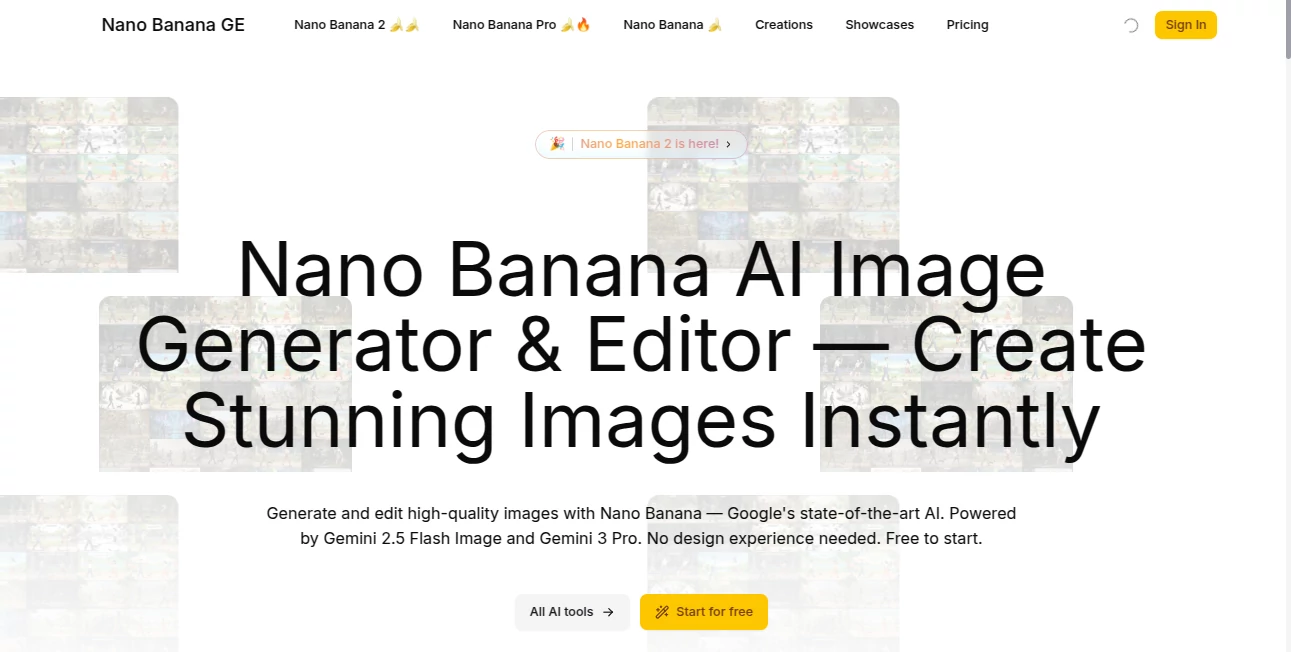
What is Nano Banana GE?
Some days you have a clear vision in your head—a product shot that needs to pop, a concept for a social post, or just a wild creative idea—but turning that into a polished image feels like too much work. This tool changes that. Powered by Google’s latest Gemini models, it lets you describe what you want in plain words and delivers high-quality visuals in seconds. I’ve watched friends turn vague ideas like “cozy cabin interior at golden hour with warm lighting” into beautiful, ready-to-use images that look professionally shot. It’s not just fast; the results feel thoughtful, with good composition and natural details that make you want to keep creating.
Introduction
AI image generation has come a long way, but many tools still require perfect prompts, endless tweaking, or produce results that look “AI-ish.” Nano Banana GE stands out by making the process feel natural and approachable. Whether you’re starting from text, uploading a photo to transform, or editing existing images, it handles the heavy lifting while keeping the output clean and versatile. It’s become a daily companion for marketers needing quick visuals, designers looking for inspiration, and everyday users who just want to bring an idea to life without learning complex software. The combination of speed, quality, and ease makes it one of those tools you wonder how you managed without.
Key Features
User Interface
The interface is clean and welcoming. A prominent prompt box sits front and center, with options for text-to-image, image-to-image transformations, and a dedicated photo studio for editing tasks. You can upload references easily, choose from artistic styles, and see instant previews or variations. Everything feels intuitive—no buried menus or confusing sliders. Even first-time users can generate something impressive in under a minute, while experienced creators appreciate the straightforward workflow that doesn’t slow them down.
Accuracy & Performance
It excels at understanding detailed prompts and delivering coherent results. Faces stay consistent, compositions make sense, and details like lighting and texture look natural rather than artificial. Generation is fast, often just seconds for standard images, and the output quality holds up well at higher resolutions. The smart prompt enhancement feature helps even casual descriptions produce better results, reducing the usual trial-and-error frustration many other tools create.
Capabilities
You can generate images from text descriptions, transform uploaded photos with new styles or compositions, and use the AI Photo Studio for practical edits like background removal, object addition or erasure, face swapping, and professional upscaling. It supports over 20 artistic styles, instant variations, and HD exports. Batch processing is available for larger needs, and the results come with full commercial rights, making it suitable for both personal fun and professional projects.
Security & Privacy
Your images and prompts are handled responsibly. The platform focuses on delivering value without unnecessary data retention or sharing. For users creating client work or personal projects, that respectful approach builds confidence—you can experiment freely knowing your creations stay under your control.
Use Cases
A small business owner generates eye-catching product visuals for social media without hiring a photographer. A content creator turns rough concepts into polished illustrations for blog posts or videos. A marketer quickly creates variations of ad creatives to test what performs best. Hobbyists bring fun ideas to life for personal projects or gifts. Teachers make custom visuals for lessons. Wherever you need high-quality images fast, it delivers without the usual hassle or cost.
Pros and Cons
Pros:
- Fast, high-quality results that look professional from the first try.
- Versatile tools for both generation and practical photo editing.
- Simple interface that works for beginners and pros alike.
- Full commercial rights included, which is a big plus for businesses.
- Flexible pricing that scales with different needs.
Cons:
- Free tier has limits, so heavy users will want a paid plan.
- Extremely complex or highly specific artistic visions may still need a few refinements.
Pricing Plans
It starts with a Plus plan at around $12/month for solid daily use, moves to Pro at $29 (the most popular choice for professionals) with faster processing and higher limits, and offers a Max plan at $79 for high-volume needs. Credits are used per generation, so you only pay for what you create. The structure feels fair and grows with you—many users find the Pro tier gives excellent value for regular creative work.
How to Use Nano Banana GE
Head to the main creation area and type your description in the prompt box. For better results, add details about style, lighting, or mood. If you have a reference photo, upload it for image-to-image transformations or editing tasks. Choose your preferred style if desired, then generate. Review the variations, pick your favorite, and download in high resolution. For editing, use the Photo Studio tools like background removal or object adjustments with simple clicks. The whole process is quick enough that you can experiment with several ideas in one short session.
Comparison with Similar Tools
Many AI image tools either focus heavily on text generation with inconsistent results or offer editing but feel clunky. This one balances both generation and practical photo editing in a clean, fast package powered by strong Google models. It stands out for its natural-looking outputs and user-friendly flow, especially when you need quick, usable visuals rather than endless artistic experiments. The combination of speed, quality, and commercial rights makes it a practical choice for real-world creative work.
Conclusion
Good visuals shouldn’t require a design degree or hours of work. This tool brings professional-grade image creation and editing within reach for everyone—from solo creators to growing businesses. It turns ideas into images quickly and reliably, letting you focus on what matters: the message, the story, or the product you’re sharing. If you’ve ever wished you could create better visuals without the struggle, this is one of those tools that quietly makes your life easier while delivering results you’re proud to use.
Frequently Asked Questions (FAQ)
How fast are generations?
Most images appear in just a few seconds, with variations available almost instantly.
Do I need design experience?
Not at all—the interface and smart features make it accessible even for complete beginners.
Can I use the images commercially?
Yes, all plans include commercial rights for your creations.
What if I need to edit an existing photo?
The AI Photo Studio offers one-click tools for background changes, object removal, face swapping, and more.
Are there limits on free use?
The free tier allows testing with daily limits; paid plans remove restrictions for heavier use.
AI Photo & Image Generator , AI Art Generator , AI Design Generator , AI Image to Image .
These classifications represent its core capabilities and areas of application. For related tools, explore the linked categories above.
Nano Banana GE details
Pricing
- Free
Apps
- Web Tools
Categories

Nano Banana GE Alternatives Product
whisk ai

Klyra AI

Nano Banana …

grok images

insMind

Roblox Man F…
Nano Banana …
Seedream 5.0

Sketchready