🧠 AI Quiz
Think you really understand Artificial Intelligence?
Test yourself and see how well you know the world of AI.
Answer AI-related questions, compete with other users, and prove that
you’re among the best when it comes to AI knowledge.
Reach the top of our leaderboard.


















Nano Banana Pro
What is Nano Banana Pro?
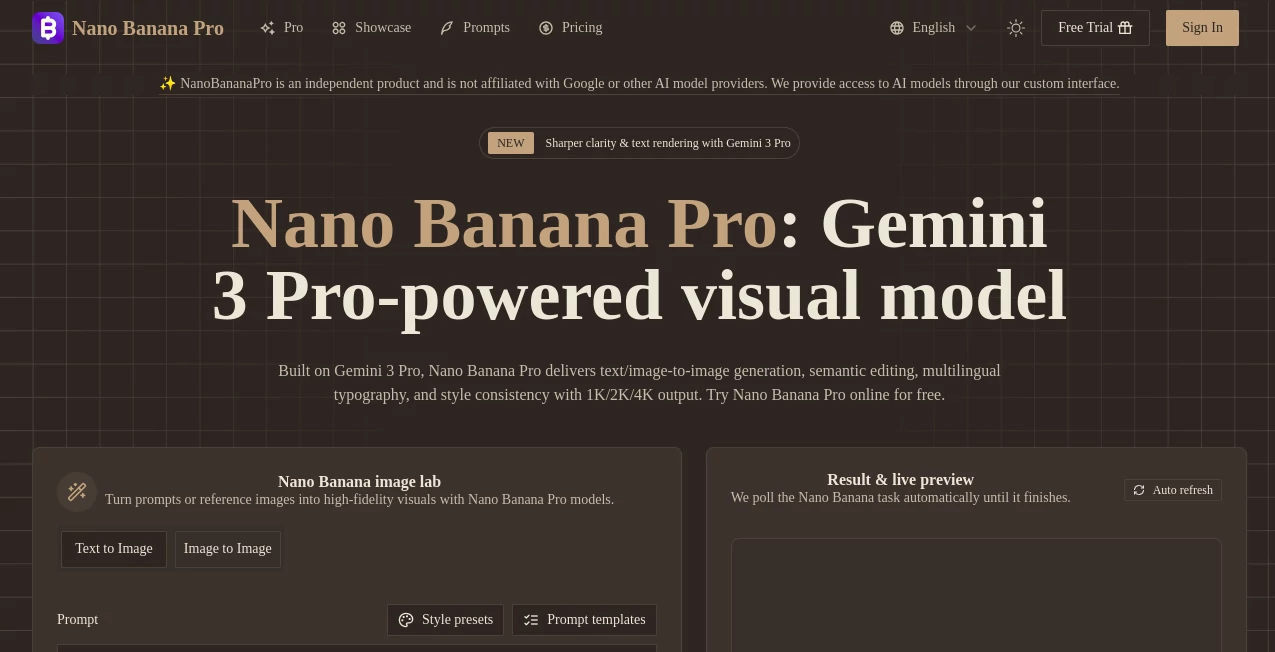
Nano Banana Pro opens up a smooth path for turning everyday ideas into eye-catching images, whether you're starting from a handful of words or a quick sketch. This browser-based setup feels like having a sharp-eyed collaborator who gets the details right, delivering scenes that pop with clarity and depth. Many who've dipped in talk about how it cuts down the back-and-forth, letting them land on something solid fast, perfect for those moments when inspiration hits but time's tight.
Introduction
Nano Banana Pro came together as a fresh spot for folks tired of wrestling with finicky tools that promised big but delivered fuzzy. It kicked off with a focus on blending smart processing with real-world needs, drawing in creators who wanted something reliable for everything from quick mocks to full campaigns. Users started sharing wins like nailing a tricky layout on the first try or keeping a character's look steady across a whole set, turning heads in their circles. Over time, it's built a quiet following among those who value the blend of speed and substance, proving that a well-tuned system can feel almost intuitive, like sketching out thoughts that come alive without the usual hassle.
Key Features
User Interface
The dashboard pulls you in with a clean workspace that puts the essentials front and center—a spot for your notes or uploads, easy picks for looks and starters, and a button to kick things off. As it works, a live view keeps you in the loop with gentle updates, and your latest tries show up in a simple list, ready to revisit or refine. It's the kind of setup that doesn't get in your way, letting you focus on the fun of building rather than fumbling through options.
Accuracy & Performance
It handles the finer points well, like placing elements just so or keeping words sharp even when they're packed in tight, often wrapping up in under half a minute for most jobs. That quick turnaround means you can tweak and try again without losing steam, and the results hold up nicely when you blow them up or print them out. People who've put it through paces mention how it rarely throws curveballs, sticking close to what you had in mind and saving those extra rounds that eat up the day.
Capabilities
From mixing a few starting points to keep things looking connected across pieces, to swapping bits or stretching out a view while holding the feel, it covers a lot of ground for pulling together visuals that tell a story. You can layer in notes from different spots or lock down a vibe for repeats, making it handy for sets that need to match without starting over. The range goes from everyday product views to more involved spreads, all with options to scale up the detail as needed.
Security & Privacy
Your starting materials get handled on the down-low, processed fresh and then let go once the job's wrapped, keeping things tidy without any extras hanging around. It's built with an eye toward keeping your work yours, especially when you're testing ideas that aren't quite ready for the spotlight. That straightforward approach gives a sense of ease, letting you dive in without the nagging thought of loose ends.
Use Cases
Shop owners whip up standout shots for their listings, staging items in ways that draw eyes without a full photo shoot. Marketers sketch out poster ideas or info pieces that fit the brand just right, testing angles before the big push. Storytellers map out sequences with steady looks for folks or settings, smoothing the flow from rough notes to ready frames. Even teams handling bigger runs find it speeds up the review, turning batches into polished packs without the usual wait.
Pros and Cons
Pros:
- Quick spins on ideas, often landing something usable right away.
- Keeps details crisp, especially with text or mixed elements.
- Blends starters smoothly for consistent sets.
- Easy entry point, no big commitments to start exploring.
Cons:
- Heavier lifts might tap out the free tries faster than expected.
- Best with clear starters; loose ones can wander a bit.
- No deep dives into tweaks during the run itself.
Pricing Plans
You can jump in with a no-strings trial that hands over some starting points, enough to get a feel without pulling out the card. From there, each go pulls a small slice from your pool, with ways to top up as you go along, keeping it flexible for light dips or steady streams. The setup leans toward easing in, so you only scale when the spark turns into something you can't put down.
How to Use Nano Banana Pro
Head to the main area and drop in your thoughts or a quick upload, then pick a starting look or guide from the ready ones. Tap to get it going, and keep an eye on the view as it builds—once it's there, sift through the fresh ones and snag what fits. Check your tally to stay on track, and swing back to build on the keepers for the next layer.
Comparison with Similar Tools
Some setups rush through but skim on the finer ties, while Nano Banana Pro digs a touch deeper to hold the whole thread, though those quicker ones might suit snap decisions better. Against fuller suites, it keeps the focus narrow and nimble, skipping extras that bog down but maybe missing some of the broader brushes. It slots in nicely for hands-on creators who want reliable steps without the sprawl.
Conclusion
Nano Banana Pro quietly shifts how rough sketches turn into standout pieces, giving creators a steady hand that amplifies without overwhelming. It bridges that space between a quick notion and something shareable, showing how a bit of tuned smarts can spark visuals that stick. With more folks leaning into digital drafts, this one's poised to keep fine-tuning, pulling in those everyday wins that make the process feel less like work and more like the good kind of flow.
Frequently Asked Questions (FAQ)
What sorts of starting points does it take?
Words, quick drawings, or even a mix to guide the build.
How long until something shows up?
Usually just a short wait, depending on the details you're after.
Can it handle notes in different languages?
Yes, it weaves them in without losing the sharp edges.
Is the output good for sharing or selling?
Clean and ready, straight to print or screen without extras.
What if the first round isn't quite there?
Refine your guide and give it another whirl—small changes often click.
AI Text to Image , AI Photo & Image Generator , AI Art Generator , AI Design Generator .
These classifications represent its core capabilities and areas of application. For related tools, explore the linked categories above.
Nano Banana Pro details
Pricing
- Free
Apps
- Web Tools
Categories

Nano Banana Pro Alternatives Product

Image Text E…

AI Clothes

NanoEditor
Edensign

X Grok Imagi…

Seedream Ima…

Nano Banana …
Nano Banana …
Nano Banana …