
🧠 AI Quiz
Think you really understand Artificial Intelligence?
Test yourself and see how well you know the world of AI.
Answer AI-related questions, compete with other users, and prove that
you’re among the best when it comes to AI knowledge.
Reach the top of our leaderboard.

















Nano Banana Prompt
What is Nano Banana Prompt?
Sometimes the hardest part of creating with AI isn’t the generation itself—it’s figuring out exactly what to say to get the result you’re picturing in your head. You try a few words, the image comes out okay but not quite right, and you end up tweaking for ages. This platform takes that frustration away. It’s a thoughtfully curated library of proven prompts, organized so you can quickly find what you need for portraits, product shots, illustrations, cinematic scenes, and more. The prompts are tested, refined, and come with real example images so you can see exactly what kind of output to expect. I’ve spent evenings browsing here just for inspiration, and more than once walked away with a prompt that gave me an image better than I could have described on my own.
Introduction
Good AI images start with good prompts, but writing them well takes practice most of us don’t have time for. Nano Banana Prompts solves this by offering a growing collection of high-quality, ready-to-use prompts that actually deliver consistent, impressive results. Every prompt is carefully selected and tested across different models. The library is organized by use case, style, and subject, with tags that make browsing feel effortless. Whether you’re a complete beginner who just wants something beautiful or a more experienced creator looking to refine your technique, it saves hours of trial and error. The best part? You can copy any prompt with one click and paste it straight into your favorite image generator. It turns prompt engineering from a chore into a pleasant browse-and-borrow experience.
Key Features
User Interface
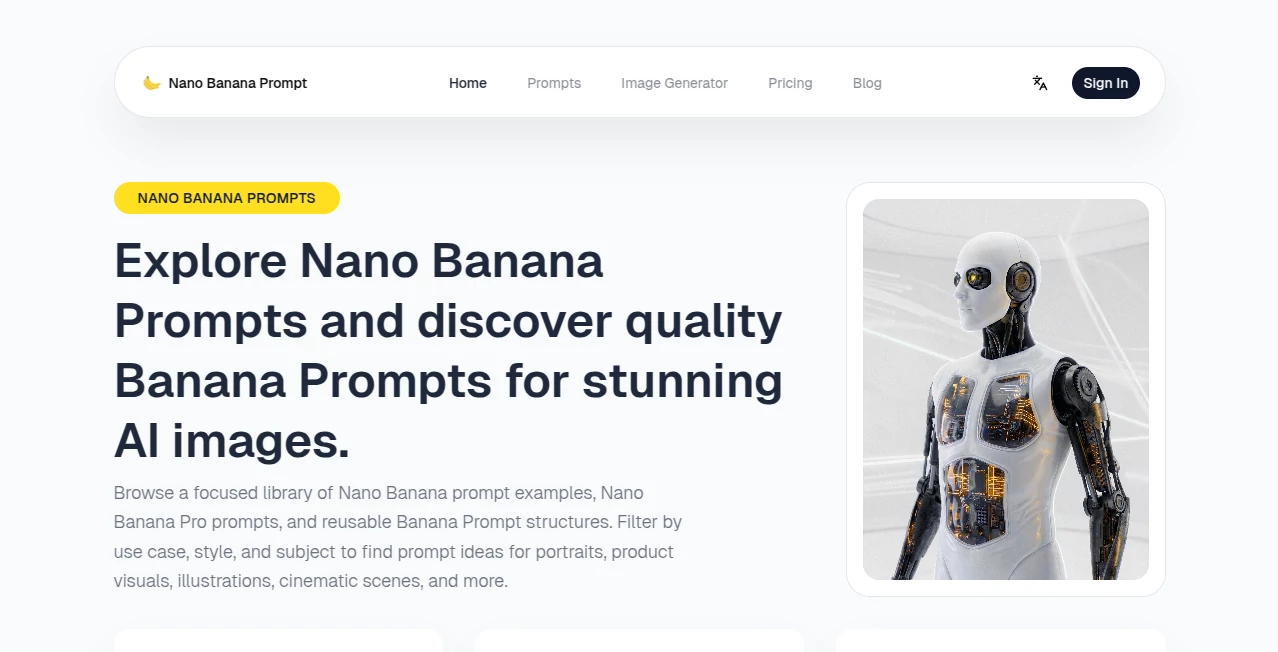
The site feels welcoming and uncluttered. You land on a clean grid of prompts with thumbnail examples, easy filtering by category or tag, and a search bar that actually understands what you’re looking for. Click any card and you get the full prompt text, a larger example image, and a one-click copy button. No account is forced for basic browsing, so you can explore freely. The whole experience is smooth and fast, even when you’re scrolling through dozens of options late at night.
Accuracy & Performance
These aren’t random guesses—they’re prompts that have been tested and refined to produce reliable, high-quality outputs across popular models. The example images shown for each prompt give you a realistic preview of what you’ll get. Consistency is impressive: the same prompt structure tends to deliver similar quality even when you swap in your own subject. It removes much of the guesswork that usually comes with prompting, so your results feel more predictable and less like rolling dice.
Capabilities
The library covers a wide range of needs—cinematic portraits, aesthetic selfies, product photography, stylized illustrations, urban fantasy scenes, editorial looks, and more. Prompts are optimized for different styles and scenarios, including reference-photo workflows for keeping faces or objects consistent. You can filter by use case (portraits, marketing, posters) or style (monochrome, photorealistic, 3D plush, etc.). New prompts are added regularly, keeping the collection fresh with trending techniques and creative ideas.
Security & Privacy
Your activity stays private—no forced login for browsing or copying prompts. The site focuses on delivering value without collecting unnecessary data. When you generate images using the built-in tool (with free credits for new users), the process respects standard privacy practices. It’s a low-pressure environment where you can explore creative ideas without feeling watched or tracked.
Use Cases
A portrait photographer uses it to quickly generate stylized client previews before a shoot. A product designer grabs marketing-style prompts to visualize packaging concepts. A hobbyist creating fantasy art finds detailed scene prompts that save hours of trial and error. Social media creators copy aesthetic selfie or street photography prompts to build consistent visual branding. Even writers use the cinematic prompts to visualize scenes from their stories. It fits anywhere you need strong visual ideas fast.
Pros and Cons
Pros:
- Curated, tested prompts that actually work well across models.
- Real example images help you choose the right prompt before copying.
- One-click copy makes it incredibly fast to use in any generator.
- Thoughtful organization and tags save browsing time.
- Free generations available for new users to test the quality.
Cons:
- Free daily generations are limited (new users start with 3).
- Some very niche or ultra-specific ideas may still need prompt tweaking.
- The built-in generator is convenient but basic compared to dedicated tools.
Pricing Plans
New users get a few free generations to experience the quality firsthand. For heavier use, paid options unlock more generations, priority access during busy times, and additional features. The structure keeps entry easy while scaling sensibly for regular creators who rely on strong prompts daily. Many users find the value clear after their first successful batch of images.
How to Use Nano Banana Prompts
Browse the library using filters or search for what you need (portraits, product shots, cinematic, etc.). Click any prompt card to see the full text and example image. When you find one you like, hit the copy button. Paste the prompt into your preferred AI image generator, add your own subject or details if needed, and generate. For even better results, combine prompts or use the reference photo feature in your generator. The process is fast enough that you can test several variations in one creative session.
Comparison with Similar Tools
Many prompt libraries feel scattered or filled with untested examples that waste your time. This one stands out because every prompt is curated and shown with real results. Where other collections overwhelm you with volume, this focuses on quality and usability. The combination of thoughtful organization, example images, and instant copy-paste makes it more practical for daily creative work than most alternatives I’ve tried.
Conclusion
Great images start with great prompts, but writing them well takes time and practice most of us don’t always have. This platform removes that barrier with a carefully chosen collection that actually delivers. It turns the often frustrating part of AI image creation into something enjoyable and efficient. Whether you’re making art for fun, building a visual brand, or bringing ideas to life professionally, it gives you a reliable head start. Sometimes the best creative tools aren’t the ones that do everything—they’re the ones that quietly make the important parts easier. This is one of those tools.
Frequently Asked Questions (FAQ)
Do I need an account to browse prompts?
No—you can explore the entire library freely without signing up.
How many free generations do new users get?
New users start with 3 free generations to try the built-in generator.
Can I use these prompts in other AI image tools?
Yes—copy any prompt and paste it into Midjourney, Stable Diffusion, Flux, or any other generator you prefer.
Are the prompts updated regularly?
Yes—the library grows with new creative prompts and trending styles.
What kinds of images work best with these prompts?
They shine on portraits, product visuals, illustrations, cinematic scenes, and stylized photography.
AI Photo & Image Generator , AI Art Generator , AI Design Generator , AI Text to Image .
These classifications represent its core capabilities and areas of application. For related tools, explore the linked categories above.
Nano Banana Prompt details
Pricing
- Free
Apps
- Web Tools
Categories

Nano Banana Prompt Alternatives Product

Pixel Art Vi…

Fiddl.art

img2img.net

SlideStorm AI

GPT Image 1.5

Nano AI

Gualele

NanoBanana P…

Nano Banana …
